James
James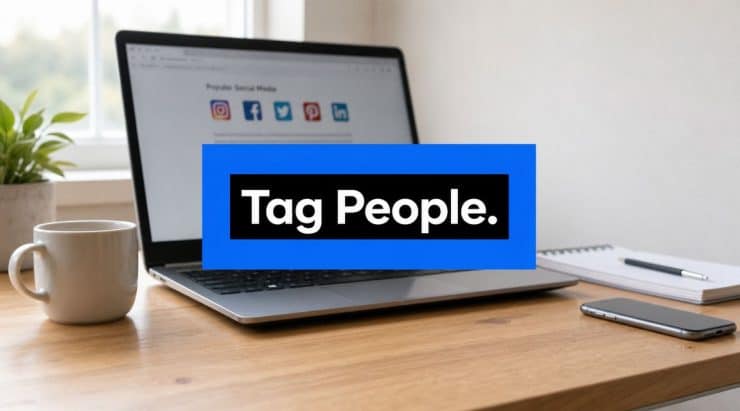
You're probably staring at a post right now that includes another person, brand, client, creator, speaker, or customer and wondering one thing: should I tag them, and if so, how?
That decision matters more than most social media guides admit. A tag can give proper credit, trigger a notification, open the door to a reshare, and help a post travel outside your own audience. It can also do almost nothing if the tag is irrelevant, mistimed, or added in the wrong way.
That's why learning how to tag people isn't just about tapping a button. It's about knowing which kind of tag fits the platform, the post, and the result you want.
Why Tagging Is a Superpower for Visibility
A lot of posts live and die inside one audience bubble. You publish, your followers see it, and the distribution mostly stops there. Tagging changes that dynamic because it gives the post a chance to move through someone else's network too.
That matters at scale. The social media universe reached around 5 billion users worldwide, and the average user is active on 6.7 social networks per month, according to Statista's social networks overview. In practice, that makes tagging more than a courtesy feature. It's a cross-platform discovery mechanism.
Why one tag can outperform ten extra captions
A relevant tag can do three useful things at once:
- Notify the right person: They see the post faster than if you just mention them casually in copy.
- Create association: On platforms that support native tagging, the content becomes linked to that account in a more structured way.
- Open a secondary audience path: If they reply, reshare, or engage, your post can move into their social graph too.
Practical rule: Tag when the other account has a real reason to care about the post. Credit, collaboration, co-creation, event participation, customer spotlight, or product use all count. Random visibility fishing doesn't.
This is why tagging works so well in partner announcements, speaker recaps, creator campaigns, testimonials, and user-generated content. It turns a static post into a networked asset.
There's also a branding angle. If your handles, names, and profile details aren't consistent, people may not even know which account to tag. That's why it helps to treat tagging as part of building a cohesive digital identity, not as an isolated publishing trick.
Visibility only matters if the post is worth passing on
Tagging doesn't rescue weak content. It amplifies strong context. If the post is easy to understand, visually clear, and naturally shareable, the tag has something to work with. If it's cluttered or self-promotional, most tagged accounts will ignore it.
If you want more posts to earn that second layer of distribution, this guide on making posts more shareable is worth pairing with your tagging workflow.
How to Tag People on Major Social Networks
The mechanics change by platform, but the principle stays the same. Use the native tag or mention feature so the platform can create a live link and send the right notification.
A quick visual helps before the platform-by-platform breakdown.

Instagram is the one platform where how you tag really affects reliability. The most dependable method is the official pre-publish flow described in Instagram Help: open the post composer, tap Tag people, tap the person directly on the photo, then select their username before publishing.
That works better than relying on caption text because the tag is attached to the media object itself. Notification and indexing are more predictable when you do it this way.
Use this sequence:
- Create the post first: Upload the image or carousel as usual.
- Tap Tag people: Do this before you hit publish.
- Tap the exact place on the image: Position matters if multiple people appear in the post.
- Search the username carefully: Pick the right account from Instagram's suggestions.
- Finish and publish: Review before posting so you don't need to edit tags later.
Two practical notes matter here. First, a standard person tag isn't the same thing as a collaborator setup. Second, adding tags after a post is already live can be less predictable than tagging during composition.
A useful walkthrough is embedded below.
Facebook uses two tagging patterns depending on the format.
For text posts and comments, type @ immediately followed by the person or Page name, then choose the correct result from the autocomplete menu. If you don't select the suggested entity, you usually won't create a live mention.
For photos, use Facebook's photo tagging tool instead of only typing the name in the caption. Native photo tagging is clearer for attribution and easier for the platform to interpret.
A fast checklist:
- In a post or comment: Type @Name and select the account from the dropdown.
- In a photo: Open the image, choose the tagging option, then tap the person in the image.
- For Pages vs people: Verify you're selecting the correct entity, especially when a founder and a company share a similar name.
X
On X, tagging is generally a mention. Type @username in the post body or in a reply. The platform will create the link if the handle is valid.
Keep it clean. If you're posting a short update, one or two relevant mentions usually read better than stuffing the copy with handles. On fast-moving feeds, clarity matters as much as the mention itself.
If the tagged account has no reason to engage, the mention becomes decoration. On X, decoration gets ignored fast.
LinkedIn also relies on the @ pattern in posts and comments. Start typing the person or company name immediately after the symbol and choose the account from the dropdown list.
Where people go wrong is usually one of three things:
- They insert a space after @
- They type the name but never click the suggestion
- They tag too many people in one post
LinkedIn tagging works best when the relationship is obvious from the post itself. Event speakers, quoted contributors, hiring team members, clients in a case highlight, and collaborators on a launch all make sense.
TikTok
TikTok supports mentions in captions and comments, and some posting flows also let you tag accounts more directly depending on format. The safest approach is simple: use the platform's native mention prompt and confirm the account before posting.
On TikTok, relevance matters even more because posts move quickly and attention is short. If the video doesn't clearly involve the tagged person, the mention feels forced.
Pinterest is more limited and context-specific than the others, so tagging isn't the center of most workflows there. When mentions are available in descriptions or comments, use the native account suggestion instead of plain text. Keep the mention tied to the content source, partner, or creator being credited.
One rule that applies everywhere
If the platform expects autocomplete, let it autocomplete. Native selection is what turns text into an actual mention.
A plain typed name isn't the same as a tag.
The Unwritten Rules of Professional Tagging
Knowing how to tag people is basic. Knowing when not to tag is what separates a careful social manager from someone who burns trust.
Most tagging mistakes aren't technical. They're social. People over-tag, tag for attention instead of relevance, or attach names to promotional content without asking first.

Relevance beats volume
LinkedIn makes this especially clear. A domain-specific benchmark from an industry guide recommends keeping tags to about 3 to 5 relevant people per post, while tagging more than 10 can be interpreted as spam and may reduce reach, according to Ocoya's tagging guide.
That benchmark is useful beyond LinkedIn because it captures the broader rule: more tags do not mean more distribution.
Professional etiquette that actually helps
Use these standards across platforms:
- Tag people who appear in or contributed to the post: Speakers, partners, customers, photographers, hosts, and collaborators are obvious fits.
- Ask before tagging in promotional content: Especially if the post sells something, includes a testimonial, or positions someone as an endorsement.
- Match the tag to the role: Tag the brand account for company involvement. Tag the person when the relationship is personal or the contribution came from them directly.
- Don't mass-tag to manufacture engagement: That reads as spam to people and often looks spammy to platforms too.
Here's the test I use: if the tagged person saw the post in isolation, would they immediately understand why they were included? If the answer is no, leave the tag out.
Respect the audience as much as the tagged person
Tagging affects the reader too. A post crowded with handles is harder to read, less credible, and more obviously engineered. That hurts professional tone.
A clean post with two justified tags often performs better than a noisy post with a long list of names.
Good tagging feels earned. Bad tagging feels opportunistic.
Strategic Tagging for Reach and Collaboration
A common mistake in social media is assuming every tag helps reach. It doesn't.
Instagram's own guidance, as discussed in this creator-focused explanation of tagging and discoverability, emphasizes that tagging is primarily for identifying accounts. Broader discoverability is driven more by recommendations, captions, and hashtags. That's why some tagged posts spread and others stall.

Attribution tags and reach tags are not the same
A tag can serve one of two jobs.
| Tag type | Main purpose | What to expect |
|---|---|---|
| Attribution | Credit the right person or brand | Accuracy, professionalism, proper notification |
| Strategic collaboration | Encourage reply, reshare, or co-distribution | Possible extra visibility if the relationship is real |
If you tag a photographer in a recap photo, that's attribution. If you tag a co-host in a campaign post they helped create and plan to share, that's strategic collaboration.
Those are different moves. Treating them as the same is where marketers get disappointed.
When a tag is likely to help
Strategic tags work best when the other account has a clear incentive to engage.
That usually means:
- The post features them directly
- They helped create it
- They benefit from the exposure
- You've aligned on the message before publishing
This matters in industries where social proof drives response. For example, agents and local businesses often rely on partner visibility, testimonials, and community associations. If that's your world, this guide on Instagram lead generation for agents is a useful example of how visibility tactics connect to actual pipeline goals.
When a collaborator setup is better than a basic tag
If the post is a true joint effort, a collaborator workflow can make more sense than a standard tag because it signals shared ownership rather than simple identification. Use that route when both parties are actively involved in publishing and distribution.
If you're deciding between a regular tag and a more coordinated collaboration approach, this walkthrough on how to collaborate on Instagram helps clarify the difference.
The best tag for reach is the one backed by a real relationship, not the one with the biggest account.
Automating Tags in Your Evergreen Content
Tagging gets trickier when posts aren't going live today. Evergreen content introduces a delay between writing and publishing, and that delay creates risk.
Handles change. Team members leave. Campaign context expires. A customer who was happy to be tagged in one quarter may not want to appear in recycled promotional content later. That's why tagging needs its own review process inside an automated workflow.

Build a tag library, not a memory game
Tagging has evolved into a core engagement tool used for collaboration and distribution. Social media users are projected to reach 5.66 billion in 2026, and 32% of Instagram users were 18 to 24 as of April 2024, with younger audiences showing interest in informative content, according to Destination Digital's discussion of Instagram tagging. For evergreen posts, that means accurate tagging keeps useful content discoverable and properly attributed over time.
The practical fix is simple. Keep a living reference for accounts you tag regularly.
Include:
- Approved handle: The exact current username or company page
- Tagging permission status: Always approved, ask each time, or never for promotional posts
- Context notes: Customer story, podcast guest, sponsor, partner, employee advocate
- Expiry logic: Remove after event date, campaign end, or staff departure
Review old posts before they recycle
Evergreen scheduling works because strong posts stay useful. But tags make some posts time-sensitive.
Before a post re-enters a queue, check:
- Is the account still active and correct
- Is the relationship still current
- Would the tag still make sense to a new audience
- Does the post still sound like a collaboration, not a stale announcement
For ongoing automation, some teams use Buffer for scheduling and maintain separate tagging notes in a spreadsheet or content database. Others run category-based queues through tools like EvergreenFeed, which automates evergreen social posting through Buffer, then review posts with tags as a special content class rather than treating them like generic updates.
If you're building a long-term library, these evergreen content ideas to automate in 2026 are a strong starting point for deciding which posts deserve repeat distribution and which need manual review because tagging is involved.
The automation rule that saves headaches
Never automate a tag just because it worked once. Automate it because the relationship and context are designed to hold up over time.
That's the difference between a durable evergreen asset and a scheduled embarrassment.
Fixing Common Tagging Errors and Issues
Even when your strategy is solid, tags can still fail. Most problems come down to syntax, permissions, or using the wrong tag type for the platform.
You can't find the user to tag
This usually means one of four things. The account name is misspelled, the account changed its handle, the platform's autocomplete needs a more exact search, or the account's privacy settings limit discoverability.
Try the exact current handle from the person's profile, not the display name. If you're using an old saved draft, verify that the account still exists before publishing.
The tag doesn't become clickable
On platforms that use mentions, this happens when you type the name but don't select the account from the autocomplete menu. It can also happen if you insert a space after @.
The fix is mechanical. Delete the text, type @ again, and select the suggested account directly from the platform list.
You're blocked from tagging someone
Sometimes the account has tagging restrictions. Sometimes they've limited mentions. Sometimes your account relationship prevents the tag from working.
Don't try to force it. Use plain-text credit in the caption if appropriate, or ask the person how they prefer to be credited.
You published the post and need to fix the tag
If the platform lets you edit the post, you can usually correct a mention in the text. For image-based Instagram tags, post-publish behavior can be less predictable than adding tags during composition, so check whether the corrected tag appears as intended.
If a tag is central to the post's purpose, it's often worth deleting and republishing rather than leaving a broken version live.
The tag is technically correct but still does nothing
That's not always an error. Sometimes the tag worked and the other account chose not to engage. In that case, the problem isn't syntax. It's fit.
Review the post from the tagged person's perspective. If there's no clear reason for them to respond, the tag did its job technically and failed strategically.
If you manage a backlog of posts that need periodic resharing, EvergreenFeed is worth looking at for automating evergreen content distribution through Buffer. It won't replace judgment on who to tag and when, but it can make the scheduling side far easier once your tagging workflow is clean.

 Leiann