James
James
Trying to manually post on Twitter every single time you want to be active is a surefire way to burn out. More than that, it leads to inconsistent results. A planned content schedule isn't just a convenience—it's a complete shift in your growth strategy. It’s the difference between tweeting reactively and marketing proactively.
Why Scheduling Your Tweets Is a Strategic Advantage

Making the switch from manual, on-the-fly posting to a scheduled content calendar gives you a serious competitive edge. Let's be real: the Twitter algorithm loves recency and activity. To stay visible, your profile needs a steady stream of content. If you're not posting consistently, you’re practically invisible.
Maximize Your Reach and Engagement
When you plan your posts, you can strategically aim for peak engagement windows—those golden hours when your audience is actually online and scrolling. This means your content gets the eyeballs it deserves without you having to be chained to your screen 24/7.
Just imagine your best content going live right during your followers' lunch break or evening commute, even while you’re tied up in a meeting.
This consistent activity has a direct, measurable impact on performance. Data shows that posting 10 or more times per week can boost your reach per post by up to 24% compared to posting less often.
This simple change transforms your Twitter presence from a daily chore into an efficient marketing engine. For anyone managing a brand, this is how you drive follower growth and build a real community. To dig deeper into the strategy, check out these Twitter Post Scheduler insights for engagement.
Create a Sustainable Content Workflow
A well-organized schedule is the key to batch-creating content, which can save you hours every single week. You can set aside a dedicated block of time to write, design, and plan an entire week's worth of tweets at once. This creates a workflow that you can actually stick with long-term.
The core benefits really boil down to this:
- Maintaining Consistency: You keep your feed active and your brand top-of-mind, even on your busiest days.
- Saving Valuable Time: Automating the publishing process frees you up to focus on big-picture strategy.
- Boosting Engagement: You’re posting when your followers are most likely to see and interact with your content.
By putting these practices into place, you stop just "posting" and start truly managing your online presence. You can learn more about the long-term https://www.evergreenfeed.com/blog/benefits-social-media-automation/ in our detailed guide.
Using Twitter's Built-In Scheduler for Quick Posts

Sometimes you just don't need a heavy-duty, all-in-one social media tool. For those one-off posts or a quick announcement, Twitter's own native scheduler gets the job done perfectly. It’s built right into the platform you’re already using, which makes it the most direct way to schedule a tweet without ever leaving the website or paying for another subscription.
I find this method is best for individuals or small businesses who only need to plan a few posts at a time. For example, you could spend a few minutes on a Friday afternoon queueing up tweets for a weekend sale, making sure your brand stays visible while you're offline. It's simple, fast, and free.
Getting to the Scheduler
Finding the tool is easy. From your Twitter homepage on a desktop, just start writing a new tweet like you always do. Get your text, images, or video ready, then look at the toolbar at the bottom of the composer. You'll spot a small calendar icon—that's your ticket.
Clicking that icon brings up a clean calendar interface. From here, it's just a few clicks:
- Set the Date: Pick the day you want your tweet to publish.
- Choose the Time: Dial in the exact hour and minute for it to go live.
- Lock It In: Hit the Confirm button in the top right.
Once you confirm, the blue "Tweet" button will change to a black "Schedule" button. One click, and your post is officially in the queue, ready to go out at the exact moment you picked. It's a beautifully simple workflow.
One major thing to keep in mind: you can only schedule posts on Twitter with the native tool from the desktop website. The mobile app still doesn't have this feature, which is a big deal if you do most of your social media management from your phone.
Making Changes to Your Scheduled Tweets
So, what happens if your plans change and you need to edit a post? Twitter keeps everything you’ve scheduled in one spot.
To find your queue, just open the tweet composer again and click the same calendar icon. At the bottom of that pop-up window, you’ll see a “Scheduled posts” link. Clicking that takes you to a dashboard showing every tweet you have lined up.
From this screen, you can click on any post to edit the text, reschedule it for a different time, or just delete it altogether. It's a straightforward management system that's perfect for handling a pre-planned holiday greeting or tweaking the timing on an event announcement.
Managing Multiple Feeds with X Pro (TweetDeck)
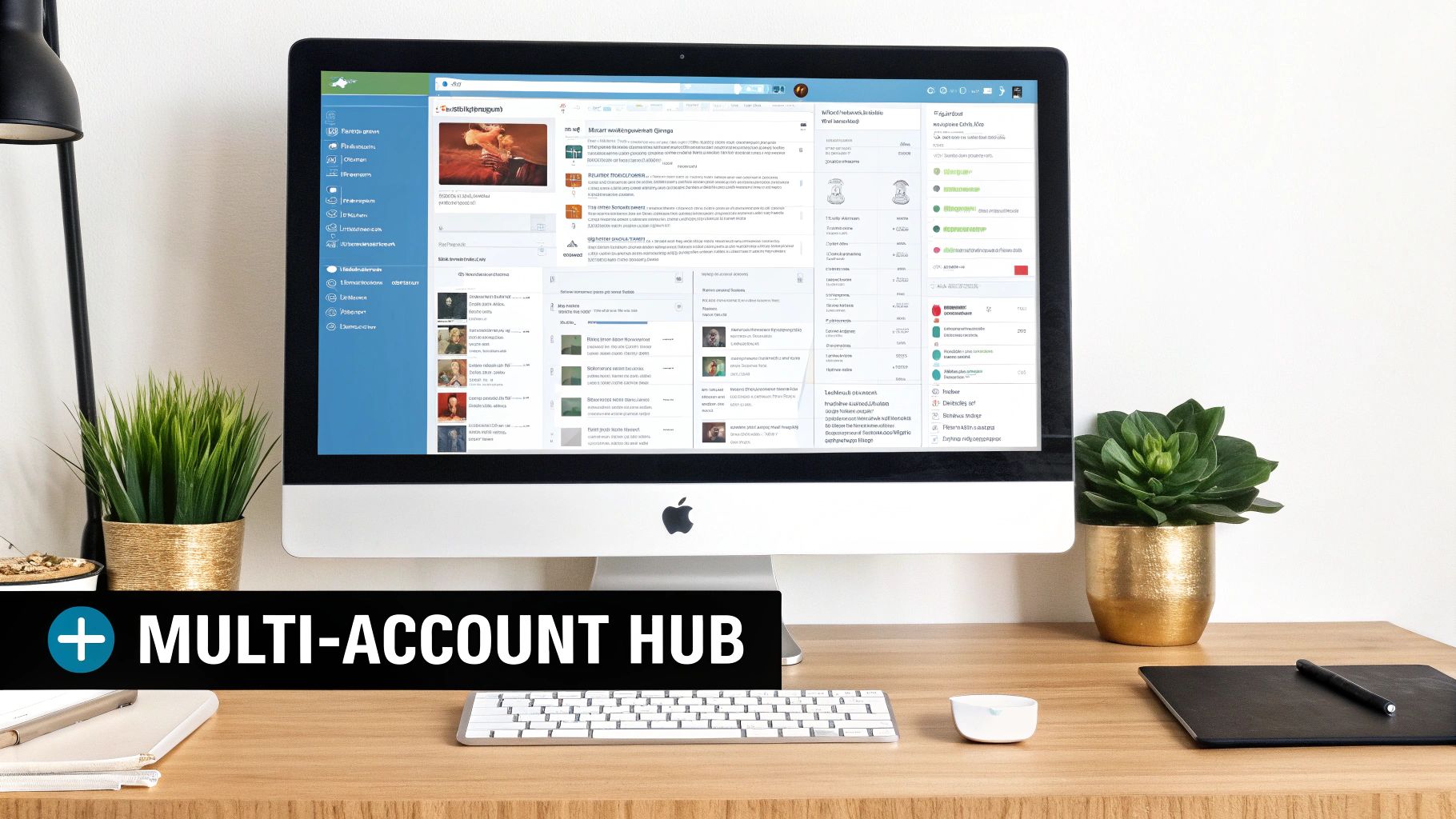
When you're handling more than one Twitter profile, the basic, built-in scheduler just doesn't cut it. This is where X Pro (what we all used to know and love as TweetDeck) comes in and becomes your command center. It turns your standard single-feed view into a robust, customizable dashboard that's a lifesaver for social media managers, agencies, or anyone juggling multiple brand voices.
Think about it: you can get a real-time view of notifications, mentions, and DMs for three different clients, all lined up side-by-side. X Pro pulls this off with its signature column-based layout. You can set up columns to track specific hashtags, follow user lists, or monitor search terms, giving you a complete picture of several conversations at once.
Streamlining Your Multi-Account Workflow
The real magic of X Pro is its unified scheduling. You can finally stop the tedious cycle of logging in and out of different accounts. Just write your tweet, click a simple dropdown menu, and choose which profile—or profiles—you want to post from. For anyone who needs to schedule a post on Twitter across different brands, this feature is a game-changer.
A typical workflow for a social media manager might look something like this:
- Client A (Coffee Shop): Schedule a morning tweet with a gorgeous photo of a freshly made latte.
- Client B (Tech Startup): Queue up a midday announcement about their latest blog post.
- Client C (Local Boutique): Plan an evening post to build hype for a weekend sale.
You can knock all of this out from one window in just a few minutes, instead of getting lost in the shuffle of switching accounts. That kind of efficiency is what lets you maintain a strong, consistent presence without getting buried in the busywork. We dive deeper into these kinds of strategies in our guide to managing multiple social media accounts.
The key benefit here is context. By seeing all your feeds and scheduled content in one place, you can avoid cross-posting mistakes and ensure each account maintains its unique voice and content strategy.
Limitations to Consider
As great as X Pro is for managing multiple feeds, it’s not a silver bullet. You have to know its limits. It doesn't have the deep analytics, team collaboration tools, or the bulk scheduling options you'll find in dedicated third-party platforms. It’s a fantastic tool for monitoring and scheduling, but it isn’t a complete social media management suite.
If you're managing a ton of content or need detailed performance reports to show your clients, you'll probably need to pair X Pro with another tool. It's best to think of it as an expert-level dashboard for real-time engagement and quick-and-easy scheduling, not a comprehensive content calendar solution.
Building a Content Pipeline with Buffer
If you're ready to move past scheduling tweets one by one, you need a real system. This is where a tool like Buffer really shines, helping you go from just planning posts to building a proper content pipeline. The idea is to stop thinking tweet-by-tweet and start creating a queue—a library of content that's ready to go, publishing automatically based on a schedule you set.
Instead of scrambling to figure out what to post every single day, you can dedicate focused blocks of time to fill up this queue. Think about it: spend an hour on Monday morning, and you could have all your tweets for the week written, approved, and ready to fly. This "batching" approach is a game-changer for productivity and takes the daily pressure off.
Designing Your Custom Posting Schedule
First things first, you'll want to set up your posting schedule in Buffer. This isn't about throwing darts at a board; it's about being strategic and hitting the times when your audience is actually online and paying attention. Buffer lets you create a custom schedule with specific days and times, establishing a consistent rhythm for your content.
You could, for example, build a schedule that looks something like this:
- Mondays, Wednesdays, Fridays: 9:00 AM, 12:30 PM, 4:00 PM
- Tuesdays, Thursdays: 10:00 AM, 2:00 PM
- Saturdays: 11:00 AM
Once that's locked in, any new tweet you add to your queue simply grabs the next open time slot. It's that simple. We actually walk through this process in much more detail in our step-by-step guide to using Buffer for your social media.
The real power here is consistency. Your followers begin to expect content from you at regular intervals, which builds trust and keeps your brand top-of-mind. You’re no longer subject to the whims of your daily schedule.
Curating a Balanced Content Mix
A great content pipeline is about more than just quantity; it's all about variety. If your queue is just a long list of sales pitches, your audience will tune out fast. The goal is to create a healthy mix that genuinely provides value and keeps people engaged.
Your content queue should be a blend of different post types. I always recommend planning a mix that includes:
- Evergreen Articles: Your best, most timeless blog posts and guides.
- Promotional Updates: Announcements for new products, services, or special offers.
- Community Questions: Simple questions designed to get a conversation started.
- Curated Content: Sharing valuable articles and insights from others in your field.
This method lets you plan out weeks of high-quality, diverse content in a single sitting. Of course, while Buffer is a fantastic tool for this, it's just one of many options out there. If you want to see how it stacks up against others, this social media management tools comparison is a great resource for weighing different features.
Ultimately, for anyone serious about scaling their Twitter marketing without burning out, building a pipeline is the only way to go.
Putting Your Best Content on Autopilot with Evergreen Tools
Okay, so you've got a solid content pipeline. That's a huge win. But the real game-changer is creating a system that practically runs itself. This is where you can step back and let evergreen automation tools take the wheel, turning your content strategy into a nearly hands-off operation. These tools plug right into schedulers like Buffer, creating a self-feeding content machine that squeezes every last drop of value from your best work.
The whole concept is deceptively simple but incredibly effective. You round up your all-star content—those foundational blog posts, killer tutorials, glowing testimonials, or popular case studies that never get old. Instead of letting them collect dust in your archives, you sort them into categorized libraries, often called "buckets."
Why Content Buckets Are a Game-Changer
Think of it like creating different playlists for different moods. If you're a consultant, your buckets might look something like this:
- Case Studies: Your collection of success stories that prove you know your stuff.
- Top Blog Posts: Your most insightful articles that deliver timeless value.
- Quick Tips: A running list of short, punchy, actionable advice.
- Industry Insights: Curated links and your take on relevant news.
Once you’ve filled your buckets, you give each one its own posting schedule. Maybe you decide your "Case Studies" should go out every Friday afternoon to catch people winding down, while "Quick Tips" are perfect for Tuesday and Thursday mornings when everyone's looking for a quick win.
From there, the automation tool does all the heavy lifting. It'll dip into the right bucket at the scheduled time, pull out a piece of content at random, and add it straight to your Buffer queue.
The beauty of this system is that your most valuable assets get consistently resurfaced and shared at the best possible times. It happens month after month, without you having to do anything. Your content library transforms from a static archive into an active, lead-generating powerhouse.
This diagram breaks down the simple flow: you schedule the buckets, the tool queues the content, and it gets mixed into your feed automatically.
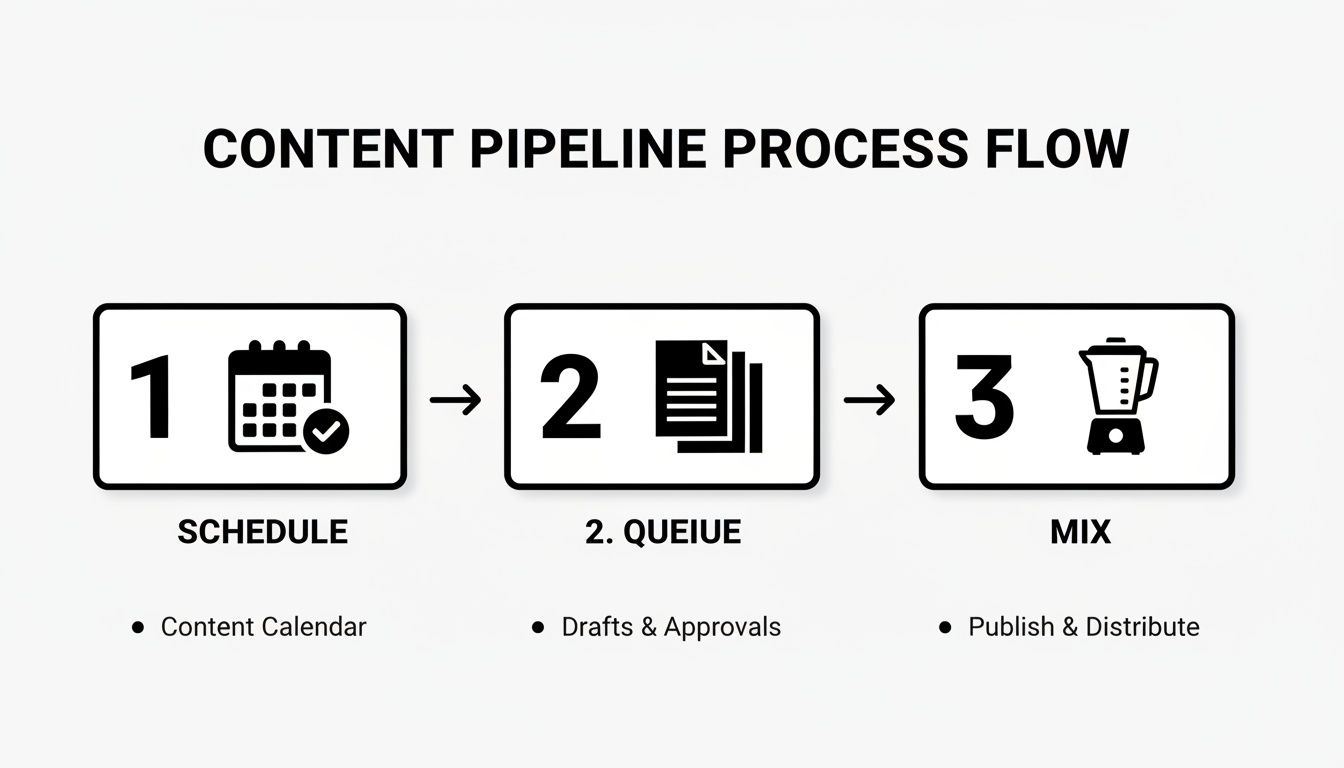
This is a great visual for how these tools keep your content pipeline full, ensuring your social media presence stays varied and consistent without constant manual effort.
How This Looks in the Real World
Let’s walk through a practical example. Imagine a B2B marketing consultant who needs a steady stream of leads. They decide to use an evergreen tool like EvergreenFeed, which they've connected to their Buffer account.
First, they create a "Case Studies" bucket. They add links to their top 10 success stories, writing a unique, compelling caption for each one. Then, they set a simple rule: push one post from this bucket to their Twitter queue via Buffer every Wednesday at 10 AM.
And that's it. Now, every single week, a piece of powerful social proof is automatically chosen and scheduled. The consultant invested a couple of hours to set this up once, and now their Twitter feed is perpetually active with content that proves their value. This is how you truly schedule posts on Twitter for long-term growth—by combining smart automation with strategic content, you maximize the lifespan and impact of everything you create.
Go Beyond the Tools: How to Schedule Tweets People Actually See
Having the right scheduler is half the battle. The other half? Knowing what to post and when. This is where strategy comes in, and it's what separates a noisy, ignored Twitter account from one that drives real engagement.
A lot of people fall into the trap of following generic advice on posting times. While those "best time to post" infographics can be a decent starting point, they're not tailored to your audience. The real gold is buried in your own Twitter Analytics. Go look at when your past tweets got the most traction—that’s your truth.
Pinpointing Your Audience's Peak Hours
Your own data will always be the most reliable source for finding when your followers are most active. Once you've dug into your analytics, you can cross-reference what you find with broader industry research to see if you're on the right track.
Data consistently shows that timing is everything on a fast-moving platform like Twitter. The algorithm favors fresh content that gets immediate interaction. General studies point to weekdays between 9 AM and 2 PM as a solid bet, with the real sweet spot often falling between 10 AM and 12 PM. If you want to dive deeper, StackInfluence.com offers some great data on this.
My takeaway: Schedule your absolute must-see content—like a product launch or a big announcement—for these peak windows. Use the rest of your schedule to fill the gaps and keep a consistent presence without burning out.
Keep Your Schedule from Sounding Like a Robot
Automation is a lifesaver, but nobody wants to follow a robot. The best-run accounts masterfully blend scheduled posts with genuine, real-time engagement. Your content calendar should be a guide, not a straitjacket that keeps you from hopping on a trending meme or replying to someone's question.
Here's how I make sure my scheduled content still feels authentic:
- Vary Your Content Types: Don't just queue up a week's worth of blog post links. That gets old, fast. Mix it up with questions, polls, behind-the-scenes glimpses, and even sharing great content from other accounts you admire.
- Leave Gaps for Real Life: I always plan my "anchor" content, but I deliberately leave empty slots in my schedule. This gives me the breathing room to live-tweet an event or just share a spontaneous thought.
- Do a Weekly Check-In: Set aside 15 minutes each week to scan your upcoming queue. Is that tweet about a now-passed event still in there? Does the tone of a scheduled joke still feel right given the current news cycle? A quick review can save you from an awkward post.
This balanced approach makes your profile feel alive and managed by an actual human. That’s how you build a real community, not just a list of followers.
Got Questions About Scheduling Tweets? We've Got Answers.
Even with the best tools in hand, you're bound to have a few questions as you get into the swing of scheduling tweets. Let's tackle some of the most common ones I hear so you can schedule with total confidence.
Can You Actually Schedule Twitter Threads?
Yep, you absolutely can. This is a game-changer for storytelling and in-depth posts.
Whether you're using Twitter's own scheduler or a tool like Buffer, the process is pretty much the same. You'll write your first tweet, then spot a little plus (+) icon in the corner of the composer. Just click that to add the next tweet to your thread, and keep going until your story is told. Then, schedule the whole thing just like you would a single tweet.
Does Scheduling Tweets Kill Your Engagement?
This is probably the biggest myth out there, and I’m happy to bust it: No, it doesn't. The Twitter algorithm doesn't care how a tweet was published; it cares about the content.
A tweet's reach is all about its quality, timing, and the conversation it sparks. In fact, I've found that scheduling consistently boosts engagement. Why? Because it ensures your content goes live during peak hours when your audience is most active, even if you’re stuck in a meeting or fast asleep.
The algorithm rewards great content that shows up at the right time. Whether you hit "Tweet" manually or let a scheduler do it for you makes no difference to its performance.
How Far Out Can I Schedule a Tweet?
If you're using Twitter's built-in tool, you can schedule your posts up to 18 months in the future. That's a pretty generous runway for most content plans.
But if you're a super-planner mapping out a massive campaign, third-party platforms often give you even more breathing room. Tools like Buffer are built for long-term strategy and typically let you schedule much further in advance.
What’s the Best Free Tool for Scheduling Tweets?
For most people, the best place to start is right where you already are: Twitter's native scheduler. It’s free, it’s built-in, and it gets the job done without any fuss.
Need a bit more horsepower? Maybe you're juggling a few different social accounts. Here’s a quick breakdown of the top free options:
- Twitter's Built-in Scheduler: Perfect for its simplicity and if you're only focused on one Twitter account.
- Buffer's Free Plan: A fantastic step up. It lets you manage up to three social channels and queue 10 posts for each one, giving you a taste of real social media management.
Ready to stop manually posting your best content and save hours every single week? EvergreenFeed plugs right into Buffer, turning your top-performing posts into a content engine that runs on its own.
Sign up for free and start automating your evergreen content today!