James
James
Trying to keep your Facebook page fresh and active can feel like a never-ending task. It's a common headache, which is exactly why so many of us turn to fb auto share tools. The secret isn't just to set it and forget it, though. The real win comes from building a smart, sustainable content engine that keeps your best evergreen posts in rotation.
This approach frees you from the drudgery of manual posting, letting you spend your time on what really matters: genuine conversations with your community.
Why Smart Facebook Automation Is the Only Way to Go

Automatically sharing content to Facebook isn't a new idea. Back between 2010 and 2012, this was the way to get massive viral growth. Facebook's API opened the floodgates for third-party apps, and at one point, a staggering 70% of the platform's content distribution came from these automated tools.
But then came the backlash. Users got tired of seeing the same robotic updates clog their feeds, a phenomenon known as "share fatigue." In fact, by 2013, studies revealed that a quarter of users were actively hiding pages because of their excessive, automated posting.
There’s a crucial lesson here: mindless automation can do more harm than good.
A Modern, More Strategic Approach
Today, smart automation is less about volume and more about strategy. To get the most out of any fb auto share system, you first have to understand the bigger picture of Social Media Automation. This is where tools like Buffer and EvergreenFeed have completely changed the game.
The goal is to create an automated presence that still feels authentic. By building a hand-picked library of your best evergreen content, you ensure your feed stays active with genuinely helpful posts, not spammy, repetitive noise.
This smarter method helps you:
- Stay Consistent: Your page remains active and engaging, even when you're swamped with other work.
- Get More From Your Content: You squeeze every last drop of value from your top-performing blog posts, tips, and resources.
- Reclaim Your Time: You can finally shift your focus from the scheduling hamster wheel to meaningful engagement, like replying to comments and messages.
Ultimately, this guide is about building a powerful fb auto share system that works for you. It’s about fostering a healthy, engaged community without chaining yourself to the "Post" button.
Setting Up Buffer As Your Automation Hub
Think of Buffer as the engine for your entire fb auto share strategy. Getting it configured correctly right from the get-go is absolutely critical. This isn't just about plugging in your Facebook account; it's about building a reliable foundation that ensures every single post goes out on schedule and looks exactly how you want it to.
Your first job is to connect the Facebook Pages and Groups you plan to post to. It's important to remember that Facebook's system handles these two very differently. Pages are usually a piece of cake to connect, but Groups have an extra hoop to jump through. You'll often need to go into the Group's settings on Facebook and manually add the Buffer app. It’s a small step, but one that’s easy to miss and can cause a lot of posting errors down the road.
This is your mission control, the central dashboard where all your connected accounts live. It gives you a fantastic high-level view of your entire social media operation.
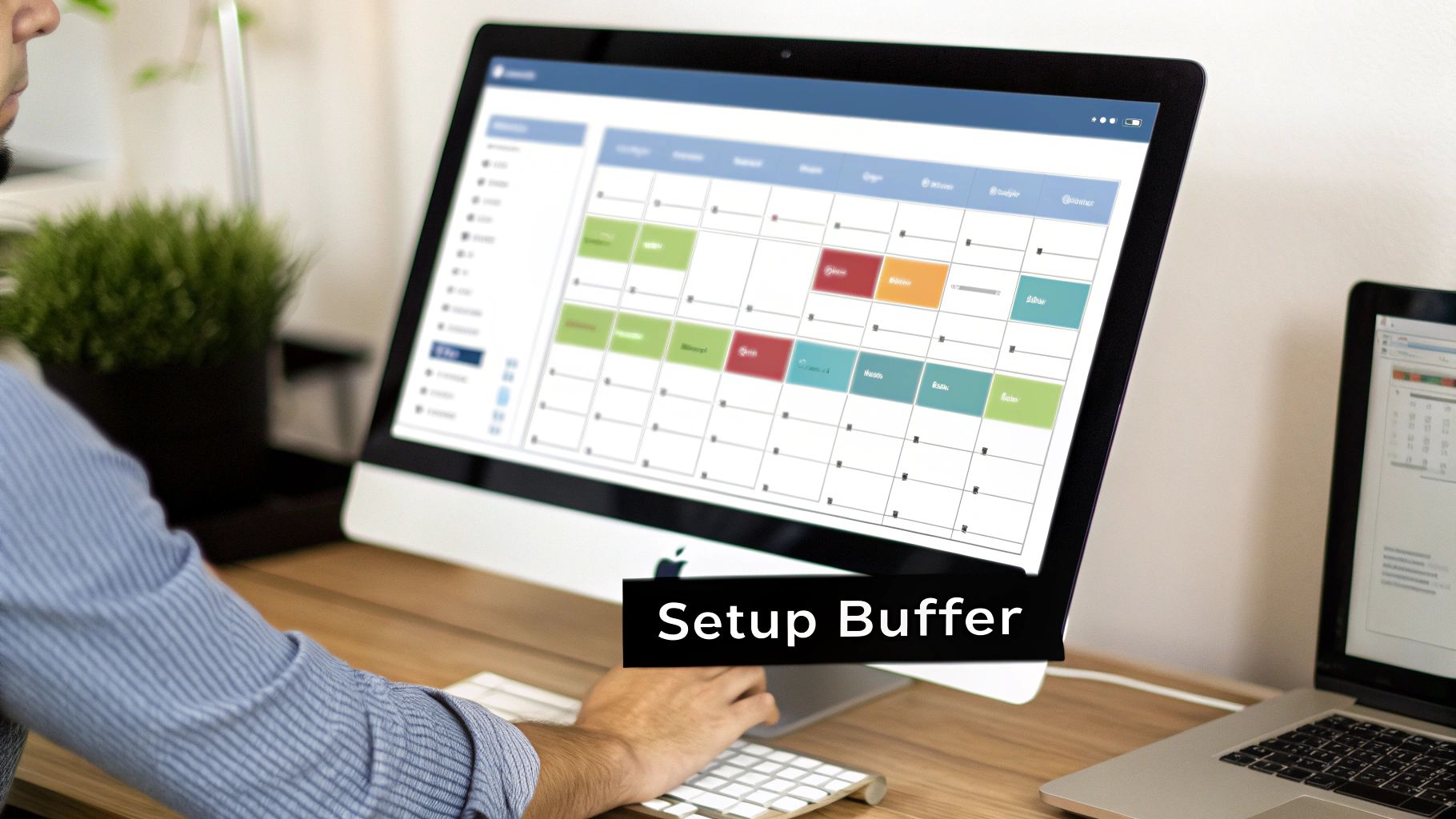
From here, you can see just how simple it is to add new channels—the essential starting point before any automation can happen.
Customizing Your Posting Schedules
Okay, your accounts are connected. I know it's tempting to start throwing content into the queue right away, but hold that thought. The most effective thing you can do now is head over to the "Posting Schedule" tab for each individual Facebook account. This is where the magic happens.
Instead of just guessing, use your actual Facebook Insights data to pinpoint when your audience is scrolling and most likely to engage. Your goal is to build a custom schedule that lines up perfectly with those peak activity hours.
For example, your data might show that your Facebook Page gets the most traffic on weekday mornings, but your private Group is buzzing on evenings and weekends. Don’t treat them the same!
Set up a unique schedule for each destination:
- Facebook Page: Maybe you post at 9 AM and 1 PM on weekdays.
- Facebook Group: You might schedule content for 7 PM on weeknights and 11 AM on Saturdays.
This tailored approach gives your automated content the best possible shot at getting seen and making an impact. If you really want to get into the weeds on this, our step-by-step guide to using Buffer for your social media has some more advanced strategies for schedule optimization.
A common mistake I see all the time is using one generic schedule across all social accounts. Customizing posting times for each specific audience is a simple tweak that dramatically improves the performance of your automated shares.
One last thing to check is the link shortener. Buffer automatically uses its own buff.ly shortener. That's fine, but connecting a custom shortener like bit.ly gives you better branding on your links and often provides more detailed analytics. Taking a few extra minutes to dial in these foundational settings will pay off big time, making your entire fb auto share system more professional and effective.
Building Your Evergreen Content Library

Alright, with Buffer set up to handle the delivery, we can get to the fun part: building the brain of the whole operation. This is where EvergreenFeed shines, serving as the strategic command center for every single post you want to share automatically. Our goal here is to stop thinking in terms of one-off scheduled posts and start building a powerful, reusable asset for your fb auto share system.
The secret sauce to making this work is using content buckets. Think of these as themed playlists for your content. Instead of a chaotic, single-file line of posts, you're creating organized categories. This simple organizational step is what makes your automation feel smart and intentional, not spammy.
Getting Your Content Buckets in Order
First things first, let's think about the kinds of content you already create. Your buckets should simply mirror these natural themes. This isn't about reinventing the wheel; it's about categorizing what you have so you can control the flow and mix of what your audience sees. A little organization now will save you a ton of headaches later.
Here’s a quick look at some of the most effective content categories I’ve seen work for all kinds of businesses. Consider these a starting point for building a diverse and engaging automated feed.
Essential Evergreen Content Buckets
| Content Bucket | Type of Content | Goal |
|---|---|---|
| Blog Posts & Articles | Your cornerstone guides, how-tos, and in-depth articles. | Drive traffic, build authority. |
| Quick Tips | Short, actionable advice and nuggets of wisdom. | Provide immediate value, boost engagement. |
| Social Proof | Customer testimonials, case studies, success stories. | Build trust and credibility. |
| Behind the Scenes | A peek into your company culture, process, or team. | Humanize your brand, create connection. |
| Questions & Polls | Simple questions related to your industry or audience pain points. | Spark conversation and interaction. |
Setting up categories like these is the foundational step in a killer evergreen content strategy. It ensures you’re not just blasting out promotional stuff but are delivering a balanced diet of helpful, engaging, and trust-building content.
Filling Your Library With Posts That Don't Feel Automated
With your buckets in place, it’s time to start adding your content. This is probably the most hands-on part of the whole setup, but remember, you only have to do this once for each piece of content. When you add a post to a bucket in EvergreenFeed, you’re creating the exact version that will be shared on Facebook down the line.
Your number one job here is to make every automated post feel like it was handwritten at that very moment. Ditch the generic, context-free captions. You need to write copy that is truly timeless and speaks directly to what your audience cares about.
For every piece of content you add to a bucket, you’ll need three things:
- A Killer Caption: Write copy specifically for the Facebook feed. Kick it off with a question, pull a juicy quote from the article, or lead with a surprising stat to stop the scroll.
- The Link: The URL you're sending people to.
- An Image or Video: Visuals aren't optional on Facebook. They're a requirement. Make sure you upload a high-quality, eye-catching visual that complements your caption.
Let's take a real-world example. Say you have a blog post called "5 Ways to Improve Team Productivity." A boring, automated caption would be, "Read our new post." Yawn.
Instead, try something that hooks the reader: "Is your team drowning in endless meetings? We've all been there. Tip #3 in our guide is a game-changer for getting your calendar back."
See the difference? That subtle shift in framing makes the automated post feel native, relevant, and genuinely valuable. By taking the time to craft your posts this way, you transform your fb auto share library from a boring list of links into a dynamic arsenal of assets ready to engage your audience 24/7.
Crafting a Smart Posting Schedule That Actually Works
Automating your Facebook sharing is one thing, but making it smart is where the real magic happens. Simply blasting out posts at random times is a recipe for low engagement. The goal here is to build a thoughtful schedule in EvergreenFeed that controls exactly what gets posted, where, and when. This is how you turn a basic content queue into a powerful distribution machine.
Think about it: your main Facebook Page and your private community Group probably have very different audiences. They have different expectations and are active at different times. A one-size-fits-all approach just doesn't cut it. Instead, you can create a unique, tailored schedule for each account.
This level of control keeps your automated content feeling fresh and genuinely valuable, not like a robot is running the show. You can strategically rotate your content buckets throughout the week, creating a varied and interesting feed that keeps your followers coming back for more.
Matching Content Buckets to the Right Timeslots
Let's get practical. Say you're running a Facebook Page to attract new clients and a separate Facebook Group to engage your existing customer base. Their content needs are worlds apart.
Here’s a simple way you could set up their schedules in EvergreenFeed:
- Your Facebook Page (Goal: Lead Generation)
- Mondays & Wednesdays at 10 AM: Share from your "Blog Posts" bucket. This drives traffic and shows off your expertise.
- Thursdays at 2 PM: Pull from your "Case Studies" bucket to build trust and social proof.
- Your Facebook Group (Goal: Community Building)
- Tuesdays at 7 PM: Post a helpful tip from your "Quick Tips" bucket for a quick, valuable win.
- Fridays at 12 PM: Use your "Questions & Polls" bucket to get people talking ahead of the weekend.
See how that works? You’re delivering the right message to the right people when they're most likely to see it. If you want to go even deeper, our guide on how to schedule social media posts has some more advanced strategies. The key is to think like a content strategist, even when the process is automated.
Getting Your Posting Frequency and Cadence Just Right
Beyond what you post, you also need to control how often it shows up. Nobody wants to see the same post three times in one week. EvergreenFeed has a crucial setting that prevents a post from being shared again until every other post in its bucket has had a turn. This one rule is your best friend in preventing follower fatigue.
To build a schedule that truly delivers, applying effective prioritization techniques can help you decide which content should go out when for maximum impact. You can also pause entire content buckets, which is a lifesaver during a big product launch or a special campaign. Simply pause your usual evergreen buckets, run your time-sensitive campaign manually, and then unpause everything when you’re done. Easy.
Timing is everything on social media. Facebook's own data shows that businesses using auto-post schedulers in key markets like the US see 41% higher page engagement. This isn't a coincidence—it's proof that a well-timed, automated schedule is critical for getting the most out of your efforts. You can dig into more insights in the full Facebook statistics report.
Ultimately, building the perfect schedule is a cycle of testing and tweaking. Start with an educated guess based on what you know about your audience, use these rules to set it up, and then keep an eye on your analytics to see what’s working. This intelligent approach is what separates a thriving, engaged community from a feed that just gets scrolled past.
Best Practices For Authentic Automation
Let's be honest: the whole point of using a tool like EvergreenFeed for your fb auto share is to save a ton of time. But there's a fine line between smart automation and robotic spamming. The real secret is to build a system so seamless and human that your audience never even suspects a thing.
Think of automation as a megaphone for your best stuff, not a replacement for your voice.
Your Content Library Isn't a Graveyard
The biggest mistake I see people make is treating their content library as a "set it and forget it" archive. Your evergreen content needs regular care and feeding.
Plan on a quarterly audit. Seriously, put it on the calendar. Dive into your analytics, find the posts that just aren't hitting the mark anymore (low clicks, zero comments), and yank them out. Your automated queue should be an exclusive club for your A-list content only.
This is also the perfect time to inject some fresh life into your buckets. Got a new blog post? A killer case study? A quick tip you just shared on another platform? Get it into the mix to keep things from feeling repetitive.
Crafting Genuinely Timeless Evergreen Posts
Nothing screams "this is an automated post" louder than content that's completely out of season. A "Happy New Year!" post popping up in July is a dead giveaway that a robot is driving. The key is to make every single post feel relevant, no matter when it gets published.
You need to strip out any sense of time.
- Ditch the time-sensitive words. Avoid phrases like "this week," "recently," or referencing specific holidays.
- Zero in on core problems. Your audience's fundamental challenges and questions don't have an expiration date. Your solutions shouldn't either.
- Keep your CTAs general. Instead of "Join our webinar next Tuesday," go with something like "See how our framework can boost your results."
This is how you build an intelligent system. Your carefully curated content buckets feed into a rules-based engine, which then creates a perfectly optimized and natural-feeling schedule for your audience.
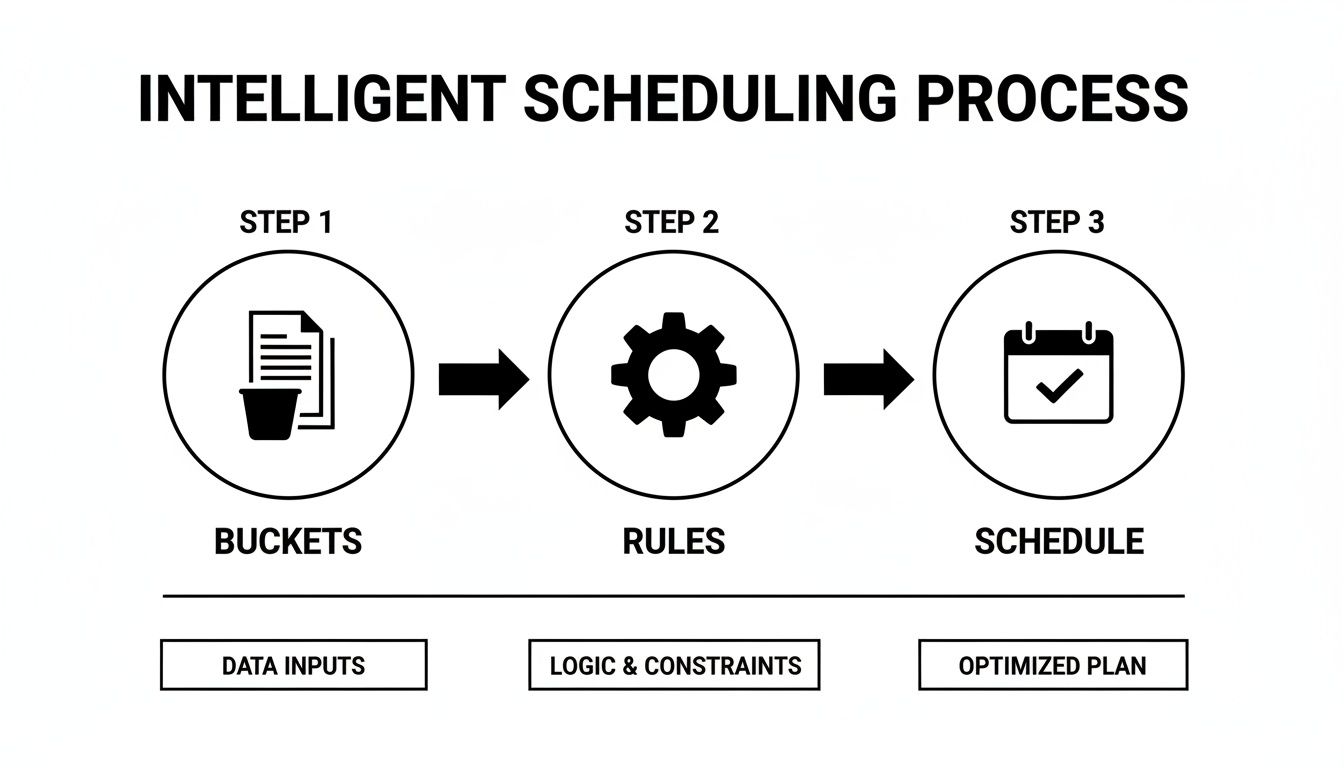
It’s not about random posting; it’s a deliberate strategy that turns your best content into a consistent, engaging presence that works for you 24/7.
Measure What Matters and Stay Human
If you're not tracking, you're just guessing. To see what's actually working, you absolutely need to use custom UTM parameters on the links in your EvergreenFeed library. This is non-negotiable. It lets you pop into Google Analytics and see with crystal clarity which automated posts are driving traffic and conversions.
Don't let automation replace genuine interaction. Your fb auto share system is there to handle the consistency, freeing you up to do what only a human can: reply to comments, answer questions, and build real relationships.
The game on Facebook is changing, too. The algorithm is placing huge value on content that's shared privately in DMs. Experts predict that up to 50% of feeds in 2025 could feature this kind of 'unconnected' content because private shares are a massive signal of trust and value.
Your goal should be to create content so good people feel compelled to share it. Offering exclusive discounts is a proven way to do this, since 42% of fans admit they follow pages for that very reason. You can learn more about where things are headed by checking out Facebook's evolving content strategy on Social Media Examiner.
In the end, it all comes down to balance. Let the tools do the heavy lifting of scheduling, but never forget to be the human voice behind the brand.
Got Questions About Auto-Sharing to Facebook?
Jumping into a new system like this always brings up questions. It's totally normal. Getting the right answers upfront is the key to building an automated posting schedule you can actually trust.
Let's walk through some of the most common things people ask when they start setting up their evergreen content for Facebook.
Can This Work for Private Facebook Groups?
This is a big one, and the answer is a resounding yes. You can absolutely auto-share content to private Facebook Groups you manage.
Both Buffer and EvergreenFeed are designed to connect with Facebook Groups, not just your main business Page. This is fantastic news for anyone running a community, as it lets you keep the conversation going with a steady stream of valuable content without having to post it all manually.
Is It Possible to Over-Automate?
It's a valid concern, and honestly, yes, you can definitely overdo it. Automation crosses the line when your feed feels cold and robotic, completely drowning out any real human connection. If your page is just an endless river of scheduled links and you never reply to comments, you've gone too far.
The real magic happens when you use automation for consistency, freeing up your own time for actual community engagement. Think of your auto-share system as the reliable foundation, but remember that you still need to be the one having the real conversations.
Your automated posts keep the lights on and the content flowing. Your job is to be the host who welcomes people, answers their questions, and makes them feel seen.
How Often Should I Refresh My Content Library?
Your evergreen content library should be a living, breathing part of your strategy—not a dusty digital archive. A good rhythm I've found is to do a full review once a quarter.
Set aside a couple of hours every three months to dive in and take a look.
- Check the Analytics: See what’s working and what isn't. If a post consistently gets zero clicks or engagement, it's time to pull it from the rotation.
- Add Your Newest Stuff: Every time you publish a great new blog post, case study, or get a killer testimonial, make sure you add it to the right EvergreenFeed bucket.
- Refresh Old Content: Scan through older posts. Are the links still good? Is the information still up-to-date? A quick refresh can bring an old piece of content back to life.
This simple maintenance routine ensures your Facebook auto-share system is always circulating your best, most relevant stuff. It’s what turns a static list of posts into a powerful marketing engine that works for you around the clock.
Ready to stop the manual scheduling grind and start intelligently automating your best content? EvergreenFeed works directly with Buffer to build a powerful, time-saving system that keeps your social feeds buzzing. Start your free trial today and see how easy it is to put your content back to work.