James
James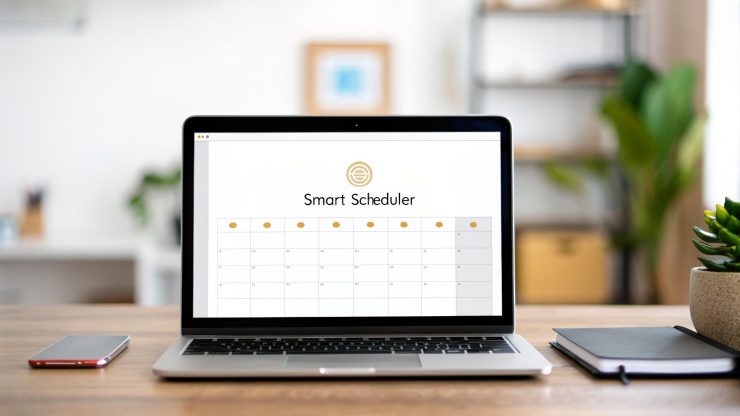
Think of a social media content scheduler as your brand's personal DJ. It lets you line up all your posts ahead of time, ensuring they drop at just the right moment to get the crowd—your audience—moving. This simple tool shifts social media management from a frantic, daily chore into a strategic, automated system that practically runs itself.
What Is a Social Media Content Scheduler

If you've ever found yourself scrambling to post something right now just to keep your profiles from going dark, you already know the problem these tools are built to solve. At its core, a content scheduler is a platform where you can load up, organize, and set your posts to publish automatically across all your social media channels.
Instead of jumping from Instagram to Facebook to LinkedIn every single day, you can do all the work in one focused session. Imagine planning and writing an entire week's—or even a month's—worth of content at once. That small change in your workflow can make a huge difference for any brand, creator, or marketing team.
A scheduler moves you from being a reactive content publisher to a proactive brand strategist. It’s the difference between frantically searching for a song to play next and having a perfectly curated playlist ready for the entire party.
This isn't just about making your life easier; it's about getting better results. A deep dive into over 52 million posts found that creators who use schedulers save an average of 5 hours per week. That's time you can pour back into creating amazing content or actually talking with your audience. The same 2026 report also revealed that scheduled posts hitting optimal times can pull in 40% more engagement than those posted whenever you get a free second.
The Shift From Manual to Automated
Let's look at the real-world difference between posting by hand and letting a tool handle the heavy lifting. The old way is manual and often chaotic; the new way is structured and incredibly efficient.
To see this clearly, here’s a quick breakdown of the two approaches.
Manual Posting vs Automated Scheduling at a Glance
| Aspect | Manual Posting | Automated Scheduling |
|---|---|---|
| Time Investment | Daily, high-frequency effort | Low, batch-focused effort |
| Consistency | Inconsistent, prone to gaps | High, maintains steady presence |
| Strategic Focus | Reactive, "what to post now" | Proactive, "what to post this month" |
| Peak-Time Posting | Difficult to hit consistently | Effortless and precise |
| Content Quality | Rushed and often lower quality | Thoughtful and well-planned |
The table makes it obvious: automation gives you a strategic edge that's nearly impossible to achieve when you're stuck in the weeds of daily posting.
Why This Matters for Your Brand
Bringing a scheduling tool into your workflow is more than just a technical fix—it’s a massive strategic upgrade. Here’s what you stand to gain right away:
- Unwavering Consistency: Social media algorithms love accounts that post regularly. A scheduler ensures you never miss a beat, keeping your brand top-of-mind.
- Reclaimed Time: Stop the daily grind. By batching your content creation, you can free up hours every single week for the work that truly matters.
- Strategic Oversight: A visual calendar gives you a bird's-eye view of your entire content plan, making it easy to spot gaps, balance your messaging, and tell a cohesive story.
Tools like Buffer and EvergreenFeed make this level of control surprisingly easy to achieve. EvergreenFeed, for example, is brilliant for automatically recycling your best evergreen content, making sure your most valuable posts get seen over and over without any extra effort from you.
If you’re ready to explore the different tools out there, this overview of content scheduling software is a great place to start. In this guide, we'll walk you through how to set up your own system and turn content chaos into a powerful, streamlined process.
Key Features of a Powerful Content Scheduler
Let’s be honest—not all social media schedulers are created equal. While most can handle the simple task of putting a post on a calendar, a truly powerful content scheduler does so much more. It moves beyond a simple to-do list and becomes the hub of your entire social media operation.
Think of it this way: a basic scheduler is like setting a simple alarm. It goes off when you tell it to, and that’s it. But a great scheduler? That’s more like a full-blown smart assistant. It learns your rhythms, handles complex tasks automatically, and gives you one central place to see and control everything.
The difference is in the details—the specific features that turn a simple tool into a strategic asset. Understanding these will help you pick the right platform to not only save you hours but also genuinely improve your results.
A Visual Content Calendar
The first thing you’ll notice in a top-tier scheduler is a visual calendar. And I don't just mean a list of dates. I'm talking about a true bird's-eye view of your entire social media strategy, letting you see what’s going out to Instagram, LinkedIn, and Facebook at a single glance.
With a clear visual layout, you can instantly:
- Spot gaps in your schedule before they become a problem, so your profiles never go silent.
- Balance your content mix. Are you posting too many sales pitches and not enough helpful tips? A visual calendar makes it obvious.
- Drag and drop posts to shuffle your plan around on the fly, which is perfect for reacting to trends or last-minute news.
This high-level overview is what helps you move from just posting every day to building a real, intentional content strategy.
Evergreen Content Automation
Here’s where things get really interesting. One of the most valuable features you can find is evergreen content automation. Your best stuff—those fantastic blog posts, insightful case studies, and glowing testimonials—deserves more than a single day in the spotlight. Evergreen automation is what lets you get the most mileage out of those assets without lifting a finger.
Tools like EvergreenFeed have mastered this. They work with a system of content "buckets" or libraries. You simply organize your posts into categories you create, like "Blog Posts," "Behind the Scenes," or "Industry Tips." From there, you set a schedule that tells the tool how often to pull from each bucket.
The scheduler basically becomes your automated content DJ. It knows when to play a high-energy track from your "Promotions" playlist and then follow it up with a classic hit from your "Evergreen Tips" playlist, keeping the mix fresh for your audience.
This system guarantees your profiles stay active and full of high-quality content, even when you’re busy with other things. It’s the secret to maintaining a consistent social presence without having to do it all manually. If you want to see what's out there, digging into the best social media schedulers can show you which tools have this powerful capability.
Platform-Specific Customization
We all know that a one-size-fits-all approach is a recipe for failure on social media. The same exact post will almost never work equally well on professional-focused LinkedIn and image-driven Instagram. That's why platform-specific customization is absolutely non-negotiable.
A good content scheduler lets you write your core message once, then tweak it for every network without ever leaving the dashboard. This is a massive time-saver.
In practice, this means you can:
- Tweak your captions for different character limits and tones (think professional for LinkedIn vs. conversational for Instagram).
- Swap out image formats to fit ideal dimensions, like a vertical image for an Instagram Story and a landscape one for Facebook.
- Add platform-native touches, like scheduling a first comment on Instagram or adding a custom thumbnail for a video on Twitter.
This feature alone saves you from the tedious process of logging in and out of each platform just to make small edits. It ensures every single post is optimized to perform its best, leading to better engagement and stronger results across all your channels.
Okay, let's move from theory to practice. Knowing what a content scheduler does is great, but building your own automated social media system is where you'll see a real difference. This is how you create a "set it and forget it" machine that keeps your accounts buzzing.
We're going to do this by pairing two fantastic tools: EvergreenFeed and Buffer. Think of it this way: EvergreenFeed is your content library and strategist, while Buffer is the reliable delivery service that gets your posts out the door. Together, they can take your social media efforts from a manual, time-consuming chore to a fully automated, strategic asset.
Let’s imagine a small business owner named Alex who runs a popular coffee blog. Alex creates amazing content—brewing guides, bean reviews, beautiful photos—but just can’t find the time to post consistently. By combining these two tools, Alex can finally build a system that works in the background, freeing up time for what really matters: creating more great content.
Setting Up Your Content Buckets in EvergreenFeed
First things first, you need to get your content organized. In EvergreenFeed, we do this using content buckets. These are essentially just digital folders for grouping similar types of posts together. For our coffee blogger Alex, this might mean creating separate buckets for "Blog Posts," "Brewing Tips," and "Customer Photos."
Why bother? This approach pays off in two huge ways:
- It creates variety. By organizing your posts, you can make sure your feed doesn’t become a broken record. You can tell the system to pull from different buckets on different days, giving your followers a much more balanced and interesting experience.
- It simplifies everything. Instead of juggling hundreds of individual posts, you're only managing a handful of categories. When you write a new blog post, you just pop it into the "Blog Posts" bucket and let the system handle the rest.
While there are other tools out there, like lunabloomai's scheduling app, the combination of EvergreenFeed and Buffer is particularly powerful for getting the most mileage out of the content you've already created.
Designing Your Intelligent Posting Schedule
With your content buckets filled up, it’s time to connect EvergreenFeed to your Buffer account. This is the crucial step that brings the automation to life. Buffer will be the engine that physically publishes your posts, but EvergreenFeed is the brain telling it exactly what to publish and when.
This simple workflow is the heart of the system. You build your library, set a schedule, and then fine-tune it for the best results.

Now you can design your posting schedule inside EvergreenFeed. This isn’t about picking random times out of a hat; it's about being strategic. You can set specific rules for each social media channel based on the content buckets you created.
Alex, our coffee blogger, might set up a schedule like this:
- LinkedIn: Post one article from the "Blog Posts" bucket every Monday and Wednesday at 9 AM.
- Instagram: Share a "Brewing Tip" every Tuesday and Thursday at 2 PM, and a "Customer Photo" every Friday at 6 PM.
This level of control ensures your best content is hitting the right audience on the right platform, right when they're most likely to see it.
For a more detailed walkthrough, you can check out our step-by-step guide on getting the most out of Buffer for your social media.
The Power of Automated Recycling
Here’s where this setup truly shines: automatic content recycling. Once a post from one of your buckets has been published, EvergreenFeed sends it to the back of the line in that same bucket, ready to be shared again weeks or months down the road.
This means your most valuable, timeless content gets consistent exposure without you having to lift a finger to reschedule it. All those amazing evergreen blog posts and tips you created will continue to work for you long after you first published them.
For our friend Alex, this is a game-changer. While they're busy writing a new post or sourcing new coffee beans, the system is humming along in the background. It keeps the social feeds active, engages followers with proven content, and drives a steady stream of traffic back to the blog.
This is how a content scheduler stops being just another tool and becomes the foundation of an efficient and incredibly effective content strategy.
Strategic Best Practices for Scheduling Content
Getting your hands on a powerful content scheduler is one thing, but actually using it strategically is a whole different ballgame. If you're not careful, automation without a smart plan just means you're creating noise, only faster.
To turn your scheduler into a tool that genuinely drives results, you need to go beyond just filling a calendar. It's about mastering a few core practices that will make every post count.
First things first, let's talk about posting frequency. This isn't a "one-size-fits-all" number; the right rhythm changes completely depending on where you're posting. For example, staying visible on platforms like Instagram and TikTok often means posting around 5 times a week. One massive study of over 52 million posts showed that more frequent posting can boost your reach, but it also hammered home the point that quality always trumps quantity.
On the other hand, for a professional network like LinkedIn, you'll likely see the best results from just 2-3 high-quality posts per week that establish your expertise. You can find even more data-backed insights on posting frequency at heyorca.com.
This is exactly where a content scheduler for social media like EvergreenFeed proves its worth. You can set up unique schedules for each network—maybe that's posting evergreen quotes three times a week on Instagram during the 6–9 PM peak, while scheduling in-depth videos on LinkedIn for Wednesday afternoons at 4 PM.
Find Your Unique Peak Engagement Times
While industry benchmarks are a decent starting point, your audience is your audience. The real magic happens when you stop guessing and start digging into your own data to pinpoint when your followers are most active.
Every major social platform gives you analytics that show you, hour-by-hour, when your followers are online. This data is pure gold.
Start looking for patterns. Are your Instagram followers scrolling during their morning commute? Does your LinkedIn crowd engage most during their lunch break? Use what you find to tweak the times in your scheduler. Sometimes, shifting a post from noon to 1 PM can be all it takes to double your initial engagement.
Your analytics dashboard is a direct conversation with your audience. It tells you exactly when they are ready to listen. Your job is to schedule your content to speak at those moments.
Balance Your Content Mix with Buckets
Have you ever unfollowed a brand because their feed felt like one long, nonstop sales pitch? Your followers are looking for value, not just ads. That’s why a balanced content mix is absolutely critical for building loyalty and keeping your audience engaged for the long haul.
A simple yet effective way to structure this is the 5-3-2 rule:
- 5 posts should be curated content from other relevant sources that your audience will find interesting.
- 3 posts should be your own original, non-promotional content (think tips, how-tos, or behind-the-scenes glimpses).
- 2 posts can be your more direct, sales-focused content.
This framework stops you from sounding too pushy and builds trust by positioning your brand as a genuinely helpful resource. The best part? You can put this entire system on autopilot with content buckets.
How to Automate the 5-3-2 Rule
Instead of trying to remember what you posted last, you can build a system that manages the mix for you. Here’s a quick way to set this up in a tool like EvergreenFeed:
- Create Your Buckets: Start by making separate content buckets. Name them "Curated Content," "Original Value," and "Promotional."
- Fill the Buckets: Drop your shared articles, helpful tips, and promotional posts into their matching buckets.
- Set Your Schedule: Now, design your posting schedule to pull from these buckets according to the 5-3-2 ratio. For every 10 posts, just tell the scheduler to grab five from "Curated," three from "Original Value," and two from "Promotional."
With this simple setup, your feed stays balanced and engaging without you having to constantly monitor it. Your content scheduler for social media handles the ratios, freeing you up to focus on what matters: creating great content for each category. This is how you ensure your scheduled posts don't just go live—they go live with maximum impact.
How to Measure and Optimize Your Schedule

Think of your schedule as a starting point, not a finish line. It’s not something you can just "set and forget." The true power of a content scheduler comes alive when you start digging into the data and letting it guide your next moves. This creates a feedback loop that makes your entire strategy smarter over time.
Instead of just posting and hoping something sticks, you’ll be making deliberate tweaks based on what your audience actually engages with. This final step is what separates the brands that just post from the ones that truly grow.
Identifying the Metrics That Matter
To fine-tune your schedule, you first have to know what to look for. Social media platforms can throw a sea of numbers at you, but getting bogged down in vanity metrics is a waste of time. Your goal is to focus on a handful of key performance indicators (KPIs) that give you a real, actionable story.
Here are the core metrics you should be tracking:
- Engagement Rate by Content Type: This is your most valuable KPI, hands down. It tells you exactly what resonates. Are your behind-the-scenes videos getting way more love than your industry news links? That’s your audience telling you what they want more of.
- Audience Growth: A healthy, steady increase in followers is a clear sign that your consistent posting is paying off and pulling new people into your world.
- Click-Through Rate (CTR): When you share links, this metric is crucial. It measures how many people are actually taking the action you want them to, whether that's visiting your blog, checking out a new product, or signing up for a newsletter.
Watching these numbers will paint a clear picture of what's hitting the mark and what needs a rethink.
Your social media data is a direct conversation with your audience. Each like, comment, and click is a vote for the content they value most. Use it to guide your next move.
The Feedback Loop in Action
This is where things get really powerful. When you combine the analytics from a tool like Buffer with the category-based system in EvergreenFeed, you can create a self-improving content engine. You’re not just guessing; you’re using hard data from one tool to directly inform your strategy in the other.
Let’s walk through a common scenario. Imagine you're looking at your Buffer analytics and you spot a pattern: posts on Friday mornings consistently get your highest engagement. At the same time, you notice that content from your "Tips" bucket in EvergreenFeed is outperforming everything else.
Boom. That’s an actionable insight.
You can pop right into your EvergreenFeed schedule and adjust it so more content from that "Tips" bucket is scheduled for Friday mornings. It’s a simple change, but it’s based on proven data, making sure your best-performing content goes out at the absolute best time.
Turning Data into Decisions
Making this analysis-and-refinement process a regular habit is key. By constantly keeping an eye on your metrics, you can make smarter decisions across your entire content strategy. If you want to dive deeper into connecting your efforts to results, our guide on measuring social media success offers some great frameworks.
Here are a few more real-world examples of turning data into action:
- Low CTR on "Blog Post" Links: If you see that your blog post announcements aren't getting many clicks, it's time to experiment. Try rewriting your captions with a stronger call-to-action or use more eye-catching images to make the post feel unmissable.
- High Engagement on "Quotes": Is your audience loving your quote graphics? That's a green light to make more! You could even create a brand new "Quotes" bucket in EvergreenFeed and set it to post more frequently.
- Audience Growth Stalls: If your follower count hits a plateau, it might mean your content is getting a little stale. This is a perfect signal to test a completely new content category or adjust your posting frequency to shake things up.
This ongoing cycle of measuring, learning, and optimizing is what turns your automated schedule into a truly intelligent asset that gets better and better.
Common Questions About Social Media Schedulers
Even after seeing the benefits laid out, taking the plunge into social media automation can feel a little daunting. It's totally normal to have questions when you're about to change a fundamental part of your daily workflow. This section is here to tackle some of the most common concerns we hear.
Our goal is to cut through the noise and myths, giving you the confidence you need to really make a content scheduler for social media work for you. Let's dig into the questions that often keep people on the fence.
Will Using a Scheduler Hurt My Engagement?
This is probably the most persistent myth out there, and thankfully, it's one we can put to rest. Social media platforms do not penalize posts published through approved, official partner tools like Buffer. Their algorithms care about the quality of your content and how users react to it, not how it was posted.
In reality, using a scheduler almost always boosts engagement. Why? Because it allows you to consistently show up when your audience is most active and likely to interact. Posting manually, whenever you happen to have a spare moment, means you’re probably missing those prime-time windows.
Data consistently shows that strategically scheduled posts outperform random manual ones. Algorithms reward two things above all: consistency and high user engagement. A scheduler helps you nail both.
By maintaining a steady stream of valuable content at just the right times, you're signaling to the platform's algorithm that your account is a reliable source of activity. Over time, this often leads to much better visibility and, as a result, higher engagement.
Can I Still Post Spontaneously If I Use a Scheduler?
Absolutely! In fact, you should. The best way to think about your scheduler is as a reliable assistant handling the basics, not as your total replacement. It’s there to manage the heavy lifting—your pre-planned blog posts, tips, and other foundational content that forms the backbone of your strategy.
Automating that core content is precisely what frees you up to be more human and reactive in real time. With your content calendar running smoothly in the background, you'll have more mental space to:
- Jump on emerging trends with timely posts that show you’re in the loop.
- Engage in live conversations and reply to comments without feeling rushed.
- Share spontaneous moments, like behind-the-scenes content or breaking news.
A smart scheduling strategy doesn’t kill spontaneity; it creates the space for it. Your scheduled posts ensure your profiles are never silent, while your live, in-the-moment posts add that crucial layer of personality and authenticity.
How Much Content Do I Need to Get Started?
You don't need a gigantic library of content to get going. The barrier to entry is much lower than most people assume. You can build a surprisingly robust and varied schedule with just 15-20 high-quality pieces of evergreen content.
For instance, you could easily pull together:
- 5 links to your most popular blog posts.
- 5 great quotes or customer testimonials.
- 5 actionable tips for your industry, formatted as text or simple graphics.
- 5 interesting questions designed to spark conversation with your audience.
Once you have this starting batch, you can load it into the content buckets inside a tool like EvergreenFeed. The system is built to intelligently recycle this content over time, making sure every piece gets seen. From there, you just add new content to your buckets as you create it, letting your library grow naturally. The idea is to start smart, not big.
Is It Better to Schedule Native Videos?
When it comes to video-heavy platforms like Facebook, Instagram, and LinkedIn, scheduling native video uploads is almost always the winning strategy. "Native" just means you're uploading the actual video file directly to the platform via your scheduler, not just sharing a link to a video hosted on YouTube or somewhere else.
There's a simple reason this works better. Social networks want to keep users on their own site for as long as possible. To encourage this, their algorithms give preferential treatment to native videos, rewarding them with significantly higher organic reach and engagement. A good content scheduler will let you upload your video files directly for this very reason, ensuring your hard work gets the visibility it deserves.
Ready to stop the daily posting scramble and put your social media on autopilot? With EvergreenFeed, you can build a powerful, automated content machine in minutes. Connect your Buffer account, fill your content buckets, and let our system handle the rest, ensuring your best content gets seen again and again. Start automating your evergreen content for free today!