James
James
Blogging today is more than just writing; it's a competitive business requiring a suite of powerful tools to manage content creation, search engine optimization, social media promotion, and monetization. Juggling these tasks manually is a recipe for burnout and stunted growth. The right applications don't just add features, they create efficient workflows that save you time, amplify your reach, and unlock new revenue opportunities. This shift from manual effort to a well-equipped system is crucial for turning a hobby into a profession.
This guide moves beyond surface-level lists to provide a deep, practical analysis of the 12 best tools for bloggers in 2026. We will break down not just what each tool does, but who it’s for, its specific strengths and honest limitations, and exactly how to implement it effectively. We’ve included direct links and screenshots for every platform, from content management systems like WordPress.org to specialized schedulers like EvergreenFeed.
Whether you're a beginner building your foundation or a seasoned pro scaling your operations, this curated collection will help you assemble a more effective and profitable blogging stack. To truly succeed and scale your blogging strategy, exploring a range of Best Content Marketing Tools is essential for equipping your toolkit. This article focuses specifically on the essential applications every blogger needs to build a solid operational base, covering categories from writing and SEO to analytics and monetization. Let's dive in.
1. EvergreenFeed
EvergreenFeed is a powerful social media automation tool that excels at one specific, high-value task: automatically recycling your best evergreen content. It works by connecting to your Buffer account, allowing you to organize your proven posts into content "buckets" and then scheduling them to be reposted at intervals you define. This "set it and forget it" system is a standout solution for bloggers looking to maintain a consistent social media presence without constant manual effort.

Unlike generic schedulers, EvergreenFeed is built entirely around the concept of automated content rotation. Instead of scheduling a post once, you add it to a library. The platform then intelligently selects posts from your designated buckets to fill your Buffer queue, ensuring your top-performing blog articles, quotes, and tips get continuous exposure. This approach addresses a common pain point for busy creators: your best content often gets buried just days after you post it. EvergreenFeed resurrects it, maximizing its reach and driving sustained traffic back to your blog.
Why EvergreenFeed is a Top Tool for Bloggers
The primary advantage is significant time savings. Users report reclaiming several hours per week, time that can be reinvested into writing new content. For bloggers managing multiple social profiles or niche accounts, the platform’s ability to handle different schedules for each account and content bucket provides precise control over your content mix.
"Automating my evergreen content with EvergreenFeed saves me more than 7 hours per week."
– Leo Acero, Founder of Acelo Digital
The setup is refreshingly simple. You connect your Buffer account in just two clicks, and the interface for creating buckets and setting schedules is intuitive. While it's a paid tool, the free signup option allows you to test its core functionality without a credit card. As you embark on your blogging journey, it's essential to consider various free blogging tools for beginners that can kickstart your growth without breaking the bank, and EvergreenFeed's free trial fits that initial discovery phase perfectly.
Pros:
- Saves Significant Time: Automates the repetitive task of rescheduling top posts.
- Seamless Buffer Integration: Connects and manages multiple Buffer accounts from one dashboard.
- Flexible "Bucket" System: Organizes content by theme and controls the posting frequency for each.
- Risk-Free Trial: Offers a free signup without requiring a credit card.
Cons:
- Buffer-Dependent: The tool only works with Buffer; it has no native support for other schedulers.
- Unclear Paid Pricing: Pricing details for paid tiers are not publicly listed on the website.
Quick Tip: Create a "New Blog Posts" bucket and set it to a high-frequency schedule for the first week after publishing. After that, move the posts to a "Best of the Blog" bucket with a less frequent, long-term rotation to keep driving traffic indefinitely.
Website: https://www.evergreenfeed.com
2. WordPress.org
WordPress.org is the premier open-source, self-hosted Content Management System (CMS) that powers over 43% of all websites. For bloggers serious about building a digital asset, it's one of the best tools for bloggers because it provides complete ownership and control. Unlike closed platforms, you own your content, database, and design, giving you the freedom to move your site to any compatible web host.

The platform’s greatest strength is its massive ecosystem of themes and plugins. This allows you to extend your blog's functionality in nearly any direction, from creating an online store with WooCommerce to optimizing for search engines with SEO plugins.
Key Features
- Full CMS Control: Manage posts, pages, custom taxonomies, and user roles.
- Massive Plugin Ecosystem: Access thousands of plugins for SEO, e-commerce, speed, and security.
- Total Ownership: You have full access to your website's code and database, with robust export/import tools.
Pros and Cons
| Pros | Cons |
|---|---|
| Unmatched flexibility and extensive community support. | Requires you to manage hosting, security, and backups. |
| You own your content and database, ensuring full portability. | The initial learning curve can be steep for absolute beginners. |
| Nearly limitless plugin and theme options for any use case. | Poorly coded themes or plugins can create security vulnerabilities. |
Quick Tip
The real power of WordPress.org is unlocked through plugins. A strategic selection can transform your site's performance and marketing capabilities. To get started, you can explore some of the best WordPress plugins for SEO and social media to see how they can improve your workflow.
Website: https://wordpress.org
3. Ghost
Ghost is a modern, fast publishing platform built specifically for professional bloggers and creators focused on content and community. As one of the best tools for bloggers who want to monetize their work directly, it combines a clean writing experience with native support for newsletters and paid memberships, all within a single, integrated system. This focus on publishing essentials means less time spent wrestling with third-party tools and more time creating.

Unlike general-purpose systems, Ghost’s core value is its simplicity and performance. It strips away the complexity of traditional CMS platforms, offering built-in SEO, a minimalist editor, and options for managed hosting with Ghost(Pro) or self-hosting for complete control. It is purpose-built for turning a loyal audience into a sustainable business.
Key Features
- Native Memberships & Subscriptions: Launch paid newsletters and content with zero transaction fees taken by Ghost.
- Integrated Newsletters: Every post can be sent directly to your audience’s inboxes without needing a separate email service.
- Clean, Fast Editor: A minimalist writing interface with "cards" for easily embedding dynamic content.
- Built-in SEO: Comes with automatic schema markup, sitemaps, and canonical tags out of the box.
Pros and Cons
| Pros | Cons |
|---|---|
| Excellent performance and a beautiful user experience. | Smaller theme and integration ecosystem compared to WordPress. |
| Purpose-built for memberships and monetizing content. | Some advanced e-commerce or marketing functions require third-party tools. |
| Built-in tools reduce the need for numerous plugins. | Self-hosting requires more technical knowledge than a managed plan. |
Quick Tip
Use Ghost’s native membership tiers to segment your audience effectively. You can offer a free newsletter to build an initial following and then create premium tiers that provide exclusive posts, in-depth articles, or early access to content. This tiered approach is a direct path to monetization without complicating your tech stack.
Website: https://ghost.org
4. Squarespace
Squarespace is an all-in-one hosted website builder known for its polished templates and integrated features. For bloggers who prioritize design and simplicity, it stands as one of the best tools for bloggers, offering a fast, low-maintenance path to launching a beautiful, reliable website without needing separate hosting. Everything from the blog to SEO and analytics is built-in.

The platform’s core advantage is its cohesive and controlled environment. You get a visual, section-based editor and award-winning templates that ensure your blog looks professional on any device. This integrated approach means you spend less time managing technical details and more time creating content.
Key Features
- Visual Editor & Templates: Create content with a drag-and-drop editor using mobile-responsive, designer templates.
- Built-in Tools: Includes native SEO features, email campaigns, and analytics without third-party plugins.
- Monetization Add-ons: Easily add features like memberships, appointment scheduling, and donation blocks to your blog.
Pros and Cons
| Pros | Cons |
|---|---|
| Minimal maintenance required; hosting and security are included. | Less extensible than WordPress; customization operates within rails. |
| Cohesive design system ensures a professional, polished look. | The app ecosystem and third-party integrations are more limited. |
| Integrated tools reduce the need to manage separate services. | Migrating your content away from the platform can be complex. |
Quick Tip
Make the most of Squarespace's built-in style editor to create a unique brand identity. Instead of sticking with the default template colors and fonts, spend time in the Design > Site Styles panel to customize every element. This allows you to stand out while still benefiting from the platform's structured design framework.
Website: https://www.squarespace.com
5. Substack
Substack is a zero-maintenance publishing platform that combines blog posts, email newsletters, and even podcast/video hosting into one simple package. It has become one of the best tools for bloggers who want to focus on writing and building a direct, monetized relationship with their audience. The platform handles all the technical aspects, from website creation to email delivery, allowing you to publish content quickly.

Its main distinction is the seamless integration of paid subscriptions. Writers can easily set up premium tiers, and Substack’s built-in network helps new readers discover their work through recommendations. This makes it an ideal choice for creators looking to monetize their expertise through a newsletter-first approach without the overhead of managing a full CMS.
Key Features
- Integrated Publishing: Combines a website, email newsletter, and podcast/video hosting in one place.
- Paid Subscriptions: Built-in revenue tools for premium content with a simple revenue-sharing model.
- Community and Discovery: Features like comments, chat, and a recommendation network help grow your audience.
Pros and Cons
| Pros | Cons |
|---|---|
| Extremely easy to set up and start publishing; no technical skill required. | The platform takes a 10% cut of paid subscription revenue, plus Stripe fees. |
| Discovery features within the Substack network can boost audience growth. | Customization and design options are very limited compared to a full CMS. |
| No upfront cost, making it free to start and build an audience. | Exporting rich media content can have constraints, affecting portability. |
Quick Tip
Focus on using the Recommendations feature to accelerate your growth. Find and recommend other Substack newsletters in your niche whose audiences would appreciate your content. This creates a reciprocal relationship where other writers can recommend you back, directly exposing your blog to thousands of engaged readers.
Website: https://substack.com
6. Grammarly
Grammarly is an AI-assisted writing tool that acts as a second pair of eyes on all your content. For bloggers, it serves as an essential safety net, catching grammar mistakes, typos, and awkward phrasing in real-time. It stands out as one of the best tools for bloggers by moving beyond simple spell-checking to offer suggestions on clarity, tone, and style, ensuring your writing is both correct and effective.
The platform’s real value lies in its broad integrations. It works across browsers, desktop apps, and mobile devices, meaning you can polish your blog posts in Google Docs, refine your emails in Gmail, and perfect your social media updates directly where you write them. Its AI-powered features can also help generate ideas or outlines, overcoming writer's block.
Key Features
- Real-Time Guidance: Offers instant corrections for grammar, clarity, tone, and style.
- AI-Assisted Writing: Provides features for rewriting sentences, generating outlines, and brainstorming ideas.
- Brand Voice Controls: Team plans allow you to set up style guides and custom terminology for consistent content.
Pros and Cons
| Pros | Cons |
|---|---|
| Speeds up the editing process and improves writing quality. | Can over-formalize a writer's voice if suggestions are over-applied. |
| Integrates seamlessly across most apps and browsers. | Advanced AI features are locked behind paid subscription plans. |
| Team features are great for collaborative blog workflows. | May occasionally offer suggestions that are not contextually correct. |
Quick Tip
Use Grammarly's tone detector to ensure your headlines match the emotional intent of your article. A compelling headline is crucial for attracting readers, and Grammarly can help you confirm if it sounds confident, engaging, or analytical. You can learn more about how to write perfect headlines to make your content even more clickable.
Website: https://www.grammarly.com
7. Hemingway Editor
Hemingway Editor is a focused writing and editing tool designed to make your writing bold and clear. It acts as a final polish for your blog posts by highlighting overly complex sentences, adverbs, passive voice, and phrases with simpler alternatives. For bloggers looking to improve readability and ensure their message is accessible, this is one of the best tools for bloggers available.

The platform provides a readability grade to help you aim for a level that your target audience can easily understand. Its distraction-free interface allows you to either write directly in the app or paste in text from another program. The color-coded feedback makes it simple to spot areas for improvement and refine your prose for maximum impact.
Key Features
- Readability Analysis: Provides a grade level and highlights sentences that are hard or very hard to read.
- Visual Editing Cues: Uses color to identify passive voice, adverbs, and complex phrasing.
- Flexible Access: Offers a free, full-featured browser version and a one-time purchase desktop app for offline use.
Pros and Cons
| Pros | Cons |
|---|---|
| A fast and effective way to simplify dense copy. | Not a comprehensive grammar or spelling checker. |
| The one-time purchase option for the desktop app avoids subscriptions. | Lacks team collaboration, brand style guides, or advanced features. |
| The minimalist interface is excellent for focused editing. | Suggestions can be too rigid for certain writing styles or niches. |
Quick Tip
Use Hemingway Editor as the final step before publishing, not as your primary writing or grammar tool. After running your draft through a more robust checker like Grammarly, paste it into Hemingway to tighten sentences and eliminate wordiness. This ensures your post is both grammatically correct and exceptionally clear for readers.
Website: https://hemingwayapp.com
8. Ahrefs
Ahrefs is an enterprise-grade SEO suite that provides a powerful set of tools for bloggers who are serious about their search engine strategy. It’s widely respected for its robust backlink index and keyword data, making it one of the best tools for bloggers aiming to dominate search engine rankings and outperform competitors. The platform helps you understand what content resonates with your audience and how to attract valuable organic traffic.

Its core strength lies in competitive analysis. You can use Site Explorer to dissect any competitor's backlink profile and top organic keywords, giving you a clear roadmap for your own content and link-building efforts. The Content Explorer tool is also excellent for discovering proven content ideas based on social shares and traffic metrics.
Key Features
- Site Explorer: Analyze any website’s backlink profile, organic traffic, and paid keywords.
- Keywords Explorer: Find thousands of keyword ideas, analyze their ranking difficulty, and calculate traffic potential.
- Site Audit: Crawl your entire blog to find and fix technical and on-page SEO issues.
- Content Explorer: Discover popular content in your niche for topic ideation and link building.
Pros and Cons
| Pros | Cons |
|---|---|
| Industry-respected backlink and keyword data. | Premium pricing with usage credits that can be restrictive on lower plans. |
| Strong site auditing and content research capabilities. | Can have a steep learning curve for users new to SEO. |
| Provides free Ahrefs Webmaster Tools for site owners. | The sheer amount of data can feel overwhelming at first. |
Quick Tip
Start by connecting your blog to the free Ahrefs Webmaster Tools. This gives you access to the Site Audit and Site Explorer features for your own domain, helping you identify critical technical errors and track your keyword rankings without a paid subscription. For a deeper understanding of SEO principles, you can explore this guide to blog search engine optimization to make the most of the data Ahrefs provides.
Website: https://ahrefs.com
9. Semrush
Semrush is an all-in-one digital marketing suite designed for bloggers and marketers who need a complete picture of their site's performance and competitive standing. It goes far beyond basic keyword research, offering tools for SEO, competitor analysis, content marketing, and even paid advertising insights. For bloggers aiming to dominate search engine results, it’s one of the best tools for bloggers to uncover new content opportunities and diagnose technical issues.
The platform’s real strength lies in its competitive intelligence features. You can enter any competitor’s domain and instantly see their top organic keywords, backlink profile, and even their estimated traffic. This makes it invaluable for reverse-engineering successful strategies and finding gaps in the market your blog can fill.
Key Features
- Keyword and Domain Analytics: Perform deep keyword research, analyze backlink profiles, and track domain authority.
- Site Audits and Position Tracking: Crawl your blog to find technical SEO errors and monitor keyword ranking changes over time.
- Content Marketing Toolkit: Discover content ideas, audit existing content for SEO improvements, and track brand mentions.
Pros and Cons
| Pros | Cons |
|---|---|
| Broad marketing coverage beyond just SEO, including ad and social data. | Pricing and various add-ons can become expensive for solo bloggers. |
| Rich competitive data and detailed reporting capabilities. | The depth of the interface can feel complex and overwhelming for new users. |
| An extensive toolset for a multi-channel digital marketing strategy. | Some tools in the suite may be more advanced than a new blogger needs. |
Quick Tip
Use the "Keyword Gap" tool to compare your blog’s keyword profile against up to four competitors. This feature quickly identifies valuable keywords that your competitors are ranking for but you aren't, giving you a ready-made list of high-opportunity topics for your next blog posts.
Website: https://www.semrush.com
10. Google Analytics (GA4)
Google Analytics is the industry standard for website analytics, offering a powerful, free way to measure traffic, user behavior, and content performance. For bloggers focused on growth, GA4 is one of the best tools for bloggers because it provides deep insights into your audience. You can see which blog posts attract the most visitors, where those visitors come from, and how they interact with your content, allowing you to make data-driven decisions.
The platform shifted to an event-based tracking model with GA4, which offers a more flexible way to measure user interactions across both websites and apps. It integrates seamlessly with other Google products like Search Console and Google Ads, creating a robust ecosystem for understanding and optimizing your blog’s entire user journey.
Key Features
- Event-Based Tracking: Measures user interactions as distinct events, providing more granular data than session-based models.
- Explorations: An advanced analysis tool to build custom reports and funnels to uncover deeper insights.
- Google Ecosystem Integration: Connects with Google Ads, Search Console, and BigQuery for a unified view of performance.
Pros and Cons
| Pros | Cons |
|---|---|
| Completely free and extremely powerful when configured properly. | The reporting model and setup can be complex for new users. |
| Deep integration with Google's marketing and advertising stack. | Data sampling can occur on the free tier with high-traffic sites. |
| Advanced audience building and attribution modeling capabilities. | Requires attention to privacy configurations to ensure compliance. |
Quick Tip
Don't just look at pageviews. Use the "Explorations" feature to build a funnel report that tracks how many users land on a blog post, click a call-to-action, and complete a goal, like signing up for your newsletter. This helps you identify which content is most effective at driving conversions.
Website: https://marketingplatform.google.com/analytics
11. Adobe Express
Adobe Express is an all-in-one design tool that empowers bloggers to create stunning visuals without needing a graphic design background. It simplifies the process of making branded blog graphics, social media posts, short-form videos, and repurposed content. For bloggers who need professional-looking assets quickly, it's one of the best tools for bloggers, offering a powerful alternative to more complex software.

The platform stands out by integrating Adobe's powerful creative technology, including Adobe Stock assets and Firefly generative AI, into an approachable interface. This allows you to generate images from text prompts, automatically remove backgrounds, or add animated captions to videos with just a few clicks.
Key Features
- Vast Template & Asset Library: Get access to thousands of templates, premium Adobe Stock photos, and brand-safe Firefly AI features.
- Quick Editing Actions: Instantly perform tasks like background removal, video resizing, and automatic captioning.
- Built-in Content Scheduler: Plan and publish your finished graphics and videos directly to multiple social media accounts.
Pros and Cons
| Pros | Cons |
|---|---|
| Excellent asset library with brand-safe generative AI credits. | Advanced video and layout work may still require Premiere or Illustrator. |
| Great balance of simplicity and power for non-designers. | Full stock access and higher AI credit limits require a Premium plan. |
| Integrated scheduling helps distribute blog visuals efficiently. | The mobile app can sometimes feel less robust than the desktop version. |
Quick Tip
Use the Brand Kit feature to upload your blog's logo, color palette, and fonts. Adobe Express will then automatically apply your branding to templates, ensuring every graphic you create maintains a consistent and professional look. This saves a massive amount of time and reinforces your brand identity across all visual content.
Website: https://www.adobe.com/express
12. Buffer
Buffer is a well-established social media scheduling tool that helps bloggers automate and organize their content distribution. For bloggers looking to maintain a consistent presence across social platforms without spending hours each day, it stands out as one of the best tools for bloggers due to its clean interface and straightforward workflow. It allows you to plan, queue, and publish posts to promote new articles and recycle evergreen content.
The platform's strength lies in its simplicity and reliability, making it perfect for solo creators and small teams. You can set up a publishing schedule, fill your queue with content, and let Buffer handle the rest, including posting in the first comment on Instagram or creating threads on X.
Key Features
- Scheduling and Queue Management: Plan content with a calendar view and an automated queue with first-comment support.
- Analytics and Reporting: Access data on post performance, identify the best times to post, and create custom reports.
- Collaboration and AI: Team plans include approval workflows, and an AI assistant helps generate captions and ideas.
Pros and Cons
| Pros | Cons |
|---|---|
| Clean, user-friendly workflow ideal for solo bloggers. | Lacks advanced competitor analytics and social listening tools. |
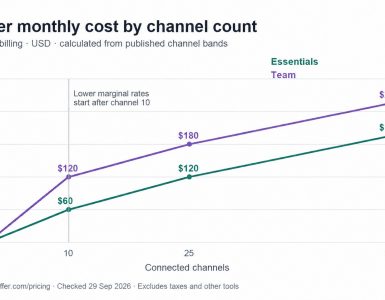
| Broad support for major channels like Instagram, X, and TikTok. | The per-channel pricing model can become costly as you add profiles. |
| Excellent for maintaining consistent evergreen content distribution. | Analytics are solid but less deep than enterprise-level suites. |
Quick Tip
Use Buffer’s queue to create a "content library" of your best evergreen blog posts. Mix these in with your new post promotions and other social content. This ensures your social feeds are always active with valuable links back to your blog, driving consistent traffic with minimal ongoing effort.
Website: https://buffer.com
Top 12 Blogging Tools: Quick Feature Comparison
| Product | Core features | UX (★) | Value & Pricing (💰) | Target audience (👥) | Unique selling points (✨) |
|---|---|---|---|---|---|
| EvergreenFeed 🏆 | Buffer integration, reusable "buckets", randomized reposts, per-account schedules | ★★★★☆ | 💰 Free signup (no CC); paid tiers undisclosed | 👥 Social media managers, creators, small businesses, agencies | ✨ Autopilot bucket recycling + randomized queueing; analytics for engagement 🏆 |
| WordPress.org | Full CMS, themes/plugins, export/import, self‑hosting control | ★★★★☆ | 💰 Free software; hosting/maintenance costs apply | 👥 Bloggers, developers, businesses wanting control | ✨ Ultimate extensibility and content ownership |
| Ghost | Native newsletters, memberships, clean editor; hosted or self‑hosted | ★★★★☆ | 💰 Open‑source self‑hosted; Ghost(Pro) paid hosting | 👥 Publishers, newsletter writers, subscription creators | ✨ Built‑in memberships & newsletter monetization |
| Squarespace | Visual editor, responsive templates, built‑in SEO & analytics | ★★★★☆ | 💰 Paid all‑in‑one plans | 👥 Creatives, small businesses, low‑maintenance bloggers | ✨ Polished templates and integrated hosting |
| Substack | Email delivery + website, paid subscriptions, discovery network | ★★★★☆ | 💰 Free to start; platform takes 10% of paid revenue + Stripe fees | 👥 Independent writers, newsletter monetizers | ✨ Built‑in audience discovery and simple paid subscriptions |
| Grammarly | Real‑time grammar, tone, rewrites, team style guides | ★★★★★ | 💰 Freemium; premium & team plans | 👥 Writers, marketers, teams wanting polish | ✨ AI‑driven clarity & broad app/browser integrations |
| Hemingway Editor | Readability scoring, highlights complex sentences & passive voice | ★★★★☆ | 💰 Free web; one‑time desktop purchase | 👥 Writers seeking concise, readable copy | ✨ Fast readability improvements; simple UI |
| Ahrefs | Keyword & backlink research, site audit, content explorer | ★★★★☆ | 💰 Premium subscription (usage caps) | 👥 SEO professionals, agencies, serious bloggers | ✨ Industry‑leading backlink and search data |
| Semrush | SEO, PPC, audits, competitor intelligence, content tools | ★★★★☆ | 💰 Subscription with add‑ons; can be costly | 👥 Digital marketers, agencies, multi‑channel teams | ✨ Broad marketing toolkit + competitive insights |
| Google Analytics (GA4) | Event‑based tracking, explorations, integrations with Ads/Search | ★★★★☆ | 💰 Free standard tier; GA360 for enterprises | 👥 Marketers, analysts, bloggers tracking traffic | ✨ Powerful free analytics tightly integrated with Google stack |
| Adobe Express | Templates, Firefly AI assets, quick image/video editing, scheduling | ★★★★☆ | 💰 Freemium; premium assets/credits on paid plan | 👥 Non‑designers, content creators, social teams | ✨ AI templates + asset library and simple scheduling |
| Buffer | Scheduling queue, calendar view, analytics, team workflows | ★★★★☆ | 💰 Paid tiers per channels/profiles | 👥 Solo creators, small teams, social managers | ✨ Clean queue workflow; multi‑channel scheduling and reports |
Building Your Ultimate Blogging Workflow
Navigating the extensive list of the best tools for bloggers can feel overwhelming, but the objective isn't to adopt every application we've discussed. The real goal is to construct a personalized, efficient 'stack' of tools that works for you. An effective workflow is one where each component serves a distinct purpose, integrating smoothly to save you time and amplify your results. You've seen the powerhouses for content creation, search engine optimization, and distribution; now it's time to assemble your own toolkit.
The most common mistake bloggers make is either tool hoarding-subscribing to dozens of services they barely use-or tool paralysis-failing to choose any for fear of making the wrong decision. The path forward is to start small and focus on your most significant challenge right now.
Identify Your Primary Bottleneck
Before you spend a single dollar, perform a quick audit of your blogging process. Where do you lose the most time or feel the most friction?
- Is it Content Creation? If you struggle to write consistently or your prose feels clunky, your first investment should be in writing and editing aids. Pairing the clean interface of Ghost with the corrective power of Grammarly can make the act of writing faster and more enjoyable.
- Is it Audience Growth? If you're creating great content that nobody sees, your focus must be on SEO and discovery. A combination of WordPress.org for its robust SEO plugins and a dedicated tool like Ahrefs or Semrush is the foundational pairing for building long-term organic traffic.
- Is it Promotion & Engagement? If your posts get a brief spike of traffic and then fade into obscurity, you have a distribution problem. This is where social scheduling tools like Buffer paired with a content recycling system like EvergreenFeed become critical. This ensures your best work is consistently put in front of new audiences.
Assembling Your Starter Stack: A Phased Approach
Instead of trying to master twelve new platforms at once, think in phases. Your 'stack' will evolve as your blog grows and your needs change. A beginner blogger’s needs are vastly different from a six-figure content business.
Phase 1: The Foundation (Your First 3-6 Months)
Your initial focus should be on creating and publishing high-quality content on a reliable platform.
- CMS: Choose your home base. WordPress.org offers maximum control and scalability. Squarespace offers simplicity and design.
- Writing Assistant: Install Grammarly (the free version is a great start) to catch errors and improve clarity.
- Basic Analytics: Set up Google Analytics (GA4) from day one. Even if you don't understand all the data yet, collecting it is crucial for future decisions.
Phase 2: The Growth Engine (When You Have 15-20 Published Posts)
Once you have a solid content library, it's time to focus on getting eyes on it.
- SEO Tool: Invest in a plan from Ahrefs or Semrush. Start by conducting a site audit and identifying low-hanging keyword opportunities for new and existing content.
- Social Scheduling: Sign up for Buffer to schedule your new posts across your social channels. This creates an initial promotional burst.
- Content Recycling: This is the perfect time to integrate EvergreenFeed. Connect it to your social accounts and build libraries of your best blog posts. This automates long-term promotion, solving the "publish and forget" problem.
By strategically layering tools, you create a system. Your CMS is the factory, your SEO tool is the marketing department, and your social schedulers are the distribution network. Each piece has a job, and together they create a powerful engine for your blog's growth.
The selection of the best tools for bloggers is deeply personal, tied to your budget, technical comfort, and ultimate goals. The perfect toolkit is simply the one you'll use consistently. Take advantage of the free trials and entry-level plans we've outlined. Experiment. Find the applications that feel intuitive to you and genuinely solve a problem in your workflow. Master one or two before adding more complexity. By making deliberate, strategic choices, you can transform your blogging from a series of disconnected, manual tasks into a cohesive, powerful system for creating value and growing an audience.
Ready to stop your best content from getting lost in the archives? Take control of your social media promotion with EvergreenFeed. It’s the essential tool for bloggers who want to automate their content distribution, ensuring every post gets the long-term visibility it deserves. Start your free trial of EvergreenFeed today and build a promotion engine that works for you 24/7.


 Leiann