Leiann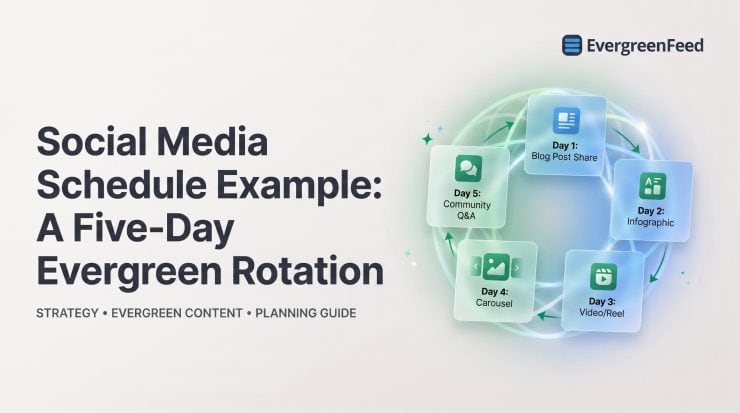
A social media schedule fails long before a post misses its publishing time. It fails when every week starts with a blank calendar, the same promotion appears twice in three days, and useful older content disappears after one outing.
This social media schedule example shows a practical five-day evergreen rotation for a representative small marketing team using one core channel. It is not a rule that every brand should post five times a week. The point is to replace reactive publishing with a repeatable mix of useful, credible, conversational, and commercial content.
The weekly evergreen rotation at a glance
Here is the finished rotation: one purposeful post each weekday, with a different job to do each day. A reader who sees Monday’s tip should not get the same message repackaged on Tuesday; instead, the week should build from help to proof, deeper learning, conversation, and a relevant offer.
In the before state, the team’s calendar is mostly blank until someone remembers to post. In the after state, approved evergreen posts sit in reusable content buckets, ready to be scheduled with enough variation that the feed stays active without feeling automated.

Before: why a reactive posting plan breaks down
Most inconsistent social calendars do not suffer from a lack of ideas. They suffer from ideas being trapped in old documents, project boards, Slack messages, and published blog posts that nobody thinks to reuse. When publishing becomes a last-minute task, the easiest post wins – usually a link promotion or a rushed announcement.
That approach creates predictable problems: duplicate promotions, uneven topic coverage, missed opportunities to resurface durable content, and no clear way to tell what type of post is actually helping. A social media content calendar is more useful when it plans for the purpose of each post, not merely its date and time.

Consider a representative service business with a library of how-to articles, client feedback, and product guidance. Without a rotation, its team may publish three links in a week, then go silent. With a defined mix, those same assets can support a more coherent week without requiring five brand-new ideas.
Set the assumptions behind this schedule example
This example assumes one primary social channel, a weekday audience, and a team that can reliably maintain five posts per week. A B2B company might use LinkedIn as its core channel; a creator may adapt the same structure for Instagram. The underlying cadence matters less than choosing one the team can sustain.
Before recycling anything, confirm the platform’s current format requirements, creative dimensions, social media handles, link behavior, and disclosure needs. A message can be evergreen while its image, caption length, tag, or call to action needs platform-specific work.
Evergreen content is not simply old content. It should still be accurate, useful beyond a specific date, and appropriate to reintroduce after a reasonable interval. Retire posts built around expired offers, outdated claims, old interface screenshots, seasonal deadlines, or advice that no longer reflects how your audience works.
Build the five content buckets that power the rotation
Content buckets give every post a role. They also prevent a common mistake: mistaking a full queue for a balanced one. Five promotions in a row are scheduled content, but they are not a thoughtful social strategy.
For this rotation, use five buckets: education, proof, resource, engagement, and offer or use case. Populate each bucket with several approved variations before automating. One post per bucket is not a library; it is a fast route to repetition.
Education and practical tips
Education posts solve a small, recognizable audience problem. They work best when the reader can use the takeaway immediately: a planning prompt, a simple process correction, or one thing to check before publishing.
For example, a social media tool might share: “Before recycling a post, check its link, claim, image, and call to action. Evergreen should mean current, not merely old.” Where a deeper guide is available, link to it without making the social post dependent on the click.
Proof and trust-building posts
Proof makes a prior claim believable. This bucket can include approved testimonials, a customer process, a founder’s practical observation, a behind-the-scenes workflow, or evidence of how a team handles a recurring challenge.
Keep claims specific and current. Get permission before using customer material, do not imply that one customer’s experience is universal, and avoid recycling quotes that refer to outdated features or circumstances.
Resources, conversation, and offers
Resources give your existing articles, checklists, guides, and templates another useful life. Conversation posts invite informed responses, such as asking marketers which stage of approval slows their calendar most. They should not be empty engagement bait.
The final bucket is where offers and use cases belong. A restrained promotional post works better when the audience has already received value and context during the week. The goal is not to hide the offer; it is to make it proportionate to the rest of the feed.
The completed social media weekly schedule example
A spreadsheet can hold this structure just as easily as an automation tool. In a social media calendar template in Excel or Google Sheets, create columns for date, bucket, format, caption, link, creative, owner, approval status, and expiration date. Then assign the weekday pattern below.
Monday: solve one small audience problem
Goal: Begin with useful education. Use a concise text post, carousel, short video, or graphic that gives one standalone tip, then point interested readers to a related long-form resource.
Example CTA: “Save this checklist for your next scheduling session.” Monday is not the day to force a demo request. Help first, and make the next step optional.
Tuesday: show proof without repeating the sales pitch
Goal: Add credibility to Monday’s theme. Share a customer-approved observation, a workflow snapshot, or a practical lesson from the team behind the work.
Example CTA: “What part of this process would save your team the most time?” This can invite relevant discussion while keeping the post grounded in an actual problem.
Wednesday: resurface an evergreen resource
Goal: Bring back a durable blog post, checklist, or guide using a fresh hook. Do not paste the same caption every time the link returns to the queue.
A resource about calendar planning, for example, can be introduced once as a fix for rushed publishing and later as a guide for auditing old content. The URL may be the same, but the audience entry point and creative should vary.
Thursday: invite a useful response
Goal: Learn from the audience while making space for real conversation. Ask a question, run a relevant poll, or offer a clear opinion people can respond to thoughtfully.
Example CTA: “Which content type is hardest for you to keep consistent: tips, proof, resources, or promotions?” Replies can inform the next month’s education and resource buckets.
Friday: connect the problem to the offer
Goal: Make the commercial connection. Show how your product or service helps with the problem discussed throughout the week, using a concrete use case rather than a vague slogan.
Example CTA: “See how to turn approved evergreen posts into a repeatable queue.” If the audience is active on weekends and the content library supports it, add an occasional Saturday community post or a lighter resource. Otherwise, leave the weekend blank; daily posting is not a universal requirement.
How to schedule the rotation without creating repetitive feeds
How do you do social media scheduling well? Draft the post, assign its bucket and platform, add several approved variations, set publishing rules, review the upcoming queue, and monitor responses after it goes live. Scheduling is a quality-control process, not just a way to fill empty time slots.
Set spacing safeguards before turning on automation. Do not repeat the same URL, visual, hook, offer, or customer quote too closely. Pause posts when an event makes them irrelevant, and regularly retire content that has become inaccurate, overused, or out of step with the brand.
Manual scheduling is still better for time-sensitive campaigns, product news, crisis communications, sensitive announcements, and posts that need a specific live context. Evergreen automation should carry the dependable baseline, leaving people free to handle the work that genuinely requires judgment.
EvergreenFeed
EvergreenFeed is designed for this specific evergreen workflow: organize posts into content buckets, choose account- and category-based posting times, and have randomly selected posts added to relevant Buffer queues. For this example, create the five buckets, assign their account and category schedules, add approved caption and creative variations, then let the system select posts for the relevant Buffer queues. That random selection helps keep a recurring schedule from publishing the same approved post in a fixed sequence.
It is a strong fit for teams already using Buffer that need reliable recycling of durable content across connected accounts. Its meaningful limitation is also its purpose: it is a Buffer add-on for evergreen queue automation, not a broad social media management suite or a replacement for campaign planning, live publishing decisions, or community management.
Choose a content mix rule, then adapt it to your goals
Content mix rules are planning heuristics, not platform requirements. They are useful when a feed has drifted toward one type of content, but they should never override audience needs, campaign priorities, or the quality of the posts available.
For this five-day rotation, the useful guardrail is simple: keep most posts focused on education, proof, resources, and conversation, with Friday reserved for an offer or use case. If a launch is underway, a temporary increase in promotional posts may be appropriate, as long as the overall feed does not become repetitive.

Add Instagram-specific checks before reusing a post
When adapting this rotation for Instagram, refresh the creative and caption for the format, use relevant hashtags only when they add context, and include accessible on-screen text or alt text where available. Match each reused post to current platform guidance and audience behavior rather than relying on a caption formula or reach promise.
Turn the example into a reusable calendar checklist
A social media schedule example becomes useful only when you can repeat it. Whether you use a free social media calendar template, a content calendar template in Google Sheets, or an Excel worksheet, include the details that prevent publishing mistakes.
- Objective and intended audience
- Channel, account, and required social media handles
- Content bucket, campaign, and post format
- Caption, link, call to action, and relevant tags
- Creative file, dimensions, accessibility notes, and approval status
- Scheduled date and time, owner, and publishing method
- Expiration date, update notes, and measurement fields
Tag posts by bucket, campaign, status, and expiration date. Those labels make quarterly audits far easier: you can see which assets need refreshing, which have been overused, and where the content library has gaps.

Measure the rotation and decide what to repeat
Do not judge the whole system by one post. Reach, impressions, saves, replies, and engagement can help diagnose whether a topic or format resonates. Clicks, leads, sign-ups, and conversions are closer to business value when the post has a measurable next step.
Compare results by content bucket, hook, format, and call to action. A resource post may produce more clicks than a conversation prompt, while the prompt may reveal the objections that make next month’s resource more useful. Both can be valuable for different reasons.
Social media matters here because repeated, useful appearances create more opportunities to help the right audience, earn trust, and direct attention toward a meaningful next step. It is not a reason to spend unlimited hours scrolling or reacting to every metric. Set work boundaries, review scheduled publishing at planned intervals, and reserve active time for meaningful community responses.
Apply this weekly evergreen schedule to your own queue
Start with the operating sequence: choose buckets, prepare multiple variations, map a realistic weekly cadence, schedule with spacing safeguards, and review results monthly. If your library is thin, begin with two or three posts per week rather than automating the same few assets until followers recognize the pattern.
The five-day rotation works because each post has a different purpose. Education earns attention, proof makes claims credible, resources deepen the relationship, conversation supplies insight, and offers give interested people a next step.
Teams using Buffer can use EvergreenFeed to organize evergreen posts into buckets and add randomly selected posts to account- and category-based queues.