James
James
Figuring out the best time to post on Instagram can feel like trying to hit a moving target. But if you're looking for a solid starting point, the data generally points to weekday afternoons, roughly between 3 PM and 6 PM.
This window makes sense when you think about it. It’s when most people are starting to wrap up their workday or beginning to unwind for the evening, making them more likely to be scrolling through their feeds. Catching them at this moment gives your content its best shot at getting seen right away.
Why Posting Time Still Matters on Instagram
There’s a common misconception that with today’s smart algorithms, when you post doesn't matter anymore. The logic is that good content will eventually find its audience. While great content is non-negotiable, that line of thinking overlooks one of the most critical factors for success: initial engagement.
The first hour or two after your post goes live is make-or-break. Think of it like a snowball rolling down a hill. When a post gets a flurry of likes, comments, shares, and saves right off the bat, it starts gaining momentum. This initial burst of activity is a powerful signal to Instagram’s algorithm that your content is a hit. In response, the algorithm pushes it out to even more people, potentially landing it on the Explore page.
Understanding how the Instagram algorithm works makes it crystal clear why timing is so crucial. The system heavily weighs early engagement to decide if a post is worth showing to a wider audience.
The Concert Promoter Analogy
Imagine you’re a promoter for a huge concert and you have a stack of incredible flyers to hand out. Would you go to an empty street corner at 3 AM and hope for the best? Of course not. You’d find a busy public square right as everyone is getting off work—a time you know will be packed with people.
Posting on Instagram is no different. Dropping your content when your audience is offline is like passing out flyers to an empty street. No matter how amazing your post is, it won't get the immediate traction it needs to start that crucial snowball effect.
Getting in Sync with Your Audience
Posting at the right time isn't about trying to "game the system." It's simply about meeting your audience where they are and making it easy for them to connect with what you've created.
When you post at times your followers are most active, you give your content the best possible chance to succeed. This fundamental alignment is the cornerstone of any effective Instagram strategy. It all comes down to understanding two things:
- General benchmarks: Knowing the high-traffic windows across the platform provides a strong starting point.
- Your unique peak times: Diving into your own analytics will show you the specific daily habits of your followers.
Getting a handle on both is the real secret to unlocking consistent engagement and growth. We’ll walk you through how to find those times and build a schedule that delivers results.
The Best Times to Post on Instagram: Global Benchmarks
Before you start digging into your own analytics, it's smart to start with a solid foundation. That's where global benchmarks come in. These are the tried-and-true time slots when Instagram activity consistently peaks for a massive number of users.
Think of it like this: You wouldn't open a coffee shop at midnight, right? You'd open for the morning rush. Global benchmarks are the social media equivalent of that morning rush hour—a reliable starting point that puts you in front of the most people.
While every audience is a little different, we humans are creatures of habit. We scroll on our morning commute, during our lunch break, and as we wind down for the evening. These data-backed benchmarks simply reflect those daily rhythms.
This infographic really drives the point home, showing the massive difference between posting when your audience is active versus when they're asleep.
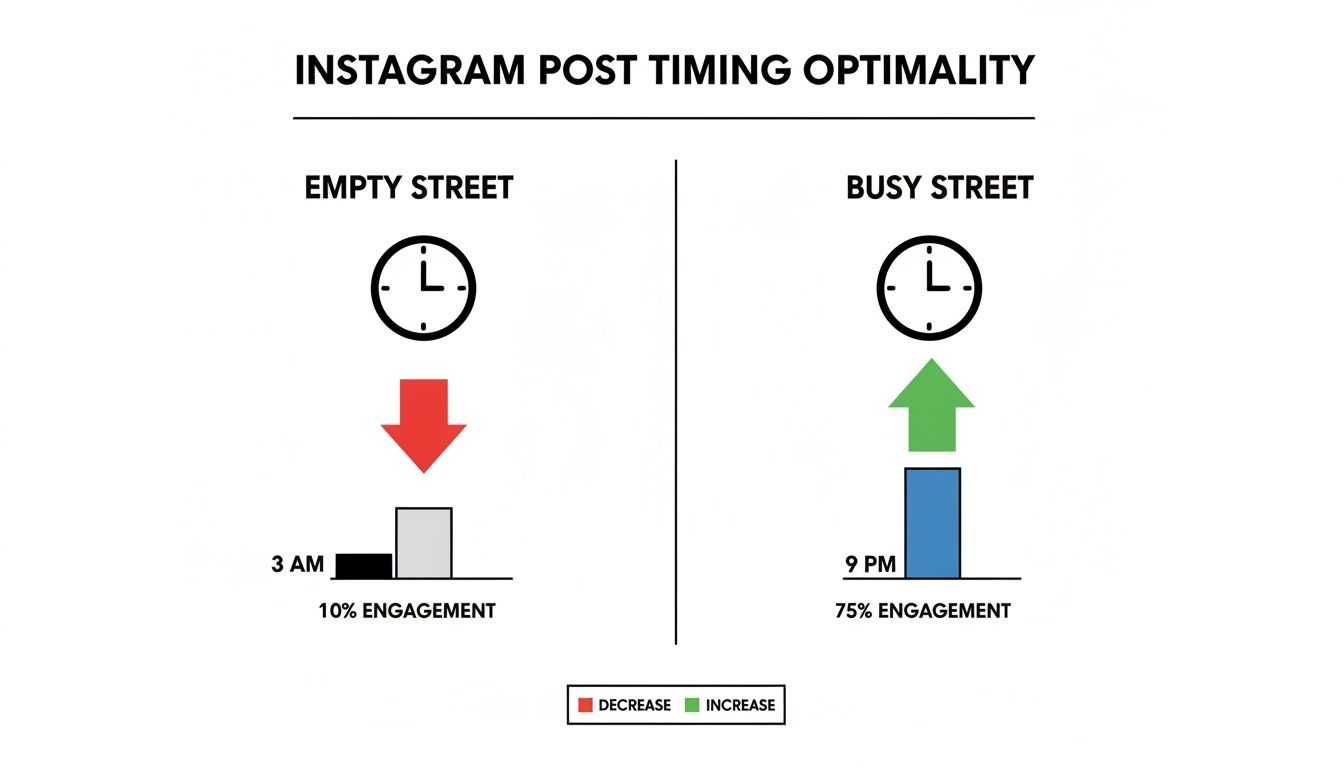
Posting at 3 AM is like setting up a booth in an empty town square. But posting at 9 PM? That puts you right in the middle of a bustling digital festival.
Finding the Peak Engagement Windows
So, where are these digital hotspots? Generally, you’ll find the highest engagement during two key periods on weekdays: the midday break and the late afternoon slump.
- Lunchtime (11 AM – 1 PM): People are stepping away from their desks and grabbing their phones. It’s the perfect time to catch them when they're actively looking for a quick distraction.
- Late Afternoon (2 PM – 4 PM): The workday is dragging, focus is fading, and social media scrolling starts to climb. This is a great window to grab their attention before they officially clock out.
But the real heavyweight champion of Instagram engagement is the evening. The hours between 7 PM and 9 PM are what many of us call social media "prime time," just like on TV. By this point, people have finished with work, dinner, and daily chores. They’re finally settled in, relaxed, and ready to scroll. This is when they're most open to discovering new content, engaging with brands, and even shopping.
A Day-by-Day Breakdown of Top Posting Times
Evenings are a strong bet across the board, but each day of the week has its own unique vibe. It helps to have a more detailed cheat sheet to get started. Think of these as proven starting points, not unbreakable rules. To get an even deeper understanding, you can check out our detailed guide on finding the best time to post on social media.
For now, here’s a quick-glance table to get you going. All times are based on your local time zone.
Best Global Instagram Posting Times at a Glance
This table summarizes the top-performing days and times for Instagram engagement based on broad, global data. Use these as your initial guideposts before you start digging into your own specific audience analytics.
| Day of the Week | Best Times for High Engagement |
|---|---|
| Monday | 11 AM, 3 PM, 7 PM |
| Tuesday | 9 AM, 12 PM, 8 PM |
| Wednesday | 11 AM, 3 PM, 8 PM |
| Thursday | 12 PM, 4 PM, 9 PM |
| Friday | 10 AM, 2 PM, 5 PM |
| Saturday | 11 AM, 7 PM, 8 PM |
| Sunday | 10 AM, 1 PM, 8 PM |
This data gives you a fantastic roadmap to kick things off. By scheduling your content in these high-traffic slots from day one, you’re ditching the guesswork and giving your posts the best possible shot at success. Up next, we’ll dive into how you can refine this strategy by looking at what your own data is telling you.
Finding Your Unique Best Time to Post
Global benchmarks are a decent place to start, but they're just that—a start. Relying on them completely is like a coffee shop owner using national rush hour data to set their hours. Sure, it’s helpful, but what if their shop is right next to a university full of late-night studiers, not in a financial district with a 7 AM rush?
The real key to unlocking your account’s potential is realizing that your brand’s “rush hour” on Instagram is totally unique. It’s shaped by the specific, daily habits of your followers. This is where we move from generic advice to a personalized strategy backed by your own data.
The great news is that Instagram gives you all the tools you need to play data detective and pinpoint these golden hours. You don’t need any fancy software or a degree in analytics; you just have to know where to look. The answers are right there, waiting for you in your Instagram Insights.
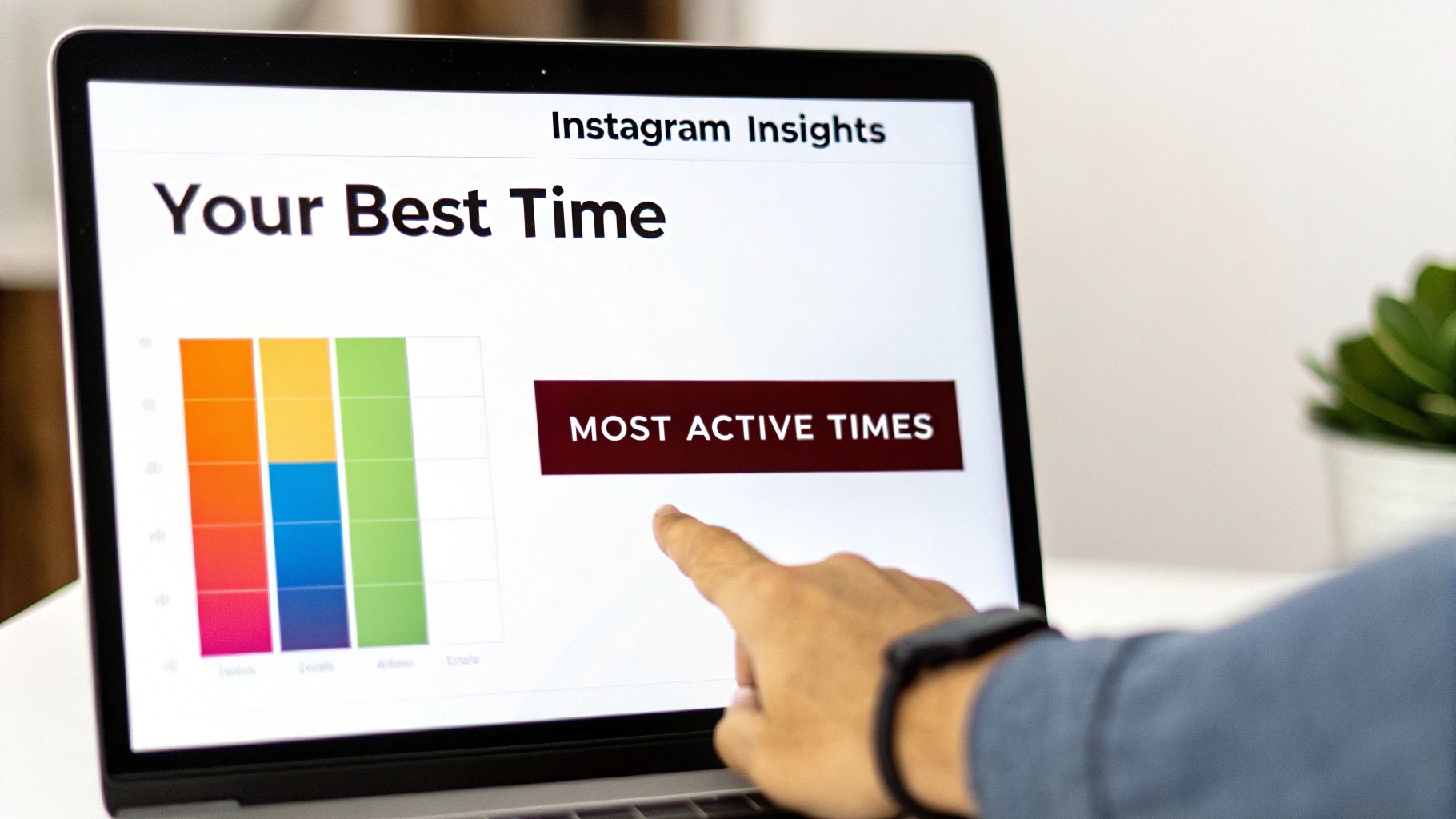
Accessing Your Audience Activity Data
To get to this treasure trove of data, you'll first need a Creator or Business account. If you’re still using a personal profile, making the switch is free and unlocks a ton of valuable analytics you can't get otherwise.
Once you're set up with a professional account, finding your audience's active times is pretty simple.
- Navigate to your profile in the Instagram mobile app.
- Tap on the ‘Professional Dashboard’ link, which you'll find just under your bio.
- In the ‘Account Insights’ section, tap ‘See all’ to open your full analytics suite.
- From there, select ‘Total Followers’ to dive into your audience demographics and behavior.
This is where the magic happens. As you scroll down, you’ll find the ‘Most Active Times’ section, which visualizes your data in two incredibly useful ways.
Interpreting the Most Active Times Charts
The data in this section is your personalized road map for scheduling content. It shows you, without any guesswork, when your followers are most likely to be scrolling through their feeds.
Your ‘Most Active Times’ chart is the single most important piece of data for figuring out when to post. It reflects the real-world online habits of the people who have already decided they want to hear from you.
Let’s break down the two charts you’ll see.
Hours View
This is a bar chart showing the average number of your followers who are active during each hour of the day. The taller the bar, the more people are online. You can even tap on a specific bar to see the exact number of active users for that hour. Just look for the highest peaks—those are your prime-time posting slots.
Days View
This chart shows which days of the week your audience is most active overall. While there might be less variation here compared to the hourly view, it can still point out some important trends. For example, you might discover your audience is way more engaged on weekdays than on weekends, or vice versa.
Turning Data into a Posting Schedule
With this information in hand, you can start building a much smarter posting schedule. Instead of posting at a generic "best time" like 3 PM, your data might reveal that your audience—maybe they're night owls or early risers—is actually most active at 10 PM or 7 AM.
Here’s a simple process to apply what you’ve learned:
- Identify Your Top 3-5 Hours: Look at the hourly chart for each day and jot down the hours with the tallest bars. These are your top-tier posting windows.
- Prioritize Peak Days: Glance at the daily chart. If Wednesday and Thursday show the highest activity, you should plan to share your most important content on those days during the peak hours you just identified.
- Align Content with Activity: If you notice a quick spike around noon, that’s a perfect time for a snappy, engaging Reel. If you see a longer peak in the evening, that might be ideal for a more detailed carousel post that requires a bit more attention.
By analyzing and acting on this data, you stop guessing and start making strategic moves. To keep track of how you’re doing, you can organize your findings in a social media analytics report template. This helps you see how posting at these new times impacts your reach and engagement, allowing you to fine-tune your strategy and always meet your audience exactly when they’re ready to connect.
Finding Your Own Best Times: A Simple Testing Framework
Your Instagram Insights chart is a fantastic starting point, but it's not the final answer. Think of it as a treasure map where ‘X’ marks a few potential spots. The only way to know which spot actually holds the treasure—in this case, maximum engagement—is to start digging. This is where a simple testing framework comes in, turning your educated guesses into proven facts.
Running a "test" sounds a lot more complicated than it is. Really, all you're doing is asking your audience, "Hey, do you like this time better?" in a structured way. This process helps you move beyond generic industry data and pinpoint the exact windows when your specific followers are most likely to see and interact with your content. It strips away the guesswork and gives you a solid foundation for a schedule that actually works.
By methodically testing different time slots, you can uncover some surprising opportunities. Maybe your data points to 8 PM as a peak time, but a quick test reveals a powerful little pocket of engagement at 6 AM from early birds who are hungry for your content. These are the kinds of insights that take a good strategy and make it great.
Start with a Hypothesis
Every good experiment starts with a clear question, or what we call a hypothesis. Don't let the word scare you; it's just a simple statement you want to prove or disprove. Your Instagram Insights should be the launchpad for this.
For example, if your chart shows big spikes in activity in the morning and again in the evening, your hypothesis could be something like this:
“Posting a Reel at 8 AM on weekdays will get more comments and shares in the first three hours than posting a similar Reel at 5 PM.”
See how that works? It’s specific, it’s measurable, and it directly compares two options. This gives your test a clear purpose and makes it a breeze to figure out which time slot won. Keep it simple—a straightforward "Time A vs. Time B" hypothesis is all you need to get going.
The 5 Steps to a Perfect Posting Time Test
Once you've got your hypothesis, it's time to test it out. The absolute key here is consistency. To get results you can trust, you need to isolate the one thing you're testing: the time. That means keeping everything else—especially your content format and quality—as similar as possible.
It's like doing a taste test between two sodas. You wouldn't serve one ice-cold in a frosty mug and the other warm in a paper cup, right? That wouldn't be a fair comparison. You’d serve them the exact same way so the only difference is the taste. The same logic applies here.
Here’s a simple, five-step framework you can follow:
- Formulate Your Hypothesis: Like we just discussed, write down a clear, testable statement based on your Instagram Insights. For instance, "Posting at 12 PM on weekends will get more reach than posting at 8 PM."
- Create Consistent Content: Prepare posts that are visually and thematically similar for your test. If you're testing Reel times, make sure both test posts are Reels of a similar style and topic. You can't compare a high-effort video against a quick static image and expect reliable data.
- Schedule and Post Consistently: Run your test for a set period, like two weeks. In week one, post your content at "Time A." In week two, post the same type of content at "Time B." Sticking to this schedule is crucial for gathering clean data.
- Track the Right Metrics: Pay close attention to engagement within the first few hours of posting—that's the most critical window for the algorithm. Track key metrics like likes, comments, shares, saves, and reach. A simple spreadsheet is perfect for logging the numbers for each post.
- Analyze the Results and Declare a Winner: After your two-week test is over, look at the data. Which time slot consistently delivered better results for the metrics you care about? That winner becomes a new, proven pillar in your posting schedule.
This whole process is repeatable. Once you've nailed down your best weekday morning time, you can run another test to find your best evening slot or your ideal weekend time. This kind of simple, continuous testing is how you refine your understanding of what time to post on Instagram and turn a general guideline into a precise, powerful strategy.
How to Automate Your Instagram Schedule for Maximum Impact
So, you've done the work and figured out your peak posting times. That’s a huge win! But it also brings up a new, very practical problem: how do you actually post at 9 PM on a Thursday or 11 AM on a Saturday without being glued to your phone?
The answer is automation, and it's not just about convenience. It’s about strategy.
By scheduling your content ahead of time, you turn your Instagram plan from a frantic, day-to-day chore into a calm, proactive system. It guarantees your posts go live during those golden engagement windows, even if you’re in a meeting, at the gym, or asleep.
Introducing EvergreenFeed for Smart Automation
This is where a tool like EvergreenFeed really shines. It's built to automate your best, most timeless content by plugging right into Buffer. The whole idea is to create a powerful, "set it and forget it" workflow that keeps your profile buzzing with great posts without you having to lift a finger every day.
Think of it as your own personal content library that also happens to be a brilliant scheduler. You add your posts, tell it when to publish them, and it handles the rest. This ensures a consistent flow of top-tier content hitting your audience's feeds at just the right moments. Of course, automation is one piece of the puzzle; exploring various Top Instagram Services can help round out your broader strategy.
Building Your Automated Content Engine
The process is surprisingly simple and centers on a concept called content buckets. These are just categories you create to keep your posts organized. It’s like having different folders for different types of content.
For instance, you could set up buckets for:
- Blog Posts: Driving traffic to your latest articles.
- Quick Tips: Shareable, bite-sized advice.
- Promotions: Highlighting your products or special offers.
- Behind-the-Scenes: Giving your audience a peek into your world.
Once your buckets are filled with posts, you connect your Buffer account. This is where you get to be a true strategist. For each content bucket, you can set a completely unique posting schedule for every social profile you manage.
This level of control is what makes automation so powerful. You're not just randomly scheduling posts. You're building an intelligent content calendar that matches the right type of content with the right time for maximum performance.
Let's say your data shows that inspirational quotes blow up late at night. No problem. With EvergreenFeed, you can set your ‘Quotes’ bucket to only post on Tuesdays and Thursdays at 9 PM. At the same time, you can schedule your ‘Blog Posts’ bucket for weekday lunch hours, right when people are scrolling for industry news.
This system ensures that every single post is deployed when it has the best chance of succeeding. It’s a game-changer for social media managers juggling multiple clients, allowing them to hit precise time slots without constantly babysitting the queue. For creators and small business owners, it's a way to make sure your best stuff gets seen again and again, saving you hours every single week.
By automating your schedule, you get your time back, lock in consistency, and put your best content to work around the clock. You can learn more about the nuts and bolts of this in our deep dive on automating Instagram posts.
FAQ: Nailing Your Instagram Post Times
You've got the data, a plan for testing, and the tools to make it happen. But even with all that, a few lingering questions always seem to pop up when it's time to actually build your content calendar.
Let's clear those up right now. Think of this as your final gut-check before you start scheduling, where we'll tackle the real-world nuances of posting frequency, different content types, and how to handle an audience that’s all over the map.
How Often Should I Actually Post on Instagram?
This is the classic "quality vs. quantity" debate, but on Instagram, the answer is surprisingly clear: consistency trumps frequency every time. Of course, posting one high-quality piece of content every day is a fantastic goal. It keeps you fresh in your followers' feeds and signals to the algorithm that you're an active, valuable account.
But let's be realistic—life happens.
If you can only manage 3-5 great posts a week, that is infinitely better than posting daily for a week and then going silent for the next two. The algorithm loves a predictable rhythm. It's better to find a pace you can genuinely stick with, one that doesn't burn you out or force you to compromise on quality.
The real goal is to create a rhythm your audience can rely on. A consistent schedule, even if it’s not daily, builds that "can't wait to see what they post next" feeling and keeps you top-of-mind.
Naturally, the format changes the game a bit:
- Stories: Go for it. A higher frequency here feels natural and is often more effective. Posting 5-10 Stories a day keeps you at the front of the line in your followers' Story feeds and offers more chances for engagement.
- Reels: These are your long-game players with serious reach potential. Aiming for 3-5 fantastic Reels per week is a powerful strategy for getting discovered by new audiences and driving growth.
This is where a good scheduler becomes your best friend. It helps you lock in that consistency without the daily scramble, especially when you're recycling your best evergreen content.
Do Reels, Stories, and Feed Posts Need Different Posting Times?
Yes, absolutely. While the core idea—post when your audience is online—holds true for everything, you need to be a bit more strategic based on how people consume each type of content.
Think of your feed posts and Reels as your prime-time TV shows. Their performance in the first couple of hours is make-or-break. That initial flurry of likes, comments, and shares tells the algorithm whether to push your content out to a wider audience. You absolutely want to launch these during your peak engagement windows to give them the strongest possible start.
Stories, on the other hand, are more like live, behind-the-scenes updates. They're gone in 24 hours, which gives you incredible flexibility. You can sprinkle them throughout the day to catch people during their morning scroll, their lunch break, or their late-night wind-down.
Here's a smart way to approach it:
- Protect Your Peak Times: Save your absolute best, data-proven time slots for your most important feed posts and Reels. Give them the main stage.
- Use Stories to Fill the Gaps: Post Stories during those secondary activity windows—commute times, mid-afternoon slumps—to stay present and capture attention all day long.
This two-pronged strategy ensures your big-ticket content gets maximum launch velocity while your Stories keep the conversation going around the clock.
What if My Audience Is in Different Time Zones?
Having a global audience can feel like a scheduling nightmare, but your Instagram Insights already did the hard work for you. That "Most Active Times" chart is your single source of truth, no matter where your followers are.
Here's the key thing to understand: the chart shows you activity in your local time zone, but it's based on the combined online habits of your entire audience. You don't need to break out a world clock and start doing complicated math.
With a spread-out audience, you'll probably see broader peaks instead of sharp, one-hour spikes. Your job is to find the sweet spot that covers the biggest chunk of your audience at once. For instance, a peak at 9 PM EST might also catch the 6 PM PST crowd just getting off work—a perfect two-for-one opportunity.
If you know your audience is heavily clustered in a few key regions, you can get even more specific.
- Check Your Top Locations: Dive into your Insights and see which cities and countries make up the bulk of your followers.
- Find the Overlap: Look for a time that works as a "morning scroll" for one region and an "evening wind-down" for another.
- Alternate Your Prime Time: Try dedicating certain days to posting at peak times for your European audience and other days for your North American followers. This way, everyone gets some love.
This is another reason why scheduling tools are non-negotiable for a growing account. They let you line up posts for your followers in London, New York, and Sydney without having to pull all-nighters just to hit "publish."
Ready to stop guessing and start scheduling with data-driven precision? EvergreenFeed automates your posting schedule, ensuring your best content always goes live at the perfect time. Sign up for free and see the difference automation can make.