James
James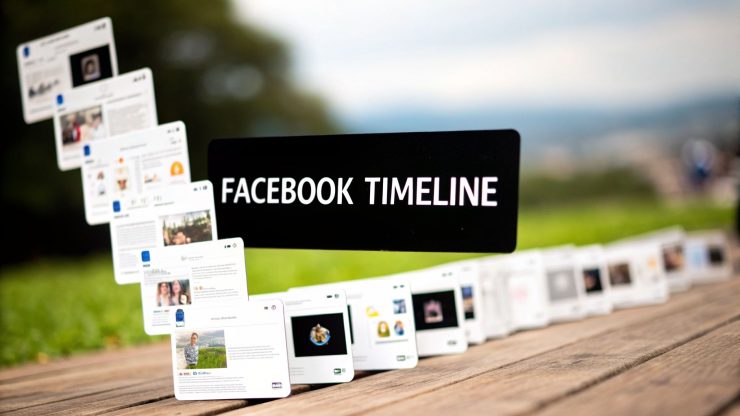
Think of your Facebook Timeline as your personal digital scrapbook. It’s the spot where all your memories, posts, and shared moments on the platform come together in one place. Unlike the fast-moving News Feed, your Timeline is a permanent, chronological archive of your life on Facebook.
Your Digital Scrapbook

If the News Feed is a rushing river of real-time updates from everyone you know, the Timeline is the solid ground where everything settles. It's your personal space, the one people see when they visit your profile, with every photo, status update, and life event neatly arranged in reverse chronological order.
For anyone managing social media, understanding what is the timeline in facebook is absolutely essential. It's where your brand's content can find a permanent home. When someone shares your post, it moves from the fleeting attention of their News Feed to the curated collection of their personal Timeline.
This simple act turns a passing glance into a lasting endorsement. Your content becomes part of that person's online identity, visible to their friends and family depending on their privacy settings. It’s no longer just a post—it’s now a piece of their personal story.
The Timeline gives content a second life. A post that vanishes from the News Feed in hours can remain on a user's Timeline for years, continuously representing your brand to new friends and connections who explore that user's profile.
The Anatomy of a Facebook Timeline
To really get how it works, let’s break the Timeline down into its core parts. Picture that scrapbook again, but this time with special sections for different kinds of memories and information. Each element helps build out a person's digital persona.
Here’s a quick summary of the key components that make up a user's Facebook Timeline.
Facebook Timeline at a Glance
This table breaks down the main sections you'll find on a typical Timeline.
| Component | Description | Example |
|---|---|---|
| Cover Photo & Profile Picture | The visual banner and primary photo representing the user's identity at the top of their profile. | A family portrait as the cover photo and a professional headshot as the profile picture. |
| Intro Section | A brief, customizable bio where users can share key details about themselves. | "Social Media Manager | Coffee Lover | Based in Austin, TX" |
| Posts & Shares | A chronological log of all status updates, photos, videos, and links the user has posted or shared. | Sharing a link to an interesting article or posting a photo album from a recent vacation. |
| Tagged Content | Posts and photos from other users that have been tagged with the user's name. | A friend's post wishing the user a happy birthday, which then appears on their Timeline. |
| Life Events | Milestones that users can add to their Timeline, such as starting a new job, getting married, or moving. | "Started a new position as Marketing Director at XYZ Corp." |
When it comes down to it, every single thing that lands on a user’s Timeline helps tell the story of who they are online. For brands, earning a spot in that story is a powerful kind of organic marketing that can turn passive followers into genuine advocates.
Timeline vs. News Feed vs. Page: Decoding Your Facebook View
Jumping into Facebook can sometimes feel like you're trying to read three different maps at once. To really get anywhere, especially as a marketer, you have to get a feel for the distinct roles of the Timeline, the News Feed, and your brand's Page. Each one has its own job, and figuring out how they play together is the first step to running a smart social media strategy.
Think of your personal Timeline as your digital scrapbook. It’s the chronological story of your life on Facebook—every post you’ve made, every photo you’ve been tagged in, every life event you’ve shared. It’s your personal history, all in one place.
The News Feed, on the other hand, is like your morning newspaper, delivered fresh every time you open the app. It’s a constantly changing, algorithm-driven stream of what’s happening right now with your friends, the groups you're in, and the brands you follow. Content here is fast-moving and meant for the moment.
Finally, a Facebook Page is your brand’s public storefront. This is your official home base, the central hub where you post your content, share company news, and chat with your community. It’s the starting point for everything you put out there.
How Content Travels Across Facebook
This is where the magic happens. A great social media manager knows their primary goal is to get their content to travel from their Page, pop up in a user's News Feed, and ultimately land on that person's personal Timeline. When that happens, a fleeting ad becomes a lasting endorsement.
The journey looks something like this:
- You Post: It all starts when you publish a great piece of content on your business Page.
- They Discover: Your post shows up in the News Feeds of people who follow you, where it’s competing for eyeballs.
- They Engage: Someone loves it. They like it, comment on it, or—the holy grail—they share it.
- It Sticks: That simple act of sharing plants your content squarely on their personal Timeline, making it a permanent part of their digital story.
This final step is everything. A post that zips by in the News Feed can be forgotten in seconds. But once it’s shared to someone’s Timeline, it becomes a public recommendation to their entire network. It’s achieved a kind of digital permanence, transforming your marketing message into a genuine, user-backed testimonial. If you want to build a real presence on Facebook, you absolutely have to understand this flow.
Comparison of Timeline, News Feed, and Page
To really lock in these differences, it helps to see them side-by-side. Here’s a quick breakdown of what each part of Facebook is for, where its content comes from, and who’s in the driver's seat.
| Feature | Primary Purpose | Content Source | User Control |
|---|---|---|---|
| Timeline | A personal, chronological archive of a user’s own content and interactions—their digital scrapbook. | Posts made by the user, content they are tagged in, and items they have actively shared. | High. Users control privacy settings for their own posts and can approve tagged content. |
| News Feed | A real-time, algorithmic stream of new content from friends, Pages, and groups. | A mix of content from a user's entire network of connections and followed entities. | Moderate. Users can hide posts, unfollow people, or adjust preferences, but the algorithm decides the order. |
| Page | A brand's official public hub for broadcasting content and engaging with followers. | Content created and published exclusively by the Page administrators. | Total control for Page managers; followers can only choose to follow, unfollow, or engage. |
Seeing it laid out like this makes it clear: each view has a distinct job. Your strategy needs to respect these differences to effectively move your audience from passive viewers to active advocates for your brand.
How Content Lands on a User's Timeline
Think of a Facebook Timeline as a personal digital scrapbook. Content doesn't just show up there randomly; it has to be invited in. There are a few key ways that happens.
The most straightforward path is when someone posts directly to their own profile. This is the bedrock of their Timeline—their own thoughts, photos, and updates.
Another common way is through social interaction. When a friend tags you in a post or a photo, it can automatically pop up on your Timeline (depending on your settings, of course). This turns a friend's post into a shared memory on your own profile.
And here's the one that really matters for marketers: content also appears when a user shares something from another source. This could be a news article, a funny video, or a post from a brand’s Facebook Page. This act is a huge vote of confidence. By sharing your content, a user is essentially telling their network, "Hey, this is cool, and it's now part of my story."
This simple visual helps show how the Timeline, News Feed, and Pages all fit together as different, yet connected, parts of the Facebook world.

While your Page is where you create content and the News Feed is how it gets delivered, the Timeline is where that content can find a permanent home and gain lasting visibility.
The Role of Privacy Settings as Gatekeepers
Behind all of this, privacy settings are the bouncers at the door. They give users complete control over who sees what on their Timeline. Every single piece of content is governed by these choices.
A user can set their posts to be visible to:
- Public: Absolutely anyone, whether they're on Facebook or not.
- Friends: Just the people they're directly connected with.
- Friends except…: A handy way to hide a post from specific people (like your boss or your aunt).
- Only Me: The post is saved to their Timeline, but it's completely private.
For social media managers, getting a grip on this flow is crucial. You post on your Page, it hits the News Feed, and if you're lucky, someone shares it to their Timeline. Every share creates a ripple effect, tapping into that person's network for powerful organic reach.
If you want to get strategic about this, a great first step is to learn how to schedule a post on Facebook. Nailing your timing increases the odds of your content hitting the News Feed at just the right moment to get shared.
Creating Content That Earns a Place on the Timeline
Knowing how the Facebook Timeline works is one thing. Actually creating content that people want to add to their own personal history? That's the real challenge.
To get there, your posts have to be more than just ads in disguise. They need to be visually sharp, hit an emotional note, or offer something genuinely useful. Only then will someone see it and think, "This is me. I want this on my profile."
Think of your content as auditioning for a role in a user’s life story. A generic sales pitch gets scrolled past and immediately forgotten. But a post that makes them laugh, teaches them a new skill, or mirrors their own values? That's something they'll be proud to feature on their Timeline. That’s the secret to making "Timeline-worthy" content.
This means you need to know who you're talking to. Facebook isn't just for college kids anymore. The platform has matured, and today, nearly 50% of its users are between 25 and 44 years old. The biggest chunk of that is the 25-34 age group.
These aren't kids; they're people building careers, raising families, and figuring out life. They respond to content that gives them practical advice, a bit of inspiration, or just a relatable laugh.
Crafting Your Timeline-Worthy Message
To really connect with this core audience, you need to stop creating generic fluff. Your content should feel like it was made just for them.
Here are a few pillars that consistently work well:
- Be the Expert: Share tips, quick tutorials, or insights that solve a real problem. If you sell home goods, a short video on "5 Genius Ways to Organize Your Kitchen" is far more valuable than another product shot.
- Share Real Stories: Post content from your actual customers or share inspiring success stories. Nothing feels more authentic or builds a stronger community vibe.
- Show Your Human Side: Use a bit of humor, create a relatable meme, or offer a peek behind the scenes. This is how you stop being a faceless brand and start building a real connection.
The ultimate goal is to create something so in sync with a person's identity that they feel a pull to make it part of their own story. That’s when a simple post becomes a powerful, authentic endorsement.
The most shareable content almost always pairs stunning visuals with a clear, simple message. Video is king here, as it's brilliant at grabbing attention and telling a story in seconds. If you really want to make a splash, it's worth learning how to create video for Facebook that people will actually stick around to watch.
Just remember to match those great visuals with solid copy and smart hashtags to give your posts the best possible reach. If you're unsure where to start, our guide on using hashtags on Facebook can get you up to speed.
When you focus on providing real value and creating resonance, your brand won't just be a blip in the News Feed—it'll earn a permanent spot in your audience’s story.
Using Evergreen Content for a Lasting Timeline Presence

Keeping your brand consistently visible on your followers’ Timelines isn’t about chasing one-off viral hits. The real secret to a long-term presence is mastering evergreen content—posts that stay relevant and valuable long after you first publish them.
Think of your evergreen content as your brand's greatest hits album. These are the timeless tips, tutorials, foundational stories, and core industry insights that don't have an expiration date. A post about breaking news is fleeting, but a truly helpful evergreen post can be shared and rediscovered for months, even years, continually earning its place on new Timelines.
This strategy turns your best content from a single-use asset into a library of resources that works for you 24/7. When you automate the resharing of these posts, you create a steady stream of valuable content that encourages shares, effectively populating your audience's digital scrapbooks with your brand's message.
Building Your Evergreen Engine
The first step is to get organized. Go through your best-performing content and sort it into themed categories, or what I like to call "buckets." This methodical approach helps you deliver a balanced mix of topics that keeps your audience hooked without seeing the same thing over and over. If you're looking for content ideas, understanding tactics like how to bump a post on Facebook can be a great addition to your strategy.
Some of the most effective content buckets include:
- Educational Posts: How-to guides, checklists, or tutorials that solve a real problem for your audience.
- Brand Stories: Posts that share your company’s mission, values, or unique history to build a genuine connection.
- Industry Insights: Timeless advice, foundational statistics, or expert opinions that position you as an authority.
- Customer Spotlights: Success stories or testimonials that offer powerful social proof and never go out of style.
By scheduling these buckets to post automatically, you create a content engine that continuously places your brand on user Timelines. It’s a smart, efficient way to maximize the ROI of your best work and maintain a lasting presence.
Once your content is organized, use a scheduling tool to automate the rotation of these posts. This system keeps your Facebook Page active with high-quality content, boosting its chances of being shared onto a user's Timeline and cementing your brand’s long-term visibility.
Common Questions About the Facebook Timeline
Now that we've covered the basics, let's dig into some of the practical questions that pop up all the time for both regular users and social media managers. Getting these details straight will really solidify your understanding of how the Timeline works.
Can I Control What Others Post on My Timeline?
Yes, you absolutely can, and you should. Facebook gives you a powerful tool in your "Timeline and Tagging" settings called Timeline Review. Think of it as your personal bouncer.
When you turn it on, any post someone tags you in has to get your approval before it shows up on your Timeline. This is a must-do for anyone serious about managing their online reputation. It stops embarrassing or off-brand posts from cluttering up your profile and ensures your Timeline tells the story you want it to.
By enabling Timeline Review, you gain complete editorial control. It’s the single best way to curate your personal brand and make sure your online identity stays authentic and professional.
How Is a Business Page Timeline Different?
A business Page's Timeline plays by a different set of rules. For starters, it’s always 100% public. It’s the brand's official megaphone, designed for broadcasting messages to the world, not for personal storytelling.
The main feed on a business Page is reserved only for content published by the Page itself. While your personal Timeline is a mix of your own posts and things friends have tagged you in, a Page neatly tucks away posts from customers or fans into a separate "Community" or "Visitor Posts" tab. The goal here is clear, one-way communication, not a collaborative scrapbook.
If I Delete a Post from My Timeline, Is It Gone Forever?
This is a really important distinction. If you delete a post that you created, it's gone for good—permanently wiped from Facebook's servers. But if you're just removing a tag from a post someone else made, you're only hiding it from your own Timeline.
That original post still lives on the other person’s profile and can still be seen anywhere else it was shared. Understanding this difference is key to managing your digital footprint. Removing a tag tidies up your personal space, but deleting your own content is a permanent action.
Ready to keep your brand's best content consistently visible on your audience's Timelines? EvergreenFeed automates the scheduling of your high-value evergreen posts, saving you hours and maximizing your reach. Start automating your content for free today!