James
James
Maintaining a consistent TikTok presence manually drains teams and limits creative impact. This roundup of 12 top tiktok automation software options for 2025 tackles scheduling, video uploads, analytics, and integrations in one place. Whether you handle campaigns solo or manage an agency portfolio, this guide clarifies exactly which tools match your workflow and budget.
What you’ll find in this listicle:
- Role-based breakdowns for individual creators, agencies, and SMBs
- Feature analysis: scheduling, native video support, in-depth analytics, API connections
- Pricing comparisons and top use cases for each tier
- Implementation tips with real usage insights and noted limitations
- Strategic workflow combining EvergreenFeed and Buffer for evergreen post automation
- Quick setup guides with pro tips for first-time users
We’ve organized solutions into clear categories with side-by-side comparisons. Expect short, scannable descriptions and honest assessments that cut through marketing fluff. Real-world examples show how brands and bloggers navigate common pitfalls like quota limits or complex integrations.
Each entry includes screenshots and direct links for immediate evaluation. Platforms covered range from TikTok’s own Marketing Partners Directory and Ads Manager to Hootsuite, Sprout Social, Buffer, Later, Metricool, SocialPilot, Vista Social, Loomly, Sendible, and Zapier integrations. Ready to streamline your TikTok strategy? Dive in and choose the tiktok automation software that fits your goals without delay.
1. TikTok Marketing Partners Directory
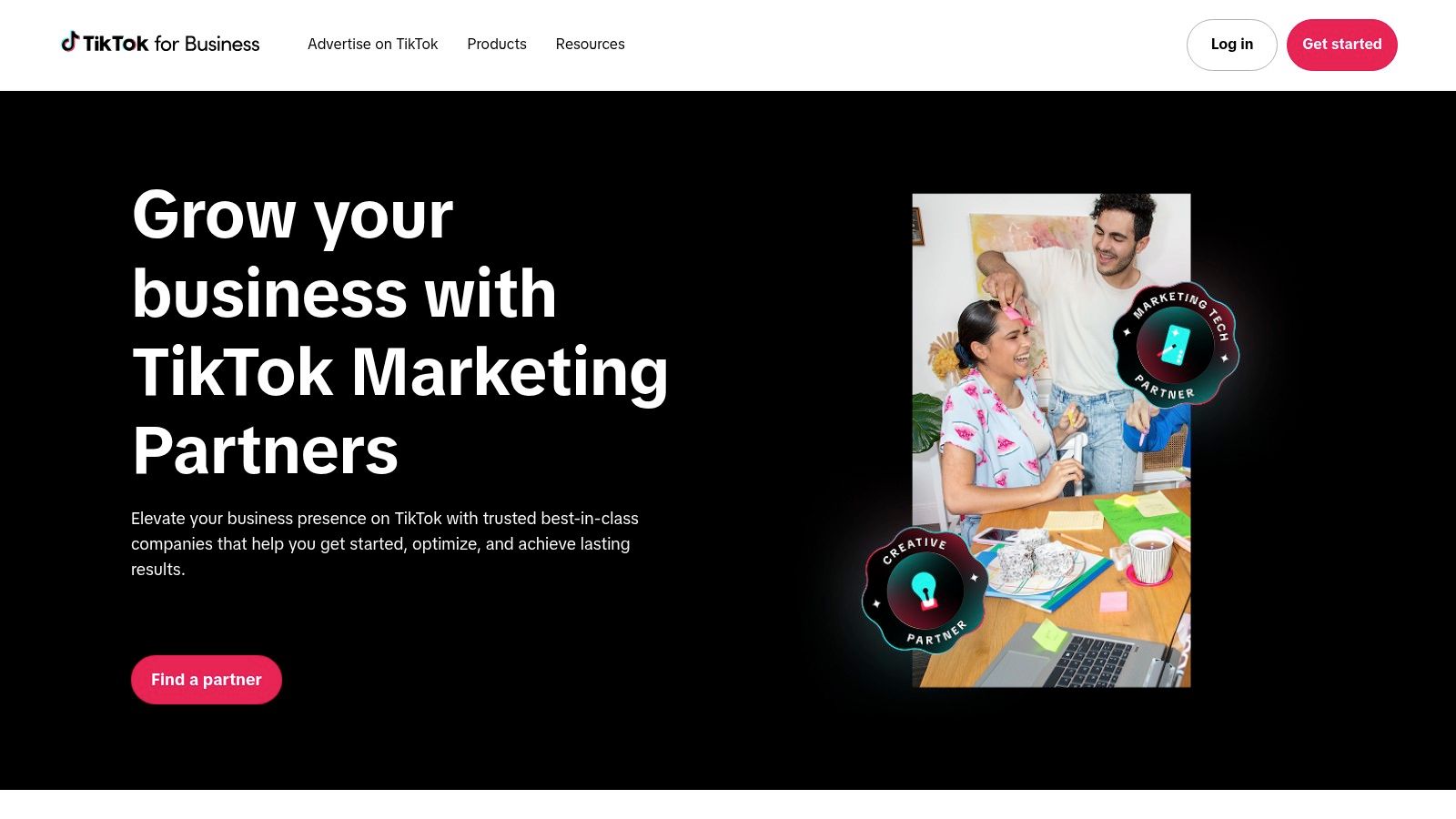
TikTok Marketing Partners Directory is TikTok’s official marketplace of certified automation partners for scheduling, analytics, commerce and ads. Browse vetted providers for guaranteed compliance and global coverage at no extra cost. Visit https://ads.tiktok.com/business/en-US/marketing-partners to start.
Key Features
- Searchable Directory: Filter by solution type, region, and partner badge
- Badged Expertise: Partners vetted for API access and platform compliance
- Global Coverage: Find region-specific tools with multi-language support
- Category Filters: Analytics, community management, creative and commerce
Partner Categories Table
| Category | Example Use Case |
|---|---|
| Analytics | Track engagement and growth |
| Publishing | Schedule bulk video uploads |
| Creative | Access certified editors |
| Commerce | Manage in-platform storefronts |
| Community | Streamline influencer outreach |
User Experience & Support
This centralized hub features an intuitive interface with filter chips and live search. Customer support is provided via TikTok’s help center, with each partner offering dedicated onboarding resources.
Pros and Cons
Pros
- Highest trust level and compatibility with TikTok APIs
- Reduces risk of non-compliant automation
Cons
- Pricing and contract details vary by partner
- Directory does not directly offer software subscriptions
Practical Tips
- Narrow filters by budget tier to compare pricing quickly
- Request demos directly via the partner’s profile page
- Compile a shortlist of three vendors and test trial accounts before committing
- Review TikTok compliance badges to avoid tools with expired certifications
2. TikTok Ads Manager + Business Center (incl. native Video Scheduler)
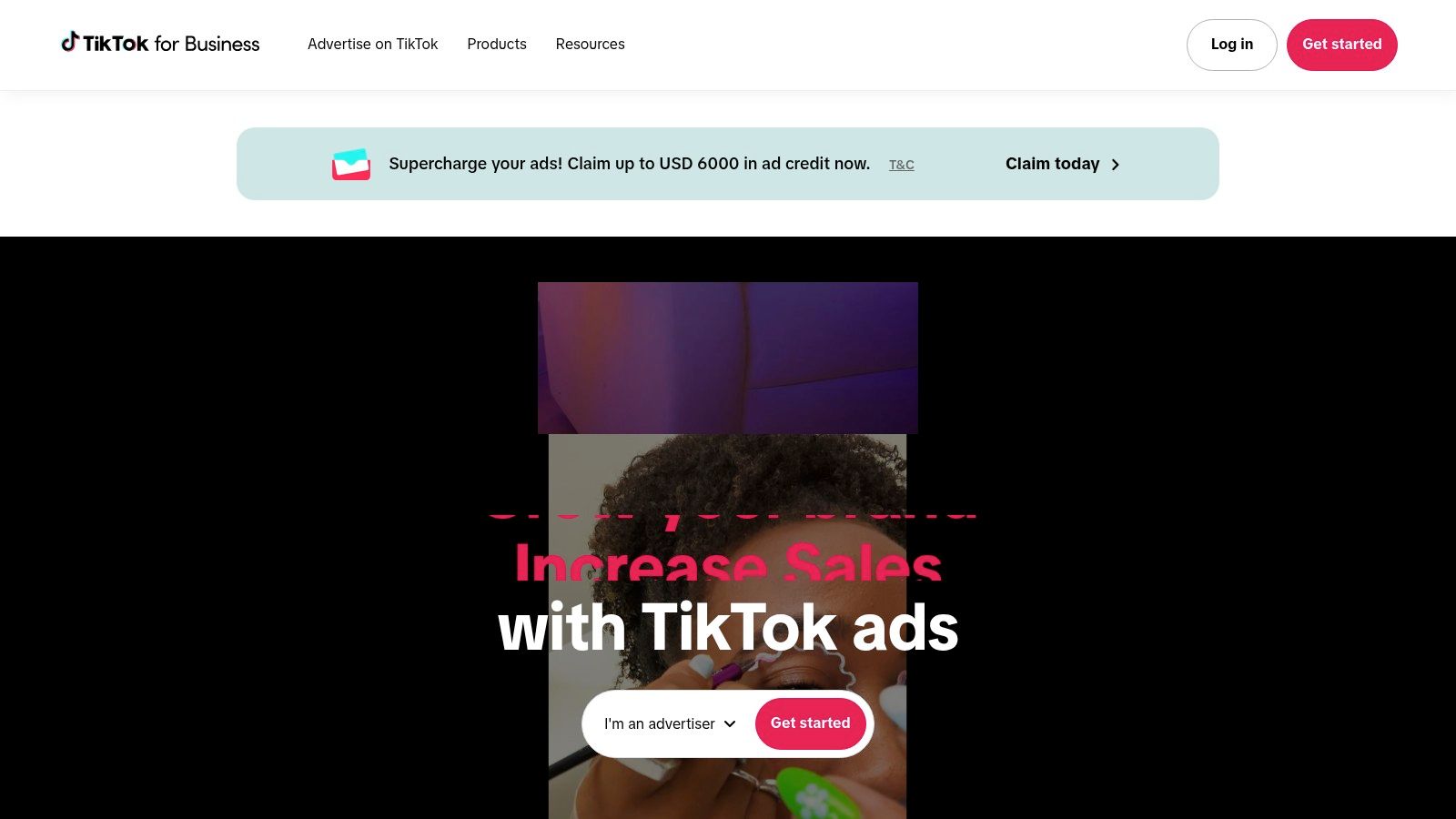
TikTok Ads Manager + Business Center is TikTok’s official first-party hub for launching ad campaigns, managing assets, and scheduling organic posts with a native desktop Video Scheduler. It empowers social media managers and marketing agencies to centralize billing, team roles, and permissions without third-party intermediaries. This platform stands out for its seamless integration with TikTok’s API, ensuring policy-safe automation and reliability.
Key Features
- Native Video Scheduler: Plan organic posts 15 minutes to 10 days ahead
- Centralized Billing & Invoicing: Consolidate ad spend under one Business Center account
- Roles & Permissions: Assign Admin, Operator, Analyst, and Viewer access
- Direct API Compliance: First-party integration removes risk of automated tool blocks
User Experience & Support
The dashboard offers a clean layout with separate tabs for Ads Manager and the Video Scheduler. Onboarding guides walk you through setting up your Business or Creator account, and TikTok’s Help Center provides chat or email support for urgent issues.
Pros and Cons
Pros
- Policy-safe operations guaranteed by TikTok’s first-party tool
- No extra fees for basic ad and scheduling functions
Cons
- Scheduling limited to a 10-day window
- Less advanced workflow features than specialized tiktok automation software
Practical Tips
- Link your ad account in Business Center before using the Video Scheduler
- Delegate scheduling tasks by assigning specific roles
- Batch-create posts weekly to stay within the 10-day limit
- Pair with long-range automation tools for extended scheduling horizons
- Monitor billing and performance together to optimize budget allocations
Visit https://ads.tiktok.com/ to get started with TikTok’s native scheduling and ad management.
3. Hootsuite
Hootsuite is an enterprise-ready social suite and official TikTok Marketing Partner that provides direct TikTok scheduling, analytics, and a unified inbox to manage comments and messages alongside other networks. Built for teams and agencies, it centralizes tiktok automation software workflows with content planning and AI-driven insights. Learn more about Hootsuite on EvergreenFeed: Learn more about Hootsuite on EvergreenFeed
Key Features
- Auto-publish to TikTok and manage DMs/comments for Business accounts
- Cross-platform content calendar with visual scheduling
- “Best time to post” guidance powered by engagement data
- AI caption helper to generate and polish video descriptions
Partner Categories Table
| Category | Example Use Case |
|---|---|
| Publishing | Schedule TikTok, Instagram, and LinkedIn posts in one grid |
| Analytics | Compare TikTok engagement rates with other channels |
| Engagement | Triage and reply to TikTok comments and direct messages |
| Content Planning | Assign drafts and review approvals in a team workflow |
| AI Tools | Auto-generate captions and optimize posting slots |
User Experience & Support
Hootsuite’s dashboard uses drag-and-drop calendar views and customizable streams for social inbox management. Onboarding includes guided tutorials, live webinars, and 24/7 chat support. Enterprise plans offer dedicated account managers and SLA-backed response times.
Pros and Cons
Pros
- Robust analytics and team workflow features
- Manage TikTok alongside Facebook, Instagram, and Twitter
Cons
- Higher price tiers than lightweight tools
- Steeper learning curve for full platform adoption
Practical Tips
- Link your TikTok Business account under settings to unlock auto-publish
- Use “Best time to post” suggestions to refine your daily schedule
- Set up custom streams in the inbox to filter TikTok comments by keyword
- Pair Hootsuite scheduling with EvergreenFeed for long-term evergreen automation
4. Sprout Social
Sprout Social is a premium social management platform with TikTok scheduling, calendar, and reporting built for mid-market and enterprise teams. It offers collaboration and approval workflows to keep content aligned across stakeholders. Visit https://sproutsocial.com/ to explore plans.
Key Features
- Direct scheduling/queueing and optimal send times
- Shared publishing calendar and approval workflows
- Mobile publishing workflows for on-the-go posts
- Comprehensive reporting dashboards for TikTok performance
- CRM integrations for audience segmentation and management
Partner Categories Table
| Category | Example Use Case |
|---|---|
| Publishing | Schedule TikTok videos at optimal hours |
| Workflow | Route drafts through multi-step approvals |
| Mobile | Approve and post content via mobile app |
| Analytics | Extract monthly TikTok engagement data |
User Experience & Support
Sprout Social’s interface is clean and intuitive with a unified feed view and drag-and-drop calendar. Customer support includes live chat, email assistance, and a robust knowledge base covering TikTok best practices and platform updates.
Pros and Cons
Pros
- Excellent collaboration and approval tooling
- Mature reporting for stakeholders and clients
Cons
- Per-user pricing can add up for large teams
- Higher tier positioning versus simpler schedulers
Practical Tips
- Set up role-based approval groups to streamline content reviews
- Use the shared calendar view to avoid publishing conflicts
- Export weekly TikTok performance reports for stakeholder updates
- Train mobile app users on quick-approval and posting workflows
5. Buffer
Buffer is a creator- and SMB-friendly scheduler offering TikTok auto-publishing for Business profiles, link-in-bio landing pages, and approachable pricing. Its uncluttered interface and transparent per-channel fees make Buffer a low-friction choice for individual creators and small marketing teams. Visit https://buffer.com/tiktok to get started.
Key Features
- Direct TikTok Posting: Auto-schedule videos straight to TikTok Business accounts
- Custom Video Covers: Upload branded thumbnails for a consistent look
- Analytics Dashboard: Track engagement, follower growth, and post performance
- Comments Management: Monitor and reply to audience feedback in one place
- Link-in-Bio Landing Page: Create a mini-site to centralize campaign links
Core Features Table
| Feature | Example Use Case |
|---|---|
| Direct TikTok Posting | Schedule and auto-publish weekly clips |
| Custom Video Covers | Maintain on-brand visuals across profiles |
| Analytics Dashboard | Compare post metrics over time |
| Comments Management | Batch-reply to comments after uploads |
| Link-in-Bio Page | Promote product launches and events |
User Experience & Support
Buffer’s clean dashboard minimizes setup time, guiding users through TikTok authentication and post creation. Customer support includes email and in-app chat, plus a comprehensive help center with tutorials and best-practice guides.
Pros and Cons
Pros
- Very simple UI and generous free plan for testing
- Transparent per-channel pricing ensures budget predictability
Cons
- Lighter analytics and automation than enterprise suites
- Fewer advanced collaboration or approval features
Practical Tips
- Connect your TikTok Business account under Settings before scheduling
- Use custom video covers to improve feed aesthetics and click-through rates
- Leverage the link-in-bio page to drive traffic to time-sensitive promotions
- Review analytics weekly to refine posting times and content formats
6. Later
Later is a visual planner for TikTok auto-publish on business accounts, offering a strong calendar UX, team approvals, bulk scheduling, and a link-in-bio feature. It’s popular with brands and agencies aiming to manage visual content planning alongside TikTok scheduling in one interface. Visit https://later.com/ to explore plans starting with a free tier.

Key Features
- Visual content calendar with drag-and-drop publishing
- Bulk scheduling for up to 100 TikTok posts at once
- Team approvals and external review links
- Built-in analytics and user-generated content tools
Feature Categories Table
| Category | Example Use Case |
|---|---|
| Visual Planning | Preview TikTok grid layout before posting |
| Bulk Scheduling | Queue monthly campaigns in one upload |
| Approvals | Route drafts to clients via shareable links |
| Analytics | Track retention rates and post performance |
User Experience & Support
Later’s interface centers on an intuitive calendar view and mobile app for on-the-go edits. Inline labels and color tags keep TikTok drafts organized. Customer support includes live chat and a resource library filled with TikTok-specific guides. Learn more about content calendar for social media on EvergreenFeed.com.
Pros and Cons
Pros
- Outstanding visual planning across multiple channels
- Scales from solo creators to large marketing teams
Cons
- Post caps on free and lower tiers
- Advanced analytics gated behind higher-cost plans
Practical Tips
- Map out a month of TikTok hooks in draft mode before auto-publish
- Use approval links to collect feedback from stakeholders without extra logins
- Tag posts by campaign theme for easier filtering in the calendar
- Schedule evergreen content in off-peak slots to balance new launches
7. Metricool
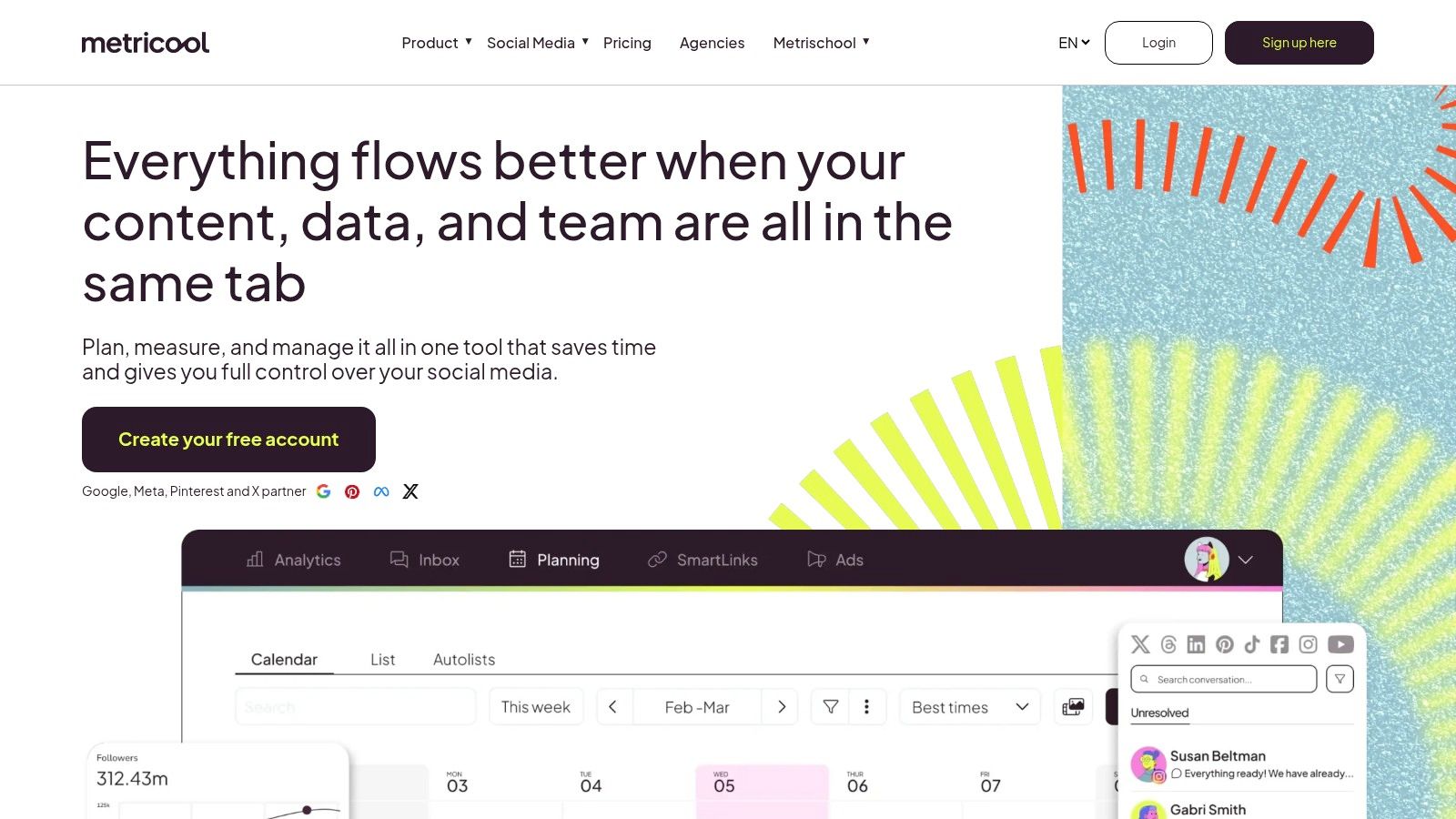
Metricool is a scheduler and analytics platform with native TikTok auto-publishing, competitor tracking, robust reporting (PDF/PPT) and workflow connectors (Looker Studio, Zapier/Make). It’s tailored to agencies or multi-brand teams who need granular role management and cross-channel oversight. Visit https://metricool.com/ to get started.
Key Features
- TikTok Auto-Publish: Schedule single or bulk uploads with captions and hashtags
- Deep Analytics: Unlimited history on higher tiers, growth trends, competitor benchmarks
- Multi-Brand Management: Role-based access, custom dashboards per client
- Exportable Reports: PDF and PPT exports shareable with stakeholders
- API & Integrations: Connect to Zapier, Make or Looker Studio for automated workflows
Features Table
| Feature | Use Case |
|---|---|
| Scheduling & Auto-post | Queue weekly TikTok batches |
| Competitor Tracking | Monitor industry trends and hashtags |
| Reporting | Generate client-ready PDF decks |
| Integrations | Sync data with BI tools |
User Experience & Support
Metricool offers a clean, drag-and-drop calendar and unified metrics panels for rapid insights. Customer support includes email tickets, live chat and an online Knowledge Base filled with step-by-step tutorials.
Pros and Cons
Pros
- Robust analytics and competitor insights for the cost
- Scales seamlessly across multiple brands
Cons
- X/Twitter features require paid add-ons
- Advanced TikTok history only on higher-tier plans
Practical Tips
- Align TikTok posts with other channels via the visual calendar
- Leverage Looker Studio integration for a consolidated dashboard
- Track competitor hashtags weekly to refine your strategy
- Automate client reports by scheduling monthly PDF exports
8. SocialPilot
SocialPilot is an agency-friendly scheduler that supports TikTok via bulk upload (CSV), team collaboration, client approvals, and white-label reporting. This platform stands out by offering transparent, competitive pricing for multi-account teams and flexible workflows tailored to agencies and growing businesses.
Key Features
- Bulk scheduling with CSV import and smart queue optimization for TikTok
- Team collaboration and multi-step client approval workflows
- Detailed analytics dashboard and white-label PDF reporting
- Role-based permissions across multiple TikTok accounts
Partner Categories Table
| Category | Example Use Case |
|---|---|
| Scheduling | Upload 50 videos via CSV for a month-long campaign |
| Collaboration | Route posts through a 2-step client approval flow |
| Reporting | Generate custom PDF reports with agency branding |
User Experience & Support
The interface is utilitarian but highly functional—ideal for agencies that manage dozens of accounts. Setup requires a SocialPilot account, TikTok API access token, and user invitations. Plans start at $50/month for three users and one brand; custom quotes are available for larger teams. Support channels include email tickets, live chat, and an extensive knowledge base.
Pros and Cons
Pros
- Very competitive pricing for multi-account teams
- Scales smoothly from SMBs to full-service agencies
Cons
- Interface feels basic compared to premium suites
- Lacks some advanced enterprise features like workflow automation
Practical Tips
- Preformat your CSV using SocialPilot’s template to avoid import errors
- Leverage smart queues to maintain consistent posting times across time zones
- Enable client approval workflows per brand to streamline feedback
- Schedule monthly white-label PDF reports to showcase ROI to stakeholders
Visit https://www.socialpilot.co/ to get started with their TikTok automation software.
9. Vista Social
Vista Social is an all in one platform offering TikTok auto-publish, optimal time recommendations, unified inbox, social listening, review management, and a link-in-bio feature called Vista Page. As one of the top tiktok automation software options, it caters to agencies and teams needing content planning and reputation tracking in a single dashboard.

Plans start at $49/mo and you can try it free at https://get.vistasocial.com/tryfree
Key Features
- Auto-Publish & Bulk Scheduling: Plan TikTok posts weeks ahead
- AI Caption Assistant: Generate and refine captions and replies
- Social Listening: Track brand mentions and sentiment across channels
- Unified Inbox: Manage comments, messages, and reviews in one feed
- Vista Page: Customize a link-in-bio landing page
- Review Management: Monitor and respond to platform reviews
- Analytics Dashboard: Dive into engagement, follower growth, and tag trends
Feature Overview Table
| Feature | Use Case |
|---|---|
| Auto-Publish | Schedule multiple TikTok videos at once |
| Social Listening | Spot emerging hashtags for campaigns |
| Unified Inbox | Reply to comments and DMs without switching |
| Vista Page | Drive traffic to promotions or products |
| Review Management | Centralize feedback from Google and Facebook |
User Experience & Support
An intuitive drag-and-drop calendar makes scheduling painless, while live chat and email support guide new users through onboarding. The interface balances visual planning with granular analytics for streamlined workflows.
Pros and Cons
Pros
- Rich feature set at a lower entry price
- Combines scheduling, listening, and reputation tools
Cons
- Feature lineup can evolve frequently
- Plan limits on profiles and scheduled posts
Practical Tips
- Start your free trial to test auto-publish flows
- Leverage optimal time recommendations to boost reach
- Set listening alerts for branded keywords
- Use the AI assistant for consistent caption tone and speed
10. Loomly
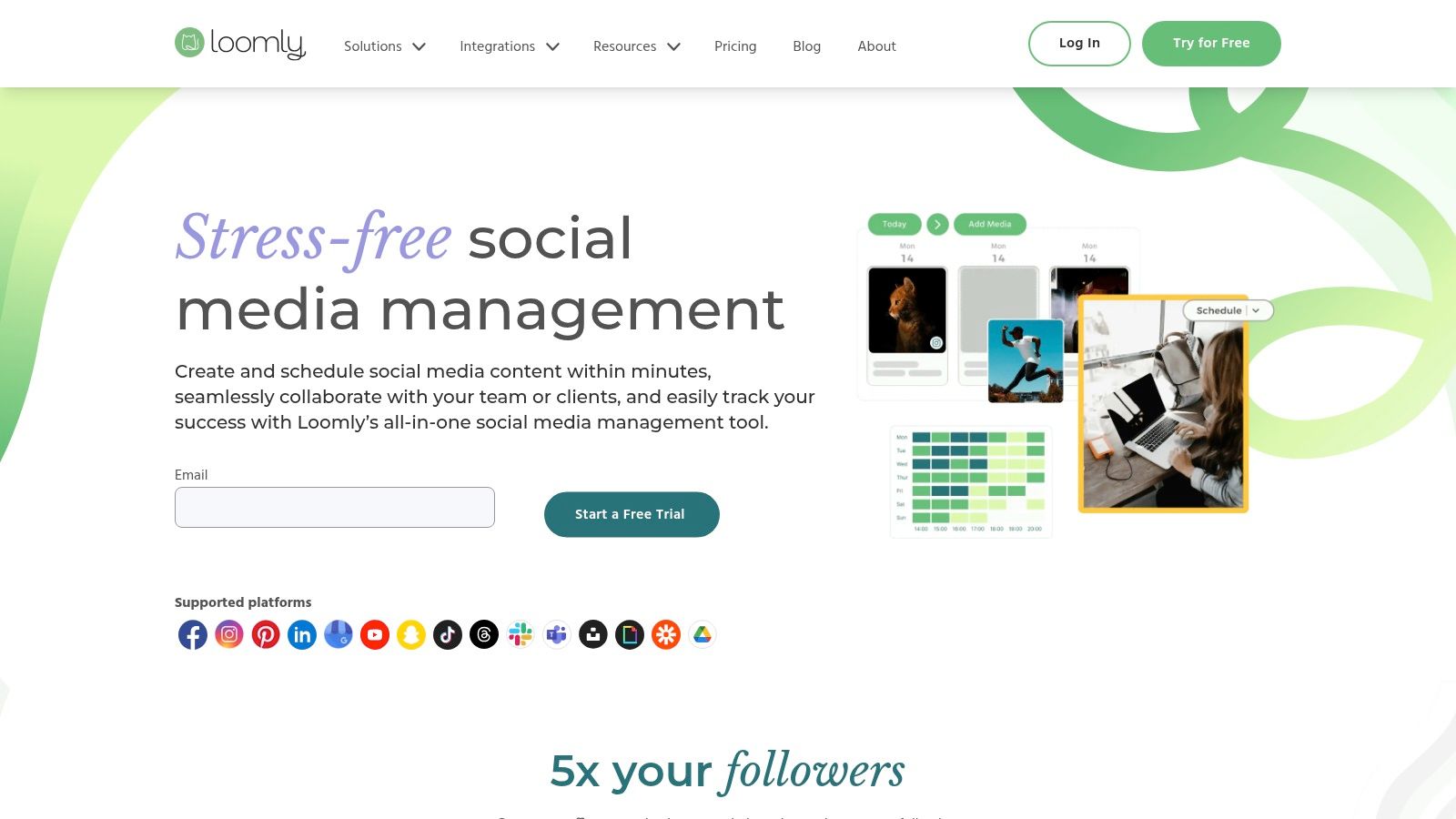
Loomly is a calendar-first planning and approvals platform with built-in TikTok scheduling integration, designed for teams needing structured workflows and clear content calendars. Visit https://www.loomly.com/ to start.
Key Features
- Multi-step Approvals: Define draft, review, and publish rounds
- Team Collaboration: Assign roles, comment in-context, and track changes
- Content Calendar: Visual schedule with drag-and-drop planning
- Asset Library: Central hub for videos, images, and captions
- Content Idea Suggestions: AI-powered prompts for trending TikTok topics
- Exportable Reports: Generate stakeholder-ready PDFs and CSVs
Partner Categories Table
| Category | Example Use Case |
|---|---|
| Planning | Map out monthly TikTok content in calendar view |
| Scheduling | Queue posts with auto-publish at peak engagement times |
| Collaboration | Route drafts through design and legal teams |
| Reporting | Download weekly performance summaries for clients |
| Integration | Connect with Slack, Google Drive, Zapier |
User Experience & Support
Loomly’s clean, calendar-centric UX makes content overviews intuitive. Onboarding includes step-by-step setup guides, a 15-day free trial, and live chat support. Flexible monthly or annual billing scales with team size. SLA-backed email assistance ensures timely help for agencies and small businesses.
Pros and Cons
Pros
- Straightforward approval workflows reduce bottlenecks
- Flexible pricing tiers and transparent billing
Cons
- Reporting and analytics are lighter than enterprise suites
- Lacks some advanced integrations found in larger platforms
Practical Tips
- Configure approval workflows before adding TikTok posts to avoid last-minute delays
- Tag videos by content pillar (educational, behind-the-scenes) for quick filtering
- Export weekly performance reports to share insights with stakeholders
- Use Zapier integration to auto-upload new media assets into Loomly’s library
11. Sendible
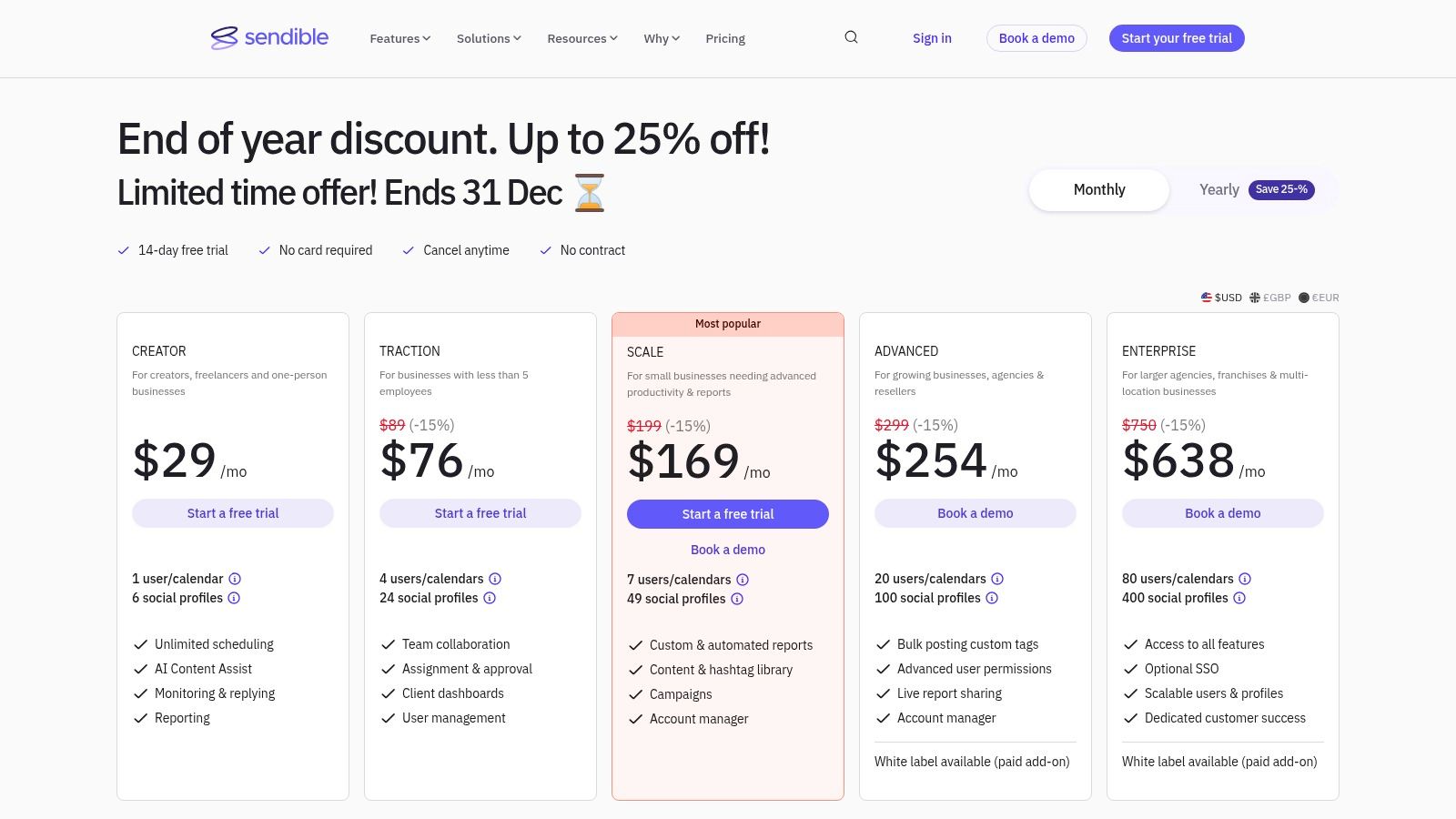
Sendible is an agency oriented social scheduler supporting direct posting to TikTok Business and Personal accounts with approvals, client dashboards, bulk scheduling, and reporting tailored for multi client workflows. Visit https://www.sendible.com/pricing to explore plans and start scheduling.
Key Features
- Direct TikTok Publishing: publish videos with custom thumbnails, duet, stitch, and comment options
- Team Collaboration & Client Dashboards: create separate workspaces, manage approval workflows
- Bulk Scheduling & Queues: import CSV files, queue large volumes of posts at scale
- Advanced Analytics & Reporting: generate performance reports for each client and campaign
Partner Categories Table
| Category | Example Use Case |
|---|---|
| Direct Publishing | Schedule and post TikTok videos with thumbnails |
| Collaboration | Route drafts through client approval pipelines |
| Bulk Scheduling | Queue hundreds of videos via CSV import |
| Reporting | Deliver branded analytics dashboards to clients |
User Experience & Support
Sendible features an intuitive dashboard with drag and drop calendar views and clear profile management. Customer support includes email, live chat, and a robust tutorial library. Guided onboarding resources help agencies configure client spaces and approval processes quickly.
Pros and Cons
Pros
- Strong multi client workflows and approval capabilities
- Clear pricing bundles for adding users and profiles
Cons
- Entry plans impose limits that may require upgrades
- Daily post limits per user to respect TikTok policies
Practical Tips
- Color code client calendars to differentiate brands at a glance
- Use CSV import templates to streamline bulk video uploads
- Set up automatic alerts for approval requests to avoid delays
- Monitor daily post thresholds to stay within network limits
12. Zapier (TikTok Lead Generation and Conversions integrations)
Zapier is a no-code automation platform that routes TikTok Ads Lead Generation form submissions and Conversions events into CRMs, email, Google Sheets, and hundreds of other apps. Marketers can automate ad lead flows and sales or marketing operations without writing any code. It stands out with enterprise-grade security controls, a broad template library, and a free tier that handles 100 tasks per month. Visit https://zapier.com/apps/tiktok-lead-generation/integrations to start building your first Zap.
Key Features
- Trigger on New TikTok Leads: Capture TikTok Ads Lead Generation form submissions
- Send Lead Events: Use the TikTok Conversions “Send Lead Event” action with free task allowance
- 8,000+ Integrations: Connect to Salesforce, HubSpot, Mailchimp, Google Sheets, Slack, and more
- Enterprise Security: SOC 2, GDPR compliance, and granular team permissions
- Prebuilt Templates: Jump-start workflows for common advertising and sales operations
Use Case Table
| Use Case | Example Workflow |
|---|---|
| CRM Lead Routing | Push TikTok leads into Salesforce automatically |
| Email Drip | Add new leads to Mailchimp lists for follow-up |
| Data Logging | Append lead details into Google Sheets |
| Team Notifications | Notify Slack channels when conversions occur |
User Experience & Support
Zapier’s intuitive drag-and-drop editor makes building Zaps simple, even for non-technical users. Extensive documentation, video tutorials, and a community forum are available alongside email support. Enterprise customers can access dedicated onboarding and live chat.
Pros and Cons
Pros
- Fast, code-free lead routing from TikTok Ads
- Generous free tier and broad template library
- Enterprise-grade security and compliance
Cons
- Focused on ads and lead flows, not content scheduling
- May require paid plans for high task volumes or advanced features
Practical Tips
- Start with prebuilt TikTok Lead Gen templates and customize filters
- Monitor monthly task usage to avoid unexpected charges
- Combine with EvergreenFeed + Buffer for end-to-end content scheduling and evergreen posts
- Learn more about Zapier (TikTok Lead Generation and Conversions integrations) on EvergreenFeed
12 TikTok Automation Tools: Feature Comparison
| Tool / Resource | Core Features ✨ | Quality ★ | Price / Value 💰 | Best For 👥 | Standout 🏆 |
|---|---|---|---|---|---|
| TikTok Marketing Partners Directory | Curated, badged partner listings | ★★★★★ | 💰 Free directory; partner pricing varies | 👥 Agencies & brands seeking compliant vendors | 🏆 Official vetting & platform compatibility |
| TikTok Ads Manager + Business Center | Native Video Scheduler, ads, billing, roles | ★★★★☆ | 💰 Free tool + required ad spend | 👥 Advertisers & in‑house social teams | 🏆 First‑party reliability & policy safety |
| Hootsuite | Auto‑publish, unified inbox, reporting | ★★★★☆ | 💰 Higher tiers for enterprise features | 👥 Teams & enterprises managing multiple networks | 🏆 Robust analytics & workflow tools |
| Sprout Social | Scheduling, approvals, advanced reporting | ★★★★★ | 💰 Premium per‑user pricing | 👥 Mid‑market & enterprise teams | 🏆 Best collaboration & approval tooling |
| Buffer | Simple scheduler, link‑in‑bio, basics analytics | ★★★★☆ | 💰 Generous free plan; transparent pricing | 👥 Creators & SMBs wanting low friction | 🏆 Easy UI & predictable pricing |
| Later | Visual planner, bulk scheduling, approvals | ★★★★☆ | 💰 Mid pricing; post caps on low tiers | 👥 Visual brands, agencies, creators | 🏆 Excellent visual calendar UX |
| Metricool | Scheduling, analytics, competitor tracking | ★★★★☆ | 💰 Competitive for analytics value | 👥 Agencies & multi‑brand managers | 🏆 Strong reporting & exports |
| SocialPilot | Bulk CSV, client approvals, white‑label reports | ★★★★☆ | 💰 Budget‑friendly for multi‑accounts | 👥 Agencies & SMBs with many profiles | 🏆 White‑label + competitive pricing |
| Vista Social | Auto‑publish, listening, reviews, AI tools | ★★★★☆ | 💰 Lower entry price for features | 👥 Agencies needing listening + scheduling | 🏆 Combined listening + scheduling suite |
| Loomly | Calendar‑first planning, approvals, assets | ★★★★☆ | 💰 Flexible monthly/annual billing | 👥 Teams needing structured workflows | 🏆 Clean calendar‑centric UX |
| Sendible | Direct TikTok posting, client dashboards | ★★★★☆ | 💰 Tiered bundles for agencies | 👥 Agencies & multi‑client teams | 🏆 Strong multi‑client & approval workflows |
| Zapier (TikTok integrations) | No‑code lead routing & event actions | ★★★★☆ | 💰 Free tier; paid for volume/advanced | 👥 Ad ops & marketing automation teams | 🏆 Connects TikTok leads to 8,000+ apps |
Taking Action: Your TikTok Automation Roadmap
Now that you have an overview of the leading tiktok automation software tools and best practices, it is time to turn insights into action. Use this roadmap to refine your strategy, choose the right platform, and implement a workflow that scales your TikTok presence in 2025.
Recap of Key Insights
- Scheduling and video upload support are table stakes for consistent posting
- Analytics dashboards reveal what content resonates and when
- API and integration options unlock custom workflows and third-party connections
- EvergreenFeed + Buffer integration can automate recycling your top-performing clips
“Consistent scheduling fuelled by data insights is the fast track to sustained TikTok growth”
Choosing the Right Tool for Your Needs
- Individual Creators
- Focus on affordability and simplicity (Buffer, Later)
- Look for AI-powered recommendations to save editing time
- Small Business Owners
- Prioritize multi-account support and team collaboration (Hootsuite, Sprout Social)
- Ensure native analytics meet your campaign goals
- Marketing Agencies
- Require white-label reporting and bulk scheduling (Vista Social, SocialPilot)
- Confirm API or Zapier integrations for client data pipelines
Important Factors to Consider
- User Interface and Learning Curve
Choose a platform your team can adopt in days not weeks - Pricing vs Feature Tradeoffs
Scale up features only when you need advanced analytics or bulk uploads - Integration Ecosystem
Verify connections to your CRM, Zapier, or EvergreenFeed for evergreen content - Support and Training
Look for live chat help, video tutorials, and community forums
Step-By-Step Implementation Guide
- Sign up for free tiers on two platforms to compare interfaces
- Map out a 2-week content calendar and test native scheduling vs API support
- Enable analytics tracking and note peak engagement windows
- Automate evergreen posts with EvergreenFeed + Buffer to keep your top clips alive
- Iterate weekly based on data – refine hashtags, posting times, and formats
Optimizing Your Workflow
- Batch Content Creation
Film 5 to 10 videos in one session to streamline editing and upload - Use Templates and Drafts
Save caption and hashtag sets to speed up scheduling - Monitor in Real Time
Check performance first hour after posting to adjust future slots
Final Takeaways
By tackling setup in small, manageable steps you can avoid overwhelm. Combining a core scheduler like Buffer or Hootsuite with an evergreen automation solution ensures you maintain both fresh and proven content on your feed. Remember that consistent posting backed by data insights is where TikTok growth truly accelerates.
Your next move is to pick a free trial, build your first schedule, and let data guide your content refinement. With the right tiktok automation software in place, you will reclaim hours of manual work and focus on the creative spark that makes your brand stand out.
Keep experimenting, stay adaptable, and let automation handle the routine so you can lead on originality. Onward to a more strategic, efficient TikTok presence in 2025.
Ready to level up your TikTok automation? Start automating your evergreen clips and schedule with ease using EvergreenFeed. Sign up now at EvergreenFeed to sync seamlessly with Buffer and transform how you manage your TikTok content.