James
James
Managing social media for one brand is a challenge; juggling multiple clients multiplies that complexity tenfold. Your agency needs a tech stack that streamlines workflows, proves ROI, and scales as you grow. A disjointed collection of single-purpose apps creates inefficiencies, wastes billable hours on manual tasks, and makes comprehensive client reporting a nightmare. The right set of social media tools for agencies isn’t just about scheduling posts; it’s about building an operational backbone for your entire social media service delivery.
This guide moves beyond generic feature lists to provide a strategic look at the top platforms available. We’ll dissect the best tools across key agency functions: from scheduling and content recycling to deep analytics and client collaboration. We’re not just listing options; we’re providing a framework to help you build the perfect, integrated toolkit for your specific needs.
Inside, you will find a detailed breakdown of each tool, complete with screenshots, direct links, and pricing information. We focus on real-world agency use cases, highlighting how specific features solve common problems like content approval bottlenecks and demonstrating value to clients. You’ll learn:
- Best-in-class tools for core tasks like scheduling, reporting, and analytics.
- Agency-specific features that support multi-client management and team collaboration.
- Integration potential to build powerful, automated workflows.
- Quick decision guidance to help you choose the right platform based on your agency’s size, budget, and client roster.
Our goal is to help you cut through the noise and confidently select the software that will save you time, improve results, and empower your team to deliver exceptional work for every client. Let’s find the right tools for your agency.
1. EvergreenFeed
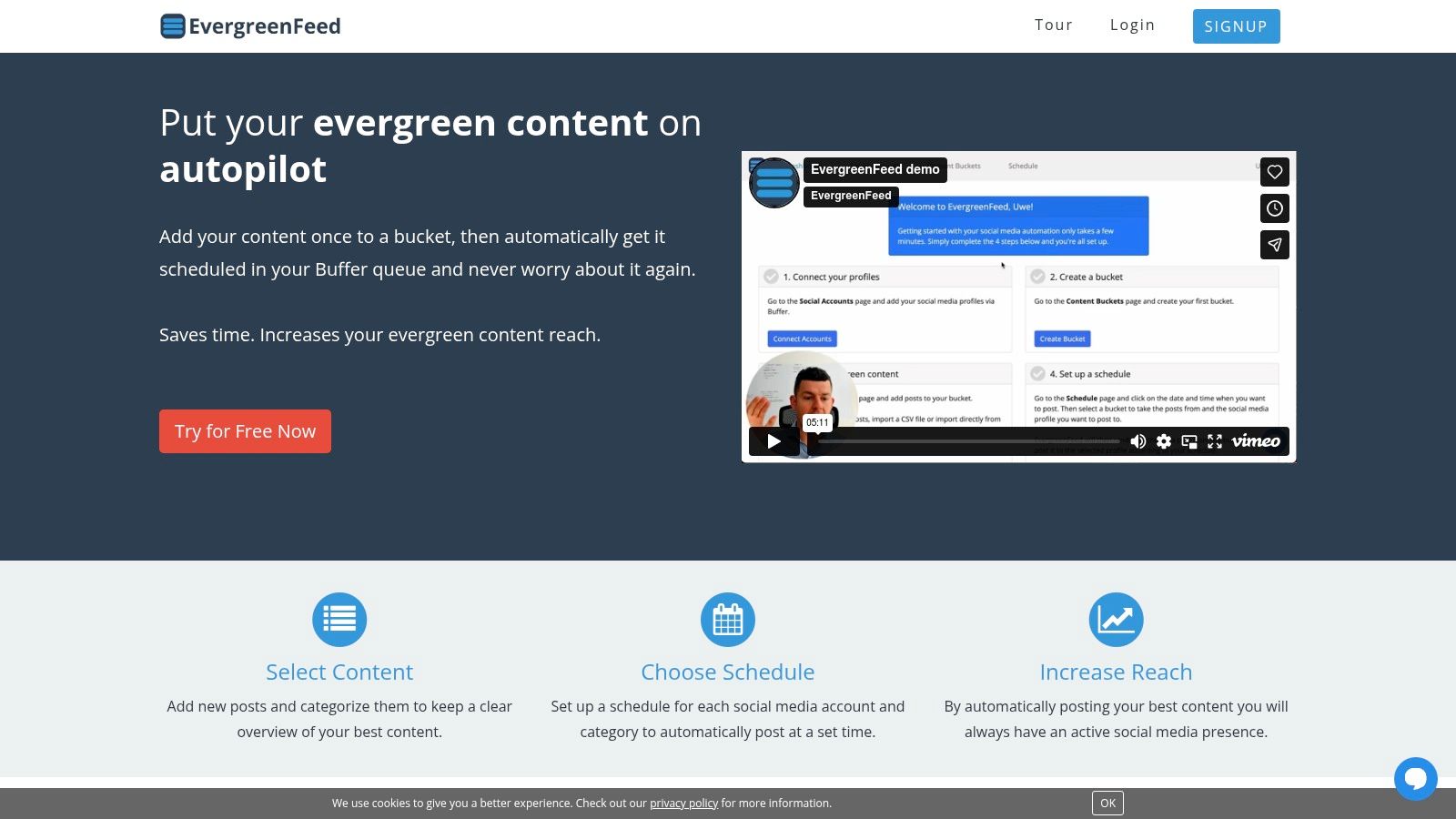
EvergreenFeed is a powerful yet deceptively simple automation tool designed to solve a core challenge for agencies: maintaining a consistent, high-value social media presence without constant manual effort. It operates as an intelligent content recycler, plugging directly into Buffer to ensure your clients’ best-performing content gets the recurring visibility it deserves. This positions it as an essential efficiency layer within your agency’s social media management stack.
The platform’s core strength lies in its “set it and forget it” content bucket system. Agencies can create categorized libraries of evergreen posts, such as client blog articles, testimonials, industry tips, or promotional content. These buckets are then assigned to specific social profiles with unique posting schedules, giving you granular control over the content mix and frequency for each client account.
Why It’s a Top Choice for Agencies
For agencies managing multiple clients, EvergreenFeed directly translates to recovered billable hours. The automation of filling Buffer queues eliminates the repetitive task of manually rescheduling proven content, with some users reporting savings of over seven hours per week. Its streamlined, two-click Buffer integration and unified dashboard make onboarding and managing numerous client profiles exceptionally straightforward.
Key Agency Use Cases:
- Content Amplification: Automatically and continuously reshare clients’ cornerstone blog posts, case studies, and lead magnets to drive ongoing traffic and conversions.
- Consistent Activity: Keep client social feeds active during weekends, holidays, or content-light periods, ensuring their audience remains engaged.
- Client Onboarding: Quickly populate a new client’s social queue with a backlog of existing valuable content, demonstrating immediate activity and value.
- Niche Authority Building: Create specific content buckets (e.g., “Industry Statistics,” “Quick Tips”) to consistently position clients as thought leaders in their space.
Pricing & Implementation
EvergreenFeed offers a free-forever plan, allowing you to connect one social profile and schedule up to 10 posts per bucket, which is perfect for testing its workflow. Paid plans scale up to accommodate agency needs with more profiles, larger buckets, and advanced features.
| Plan Tier | Key Feature | Ideal For |
|---|---|---|
| Free | 1 Social Profile, 10 Posts/Bucket | Solo managers or testing the platform |
| Awesome | 15 Social Profiles, Unlimited Posts | Small agencies or multi-brand managers |
| Agency | 50+ Social Profiles, Unlimited Posts | Mid-to-large-sized marketing agencies |
Limitations to Consider: The platform’s primary limitation is also its strength: it integrates exclusively with Buffer. If your agency uses a different primary scheduler, this tool won’t fit your workflow. Additionally, while randomized posting is effective, small content buckets can lead to perceived repetition, requiring periodic content refreshes. To see how it can slot into a broader strategy, you can explore examples of a modern social media management workflow on evergreenfeed.com.
Website: https://www.evergreenfeed.com
2. Sprout Social
Sprout Social is an enterprise-level, all-in-one platform designed for agencies managing complex client portfolios. It provides a comprehensive suite of tools that unify publishing, engagement, analytics, and social listening into a single, cohesive dashboard. This platform excels at handling multi-brand and multi-team workflows, making it a standout choice for agencies that require robust governance and scalable operations.
What truly sets Sprout Social apart is the depth of its reporting and analytics. Agencies can generate beautiful, client-ready reports with just a few clicks, pulling data on everything from post performance to competitive analysis and audience demographics. This ability to easily prove ROI is invaluable. For a deeper dive into what to measure, you can explore social media marketing analytics to make the most of Sprout’s powerful engine.
Key Agency Features & Use Cases
- Unified Smart Inbox: Consolidates all incoming messages, comments, and mentions across every client profile. Agency teams can assign tasks, mark items as complete, and ensure no engagement opportunity is missed.
- Approval Workflows: A critical feature for agencies, allowing junior team members or content creators to draft posts that are then routed to managers or even clients for approval before publishing.
- Advanced Analytics & Listening: Go beyond surface-level metrics. Track share of voice, analyze sentiment, and identify trends for client campaigns. The platform’s paid and owned media reporting provides a holistic view of campaign performance.
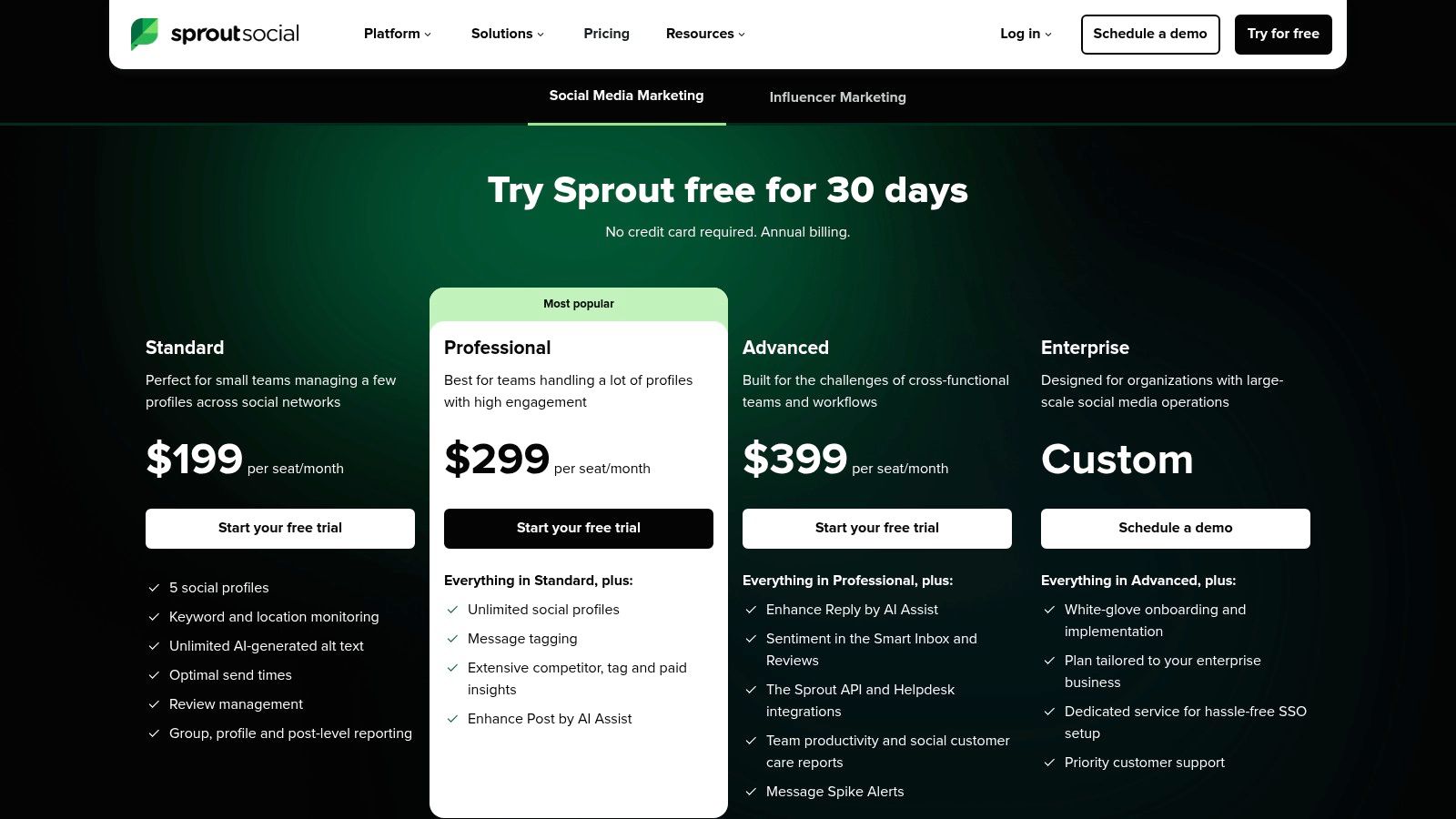
Sprout Social’s pricing is its primary consideration for agencies. It operates on a per-user, per-month basis, starting with the Standard plan at $249/user/month. The more agency-focused Professional ($399/user/month) and Advanced ($499/user/month) plans unlock essential features like custom workflows and competitive reports. While the per-seat cost can be steep, its robust feature set and unparalleled reporting capabilities make it a top contender among social media tools for agencies managing high-value clients.
Website: https://sproutsocial.com/pricing/
3. Hootsuite
Hootsuite is one of the most established and mature social media management platforms, offering a comprehensive solution for agencies handling diverse client needs. Its all-in-one dashboard provides tools for scheduling, monitoring, advertising, and analytics, making it a reliable workhorse for coordinating both organic and paid social strategies. The platform is particularly well-suited for agencies requiring enterprise-level governance and security, including those with public sector clients.
What makes Hootsuite a strong contender among social media tools for agencies is its scalability and extensive integration ecosystem. Agencies can connect tools like Canva, Adobe Express, and HubSpot, creating a centralized command center for all marketing activities. Furthermore, its Agency Partner Program offers valuable resources, training, and even revenue-sharing opportunities, demonstrating a clear commitment to supporting agency growth.
Key Agency Features & Use Cases
- Unified Content Calendar & Approvals: Plan, create, and schedule content across all client accounts from a single calendar view. The built-in approval workflows ensure content is vetted by managers or clients before going live, preventing errors and maintaining brand consistency.
- Combined Organic & Paid Management: Manage and report on both organic posts and paid ad campaigns side-by-side. This allows agencies to provide clients with a holistic view of their social media performance and optimize budgets more effectively.
- Extensive App Directory: Hootsuite’s large ecosystem of app integrations allows agencies to customize their dashboard with tools for social listening, content creation, CRM, and analytics, tailoring the platform to specific client workflows.
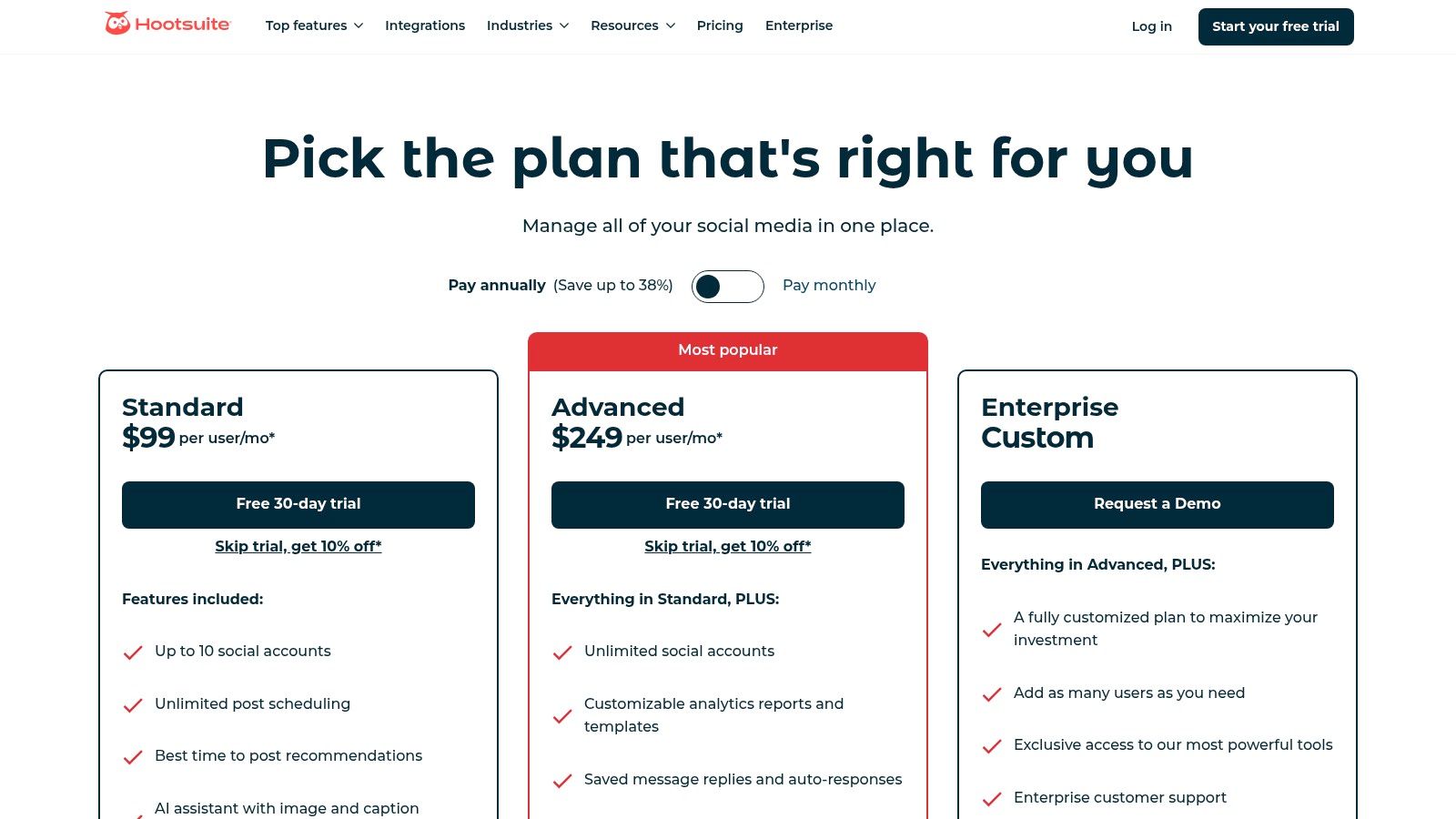
Hootsuite’s pricing starts with the Professional plan at $99/month for 1 user and 10 social accounts. Agencies will find more value in the Team plan ($249/month for 3 users, 20 accounts) or the custom-priced Enterprise plan, which unlocks advanced features like team assignments, premium analytics, and compliance certifications. While some advanced listening features may require add-ons, its robust core functionality and scalability make it a foundational tool for many agencies.
Website: https://www.hootsuite.com/plans
4. Agorapulse
Agorapulse is a powerful, agency-friendly social media management platform known for its robust collaboration features, unified inbox, and detailed reporting. It strikes a balance between comprehensive functionality and a user-friendly interface, making it an excellent choice for agencies that need sophisticated tools without the enterprise-level price tag. Its transparent pricing and fast customer support make it a reliable partner for growing agencies.
What makes Agorapulse a standout among social media tools for agencies is its combination of an intuitive social inbox and high-quality, white-label reporting. The platform excels at helping teams manage high volumes of community engagement efficiently with features like saved replies and ad comment moderation. This focus on engagement and reporting clarity allows agencies to demonstrate their direct impact on client accounts with ease.
Key Agency Features & Use Cases
- Unified Social Inbox: Manage all comments, messages, and ad comments from a single stream. Agency teams can assign items, use saved replies for common questions, and even translate messages, ensuring fast and consistent client communication.
- Advanced Reporting: Generate custom, cross-channel reports that can be white-labeled with your agency’s branding. Track key metrics, team performance, and export client-ready presentations in formats like PDF or PPT.
- Collaboration & Content Library: Use shared calendars, publishing queues, and a central content library to streamline content creation and approval workflows. Agencies can bulk upload posts and organize assets for multiple clients in one place.
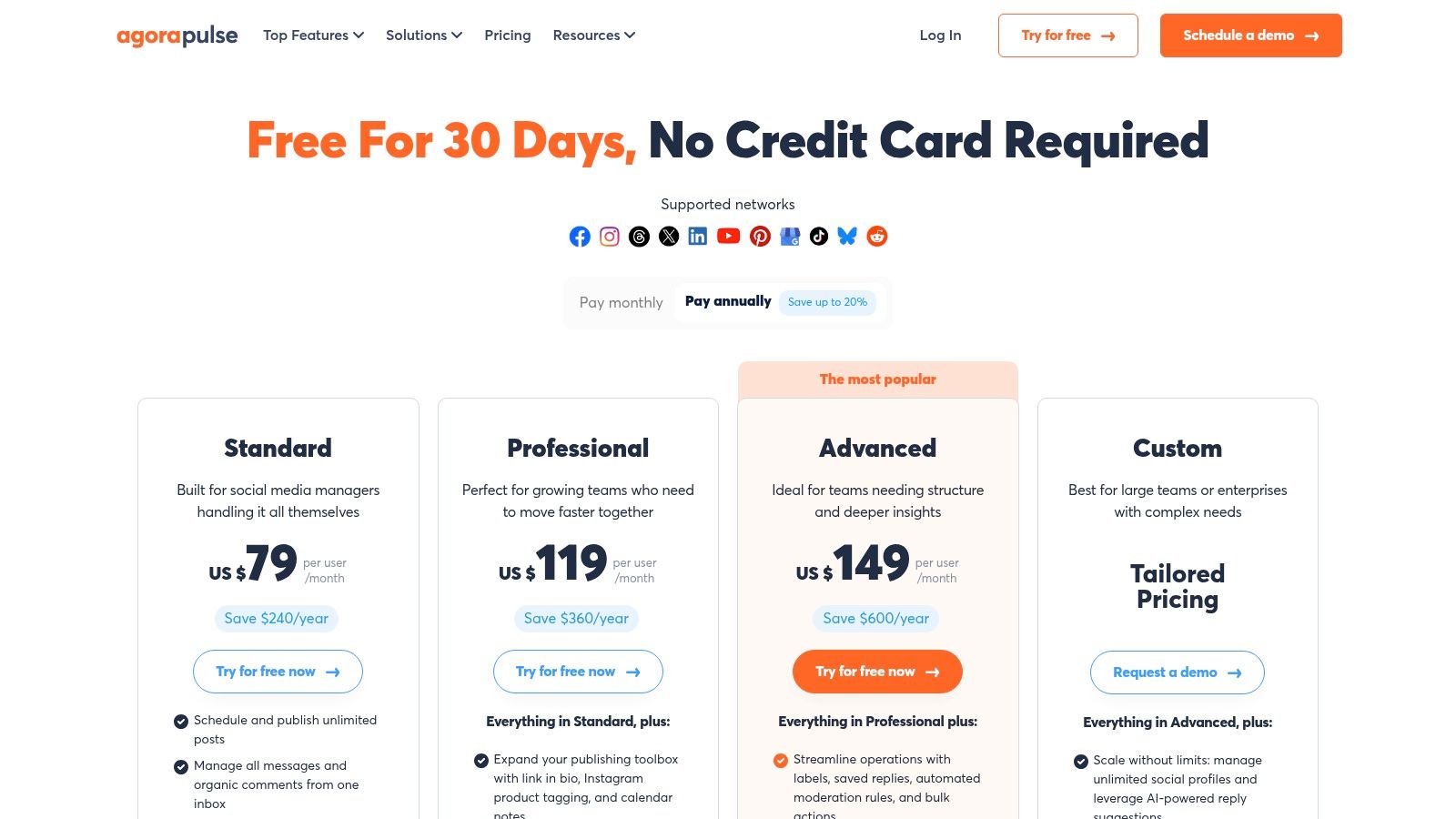
Agorapulse offers a generous 30-day free trial and a free plan for beginners. Paid plans start with Standard at $49/user/month (billed annually), which is ideal for small teams. The Professional ($79/user/month) and Advanced ($119/user/month) plans unlock more profiles, data retention, and advanced features. While the per-user model can add up for large teams and full platform white-labeling is not available, its strong feature set makes it a top-tier choice.
Website: https://www.agorapulse.com/pricing/
5. Sendible
Sendible is a social media management platform designed specifically with agencies in mind, offering a powerful blend of scalability and client-management features. Its architecture is built to handle growing client rosters, providing dedicated dashboards, granular user permissions, and robust approval workflows. The platform positions itself as a direct, often more affordable, alternative to enterprise-level tools while still delivering the core functionalities that agencies require for efficient, multi-client operations.

What makes Sendible a strong contender among social media tools for agencies is its white-labeling capability. On higher-tier plans, agencies can brand the entire platform with their own logo and domain, creating a seamless and professional client experience. This is especially valuable for agencies looking to present a unified, branded tech stack to their clients, reinforcing their agency’s value and professionalism during reporting and collaboration.
Key Agency Features & Use Cases
- Client Dashboards & Client Connect: Agencies can create isolated, secure dashboards for each client. The Client Connect feature allows clients to add their social profiles themselves without ever sharing passwords, streamlining the onboarding process and enhancing security.
- Custom Approval Workflows: Build multi-step approval chains that route content from a junior creator to a manager and then to the client for a final sign-off. This ensures brand consistency and error-free publishing across all accounts.
- White-Label Solution: A significant add-on for growing agencies. Present Sendible’s powerful reporting and management dashboards as your own proprietary software, elevating your brand’s perceived value and client trust.
Sendible’s pricing is structured to support agency growth. The Creator plan starts at $29/month for one user. However, agency-focused plans like Traction ($89/month) and the white-label-ready Scale ($240/month) offer higher user and profile limits. While the white-label feature is a paid add-on locked to higher tiers, the platform’s overall cost-effectiveness and agency-centric design make it a highly practical choice.
Website: https://www.sendible.com/pricing
6. SocialPilot
SocialPilot is an incredibly cost-effective social media management tool that is built from the ground up for agencies prioritizing scalability and client capacity. It offers a powerful blend of scheduling, analytics, and collaboration features without the enterprise-level price tag. The platform’s main draw is its generous account and user limits, allowing agencies to grow their client roster without facing exponentially rising costs.
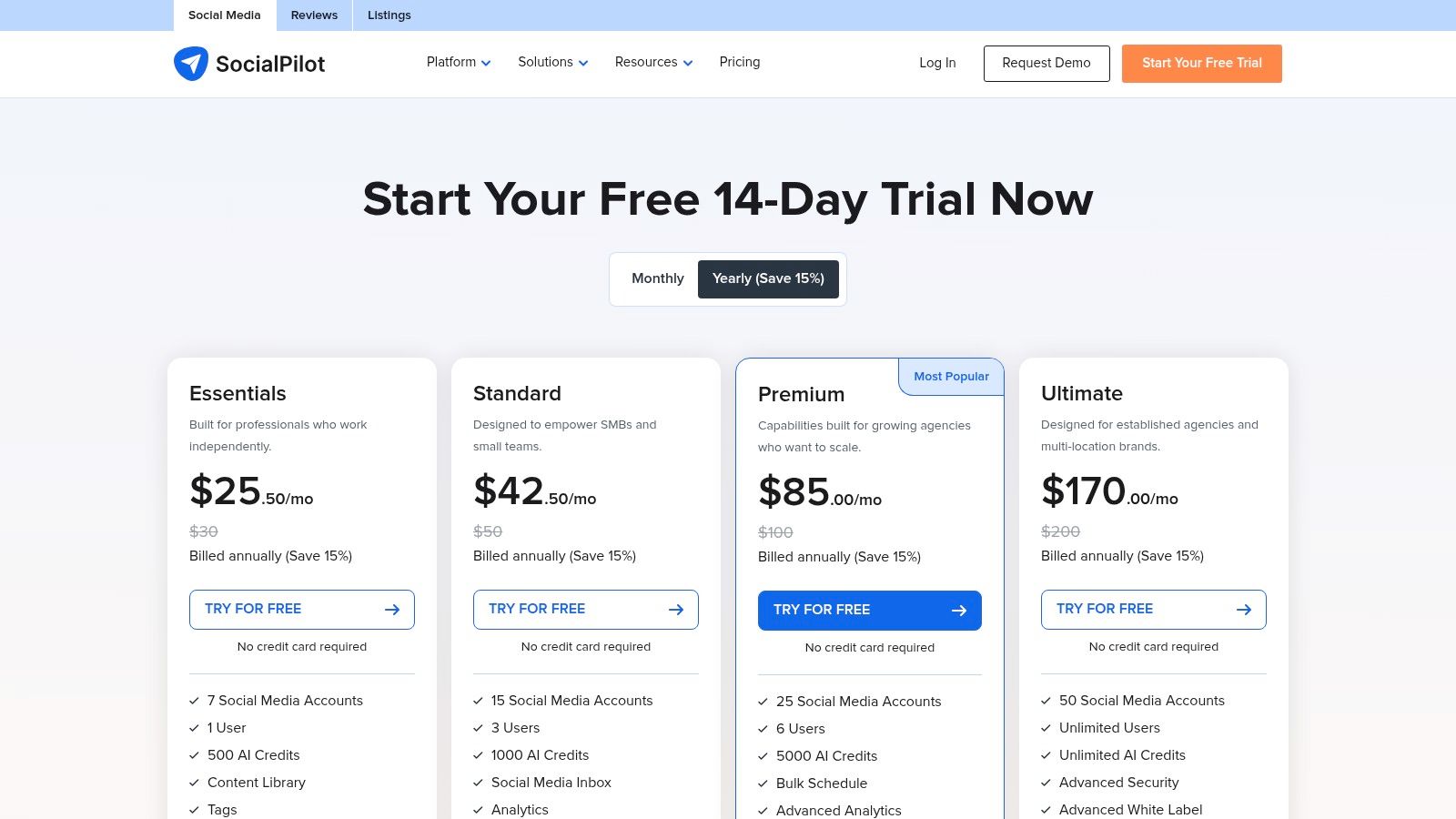
What truly makes SocialPilot a standout option for growing agencies is its transparent and affordable scaling model. Unlike per-user pricing that can become restrictive, SocialPilot’s plans are structured around bundles of social accounts and users. This makes it one of the best social media tools for agencies that need to manage a high volume of client profiles while maintaining predictable monthly expenses.
Key Agency Features & Use Cases
- High-Volume Account Management: Plans allow agencies to connect numerous social media accounts (starting from 10) under a single subscription, making it ideal for managing a diverse client portfolio.
- White-Label PDF Reports: Agencies can generate and schedule professional, client-ready analytics reports branded with their own logo. This simplifies the reporting process and reinforces the agency’s brand identity.
- Team & Client Collaboration: Invite team members and clients into a secure dashboard with role-based access. Use content approval workflows to streamline the review process before anything goes live, ensuring quality control.
SocialPilot’s pricing structure is its greatest strength. The Agency plan, at $127.50/month (billed annually), includes 30 social accounts and 3 users. The Agency+ plan offers 50 accounts and 5 users for $255/month. The straightforward pricing for add-ons (extra accounts or users) provides flexibility, though some advanced features like a dedicated account manager are reserved for the highest tier.
Website: https://www.socialpilot.co/plans
7. Buffer
Buffer is a streamlined and highly intuitive social media scheduling tool, renowned for its clean interface and straightforward approach. For agencies that prioritize ease of use and affordability, especially when managing clients who are less tech-savvy, Buffer offers a powerful yet uncomplicated solution. It strips away the complexity of enterprise-level platforms, focusing on core scheduling, engagement, and reporting functionalities that get the job done efficiently.
What makes Buffer a consistent favorite among smaller agencies and freelancers is its simplicity and predictable pricing model. The platform is incredibly easy to set up, and its shallow learning curve means you can onboard new team members or clients in minutes. The built-in AI assistant for generating post ideas and refining copy adds modern efficiency to its classic, user-friendly design. For those looking to master the basics, you can find tips on how to schedule social media posts effectively with tools like Buffer.
Key Agency Features & Use Cases
- Simple Approval Workflows: The Team plan allows agencies to set up draft posts for client or manager review, ensuring brand voice consistency without a complicated multi-stage process.
- Centralized Engagement: A unified inbox gathers comments and messages from connected channels, allowing teams to respond quickly and maintain high engagement rates for clients.
- Clear, Concise Analytics: Buffer provides easy-to-digest reports on key metrics like reach, engagement, and audience growth, which are perfect for straightforward client updates.
Buffer’s value proposition is its accessibility. The Free plan offers a great starting point, while the Essentials plan at $6/month per channel provides scheduling and analytics. The agency-focused Team plan, at $12/month per channel, is where you unlock unlimited users, draft posts, and approval workflows. This channel-based pricing can be highly cost-effective for agencies managing clients with a limited social presence, making it one of the best social media tools for agencies on a budget.
Website: https://buffer.com/pricing
8. Loomly
Loomly is a social media management platform built around collaboration, making it a strong contender for agencies that prioritize seamless content creation and client approval processes. It positions itself as a “brand success platform,” emphasizing a streamlined workflow from idea to execution. The user experience is designed to be intuitive, guiding teams through content drafting, asset management, optimization, and scheduling within a shared calendar environment.
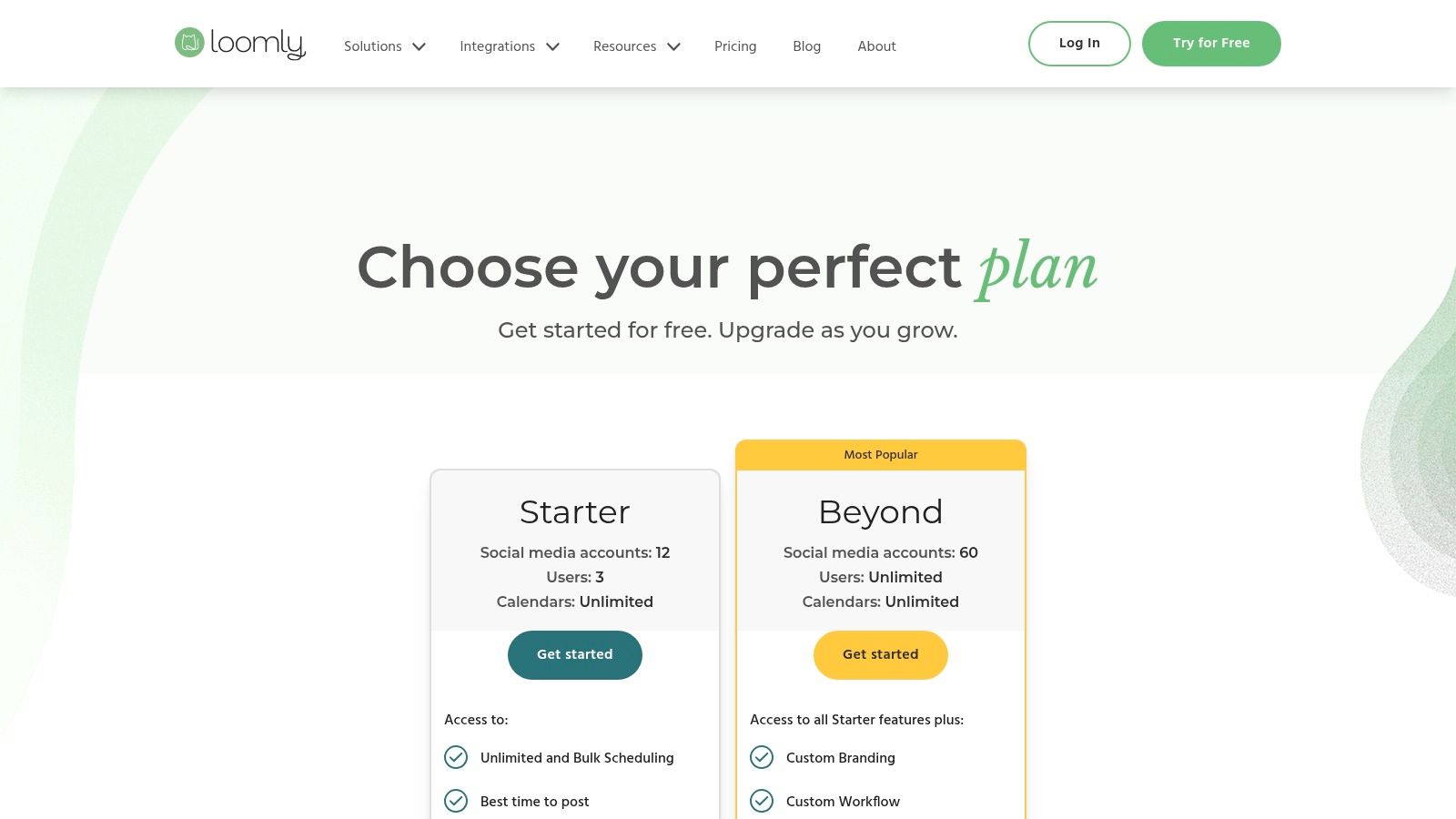
What makes Loomly particularly appealing for agencies is its dedicated focus on approval workflows and client collaboration. It eliminates the clunky process of sharing spreadsheets or PDFs for content sign-off by integrating approvals directly into the platform. This feature, combined with its clear, role-based access controls, ensures that clients and internal stakeholders only see and interact with what is relevant to them, reducing confusion and speeding up content deployment.
Key Agency Features & Use Cases
- Collaborative Calendars & Workflows: Create distinct calendars for each client with custom-defined workflow states (e.g., Draft, Awaiting Approval, Approved, Scheduled). Team members and clients can leave comments, request edits, and give final approval directly on the post mock-up.
- Centralized Asset Library: Each calendar includes its own library for storing photos, videos, notes, and post templates. This keeps all client-specific assets organized and easily accessible, preventing team members from using outdated or incorrect creative.
- Post Ideas & Optimization Tips: Loomly provides automated suggestions based on trending topics, RSS feeds, and social media best practices. This helps agency teams generate fresh content ideas and ensure every post is optimized for maximum engagement before it goes live.
Loomly’s pricing structure is accessible for growing agencies. The Base plan starts at $32/month for 2 users, but most agencies will need the Standard ($64/month) or Advanced ($136/month) plans to manage more accounts and access collaboration features. A key advantage is its transparent annual and non-profit discounting. While it may lack the deep-level listening features of enterprise social media tools for agencies, its strength in content collaboration makes it an excellent choice.
Website: https://www.loomly.com/pricing
9. Brandwatch (Social Media Management)
Brandwatch offers a unified social media management suite built on a foundation of industry-leading social listening. It’s an excellent choice for agencies whose client strategies depend on deep consumer intelligence, trend analysis, and competitive benchmarking. The platform combines publishing, engagement, and analytics with powerful listening and influencer marketing capabilities, consolidating what often requires multiple disparate tools.
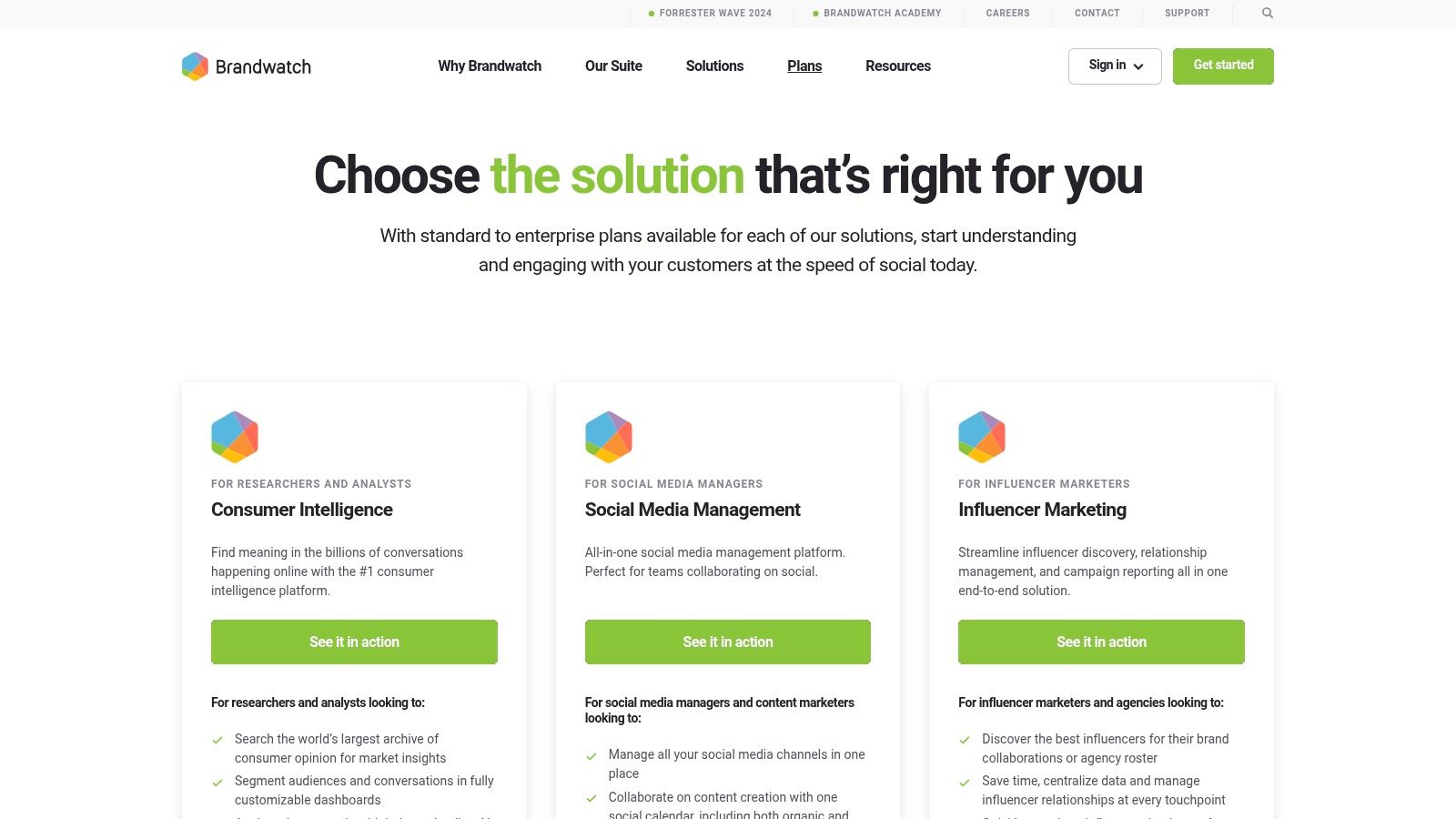
What truly distinguishes Brandwatch is its consumer intelligence heritage. Agencies can move beyond simple performance metrics to uncover the why behind the numbers, analyzing conversations and audience data to inform creative strategy, identify market gaps, and report on brand health with unparalleled depth. This suite approach reduces stack fragmentation and provides a single source of truth for high-value client accounts.
Key Agency Features & Use Cases
- Integrated Listening & Benchmarking: Natively access Brandwatch’s powerful listening tools to monitor brand mentions, track sentiment, and benchmark client performance against competitors without leaving the platform.
- Centralized Social CRM: Maintain a unified history of all interactions with individual users across channels. This allows agency teams to provide personalized and context-aware responses for clients.
- Influencer Marketing Module: Manage influencer discovery, outreach, and campaign tracking from within the same ecosystem. Access a vast creator database to find the perfect partners for client campaigns.
Brandwatch’s pricing is customized and available via quote, positioning it for mid-market and enterprise-level agencies. The platform’s onboarding is more complex than lightweight schedulers due to its extensive feature set, but the strategic insights it unlocks make it a formidable contender among social media tools for agencies focused on data-driven results. The investment is justified by its ability to deliver sophisticated consumer and market intelligence directly alongside daily management tasks.
Website: https://www.brandwatch.com/pricing/
10. Sprinklr Social
Sprinklr Social is an enterprise-grade, AI-powered platform designed for large-scale agencies managing global brands or clients in highly regulated industries. It unifies publishing, engagement, listening, advocacy, advertising, and customer service into a single, cohesive ecosystem. The platform is built for complexity, providing the deep workflow customization and governance controls necessary for multi-brand, multi-region operations.
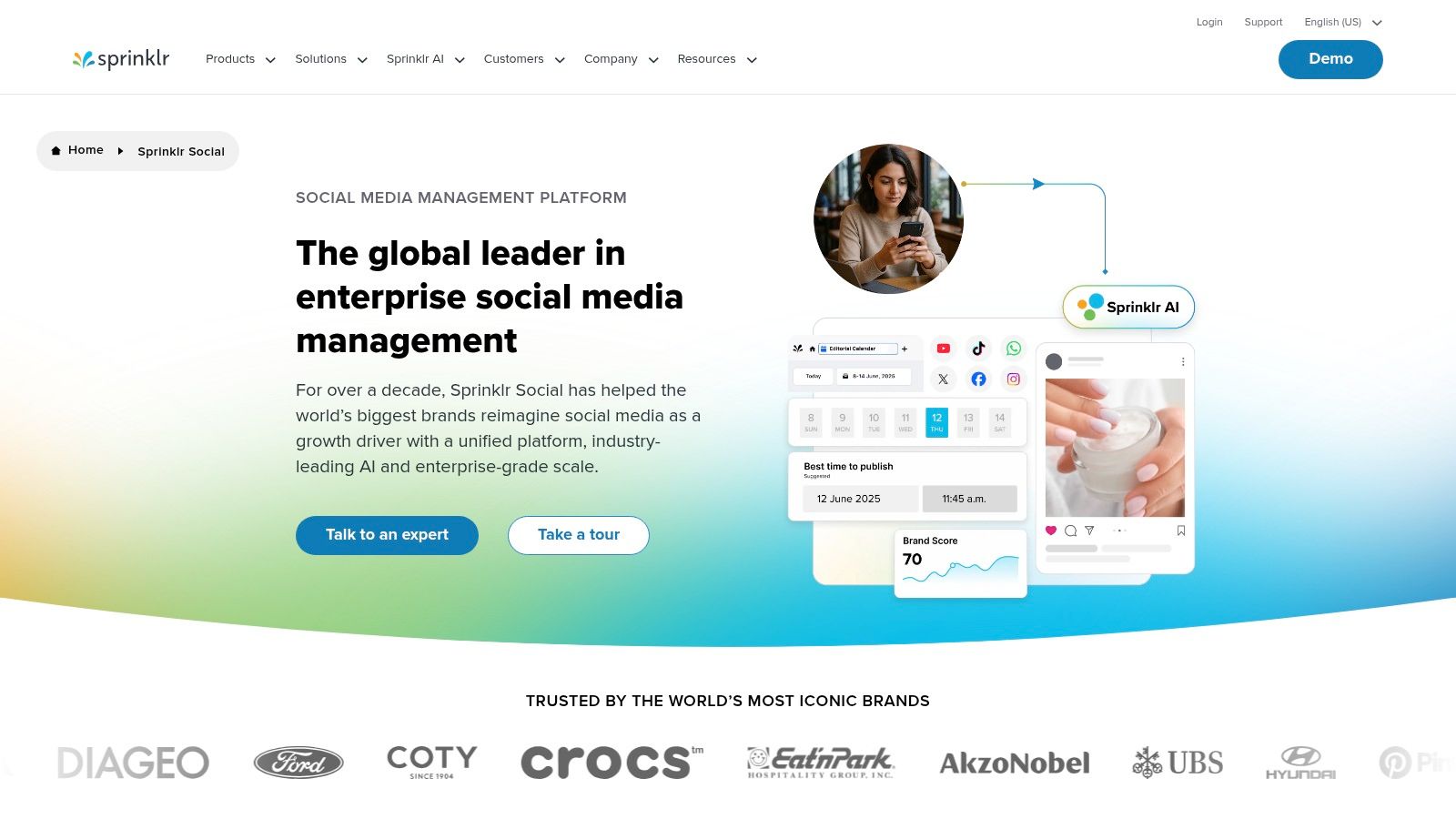
What makes Sprinklr stand out among other social media tools for agencies is its powerful AI engine and compliance features. The AI assists with content optimization, sentiment analysis, and even anomaly detection, while its governance module provides global permissions and audit trails essential for financial or pharmaceutical clients. This focus on security and scalable oversight makes it a go-to for agencies where risk management is paramount.
Key Agency Features & Use Cases
- Unified Customer Experience Management: Sprinklr consolidates every social touchpoint, from organic posts and paid ads to customer service inquiries, providing a complete view of the client’s social presence.
- AI-Powered Governance & Compliance: Automatically scans outgoing content for compliance risks, brand safety issues, and regulatory violations. This is a critical function for agencies working in sensitive sectors.
- Deep System Integration: Connects seamlessly with enterprise systems like CRM (Salesforce), DAM, and BI tools, allowing agencies to integrate social data directly into a client’s core business operations.
Sprinklr’s main drawback is its complexity and cost, which is typically custom-quoted and aimed at the enterprise market. The learning curve can be steep, making it overkill for smaller agencies or clients with simpler needs. However, for large agencies requiring documented ROI, unparalleled governance, and a platform that scales globally, Sprinklr is an undisputed leader.
Website: https://www.sprinklr.com/products/social-media-management/
11. HeyOrca
HeyOrca is a social media management platform built from the ground up with agency workflows in mind. Its core philosophy centers on simplifying the client collaboration and approval process, making it an excellent choice for agencies that need a straightforward, scalable solution. Instead of a per-seat pricing model, HeyOrca charges per calendar, which is ideal for agencies managing a growing roster of clients without wanting to penalize team growth.
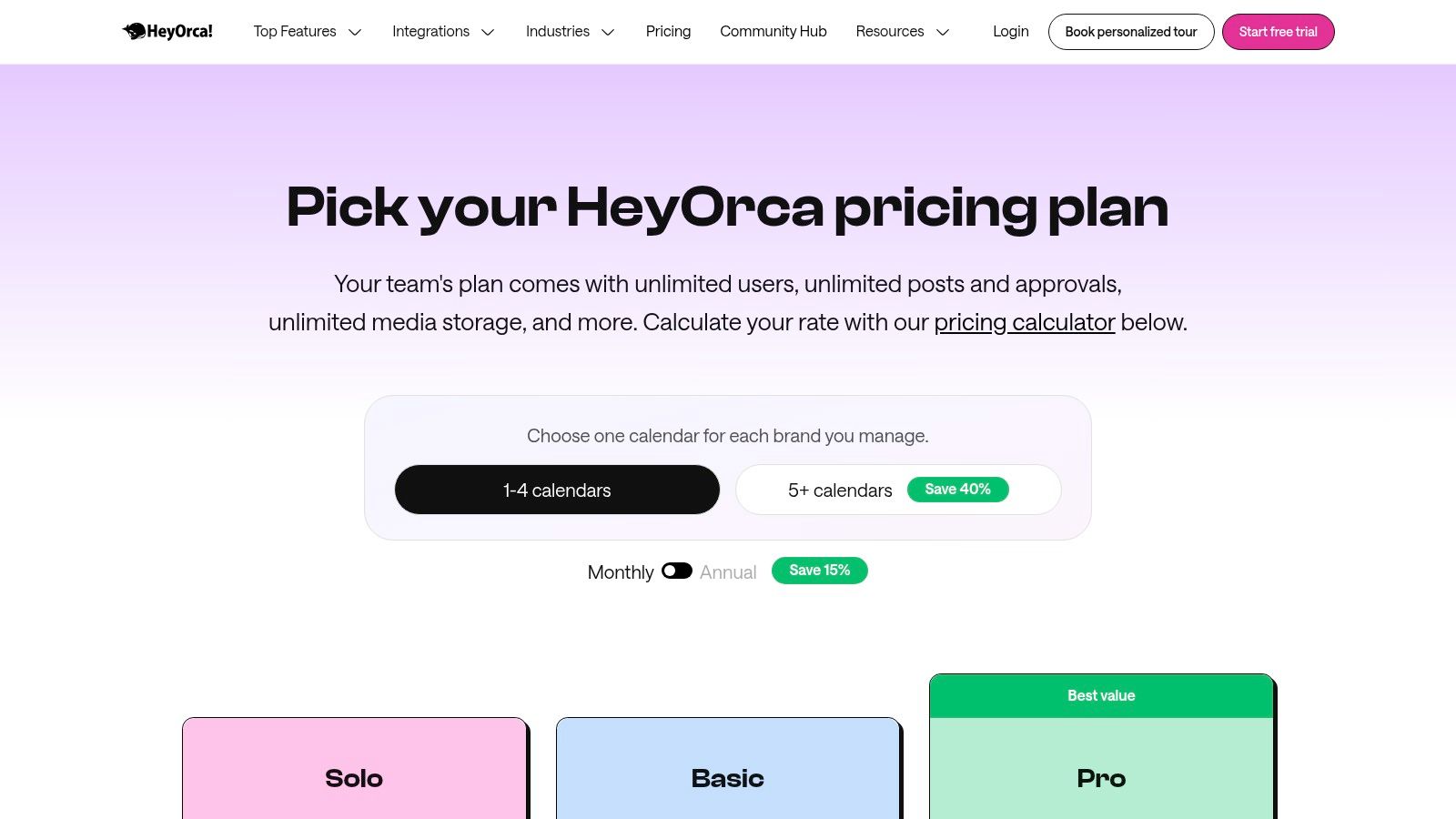
The standout feature is its highly visual and intuitive client approval system. Agencies can share a direct link to a content calendar where clients can view realistic post mockups for each social network, leave comments directly on the posts, and approve them with a single click. This streamlined feedback loop eliminates confusing email chains and spreadsheets, saving significant administrative time and reducing the risk of miscommunication.
Key Agency Features & Use Cases
- Unlimited Users & Approvals: Every plan allows unlimited users, so agencies can add their entire team, freelancers, and clients without incurring extra costs. This is a massive advantage for scalability.
- Visual Client Approval Hub: Create separate, shareable calendars for each client. They can see exactly how posts will look on Facebook, Instagram, LinkedIn, and more, which helps set clear expectations and secure faster sign-offs.
- Per-Calendar Pricing: The pricing structure is simple. Agencies pay for each social media calendar (typically one per client), making it easy to build the software cost directly into client retainers.
HeyOrca’s pricing starts with the Basic plan at $59 per calendar/month. For more robust features like reports and a social inbox, the Standard plan at $99 per calendar/month is a better fit. While it may lack the deep enterprise-level analytics or advanced listening of its larger competitors, HeyOrca’s specialization in client collaboration makes it one of the most efficient social media tools for agencies focused on content approval workflows.
Website: https://www.heyorca.com/pricing
12. Planable
Planable is a collaboration-first social media management platform that reimagines how agencies and teams work together on content. Unlike traditional schedulers that bolt on approval features as an afterthought, Planable is built from the ground up around visual collaboration and seamless client sign-off. Its interface presents content exactly as it will appear on each platform, eliminating the guesswork and miscommunication that plagues spreadsheet-based workflows.
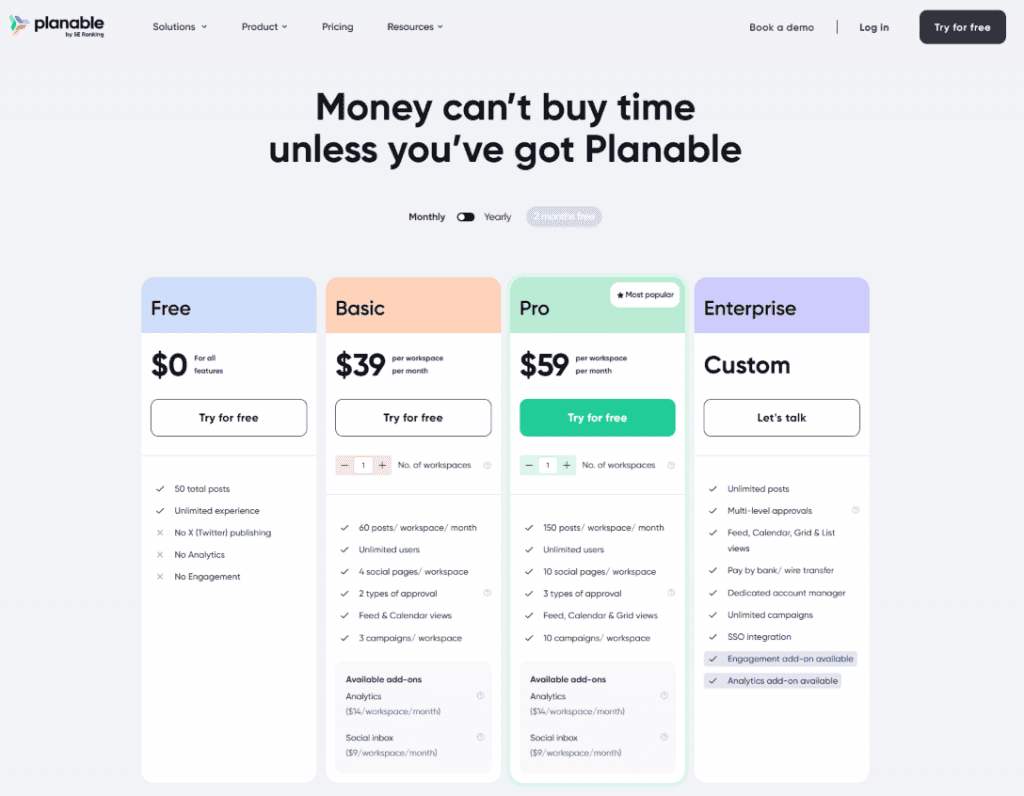
What sets Planable apart is its obsessive focus on the approval experience. The platform offers multiple content views (Feed, Calendar, Grid, List) that let teams and clients review posts in the format that makes the most sense for them. Combined with granular commenting, annotations, and customizable approval workflows, it creates an environment where feedback is contextual, precise, and never lost in email threads. This design philosophy makes it particularly valuable for agencies juggling creative teams, account managers, and clients who need to stay aligned without constant meetings.
Key Agency Features & Use Cases
- Visual Platform-Perfect Previews: Every post is displayed exactly as it will appear on Facebook, Instagram, LinkedIn, TikTok, and other platforms. This eliminates client surprises and speeds up approvals by showing the final result upfront, not abstract text in a queue.
- Flexible Approval Workflows: Build custom, multi-step approval chains that mirror your agency’s structure. Route content from creators to strategists to clients with satisfying one-click approvals. The centralized approval inbox ensures no post falls through the cracks.
- Workspace Organization: Create dedicated workspaces for each client brand, use labels to organize posts by campaign or content pillar, and customize views with filters. The unified media library keeps all assets accessible and organized in one place.
- Contextual Collaboration: Comments, suggestions, and annotations live directly on the content, not buried in separate threads. Share one-time links for quick ad-hoc feedback from stakeholders who don’t need full platform access.
Planable’s pricing reflects its agency-friendly philosophy. The Free plan offers 50 total posts with unlimited users, making it ideal for testing workflows. The Basic plan starts at $39 per workspace per month with 60 posts and unlimited users, while the Pro plan at $59 per workspace per month unlocks 150 posts, more social pages, and advanced approval types. Enterprise plans offer unlimited posts, multi-level approvals, and dedicated account management. The workspace-based pricing (rather than per-user) means agencies can scale their teams without penalty, making it exceptionally cost-effective for collaborative environments. The platform’s “so easy it barely needs support” design paired with highly-rated customer service makes onboarding swift and painless.
Website: https://planable.io/pricing/
Top 12 Social Media Tools for Agencies — Comparison
| Product | Key features | UX & quality | Price & value | Target audience | Unique selling points |
|---|---|---|---|---|---|
| 🏆 EvergreenFeed | ✨ Two‑click Buffer integration; bucketed content; per‑bucket/per‑account schedules; randomized posting | ★★★★★ Automation-first; saves hours/week | 💰 Free signup (no CC); scalable paid tiers | 👥 Social managers, bloggers, SMBs, agencies | ✨ Autopilot evergreen posting; multi‑account dashboard; granular bucket control |
| Sprout Social | Publishing, Unified Inbox, advanced analytics, listening, approvals | ★★★★☆ Robust reporting & governance | 💰 Mid‑to‑high; per‑seat pricing | 👥 Mid/large agencies & enterprise teams | ✨ Client‑ready reports; strong listening add‑ons |
| Hootsuite | Calendar, approvals, listening, ad management, large integrations | ★★★☆☆ Mature feature set; can be complex | 💰 Variable; pricing can be opaque | 👥 SMB → enterprise, agencies | ✨ Extensive integrations; enterprise/FedRAMP options |
| Agorapulse | Publishing queues, social inbox, advanced reporting, bulk uploads | ★★★★☆ Clear UX; fast support | 💰 Transparent per‑user pricing; 30‑day trial | 👥 Agencies & teams needing client reports | ✨ Strong reporting + client‑ready exports |
| Sendible | Client dashboards, approval workflows, automations, optional white‑label | ★★★☆☆ Agency‑centric; scalable | 💰 Tiered; white‑label costs extra | 👥 Multi‑client agencies | ✨ White‑label + Client Connect for secure hookups |
| SocialPilot | Bulk scheduling, content library, analytics, white‑label reports | ★★★☆☆ Cost‑effective; straightforward | 💰 Very competitive per‑account pricing | 👥 Price‑sensitive agencies & SMBs | ✨ High account limits for the price |
| Buffer | Simple scheduler, analytics, engagement inbox, AI assistant | ★★★★☆ Clean UI; fast onboarding | 💰 Low cost of entry; channel‑based plans | 👥 Lean teams, freelancers, small agencies | ✨ Easy onboarding; affordable scheduling |
| Loomly | Per‑client calendars, approval routing, asset library, reporting | ★★★★☆ Excellent for client sign‑off | 💰 Mid‑range; clear discounts/NGO policy | 👥 Agencies needing approvals & collaboration | ✨ Visual workflows & per‑client calendars |
| Brandwatch (SMM) | Publishing + deep listening, influencer module, benchmarking | ★★★★☆ Best‑in‑class listening; complex setup | 💰 Quote/demo pricing; enterprise budget | 👥 Agencies & brands needing deep insights | ✨ Industry‑leading listening & influencer data |
| Sprinklr Social | AI‑driven publishing, listening, governance, CRM integrations | ★★★★☆ Enterprise-grade; steep learning curve | 💰 Custom, typically high | 👥 Large enterprises & regulated clients | ✨ AI + governance at scale; CRM/DAM connectivity |
| HeyOrca | Unlimited users, visual post mockups, per‑calendar pricing | ★★★★☆ Very agency‑friendly UX | 💰 Calendar‑based; scales with clients | 👥 Agencies with many clients | ✨ Unlimited users + visual client approvals |
| Planable | Visual previews, workspace organization, contextual collaboration | ★★★★☆ Collaboration-first design | 💰 Workspace-based; unlimited users per plan | 👥 Agencies prioritizing client collaboration & approvals | ✨ Real-time visual collaboration + context-aware feedback system |
Building Your Ultimate Agency Stack: How to Make the Right Choice
Navigating the crowded landscape of social media tools for agencies can feel overwhelming, but building the right technology stack is the cornerstone of efficiency, scalability, and delivering exceptional client results. As we’ve explored, the ideal solution isn’t a single, magical platform but a carefully curated ecosystem of tools designed to work in harmony. From comprehensive all-in-one suites like Sprout Social and Agorapulse to specialized powerhouses like EvergreenFeed for content recycling, the right combination depends entirely on your agency’s unique DNA.
The core takeaway is that tool selection is a strategic decision, not just an operational one. The platforms you choose directly impact your team’s workflow, your capacity for creativity, and your ability to prove ROI to clients. A mismatched tool creates friction, wastes billable hours, and can even stifle growth. Conversely, a well-oiled stack empowers your team to focus on what truly matters: crafting compelling narratives and building engaged communities for your clients.
How to Move from Reading to Implementing
Making a final decision requires a methodical approach that goes beyond feature comparison charts. To translate this guide into action, consider the following steps to architect your agency’s perfect social media toolkit.
1. Conduct a Workflow Audit:
Before you even look at pricing pages, map out your current processes from start to finish. Where are the bottlenecks? Identify the most time-consuming tasks, such as client approvals, content categorization for evergreen libraries, or manual report generation. This audit will reveal the specific problems you need your new tools to solve. For example, if approvals are a constant headache, a tool like HeyOrca with its dedicated client-facing portals should be at the top of your list.
2. Prioritize Based on Agency Size and Client Needs:
Your agency’s scale and client roster are the most significant deciding factors.
- Small or Boutique Agencies: Focus on agility and cost-effectiveness. A lean stack like Buffer + EvergreenFeed offers powerful scheduling and content recycling without the enterprise-level overhead. This combination is perfect for managing a handful of clients efficiently.
- Mid-Sized Agencies: You need a balance of robust features and collaboration tools. Platforms like Sendible or SocialPilot provide excellent team management features and detailed reporting at a competitive price point, allowing you to scale without breaking the bank.
- Large Agencies or Enterprise Clients: Your primary needs are advanced analytics, compliance, and granular user permissions. In this case, investing in a comprehensive platform like Sprout Social or Sprinklr Social is non-negotiable for handling complex client demands and deep data analysis.
3. Factor in Integration and Scalability:
No tool exists in a vacuum. Your social media management platform must integrate seamlessly with your broader marketing stack, including your CRM, analytics platforms (like Google Analytics), and design tools. When evaluating options, look at their native integrations and API capabilities. Think about your agency’s five-year plan. Will this tool grow with you, or will you need to migrate everything in 18 months? Choosing a platform with a scalable pricing model and an expanding feature set is crucial for long-term success.
Ultimately, the best social media tools for agencies are the ones that fade into the background, empowering your team to do their best work without friction. The goal is to build a stack that not only solves today’s problems but also anticipates tomorrow’s challenges, turning your operational workflow into a distinct competitive advantage.
Ready to put your best content on autopilot and maximize every post’s value for your clients? EvergreenFeed integrates seamlessly with your favorite scheduler to automatically recycle your top-performing content, ensuring your clients’ social feeds are always active with proven material. Start saving hours of manual work today by visiting EvergreenFeed and discover the power of content automation.