James
James
Let’s be honest: managing social media can feel like a full-time job on its own. You’re constantly juggling posting schedules, finding fresh content, and trying to keep up with comments. This is where social media automation comes in—not as a replacement for you, but as your most reliable assistant.
It’s all about using smart tools to handle the repetitive, time-consuming tasks so you can focus on what actually matters: connecting with your audience.
What Is Social Media Automation and Why Does It Matter

I like to think of social media automation as a sous chef for your content. In a busy kitchen, the head chef isn’t chopping every single onion or prepping every sauce. They have a team to handle that prep work, which frees them up to focus on the bigger picture—designing the menu, perfecting the final dish, and making sure every customer has an amazing experience.
Automation tools play that exact role. They’re your digital assistants, meticulously handling the tedious but essential tasks that keep your social media humming. This lets you, the “head chef” of your brand, pour your energy into the high-impact stuff: brainstorming creative ideas, crafting your strategy, and building real relationships with your followers.
The Myth of Robotic Content
There’s a common fear that automation makes your social media feel robotic and impersonal. And sure, if you just “set it and forget it” without a thoughtful strategy, that can happen. But when done right, smart automation actually does the opposite.
By taking the grunt work off your plate, it frees up your time and mental space for genuine, human-to-human interaction.
True social media automation isn’t about removing the human element; it’s about building a reliable system that empowers you to be more present, strategic, and responsive when it really counts.
Instead of manually posting content every single day, you create a system that works for you in the background. This ensures your audience always has something valuable to see, even when you’re busy with a dozen other things. That consistency is what builds momentum and keeps your audience coming back.
A Growing Market for Efficiency
This shift toward automation isn’t just a fleeting trend—it’s a fundamental change in how marketing gets done. The global market for social media automation tools was valued at around USD 4.5 billion in 2024 and is on track to hit USD 12.8 billion by 2033.
This explosion is driven by a simple need for efficiency. In fact, studies show that a staggering 83% of marketing departments now automate at least some of their social media posting. The message is clear: businesses that don’t embrace smart automation risk getting left behind by more efficient competitors.
What Can You Actually Automate?
So, what does this “content sous chef” actually do for you? Automation tools are designed to handle the core functions that form the backbone of any solid social media plan. The goal is to systematize the predictable parts of your workflow so you can be more creative and spontaneous with the rest.
To give you a better idea, the table below breaks down the primary tasks you can offload.
Core Functions of Social Media Automation Tools
| Automated Task | What It Does | Primary Benefit |
|---|---|---|
| Post Scheduling | Plans and queues up content to be published at the best times, ensuring a consistent stream of posts. | Saves time and keeps your profiles active even when you’re offline. |
| Content Recycling | Automatically reshares your top-performing evergreen content to reach new followers and get more mileage from your best work. | Maximizes the value of your content library without extra effort. |
| Content Curation | Finds and pulls in relevant articles, news, and posts from other sources to share with your audience. | Keeps your feed fresh and establishes you as a valuable resource. |
| Basic Analytics | Gathers key metrics like engagement, reach, and follower growth into simple, easy-to-read reports. | Provides quick insights into what’s working without manual data-pulling. |
By handing these jobs over to a reliable system, you’re not just saving a few hours a week. The benefits of social media automation ripple out, helping you build a more sustainable and impactful presence online.
The Three Pillars of Smart Automation

To build a social media automation system that actually works—one that doesn’t just feel like a robot talking to itself—it helps to think of it as a structure held up by three core pillars. Each one represents a critical function, and together, they create a strategy that’s stable, efficient, and surprisingly powerful. If one pillar is weak or missing, the whole thing starts to feel wobbly and ineffective.
Breaking it down this way helps you move past just “automating posts” and start thinking about building a complete, self-sustaining content engine. Let’s look at how each one fits together to support your long-term growth.
Pillar 1: Scheduling and Publishing
This is the bedrock of social media automation and what most people think of first. At its heart, this pillar is all about planning your work and working your plan. Think of it as your brand’s master content calendar, all set up to run like clockwork without you having to hit “publish” every few hours.
Tools in this category, like the well-known platform Buffer, let you line up your content days, weeks, or even months in advance. This is how you guarantee your profiles stay active and your audience gets a steady diet of valuable content, even when you’re head-down in other projects.
The main goal here is to simply establish a reliable presence. No more scrambling at 4 PM to find something—anything—to post. Instead, you create a dependable rhythm your followers can count on, and you get to reclaim your time from the daily grind of manual posting.
If you find that you simply can’t manage the constant pressure of planning and executing a consistent content calendar, you can hire a freelance social media manager from platforms like Toptal to take that weight off your shoulders while the automation tools handle the delivery.
Pillar 2: Content Curation and Recycling
While scheduling handles the when, this second pillar answers the what. This is where the real magic of automation starts to happen. It’s all about intelligently managing your content library to squeeze every last drop of value from every single piece you’ve ever created.
This pillar has two sides to it:
- Curation: This is about automatically finding and sharing great, relevant content from other voices in your industry. It helps position you as a go-to resource and keeps your feed from being a one-note monologue, all without you having to create 100% of the content yourself.
- Recycling: For most brands, this is the real game-changer. Instead of letting your best blog posts and guides die a quiet death after one share, recycling systems automatically bring your top-performing evergreen content back to life. This ensures new followers see your greatest hits and keeps that valuable information circulating.
By systematically resurfacing your best assets, you transform your content library from a dusty archive into a dynamic, traffic-driving machine. This is the definition of working smarter, not harder.
The rise of AI is pouring fuel on this fire. It’s no surprise that by 2026, 43% of marketers plan to use AI for exactly these kinds of tasks, like scheduling and repurposing content. This shift is becoming undeniable, with a staggering 97% of marketing leaders agreeing that knowing how to use AI is now a non-negotiable skill. As you can read more about on RoboticMarketer.com’s breakdown of AI social media strategies, the winning formula is a smart blend of AI-driven automation and irreplaceable human creativity.
Pillar 3: Analytics and Reporting
This final pillar is what keeps your automation strategy from flying blind. Without it, you’re just throwing content into the void and hoping for the best. Analytics is all about gathering data, understanding what it means, and making smart decisions to get better results over time.
Instead of manually digging through the native analytics on every single social platform, automation tools can pull all that data into one place for you. They track the metrics that matter and serve them up in clean, easy-to-read dashboards.
This automated reporting helps you quickly answer the most important questions:
- Which posts are actually resonating with people?
- When is my audience most likely to be online and engaged?
- Is my follower count actually growing, and at what rate?
- Which topics are driving the most clicks back to my website?
With these insights handed to you, you can easily spot what’s working and—just as importantly—what’s not. This creates a powerful feedback loop, allowing you to fine-tune your content, adjust your schedules, and constantly optimize your entire automation strategy for peak performance.
Choosing Your Automation Toolkit
Diving into social media automation can feel a lot like walking into a massive hardware store for the first time. You’re surrounded by aisles of shiny tools, each promising to solve a different problem, and it’s easy to get overwhelmed.
But here’s the thing: you don’t need every tool in the store to build a bookshelf. Likewise, you don’t need every piece of software to build a powerful social media strategy.
The real key is figuring out what each tool is designed for, then picking the ones that match your specific goals. Most platforms fall into one of three main categories, and once you understand their strengths, you can build a small but mighty “tech stack” that just works.
The All-in-One Suites
Think of these platforms as the giant, rolling tool chests of the social media world. An all-in-one suite aims to be a single dashboard for everything a busy marketing team could possibly need. They’re powerful, packed with features, and built to handle complexity.
- Primary Job: To centralize every part of social media management—scheduling, listening, engaging, and deep-dive analytics—into one place.
- Best For: Larger companies or agencies juggling numerous client accounts, where team collaboration and detailed reporting are non-negotiable.
- Examples: Hootsuite, Sprout Social, Agorapulse.
These tools are fantastic for teams that need to track brand mentions, manage customer support conversations, and pull in-depth performance reports, all while scheduling tons of content. For smaller teams or solo creators, however, their massive feature sets can feel like overkill. It’s like using a sledgehammer to hang a picture frame.
As you explore the right technologies for your business, reading a guide on the top social media automation tools can show you exactly where these comprehensive suites fit into the bigger picture.
The Specialized Schedulers
If all-in-one suites are the giant tool chests, then specialized schedulers are the sleek, perfectly designed power drills. They focus on doing one thing exceptionally well: publishing your content at the perfect time with zero fuss. Their claim to fame is a clean user experience and a super-efficient workflow.
These platforms are the bedrock of most automation strategies. They were built for the essential task of planning and queuing up your posts across all your social networks.
Specialized schedulers are masters of simplicity and efficiency. They cut through the noise to give you a fast, reliable, and intuitive way to manage your content calendar.
Buffer is the classic example here. Its entire design revolves around making the scheduling process as painless as possible. You can quickly drop content into a queue, set a unique posting schedule for each social account, and trust that it will go out on time, every time. This sharp focus makes it a go-to for content creators, bloggers, and small businesses who just need solid, straightforward publishing.
The Evergreen Automators
Now for the specialist tool. This one is designed to solve a very specific—and very important—problem: getting the absolute maximum mileage out of your best content. While a scheduler like Buffer is great for the initial push of a new post, an evergreen automator makes sure your timeless content never gets buried and forgotten.
Think of it as an intelligent recycling system for your content library.
- Primary Job: To automatically and continuously reshare your highest-performing evergreen posts, keeping your profiles active and driving traffic long after the content was first published.
- Best For: Anyone sitting on a library of valuable, non-time-sensitive content, like blog posts, how-to guides, case studies, or inspiring quotes.
- Example: EvergreenFeed.
Tools like EvergreenFeed are built to work hand-in-hand with specialized schedulers. You load your best content into different “buckets” or categories, set a schedule, and the tool intelligently pulls from those buckets to fill your Buffer queue.
This creates a powerful partnership: EvergreenFeed handles the long-term, strategic recycling of your proven content, while Buffer manages the day-to-day publishing of both new and recycled posts. This tag-team approach guarantees your feed is always full of high-quality content without you having to manually dig up old posts.
Social Media Automation Tool Comparison
Choosing the right tool often comes down to your primary need. This table breaks down the main differences to help you decide where to start.
| Tool Category | Primary Use Case | Ideal For | Example Tools |
|---|---|---|---|
| All-in-One Suites | Comprehensive management: scheduling, analytics, listening, engagement | Large teams, agencies, enterprise clients | Hootsuite, Sprout Social |
| Specialized Schedulers | Simple, intuitive content scheduling and publishing | Small businesses, solo creators, content managers | Buffer, Later |
| Evergreen Automators | Automatically re-sharing existing, high-value content | Bloggers, course creators, anyone with a content library | EvergreenFeed |
Ultimately, the best toolkit is the one that slots right into your workflow, saves you precious time, and actually boosts your results.
For a more detailed look at how different platforms stack up, check out our complete guide on social media automation tools.
Building Your Evergreen Content Engine
Alright, let’s get our hands dirty. Knowing what social media automation is is one thing, but actually building a system that works for you 24/7 is where the magic happens. This isn’t just about lining up a few posts in a scheduler. We’re talking about turning your content library from a dusty old archive into a powerful, automated engine that constantly drives traffic and engagement.
I like to think of it as building an automated sprinkler system for your garden. You could go out every single day and water each plant by hand (that’s manual posting). Or, you could spend a little time upfront setting up a smart system that gives each plant exactly what it needs, right when it needs it. Once it’s running, the garden thrives on its own. That’s what we’re building here.
Step 1: Start With a Content Audit
First things first: you need to know what you’re working with. A content audit sounds formal, but it’s really just a hunt for your greatest hits. Sift through your existing blog posts, guides, videos, and case studies to find the pieces that are truly evergreen.
These are the gems that will still be valuable to your audience six months, a year, or even longer from now. You’re looking for the timeless content, not the timely. A post about a “2021 marketing trend” has expired, but a guide on “How to write compelling headlines” will always be in style. If you have a lot of video, there are even specialized tools for converting long-form videos into Shorts to make this process faster.
Step 2: Organize Content Into Thematic Buckets
Once you’ve cherry-picked your best evergreen assets, it’s time to get organized. This is where “content buckets” (or categories) come into play. Think of them as folders for different types of content. Grouping similar posts together is the key to creating a balanced, interesting feed instead of a repetitive one.
For instance, you could create buckets like:
- How-To Guides: Your practical, step-by-step tutorials that solve a specific problem.
- Industry Tips: Quick insights and best practices that show you know your stuff.
- Blog Post Promotions: Links that drive traffic back to your most important articles.
- Inspiring Quotes: Shareable, motivational content that connects with your audience on a human level.
Here’s a look at how you can visually sort your library into different categories, which makes managing your whole strategy so much easier.
By sorting your content this way, you gain pinpoint control over what gets posted and when, ensuring a varied and strategic mix.
Step 3: Create a Smart Schedule
With your content all sorted, it’s time to map out your schedule. And I don’t just mean picking random times to post. A smart schedule dictates how often you pull from each bucket for your different social accounts. This is a critical piece of any effective evergreen content strategy.
You might decide to:
- Post a How-To Guide to LinkedIn every Monday morning.
- Share an Industry Tip on Twitter three times a week.
- Promote a Blog Post on Facebook every Wednesday and Friday.
This approach stops your feed from getting stale. It keeps your audience engaged by delivering a healthy variety of content tailored to what works best on each platform.
Step 4: Add Content Once and Let It Run
Here it is—the best part. With your buckets and schedule set up, you add your evergreen content to the system one time. That’s it. From here on out, your automation tool takes the wheel. It intelligently dips into your designated buckets, grabs a post, and sends it to your publishing queue (like Buffer) based on the schedule you created.
Your evergreen content engine is now live. It continuously recycles your best assets, making sure new followers see them and reminding your existing audience why they followed you in the first place—all without you lifting a finger.
This “add once, publish forever” model is the heart of smart automation. You’ve just turned your content from a one-and-done asset into a machine that generates traffic and engagement on autopilot. You’ve officially stopped watering the garden by hand and turned on the sprinklers. Now, you can just sit back and watch it grow.
Best Practices for Human-Centric Automation
Let’s be clear: effective social media automation isn’t about setting things on autopilot and walking away. It’s about being smarter with your time so you can focus on what really matters. The biggest mistake isn’t a tool malfunctioning; it’s losing the human touch that makes social media work in the first place.
Think of your automation tools as the world’s best stage crew. They handle the lights, check the mics, and make sure the curtain goes up on time, every time. That frees you up—the performer—to step into the spotlight and actually connect with your audience. You get to have the conversations, answer the questions, and build real relationships.
The 80/20 Rule of Content
To keep your automation from feeling robotic, live by the 80/20 rule. It’s a simple but powerful guideline: 80% of what you post should be genuinely useful or interesting to your audience. This is your value-add content—helpful tips, insightful articles, and fun questions.
The other 20% is where you can talk about your business, announce a new product, or share a special offer. When you consistently deliver value, your audience is far more receptive when you occasionally ask for something. It’s the difference between being a trusted resource and just another company shouting into the void.
Always Prioritize Manual Engagement
Automation is for scheduling, not for relationships. Every minute you save by not manually uploading a post is what I call an “engagement dividend.” You have to reinvest that saved time back into the human side of social media.
This is where you truly shine and where the real growth happens:
- Replying to Comments: Don’t just “like” a comment. Acknowledge what they said and ask a follow-up question. Show people you’re actually listening.
- Answering Direct Messages: Treat your DMs like a priority inbox. This is where you can have one-on-one conversations that build immense loyalty.
- Jumping into Conversations: Use your expertise to add value to relevant discussions happening in your industry.
Automation handles the consistency; you handle the conversation. This division of labor is the secret to scaling your presence without sacrificing the personal touch that builds a loyal community.
Keep Your Evergreen Library Fresh
Your library of evergreen content is an incredible asset, but it’s not a time capsule. You can’t just “set it and forget it.” A post that was perfectly relevant two years ago might now have outdated stats, broken links, or just feel a bit stale.
A little maintenance goes a long way. The key is to create a simple, repeatable cycle.
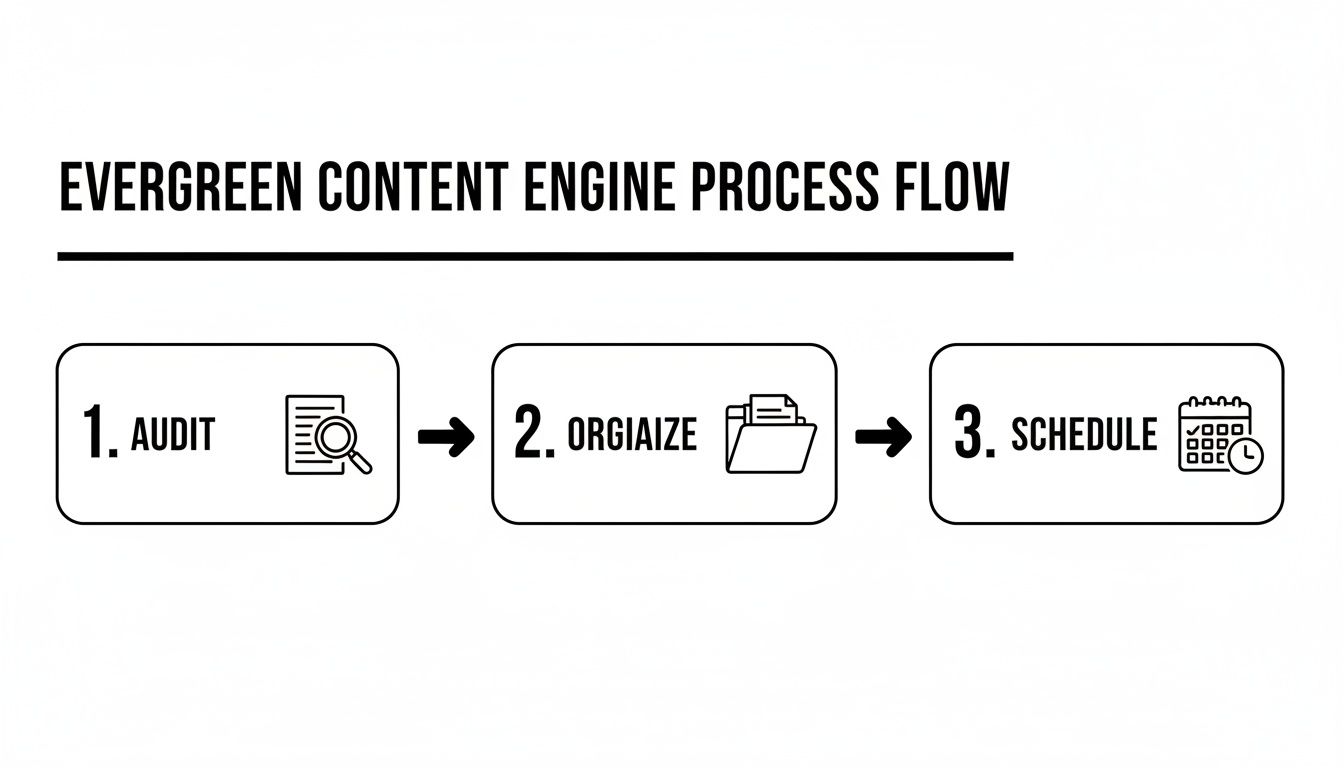
As you can see, it’s a three-step loop: audit your content to see what’s still working, organize it into the right categories, and make sure it’s feeding into your schedule properly.
I recommend putting a reminder on your calendar to review your evergreen content every quarter. It’s the perfect time to weed out posts that are no longer performing, refresh older articles with new insights, and make sure your automated feed is still a top-notch resource.
Customize Posts for Each Platform
Just because you can blast the same message to every platform at once doesn’t mean you should. Each social network has its own vibe, its own rules, and its own audience expectations. A professional, detailed post that crushes it on LinkedIn will likely fall flat as a casual, emoji-filled tweet.
When you add a piece of content to your library, take a few extra minutes to create platform-specific variations.
- For LinkedIn: Write a caption that’s more professional and insight-driven. End with a question to encourage thoughtful discussion.
- For Twitter: Get straight to the point with a short, punchy hook and use a couple of relevant hashtags to help it get discovered.
- For Facebook: Use a friendly, conversational tone. Ask a direct question to get people talking in the comments.
Taking this extra step makes your automated posts feel native and organic to each platform, which can dramatically improve their performance. When you get this right, automation doesn’t replace your human efforts—it amplifies them.
Here are some of the most common questions we hear from marketers who are just starting to explore social media automation. It’s smart to think through how these tools will fit into your workflow and, more importantly, how they’ll represent your brand.
Let’s tackle these head-on. Think of this as the final gut-check before you build your own automated content machine. Getting clear on these points ensures you’re building your strategy on a solid foundation, not just a set of assumptions.
Is Social Media Automation Bad for Engagement?
This is easily the biggest fear, and it’s a completely valid one. But the short answer is no, automation isn’t inherently bad for engagement. The problem is never the tool itself—it’s the strategy (or lack thereof) behind it.
When used correctly, automation is one of the best ways to boost engagement. Poor engagement is almost always caused by the same mistakes: pushing out irrelevant content, never replying to comments, or just broadcasting a one-way stream of self-promotion. Automation doesn’t do any of that; it simply executes the plan you give it.
Automation becomes a powerful ally for engagement when it handles the repetitive task of posting, freeing you up to handle the human task of interacting. The time you save on scheduling should be directly reinvested into real conversations.
When your profiles are consistently active with valuable stuff, you give your audience more opportunities to connect. Automation delivers that consistency. Your job is to show up for the conversations that consistency sparks.
How Do I Measure the ROI of Automation?
Measuring the return on your investment in automation isn’t about a single number. The value really shows up in two different but equally important ways: efficiency gains and performance gains. You have to look at both to get the full picture.
First, let’s look at efficiency, which is the easiest part to calculate.
- Time Saved: Start by tracking the hours you or your team used to spend each week manually digging up, scheduling, and posting content. Multiply those hours by your hourly rate. That’s your most direct ROI—the hard cash you’re no longer spending on manual work.
Next up are the performance gains, which track the direct impact on your marketing goals.
- Increased Traffic: Jump into your web analytics. Is the referral traffic from your social channels going up after you get your evergreen system running?
- Follower Growth: Consistent posting almost always leads to steadier follower growth. A bigger audience means your message is reaching more people.
- Higher Engagement: While you’re handling the replies, automation is making sure there’s always fresh content for people to engage with. Keep an eye on your likes, comments, and shares to see if they’re trending up.
When you combine the value of your saved time with these tangible performance metrics, you get a clear and compelling view of what automation is really doing for your business.
Can I Automate Everything on Social Media?
Absolutely not. This is the golden rule of doing automation the right way. Trying to automate everything is the fastest way to make your brand feel disconnected and robotic. Some tasks are just fundamentally human, and they need to stay that way if you want to build a real community.
Think of it like this: automation handles the logistics, but you handle the relationships.
Here are the non-negotiables that should always be handled by a person:
- Responding to Comments: This is your chance to have a public conversation and show you’re actually listening.
- Answering Direct Messages: DMs are private, one-on-one interactions. They build incredible trust and loyalty.
- Joining Trending Conversations: Hopping into a real-time discussion requires nuance, timing, and a human touch you just can’t fake.
Smart social media automation is all about knowing where to draw that line. Automate the predictable, repeatable tasks so you have more energy for the spontaneous, meaningful interactions that truly define your brand.
Ready to stop the manual grind and put your best content to work? EvergreenFeed integrates seamlessly with Buffer to create a powerful, automated engine that recycles your best posts, keeping your social media active and driving traffic 24/7. Start your free trial today and see how much time you can save.