James
James
Sure, you can queue up tweets directly on Twitter or use a more powerful third-party tool like Buffer to schedule your posts in advance. But doing this isn't just a simple time-saver; it’s a strategic move that ensures your content gets in front of the right people at the right time, even when you're not online.
The Strategic Edge of a Solid Twitter Schedule
Let's be honest, posting on the fly whenever you remember to is a recipe for an inconsistent and ineffective Twitter presence. Scheduling your tweets transforms that chaotic, "I should probably post something now" approach into a deliberate, well-oiled content machine. It’s the difference between occasionally shouting into the void and consistently showing up for your audience.
This consistency is key to building a reliable brand. When your followers know they can expect valuable content from you at certain times, they start to look for it. More importantly, scheduling guarantees your best stuff goes live during those prime engagement windows—you know, those hours when your audience is scrolling, liking, and retweeting. You no longer have to be glued to your phone at 10 AM on a Wednesday just to hit that peak traffic sweet spot.
Reclaiming Your Creative Energy
Think about the daily grind of a marketing manager. You're juggling a product launch, keeping an ad campaign on track, and handling community management. The last thing you need is the constant pressure to come up with witty, engaging tweets on the spot, multiple times a day.
This is where automation really shines.
By dedicating a specific block of time—say, Monday morning—to craft and schedule a week's worth of high-quality content, you get ahead of the game. It completely removes the daily "what do I post?" anxiety. This frees you up to focus on the things you can't automate: engaging in real-time conversations, analyzing what's working, and brainstorming your next big campaign.
The goal isn't just to be present on Twitter; it's to be effectively present. Automation frees up the mental bandwidth required for genuine, real-time engagement, which is something you can't schedule.
The Power of Evergreen Automation
Ready to take it a step further? Let's talk about automating your evergreen content. These are your greatest hits: the cornerstone blog posts, killer industry tips, and compelling case studies that are always relevant. Instead of manually digging them up to reshare every few weeks, a tool like EvergreenFeed can put them on a recurring loop for you.
You just build a library of your best stuff, and the system automatically recycles it based on a schedule you set. This is a game-changer. It ensures your most valuable content gets continuous exposure, driving steady traffic and reinforcing your expertise with zero extra effort on your part.
This approach creates a powerful, sustainable workflow that keeps your Twitter feed active, maximizes the value of every piece of content you've ever created, and frees you up to focus on growth. It's not just about saving time; it's about investing your energy where it truly counts.
For a clearer picture, let's break down exactly why this workflow is so crucial for any serious marketing effort.
Why You Should Schedule Your Tweets
| Benefit | Impact on Your Marketing | Key Outcome |
|---|---|---|
| Consistent Presence | Builds brand reliability and keeps you top-of-mind with your audience. | Increased follower trust and loyalty. |
| Time Efficiency | Frees up daily hours by batch-creating content in focused sessions. | More time for strategy, engagement, and analysis. |
| Peak-Time Posting | Guarantees your content is published when your audience is most active. | Higher reach, impressions, and engagement rates. |
| Strategic Content Flow | Allows you to plan a balanced mix of promotional, educational, and fun content. | A more engaging and less "salesy" feed. |
| Global Reach | Lets you connect with audiences in different time zones without working around the clock. | Broader brand visibility and market penetration. |
| Reduced Stress | Eliminates the daily pressure of creating content on the fly. | Improved focus on high-impact marketing tasks. |
Ultimately, scheduling isn't just a tactic—it's the foundation of a professional, results-driven Twitter strategy.
Building Your Twitter Automation Foundation
To really get the most out of scheduling your Twitter posts, you need to build a solid foundation. This is about more than just picking a tool; it's about creating a connected system that runs for you in the background. The goal is to build an engine that powers your entire content strategy, and we'll do that by combining two powerhouse platforms: Buffer for scheduling and EvergreenFeed for the smart automation.
Think of Buffer as the trusted pipeline to your Twitter account. It’s the authorized connection that makes sure your posts go live exactly when they should. EvergreenFeed, on the other hand, is the brains of the operation—it intelligently pulls the right content from your library and sends it down that pipeline.
Connecting Your Twitter Account to Buffer
First things first, let's establish that core connection. Buffer is a veteran in the social media space, and linking your Twitter account is a painless process designed to get you moving quickly.
If you don't have a Buffer account, you'll need to create one. Once you're on your dashboard, you’ll be prompted to connect a social channel.
- Choose Twitter from the list of social networks.
- You’ll get redirected to Twitter to authorize the Buffer app—this is a standard security step.
- Twitter will show you the permissions Buffer needs, like reading tweets, seeing followers, and, most importantly, posting for you. Just review and click "Authorize app."
That’s it. You'll be sent right back to Buffer, where your Twitter account will now show up as a connected channel. Your pipeline is officially built and ready for content.
Don't overthink this part. The goal is to simply establish the technical handshake between Twitter and Buffer. This authorization gives you a secure way to manage your posting from outside the Twitter app, which is the key to our whole automation workflow.
Integrating EvergreenFeed for True Automation
With Buffer connected, it's time to bring in the real magic with EvergreenFeed. This integration is what elevates you from basic scheduling to a dynamic, hands-off content strategy. Instead of painstakingly filling your Buffer queue every single week, EvergreenFeed will handle it for you.
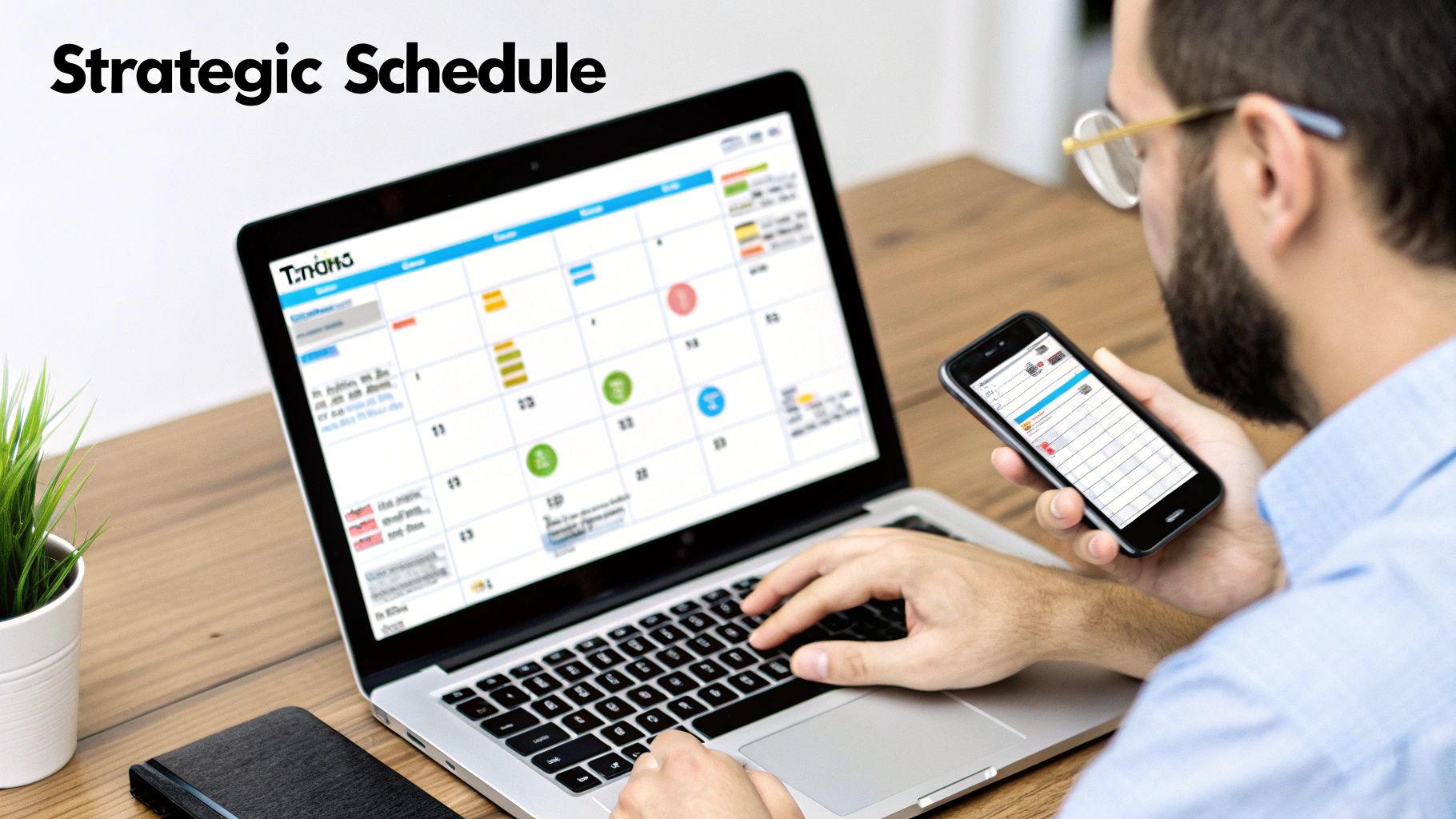
Here’s the kind of command center you'll be working from to manage your entire social media automation process.

The image above really captures the focused, organized environment you create once your tools are synced up and your strategy is locked in.
Connecting these two services is just as simple:
- After signing up for EvergreenFeed, head over to the "Accounts" section.
- Click the "Add a new Buffer Account" button.
- Just like before, you'll be sent to Buffer to authorize the connection. Granting permission lets EvergreenFeed see your connected channels and start adding posts to their queues.
Once that's done, your Twitter profile (managed through Buffer) will pop up in your EvergreenFeed dashboard. You now have a seamless flow: EvergreenFeed picks the content, pushes it to Buffer, and Buffer publishes it to Twitter according to your schedule.
This two-step system gives you both powerful automation and rock-solid, reliable scheduling. The principles here go far beyond just social media; learning to automate repetitive tasks can save you a ton of time in other areas, too. For a deeper look, our guide on how to automate your social media posts explores even more strategies.
This setup is the core of an incredibly efficient system. With this foundation in place, you’ve officially graduated from manual, one-off scheduling. Now, you’re ready to build a content library that will fuel a consistent and engaging presence on Twitter—all on autopilot.
Building Your Evergreen Content Library
Now that you’ve got the technical side dialed in, it's time for the fun part: the content. A slick scheduling setup is useless without great stuff to post, and this is where we build the engine that will power your Twitter feed for months to come. We're going to create your evergreen content library.
The whole strategy hinges on organizing your posts into what EvergreenFeed calls "content buckets." Think of them like different playlists for your Twitter account. Instead of scrambling for what to post every day, you just drop new content into the right bucket, and the system takes care of the rest.
What Exactly Are Content Buckets?
Content buckets are just simple categories you create to sort your posts by topic or format. It sounds basic, but this is the secret to making sure your automated feed doesn't feel, well, automated. It guarantees you're putting out a healthy mix of content that keeps people interested.
Without them, you might accidentally share three links to old blog posts back-to-back, which is a great way to get people to tune you out. With buckets, you can program your schedule to mix it up—a promotional post, followed by a helpful tip, then a question, then something personal. It’s all about strategic variety.
If you’re already using a multi-channel content strategy, you'll find you have a ton of great material just waiting to be repurposed for these buckets.
Designing Your First Content Buckets
The buckets you choose are totally up to you and your brand's goals, but a few categories are almost universally effective. Here are four I always recommend starting with, along with some ideas for tweets that actually work.
Blog Post Highlights: This is where you show off your best long-form stuff. But please, don't just tweet the headline and a link. Pull out a surprising statistic, a punchy quote, or a single actionable tip from the article. You want to create curiosity and give people a real reason to click.
Helpful Industry Tips: These are my favorite. Standalone, valuable bits of advice that don’t ask for anything in return. Think quick, shareable wisdom that establishes you as a go-to expert. A tweet like, "Pro Tip: Use Twitter's advanced search to find people asking questions about your niche. Answering them is a fast way to build authority," offers instant value.
Behind-the-Scenes Glimpses: People follow people, not just logos. This bucket is for humanizing your brand. Share a picture of your chaotic workspace, a quick win your team had, or a lesson you learned from a project that didn't go as planned. This is how you build a real community.
Community Questions: Want engagement? Ask questions. It’s the simplest and most effective tactic. Just avoid lazy "yes/no" questions. Go for things like, "What's the one tool you absolutely can't live without for [your industry]?" or "What's the biggest headache you're dealing with on [topic] right now?"
Building a solid content library is a marathon, not a sprint. The goal is to create a deep well of high-quality, reusable posts that you can draw from over and over. You can learn more about how to develop an effective evergreen content strategy to really get the most out of your best work.
Crafting Tweets That Actually Stay Fresh
The beauty of an evergreen library is recycling your best content without it feeling stale. To pull this off, you have to write tweets that aren't tied to a specific date or event. Here are a couple of my own hard-won tips for crafting timeless content.
Write Multiple Variations
For every single blog post or piece of content you want to share, write 3-5 totally different tweets for it. Seriously. For one article, you could create:
- A tweet focused on a key statistic from the post.
- A tweet that poses a question the post answers.
- A tweet that features a direct quote from an expert you included.
This variety means that when the same link pops up again in a few months, it feels brand new to your followers.
Focus on "How-To" and "Why"
Content that explains how to solve a problem or why something is important has an incredibly long shelf life. News and trend-based posts expire quickly. By focusing your energy on creating foundational knowledge that will be just as relevant six months from now, you're building the bedrock of a successful evergreen system. This isn't just about filling a schedule; it's about creating a sustainable machine for long-term growth.
Finding Your Perfect Posting Times
You can have the best evergreen content library in the world, but it won’t do you any good if no one sees it. This is where timing becomes your secret weapon. A brilliant tweet sent into the void at 3 AM is just a missed opportunity, but that same tweet dropped during a peak engagement window can spark a real conversation.
When you schedule Twitter posts, you're doing more than just organizing your feed. You're strategically placing your best content directly in the path of your most active followers. It’s about moving past generic advice and digging into the data to see when your audience is actually online, scrolling, and ready to engage.
This is where your EvergreenFeed setup really shines. You can create unique posting schedules for each of your content buckets, making sure you’re sharing the right type of content when your audience is in the right mindset to appreciate it.
Aligning Content Buckets with Audience Behavior
Think about the rhythm of a typical day. How you consume content over your morning coffee is completely different from how you scroll during your lunch break or unwind in the evening. A smart posting schedule mirrors these natural shifts in behavior.
For instance, you could structure your day like this:
- Blog Post Highlights (8 AM – 10 AM): This window catches people during their commute or as they're settling into the workday. They're often looking for something more substantial to kickstart their brain, making them far more likely to click through to a compelling article.
- Helpful Industry Tips (12 PM – 2 PM): Lunchtime is all about the quick scroll. Your audience is looking for fast, valuable, "snackable" content. A sharp, actionable tip they can absorb in under 30 seconds is perfect for this slot.
- Community Questions (4 PM – 6 PM): As the workday wraps up, people shift from work mode to a more social one. This is the ideal time to pose a thought-provoking question and capture their attention when they're more open to jumping into a discussion.
This simple breakdown shows how you can think about distributing your content throughout the day.
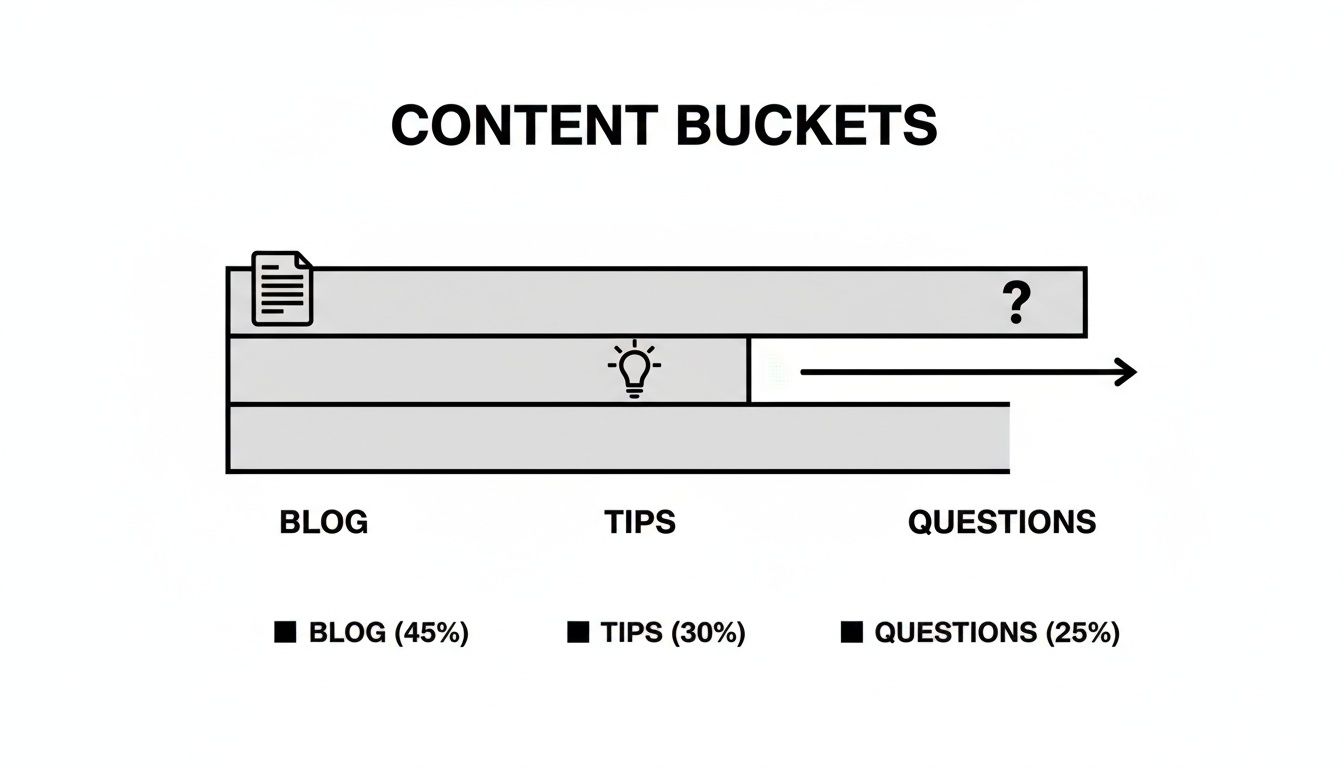
By matching your content types to specific time slots, you create a schedule that feels more intentional and, ultimately, gets better results.
Using Data to Pinpoint Peak Times
While the example above is a great starting point, the absolute best schedules are built on a foundation of hard data. We've moved beyond guesswork; industry-wide research consistently points to specific windows that drive the most engagement.
This table provides a data-backed look at the general windows that tend to deliver the highest engagement on Twitter, giving you a solid baseline for your scheduling strategy.
Optimal Twitter Posting Times (General Guidelines)
| Day of the Week | Peak Engagement Window | Secondary Window | Content Focus |
|---|---|---|---|
| Monday | 9 AM – 12 PM | 1 PM – 3 PM | Informative content, articles, industry news |
| Tuesday | 10 AM – 1 PM | 3 PM – 5 PM | How-to guides, tips, educational threads |
| Wednesday | 9 AM – 2 PM | 4 PM – 6 PM | Questions, polls, community engagement |
| Thursday | 10 AM – 1 PM | 2 PM – 4 PM | Visual content, infographics, behind-the-scenes |
| Friday | 9 AM – 11 AM | 12 PM – 2 PM | Lighthearted content, company culture, wrap-ups |
These timeframes are an excellent starting point, but always remember to cross-reference them with your own audience analytics to find the true sweet spots for your account.
How Often Should You Post?
The final piece of the puzzle is frequency. It's a classic balancing act. Post too little, and you'll get lost in the noise. Post too much, and you'll annoy your followers right into clicking "unfollow."
The right answer really depends on your industry, but here are some data-backed guidelines I've seen work well:
- Most Brands: Posting 3-5 times per day seems to be the sweet spot. This keeps you visible on the fast-moving timeline without feeling spammy.
- Media or News Outlets: A much higher frequency of 10+ posts per day works here because followers expect a constant stream of updates.
- B2B or Niche Industries: Sometimes less is more. Sticking to 1-3 high-quality posts per day often works best, focusing on depth over sheer volume.
Your goal is to find a cadence that maximizes your reach without causing your unfollow rate to spike. I always recommend starting moderately—say, three posts a day—and watching your metrics like a hawk. If engagement is strong and your follower count is climbing, try adding another post to your daily schedule and see what happens.
Ultimately, finding the perfect schedule is a process of testing, learning, and refining. For a much deeper look into this, check out our complete guide on finding the best time to tweet for maximum impact.
Measuring and Refining Your Twitter Schedule
Getting your automated schedule up and running is a huge win, but don't just set it and forget it. Think of your schedule as a living strategy—something you need to constantly measure, analyze, and tweak. This is how you go from simply saving time to actually driving better results.
Every tweet you schedule is a mini-experiment. Each post sent at a specific time gives you a new data point. Your job is to gather these data points, figure out what they’re telling you, and use those insights to make next week's content even stronger.
Key Metrics for Dialing In Your Schedule
To really improve your schedule, you have to know what's working and what isn't. It's easy to get distracted by vanity metrics, so focus on the numbers that show how effective your timing and content really are. You can find everything you need right inside Twitter Analytics or your Buffer dashboard.
Here are the essentials to keep an eye on:
- Engagement Rate: This is your north star. It’s the percentage of people who saw your tweet and actually did something—liked, replied, or retweeted. A high engagement rate is the clearest sign that your content and timing are hitting the mark.
- Link Clicks: If you're trying to drive traffic back to your website or blog, this metric is non-negotiable. It tells you exactly which content buckets and posting times are getting people to click through.
- Impressions by Time of Day: Dig into your analytics and see when your tweets are getting the most eyeballs. You might be surprised to find that what you thought was a peak time is just okay, and there's a new prime slot you've been missing.
- Follower Growth (and Unfollows): A well-oiled schedule should be attracting new followers. Keep an eye on your follower count. If you notice a sudden jump in unfollows, it could be a sign that you're posting a little too often for your audience's taste.
Your data tells a story. The key is to connect the dots between your actions (what you posted and when) and the outcomes (the engagement you received). This feedback loop is the engine of a successful, data-driven Twitter strategy.
The Monthly Performance Review Ritual
To keep this from becoming overwhelming, block out some time once a month for a performance review. This dedicated check-in stops you from making knee-jerk changes based on a single tweet that flopped. You're looking for the bigger patterns here.
During your review, ask yourself these kinds of questions:
- Which content bucket drove the most clicks this month? This is all about understanding what your audience finds valuable. If your 'Helpful Industry Tips' are crushing your 'Blog Post Highlights,' it's probably time to create more tips.
- Are my peak engagement times changing? Audience behavior isn't static. What worked like a charm three months ago might not be the best time today. Check your analytics to see if that 10 AM slot is still the powerhouse it used to be.
- What was our biggest hit this month, and why? Really dissect your most successful tweet. Was it the topic? The format (a question vs. a stat)? The time of day? The specific words you used? Figure out what made it work and see how you can replicate that magic.
- Is our posting frequency working for us? Are you seeing engagement drop off after the third tweet of the day? Finding the right posting frequency is part art, part science. For example, Buffer's 2024 analysis found that while 3-4 posts daily is a great baseline, accounts posting 10+ times per week see an average of 24% more reach per post compared to those posting just once or twice.
Making this a monthly ritual transforms your automated scheduler from a simple tool into an intelligent marketing machine. It ensures you’re not just posting consistently, but posting smarter every single week.
Got Questions About Scheduling Twitter Posts? We've Got Answers
Alright, so you've got the tools and the strategy, but jumping into social media automation can feel like learning a new language. A few practical questions always seem to pop up right when you're getting started. Let's clear up some of the most common ones I hear from people just like you.
Think of this as your quick-start FAQ for getting your scheduling workflow running smoothly. We'll dig into how often you should post, the deal with scheduling threads, and the big one: how to make sure you still sound like a human.
How Many Times a Day Should I Actually Post on Twitter?
This is the million-dollar question, isn't it? While every audience is a little different, the data consistently shows that for most businesses, posting 3-4 times per day is the sweet spot. That's enough to stay visible on Twitter's fast-paced timeline without being obnoxious.
Honestly, trying to do that manually is a recipe for burnout. This is where a tool like EvergreenFeed becomes a lifesaver, pulling from your content library to keep the pipeline full.
My advice? Start with three posts a day. Keep a close eye on your engagement and, just as importantly, your unfollow rate. If you see engagement ticking up and people aren't leaving in droves, you've got a green light to experiment with five or even six posts a day to see if you can capture more attention.
Can I Schedule Threads?
Absolutely. Scheduling Twitter threads is a fantastic way to tell a bigger story or break down a complex topic, and thankfully, it's gotten much easier. Most of the big social media tools, like Buffer, have this feature built right in. You just write your first tweet, then click a little "plus" button to add the next one, and the next, building out your story.
Here’s a pro-level workflow I recommend:
- Use EvergreenFeed for all your single, high-value, automated tweets. These are your traffic-drivers and engagement-starters that run on autopilot.
- Use Buffer’s native scheduler when you need to launch a specific, time-sensitive thread. This is perfect for announcements, tutorials, or storytelling that needs to drop at an exact moment.
This hybrid approach gives you automated consistency for your daily content while keeping the manual control you need for those bigger, narrative moments. It’s truly the best of both worlds.
What's the Real Difference Between Scheduling and Automation?
This is such a crucial point, and a lot of people use the terms interchangeably, but they are fundamentally different. Understanding this is key to building a workflow that actually saves you time.
Scheduling is a one-and-done action. You write a tweet, pick a specific date and time for it to go live, and that's it. It's manual and requires you to constantly fill the queue.
Content automation is a system. You create a library of pre-approved, evergreen content, and the tool intelligently pulls from that library to post for you based on your schedule. It’s a "set it and forget it" machine that recycles your best stuff.
Think of it this way: scheduling is like manually adding appointments to your calendar one by one. Automation is like having an assistant who fills your calendar for you every week based on a set of rules you created.
How Do I Keep My Scheduled Content From Sounding Like a Robot?
This is probably the biggest fear people have, and it's a valid one! The last thing you want is a feed that feels cold and lifeless. The secret is to build a system that creates time for you to be human.
First, your content library needs variety. Don't just post links. Mix it up!
- Helpful tips and quick advice
- Engaging questions to spark conversation
- Links to your best blog posts
- Insightful quotes from your industry
- Behind-the-scenes photos or facts
Second, and this is the most important part: use the time you save to engage in real-time. The whole point of automation isn't to disappear from the platform. It's to free you up from the content creation hamster wheel so you can actually talk to people. Reply to comments, jump into conversations, and share spontaneous thoughts.
It's this blend of planned, valuable content and real, live interaction that makes an account feel truly authentic and alive.
Ready to stop just scheduling and start truly automating? EvergreenFeed helps you build a powerful evergreen content library that posts for you, so you can focus on what really matters—growing your business. Get started for free today and put your Twitter on autopilot.