James
James
Ever feel like you're wearing too many hats on a single Instagram profile? One minute you're a business owner, the next you're a passionate hobbyist, and then you're just sharing a personal update. Juggling a personal brand, a business, and maybe even a side hustle on one account gets messy fast. This is where managing multiple Instagram accounts comes in—it's the best way to keep your digital identities distinct and your content laser-focused.
This isn't just about being organized. It's about giving each part of your life or business its own stage to shine, allowing you to connect with the right people in the right way.
Why Managing Multiple Instagram Accounts Is a Smart Move

What used to be a tactic for social media managers and big agencies is now a go-to strategy for creators, founders, and professionals everywhere. The biggest win? Audience segmentation. When you try to be everything to everyone on a single account, you often end up connecting with no one. Separate accounts let you tailor your entire vibe—your messaging, visuals, and voice—to specific communities who actually care.
Think about a real estate agent. They might have a professional account full of listings, market trends, and client testimonials. At the same time, they can keep a separate, private account just for friends and family photos. This split keeps their professional brand sharp and trustworthy while their personal life stays personal. It's a simple move that builds authority in their niche without spamming their inner circle with work content.
Maintaining Brand Clarity and Focus
One of the most common pitfalls I see is blending too many topics into one profile. Let's say you're a fitness coach who also happens to be a fantastic baker. Posting intense workout routines right next to decadent cake recipes can really confuse your followers. What are you really about?
Creating separate accounts—one for fitness, one for baking—lets each brand breathe and grow on its own.
This simple separation helps you:
- Attract a dedicated following of people who are genuinely into that specific niche.
- Craft a consistent look and feel (aesthetics, captions, tone) for each identity.
- Monetize each account effectively with brand partnerships or products that make sense for that audience.
To give a better idea of who benefits from this, here’s a quick look at some common scenarios.
Common Scenarios for Using Multiple Instagram Accounts
| User Type | Primary Goal | Example Scenario |
|---|---|---|
| Small Business Owner | Separate business from personal life | A local coffee shop owner uses a business account for promotions and a personal one for family updates. |
| Freelancer/Creator | Showcase different skill sets | A photographer has one account for wedding photography and another for their travel/landscape work. |
| Influencer/Public Figure | Niche down into sub-topics | A lifestyle influencer creates a separate account dedicated solely to their passion for sustainable fashion. |
| Marketing Agency | Manage multiple client accounts | A social media manager seamlessly switches between 10+ different client profiles for posting and engagement. |
As you can see, the reasons vary, but the underlying strategy is the same: divide and conquer for a more powerful impact.
Strategic Growth Across Platforms
With Instagram blowing past 2 billion monthly active users, it’s a non-negotiable platform for business and connection. The platform itself recognized this need years ago, officially adding support for up to five accounts in the app way back in 2016. It’s a feature now used by many of the 200 million business profiles on the platform.
The real power move with multiple accounts is cross-promotion. You can use your larger, established account to give a shout-out to a new, niche profile, sending a wave of engaged followers over and supercharging its growth from day one.
And this isn't just an Instagram-only trick. The core ideas of segmentation and brand clarity are golden rules in digital marketing. For a wider view, check out our guide on managing multiple social media accounts for strategies that work across the board. Mastering this skill sets you up for scalable growth and a much more organized, less chaotic online presence.
Adding and Setting Up Your New Instagram Accounts
So, you've decided to juggle more than one Instagram account. Smart move. The good news is, Instagram makes it surprisingly easy to get everything connected right inside the app. You can add a brand-new profile or log into an existing one without the old-school hassle of logging in and out constantly. This is the first, most crucial step to managing your different online identities from a single device.
Let's get started. Head over to your profile page and tap your username right at the top. A little menu will pop up showing any accounts you've already linked, along with the magic button: "Add Account." This is your command center for expansion.
You can see exactly what I'm talking about in the screenshot below.
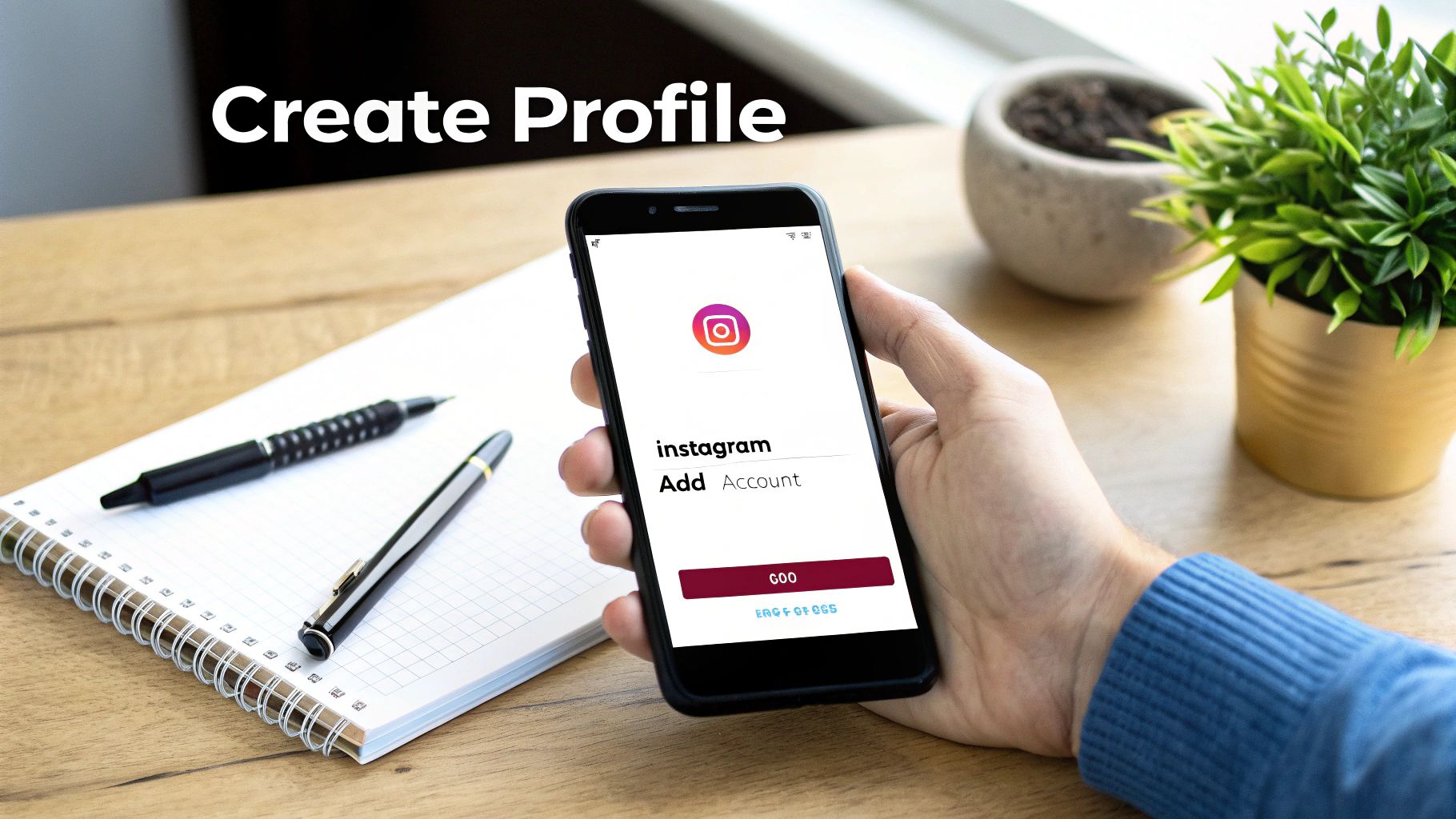
The interface is clean and simple. From here, you’ll either log into an account you already own or kick off the setup for a fresh one.
Crafting a Unique Identity for Each Account
Setting up another account is about more than just grabbing a username. You're building a distinct digital identity, and the last thing you want is for your followers to get confused. Each profile needs to stand on its own, even if it’s just a side-hustle or a personal project.
Think of it this way: your business account is the polished, professional storefront. Your personal account is your cozy living room. They shouldn't have the same furniture.
-
Choose a Distinct Username: It needs to be memorable and instantly clear. For instance, if your main brand is
@UrbanRoastersCoffee, a behind-the-scenes or experimental account might be@UrbanRoastersLab. Avoid tiny, easy-to-miss variations. -
Select a Recognizable Profile Picture: This is your strongest visual signal. Use your official logo for the business profile and a clear photo of yourself for a personal one. The instant visual difference prevents you (and your followers) from mixing them up.
-
Write a Purpose-Driven Bio: Use the bio to tell people exactly what the account is for. A personal brand bio might read, "Founder of @[YourBusinessAccount] | Coffee lover & dog dad." This sets expectations from the moment someone lands on your page.
Pro Tip: I always recommend using a separate email address for each Instagram account. It's not just about keeping your notifications from becoming a chaotic mess; it's a critical security step. If one account is ever compromised, the others aren't immediately at risk.
Finalizing Your Account Setup
Before you dive into posting, take one last look. Does the new account have its own tone of voice? Is the visual style—like your Highlight covers and initial posts—consistent with its mission? These details might seem small, but they add up to create a professional and trustworthy presence.
Getting this initial setup right builds the foundation for everything that comes next. By taking a few extra minutes to intentionally differentiate each profile, you’ll save yourself from future headaches and the dreaded "oops, posted to the wrong account" moment. It’s what separates a messy strategy from a successful one.
Switching Between Accounts Without Making Mistakes
Let's be honest, the biggest fear when juggling multiple Instagram accounts is the classic mix-up. We've all heard the horror stories: the personal weekend photo accidentally posted to the corporate account or a client's polished ad going live on your personal feed.
Building the right habits from day one is everything. Thankfully, Instagram has some great built-in features to help you navigate between your different profiles like a pro.
The absolute quickest way to switch is the tap-and-hold trick. Just press and hold your profile picture in the bottom-right corner of the app. A menu pops up with all your linked accounts, letting you jump from one to another in a single move. It’s a tiny shortcut that saves a ton of taps and quickly becomes second nature.
This method is so much faster than digging through your profile settings every single time.
Develop Visual Cues to Prevent Errors
The best way to stop yourself from posting in the wrong place is to create visual cues that instantly tell you which account you're in. Don't just rely on reading the username at the top of the screen—our brains process images way faster than text.
Here are a couple of practical strategies I use to keep my accounts straight:
- Color-Code Your Profile Pictures: This is a game-changer. Use a distinct color border or background for each account's profile photo. Maybe your business profile has a blue ring, your personal account has a green one, and a client's account has a red one. That immediate color recognition is a powerful gut-check before you hit "Share."
- Use Distinct Bio Phrasing: Tweak the first line of each bio to act as a clear identifier. For example, a personal account could start with "Just me…" while a business profile might begin with "Official page for [Brand Name]." This text is always visible right under your username and serves as one last confirmation.
If you're managing accounts for a team and need a more robust solution, you can also compare password managers for seamless switching, as these tools can help handle login credentials securely across multiple devices and users.
The goal is to make each profile so visually distinct that you can tell them apart in a split second. A quick glance at that little profile icon should be all it takes to know you're in the right place.
Master Your Notifications
Notifications can be another source of confusion. When you see a "new follower" or "new comment" alert, you need to know which of your multiple Instagram accounts it's for, right?
Fortunately, Instagram gives you a clue by including the username directly in the notification (e.g., "@[your_business_handle] has a new follower"). Make a habit of actually reading that detail.
After a while, you'll start associating certain types of engagement with specific accounts, making your entire workflow feel more intuitive. By combining these simple habits—the tap-and-hold switch, strong visual cues, and mindful notification reading—you can manage all your accounts with confidence and make those costly mix-ups a thing of the past.
Using Third-Party Tools to Streamline Your Workflow
Let's be honest, while the native Instagram app is decent for flipping between your personal and business profile, it starts to fall apart when you're managing three, four, or even more accounts. Juggling five or more profiles, each with its own content plan, can feel like a full-time job. It’s a recipe for burnout and, worse, posting the wrong content to the wrong account.
This is exactly where a good social media management tool comes in. Platforms like Buffer, Later, or Sprout Social are built to bring all your accounts under one roof. Instead of tapping and swapping between profiles in the app, you get a single, unified dashboard to manage everything. This lets you plan, schedule, and analyze content for all your accounts in a fraction of the time.
One of the most common—and embarrassing—mistakes is posting something meant for one account to another. A scheduler pretty much eliminates that risk. Think of it like a pre-flight check before you post.
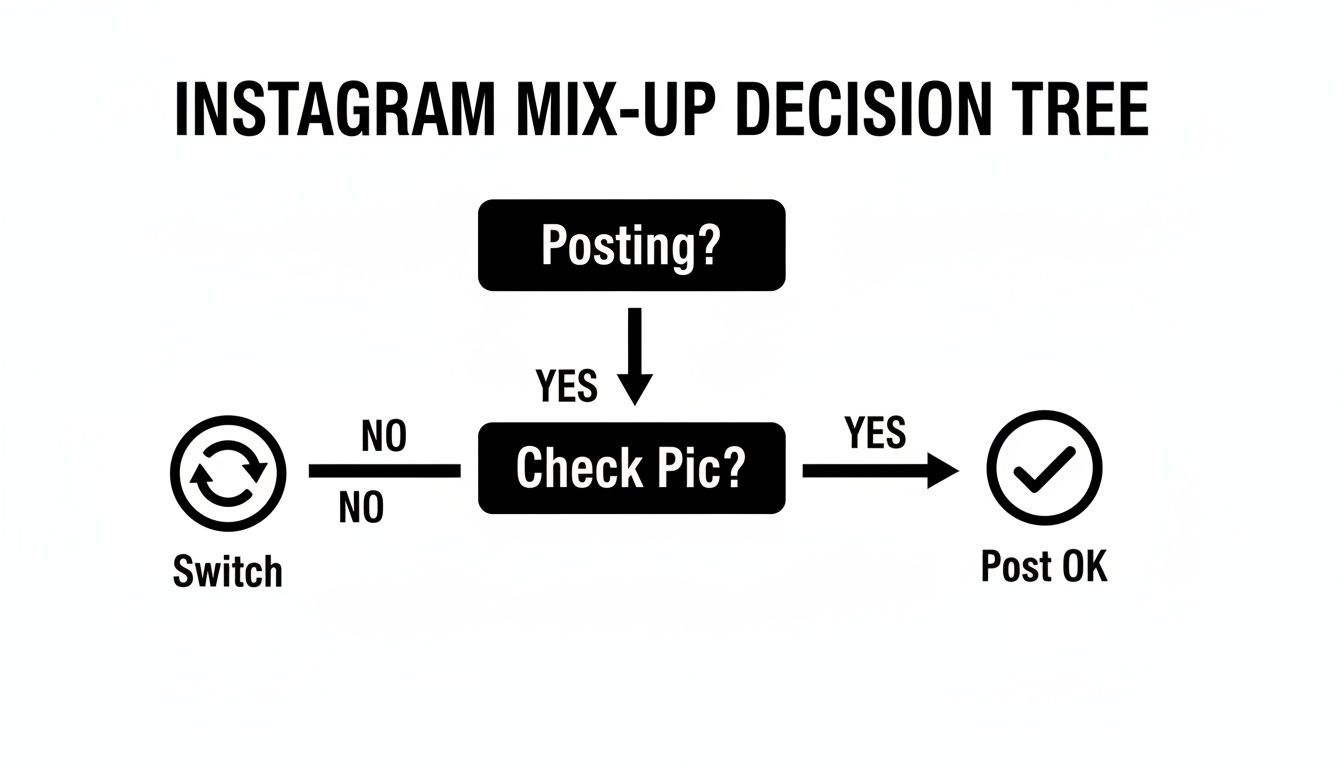
This simple decision process is something that a good scheduling tool automates, ensuring the right content always lands on the right profile, every single time.
Why Schedulers Are a Game Changer
The biggest win here is simple: you get your time back. Instead of being chained to your phone for real-time posting, you can set aside one block of time—maybe an hour on Monday morning—to schedule out the entire week’s content for every single account. This "batching" method is a massive productivity boost. It frees you up to focus on what really moves the needle, like engaging with your community or refining your strategy.
Getting the hang of scheduling posts on Instagram is crucial for maintaining a steady presence. This consistency is a strong signal to the algorithm that your accounts are active and worth showing to more people, which can seriously help your reach over the long haul.
But it's not just about scheduling. These tools pack a lot more power:
- Unified Analytics: Imagine seeing all your accounts' performance metrics in one place. You can instantly compare follower growth, engagement rates, and top-performing posts without having to manually pull data from each profile.
- Team Collaboration: Working with a team? You can set up slick workflows. A writer can draft the posts, a designer can add visuals, and you can give final approval—all within the platform. No more messy spreadsheets or endless email chains.
- Content Calendars: Get a bird's-eye view of your entire content strategy. A visual calendar helps you see what's planned for each account, making it easy to spot content gaps and ensure each brand maintains its unique voice.
If you want to explore the options out there, checking out a solid list of third-party apps for Instagram can help you find the one that fits your workflow and budget perfectly.
Native App vs Third-Party Tools: A Comparison
Choosing between the Instagram app and a dedicated tool really depends on your scale and needs. The native app is free and straightforward for simple use cases, but third-party tools offer a professional-grade command center for serious social media management.
| Feature | Instagram App | Third-Party Tool (e.g., Buffer) |
|---|---|---|
| Account Management | Manually switch between up to 5 accounts | Manage unlimited accounts from one dashboard |
| Post Scheduling | Not available for feed posts (only Stories) | Advanced scheduling, auto-publishing, queues |
| Analytics | Basic, per-account insights | Consolidated, comparative, in-depth reporting |
| Team Collaboration | None; requires sharing login credentials | Role-based permissions, drafts, approval flows |
| Content Planning | No built-in calendar or planning tools | Visual content calendars, content libraries |
| Cost | Free | Free basic plans; paid tiers with more features |
Ultimately, while the Instagram app gets the job done for casual users, a third-party tool is a non-negotiable for anyone managing multiple brands, clients, or a complex content strategy.
Think of it this way: investing in a management platform isn't just about buying software. It's about building a system. You're moving from a chaotic, reactive workflow to a proactive, organized, and scalable operation. For anyone serious about growth, that shift is everything.
Content and Engagement Strategies for Each Account
Juggling multiple Instagram accounts is more than just a logistical challenge. Once you get the hang of switching between profiles and scheduling posts, the real strategy begins. Each account needs to stand on its own, with a distinct identity and purpose. If you treat them all the same, you’ll just end up confusing your audience and diluting your message.
The foundation of a strong multi-account strategy is building separate content pillars for each one. Think of these as the 3 to 5 core themes you'll consistently talk about. For instance, a graphic designer might have a professional account focused on logo design, branding case studies, and client testimonials. Their personal account, on the other hand, could revolve around their passion for urban photography, rock climbing, and local coffee shops.
This separation is what gives followers a reason to follow one, or even both, of your accounts. They know exactly what they’re getting from each profile, which keeps them coming back.
Tailoring Your Voice and Visuals
Beyond the topics you post about, each account needs its own personality. This really comes down to your caption voice and your visual style. Your professional profile might have a confident, helpful tone, while your personal one is more casual, witty, and behind-the-scenes.
The same goes for your visuals. Maybe you use a crisp, minimalist aesthetic for your business grid but a warmer, more vibrant filter for your personal photos. These subtle cues create a strong brand identity and help people instantly recognize which account’s content they’re seeing in their feed.
One of the biggest mistakes I see is people cross-posting the exact same content to different accounts. Not only does this annoy anyone who follows both, but it can also signal to the algorithm that your content is low-effort, which could end up hurting your reach everywhere.
Defining a Unique Hashtag Strategy
Hashtags are definitely not a one-size-fits-all game. Copying and pasting the same generic list across all your profiles is a massive missed opportunity. You need a dedicated hashtag strategy for each account that’s tailored to its specific niche and the audience you’re trying to reach.
- For a Business Account: Zero in on industry-specific keywords (like
#SocialMediaMarketing), location tags (#AustinTech), and community hashtags (#FemaleEntrepreneurs). - For a Personal Brand Account: Lean into hashtags that reflect your personality and interests (
#BookwormLife,#MountainHiking), along with a unique branded tag that’s all your own.
Splitting your content this way allows you to connect with different audiences more effectively. This is especially true when you consider that a whopping 76% of Americans aged 18–24 use Instagram. By creating targeted accounts, you can optimize your engagement and get more out of your efforts—after all, Instagram ads now reach an incredible 1.74 billion people globally.
If you're looking for more ways to boost your interactions, our guide on how to get more engagement on Instagram is packed with actionable tips to help you grow each account with intention.
Common Questions on Juggling Multiple Instagram Accounts
When you start managing more than one Instagram account, a few questions always pop up. It's totally normal to wonder about the official rules, privacy, and the nitty-gritty of day-to-day posting. Let's clear the air and tackle some of the most common concerns I hear from people.
How Many Instagram Accounts Can I Actually Add to the App?
Right inside the official Instagram app, you can add and easily switch between up to five accounts. No more logging in and out all the time.
For most people—freelancers, small business owners, or creators separating their personal brand from a business—five is plenty. It's a pretty generous limit that covers most typical scenarios.
But if you're a social media manager or part of an agency, five accounts probably won't cut it. That’s the point where a third-party tool like Buffer, Hootsuite, or Sprout Social becomes non-negotiable. These platforms are built from the ground up to handle a large roster of clients from a single dashboard, and they come packed with scheduling and analytics features that the native app just doesn't have.
If I Add a New Account, Will My Current Followers See It?
Nope. Your accounts are treated as separate entities. When you create a new profile, Instagram doesn't send out a notification to your followers on other accounts. Your personal followers won't suddenly know you've launched a new page for your side hustle.
Of course, you can—and often should—link them yourself. Cross-promoting is a smart strategy.
The easiest way is to just mention your other account in your bio.
For example, a founder could put "Building things at @[YourBusinessAccount]" in their personal bio. It’s a simple, effective signpost that lets curious followers find their way to your other projects. You're in complete control of that connection.
Can Instagram Ban Me for Having More Than One Account?
Simply having multiple accounts is perfectly fine. You won't get banned for it. Instagram literally built the account-switching feature to make this easier, so they fully support it. Having separate accounts for your business, your personal life, a hobby, or even your dog is completely within the rules.
The real danger comes from how you use those accounts. If you create accounts to spam people, harass others, or use aggressive automation to follow and like from all profiles at once, you're heading for trouble. As long as you're using each account for its intended purpose and respecting the community guidelines, you have nothing to worry about.
What’s the Best Way to Avoid Posting to the Wrong Account?
This is the number one fear, and I get it. The good news is that it's easily avoidable with one simple habit: always check the small profile picture at the top of the screen right before you hit "Share." That tiny circle is your final confirmation.
To make this check almost foolproof, give each account a distinct profile picture.
- Business Account: Your company logo.
- Personal Account: A photo of your face.
- Hobby Account: An icon or image that represents that specific niche.
These strong visual cues make it instantly obvious where you're about to post. If you're still worried, using a scheduling tool provides another safety net, since you have to actively select which account you're scheduling for.
Will My Engagement Drop if I Have Multiple Accounts?
It shouldn't. In fact, if you play your cards right, it can actually boost engagement. When you create dedicated accounts for specific niches, you attract a much more targeted audience for each one. These followers are more likely to engage because the content is precisely what they came for.
The trick is to treat each account as its own brand with a unique voice. Don't just copy and paste the same content everywhere. You need to tailor your posts, captions, and hashtags to what each audience wants to see. A smart multi-account strategy doesn't dilute your engagement; it focuses it.
Ready to stop manually posting to all your accounts and save hours every week? EvergreenFeed automates your content schedule by connecting to Buffer, ensuring your profiles are always active with your best evergreen posts. Start automating your social media content today.