James
James
A marketing automation workflow is your secret weapon for turning repetitive tasks, like social media posting, into a hands-off, scalable system. Instead of getting bogged down in the daily grind, you set up rules and triggers that automatically get the job done. This isn't just about saving a few minutes; it's a completely different way of thinking about your digital presence.
Why an Automated Workflow Is No Longer Optional

Let's be real—managing social media manually is a grind. The constant pressure to feed the beast with fresh, high-quality content across all your channels can drain even the most passionate marketer. It feels like you're stuck on a content treadmill, leaving zero time for the work that actually moves the needle, like talking to your customers or planning your next big campaign.
This is exactly why a marketing automation workflow has become a must-have. It stops being a "nice-to-have" and becomes a core part of your strategy, shifting your focus from just filling a calendar to actually building a sustainable system for growth.
The Shift From Manual Labor To a Strategic Asset
Think about your best content for a second. Your most insightful blog posts, your most helpful guides, those killer client testimonials… what if they could work for you 24/7, without you doing a thing? That's the whole idea behind an evergreen workflow. Instead of publishing something once and crossing your fingers, you build a library of proven assets that get shared and reshared automatically.
This simple shift solves two of the biggest headaches in social media:
- Consistency: Your profiles stay active and engaging, even when you're swamped with other priorities.
- Scalability: You can handle more platforms and a much larger content library without chaining yourself to your desk for more hours.
Stop treating social media like a daily chore and start treating it like an automated asset. This system becomes your tireless digital employee, ensuring your best work always finds a new audience.
The numbers back this up, too. On average, companies earn $5.44 for every $1 invested in marketing automation. Even better, 76% of organizations see a positive return on their investment within the first year. It’s a clear business case for ditching the manual grind.
Manual Posting vs Automated Workflow: The True Cost
When you look at the real-world impact, the difference between manual and automated posting becomes crystal clear. It's not just about time; it's about efficiency, cost, and ultimately, results.
| Metric | Manual Posting | Automated Workflow |
|---|---|---|
| Time Investment | 5-10 hours per week | 1-2 hours per week (after setup) |
| Cost (Labor) | High (salary/hourly rate for constant management) | Low (fixed software cost) |
| Consistency | Inconsistent, prone to human error/burnout | Highly consistent, runs 24/7 |
| Content Lifecycle | "Post and forget" | "Post and recycle," maximizing value |
| Scalability | Poor; more channels = exponentially more work | Excellent; easy to add new channels |
| Strategic Focus | Focused on tactical, daily scheduling | Focused on high-level strategy and engagement |
As you can see, the automated approach doesn't just save time—it creates a more stable, scalable, and strategic foundation for your social media efforts.
How an Automated Workflow Unlocks Growth
By putting tools like EvergreenFeed and Buffer to work, you're not just scheduling posts—you're building a content engine. This frees you up to step back from the tiny details of the daily schedule and look at the bigger picture.
Think about a small business owner who spends an hour every single day queuing up posts. An automated workflow gives them back those hours. That's time they can now spend talking to customers, developing new products, or planning for the future. The workflow handles the consistency; they handle the connection.
To really see how this changes the game, it’s worth exploring how you can automate content marketing and scale your results. This is how you transform your social media from a time-suck into a reliable driver of growth.
Gathering Your Content and Connecting Your Tools

Before you can even think about scheduling your first automated post, you need the raw materials. I’ve found that a successful automation system really boils down to two things: a solid library of reusable content and the right tools talking to each other. Nailing this prep work is what separates a smooth, self-sustaining workflow from one that feels like a constant chore.
Your first move is to conduct a content audit. Don't worry, this isn't some soul-crushing, weeks-long project. It's more of a treasure hunt for your "evergreen" assets—the timeless stuff that works just as well today as it did a year ago.
Unearthing Your Evergreen Content Goldmine
What you're looking for is content that isn't tied to a specific date or fleeting trend. I’m talking about your foundational blog posts, ultimate guides, killer case studies, timeless tips, and glowing testimonials. This is the fuel for your automation engine.
A great place to start is your own analytics. Dig in and find your greatest hits:
- High-Traffic Blog Posts: Which articles are the reliable workhorses, pulling in traffic month after month?
- Most-Shared Content: What have people already voted for with their "share" clicks?
- High-Conversion Assets: Which guides or case studies are already proven to turn readers into leads?
I like to use a simple spreadsheet to track all this. Just list the URL, a quick description, and a note on why it’s a winner. This isn't just about grabbing links; it’s about understanding what resonates with your audience so you can feed the machine with proven content from the get-go.
Your best-performing content from the past is your greatest asset for the future. An evergreen workflow doesn’t just share content; it multiplies the impact of your most successful work by giving it a permanent lifecycle.
Setting Up Your Automation Toolkit
Once you have a list of content ready, it’s time to hook up the tools that make the magic happen. For this setup, we’re relying on two key players: Buffer for publishing and EvergreenFeed for the smart automation.
First, get your Buffer account in order. If you don't have one, get signed up and connect all your social media profiles. This acts as your publishing hub. The main thing here is just making sure your queues are active and ready to be filled.
Next up, connect EvergreenFeed. After you create an account, the setup process walks you through linking it to Buffer. It’s usually just a few clicks to authorize the connection. This is the crucial link that lets EvergreenFeed be the "brain" of the operation, pushing content into your Buffer queues based on the rules we’ll create later.
When building any kind of automation, it pays to know what’s out there. Checking out a list of the best social media automation tools can give you a better sense of the landscape and why a specialized tool like EvergreenFeed fits so well into a broader strategy.
Once they're connected, your foundation is solid. You’ve got a hand-picked library of your best content and a technical bridge between your automation brain and your publishing tool. For more ideas on building out your tech stack, check out our guide on the https://www.evergreenfeed.com/blog/best-tools-for-content-creators/.
Now that you’ve got your best-performing posts and your tools hooked up, it’s time to give your automation some real structure. You can’t just dump everything into a single queue and hope for the best. The real secret to making your automated feed feel dynamic and engaging is strategic categorization—what we call "content buckets."
Think of content buckets like themed playlists for your social media. Instead of hitting shuffle on your entire music library, you’re creating specific vibes for different moments. Inside EvergreenFeed, these buckets are how you tell the system what kind of post to share and when, keeping your feed from sounding like a broken record.
This is where you move from a random collection of posts to a truly balanced content strategy. It’s how you guarantee your audience gets a healthy mix of value, personality, and promotion.
Why Content Buckets Are a Game Changer
Without buckets, your automation can get stale—fast. With them, you have precise control over your content mix. This simple act of organization is what stops you from over-sharing promotional stuff one week and under-sharing helpful tips the next.
This kind of smart workflow is why the marketing automation market is projected to explode from $47.02 billion in 2025 to $81.01 billion by 2030. It's all about automating customer journeys in an intelligent way, a practice that 79% of marketers have already adopted. The ability to categorize and schedule content is a big reason why social media automation has hit 50% usage among pros.
The whole point is to build a system that mirrors a natural, human-curated content calendar—but without all the manual grunt work.
Defining Your Core Content Buckets
So, what should your buckets actually be? While the perfect mix depends on your brand, a few universal categories are a fantastic starting point. Most successful social strategies pull from a blend of these themes.
Here are four powerful content buckets you can set up in EvergreenFeed right away:
- Industry Insights: This is your "thought leader" bucket. Fill it with news, trends, and data relevant to your audience. It positions you as the go-to resource in your space. Think articles from top publications, your own data reports, or expert commentary on breaking news.
- Helpful How-To Guides: This is where your best evergreen educational content shines. We're talking foundational blog posts, quick video tutorials, and step-by-step guides. This bucket is all about delivering immediate value and solving problems for your followers.
- Behind the Brand: People want to connect with other people, not faceless logos. Use this bucket to show off your company culture, your team, and the human side of your business. Employee spotlights, behind-the-scenes office tours, and posts about your mission work perfectly here.
- Client Wins & Case Studies: Nothing builds trust faster than social proof. This bucket is for testimonials, customer success stories, glowing reviews, and in-depth case studies. It’s your opportunity to show people the results you get, not just tell them.
For a deeper look at this strategy, check out our complete guide on how to create social media content buckets that truly connect with your audience.
Tailoring Buckets to Your Business Model
The best part about the bucket system is how flexible it is. The content mix for a B2B SaaS company will—and should—look completely different from that of a local coffee shop.
Let’s walk through a quick example. For a B2B tech company, the buckets might look something like this:
- Bucket 1: Technical Deep Dives (linking to detailed tutorials on their blog)
- Bucket 2: Industry News Analysis (sharing and commenting on the latest tech trends)
- Bucket 3: Product Feature Spotlights (short videos or GIFs showing the software in action)
- Bucket 4: Customer Success Stories (pull quotes and links to full case studies)
As you can see, the EvergreenFeed interface makes it simple to create and manage these distinct categories.
The screenshot shows just how easy it is to set up and name different buckets, getting them ready to be filled with your awesome content.
Now, let's flip the script and think about a local retail shop. Their strategy would be entirely different:
- Bucket 1: New Arrivals (high-quality photos and videos of new products)
- Bucket 2: Meet the Team (introducing the friendly faces behind the counter)
- Bucket 3: Community Events (promoting in-store workshops or local partnerships)
- Bucket 4: Customer Photos (sharing user-generated content from happy shoppers)
To help you visualize this, here’s a sample table outlining how different businesses could approach their content bucket strategy within EvergreenFeed.
Sample Content Bucket Strategy
| Content Bucket | Content Type | Posting Frequency Goal |
|---|---|---|
| B2B Tech: Industry News | Curated articles, expert commentary | 20% of posts |
| B2B Tech: Product Education | How-to guides, feature spotlights | 40% of posts |
| B2B Tech: Company Culture | Behind-the-scenes, team spotlights | 15% of posts |
| B2B Tech: Social Proof | Case studies, client testimonials | 25% of posts |
| eCommerce: New Products | Product photos, launch announcements | 35% of posts |
| eCommerce: User-Generated Content | Customer photos, reviews | 25% of posts |
| eCommerce: Lifestyle & Inspiration | How to use products, style guides | 30% of posts |
| eCommerce: Sales & Promotions | Discounts, special offers | 10% of posts |
By taking the time to organize your posts into these thematic buckets, you’re not just automating—you’re building an intelligent, varied, and sustainable posting schedule that will keep your audience hooked for the long haul.
Building Your Intelligent Posting Schedule
Once your content is neatly sorted into buckets, you're ready for the most powerful part of this workflow: telling the system when to post everything. This is where we move beyond just randomly blasting content out. We're going to create a thoughtful, intelligent schedule that matches each type of content with your audience's habits and, of course, your business goals.
Let's ditch the old "post three times a day" mindset. That approach leads to audience fatigue and a stale feed. Instead, we'll build a dynamic calendar that keeps things fresh, valuable, and feeling human. This is the logic that turns a basic scheduler into a smart content distribution engine.
Assigning Rules to Your Content Buckets
The real magic happens inside EvergreenFeed, where you assign specific posting times to each of your content buckets. This is what gives you such fine-tuned control over your feed's rhythm. For instance, you probably don't want to share a salesy post with the same frequency as a genuinely helpful industry tip.
Here’s how I typically approach setting these rules:
- Industry Insights: These are your authority-builders. I schedule them during business hours when people are in that professional mindset. Think once a day on LinkedIn around 10 AM and a few times a week on X/Twitter.
- Helpful How-To Guides: This is pure value, so it performs well almost anytime. I've found these do great during commutes or lunch breaks, so I’ll slot them in for early mornings and midday across all platforms.
- Client Wins & Case Studies: This is your social proof. It’s incredibly powerful but you have to use it sparingly to avoid sounding like you're bragging. I limit these to two or three times a week, usually mid-morning when I know decision-makers are most active.
- Behind the Brand: This stuff builds real connection. It’s perfect for more visual, personal platforms like Instagram or Facebook. I schedule these for evenings or weekends when people are scrolling in a more relaxed, community-focused mood.
This visual gives you a simple look at how different content types flow through the system to create a balanced mix.
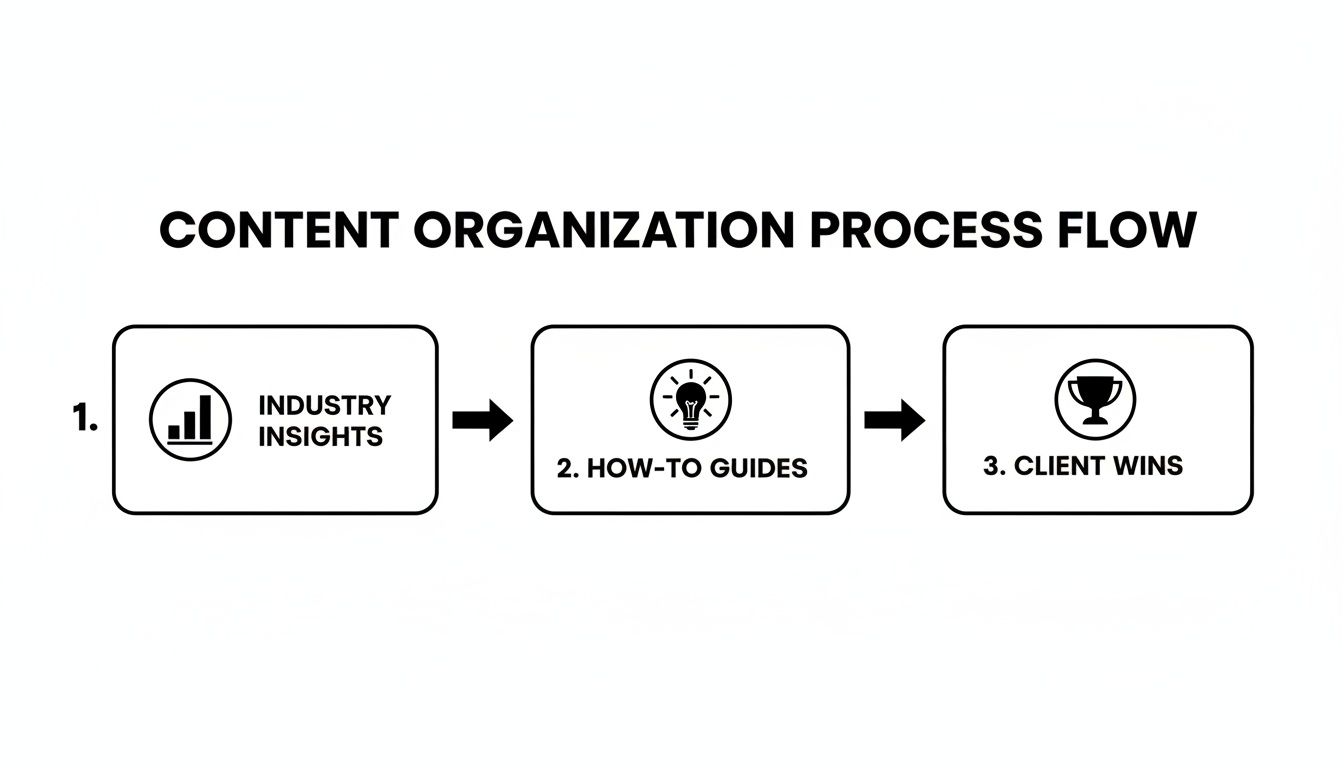
By breaking content down into buckets like 'Industry Insights' and 'Client Wins,' you're making sure your schedule delivers a variety of content that hits different needs at different times.
Platform-Specific Timing Strategies
Let's be real: not all social platforms are the same. The best time to post for a B2B audience on LinkedIn is completely different from what works for a B2C brand on Instagram. Your schedule has to account for this.
A great starting point is to dive into your existing analytics, whether in Buffer or the native social media apps. Look for when your posts have historically gotten the most traction. Use that data as your baseline, but don't be afraid to experiment from there.
Here’s a sample breakdown I often use as a starting point:
- LinkedIn: Stick to weekdays. I’ve seen the most success Tuesday through Thursday, from 9 AM to 12 PM. This is prime time for professional content.
- Instagram: Engagement here tends to spike outside of the 9-to-5. I always test posts around lunchtime (12 PM to 1 PM) and in the evenings (7 PM to 9 PM).
- X/Twitter: The firehose nature of this platform means you can post more often. Spreading posts throughout the day, from morning to evening, usually works well.
The goal here is to craft a weekly master schedule that feels intentional. A Monday morning might kick off with an insightful article on LinkedIn, while a Friday afternoon could be perfect for a fun team photo on Instagram.
This is exactly where automation proves its worth. Studies show 91% of marketers see better productivity with automation, freeing up an average of 2.3 hours per campaign. Considering that 50% of users are already automating social media, that time savings is a game-changer.
With a well-structured schedule in place, you’re no longer just filling slots in a calendar. You're strategically delivering the right message to the right person at the right time. To get a head start, grab some proven ideas from our social media posting schedule template.
How To Test And Optimize Your Workflow
Putting your marketing automation workflow live feels like a big win. Yet in my years running social campaigns, I’ve learned that this is really just round one. Think of your setup as a living system—one that thrives on careful testing and ongoing adjustments.
Skipping a quick pre-flight check is a classic rookie move. I once fired off a month’s worth of posts only to discover an extra character in a URL. Dozens of clicks vanished into the void. Preventing that scenario takes just a few minutes.
Your Pre-Launch Checklist
Let’s keep this simple. Your aim is to confirm that your content buckets, scheduling rules, and links all play together smoothly.
- Bucket-to-Buffer Connection: Manually push a single item from one EvergreenFeed bucket into Buffer. Jump into your queue and verify it’s queued under the right social account. In one campaign, this step caught a Pinterest post lined up for LinkedIn.
- Scheduling Rule Accuracy: Suppose you’ve set “Helpful How-To Guides” to publish every Tuesday at 10 AM. Trigger that guide, then check Buffer’s calendar view. Does it show up at 10 AM on Tuesday?
- Link Integrity: Click the link in your test post from Buffer. No 404s or unexpected redirects? Perfect. If something breaks, fix the URL or tracking parameters before going live.
This tiny checklist acts like a safety net. It stops embarrassing mishaps before they reach your audience.
Tracking The Right Metrics For Improvement
Once your workflow is humming, shift your attention from setup to performance. It’s tempting to obsess over follower counts, but those numbers don’t tell the full story. Instead, zero in on metrics tied to your content buckets.
Here are the 3 metrics I scrutinize after each week:
- Engagement Rate Per Bucket: Compare likes, comments, and shares across themes. Are “Client Wins” outperforming “Industry Insights”? This metric highlights what truly resonates.
- Click-Through Rate (CTR): Of everyone who sees a link, how many actually click? A strong CTR shows your headline and visuals are compelling enough to stop the scroll.
- Follower Growth Over Time: Admittedly, follower count isn’t a direct content measure. But a steady climb indicates you’re attracting the right audience with consistent, high-value posts.
Don’t drown in data—ask yourself: Which content buckets spark the most meaningful conversations?
Armed with these insights, you can tweak posting frequency and content mix. Maybe your “Behind the Brand” stories deserve extra airtime. Or perhaps that underperforming blog link needs a fresh headline—or a permanent exit from rotation. This cycle of testing, measuring, and refining is what turns a good workflow into an unbeatable strategic asset.
Advanced Tips to Get Even More Out of Your Workflow
Alright, you've got the basic machine built and running. Now, let's talk about the fine-tuning that takes a good automation system and makes it a powerhouse. These are the little adjustments that can make a huge difference in your results over the long haul.
Think of it as moving beyond just "setting and forgetting." This is about creating a smart, adaptable system that keeps your social media presence fresh and effective.
Mix Up Your Messaging with Post Variations
One of the dead giveaways of automation is seeing the exact same post caption over and over again. The easiest way to avoid sounding like a broken record is to create post variations.
Don't just write one caption for that evergreen blog post you're so proud of. Write three or four. Each time the post comes up in the queue, your audience sees a different angle.
For example, you could try:
- Variation 1: Lead with a surprising statistic from your article.
- Variation 2: Pose a thought-provoking question that the content answers.
- Variation 3: Pull a powerful, direct quote from the article itself to use as the caption.
This is a simple trick, but it's incredibly effective. When the same link gets shared a few months down the line, it feels new. You're giving your best content a much longer life and a better chance to connect with different segments of your audience.
Keep Your Content Library Fresh with Regular Audits
Your evergreen content library isn't a museum—it's a living garden that needs some weeding every now and then. I make it a point to set a calendar reminder once a quarter to do a quick audit of my content buckets. It’s not a huge, time-consuming project; it's just a check-in.
Here's what I look for:
- Outdated Content: Is that post still referencing trends or stats from five years ago? It's time to archive it.
- Weak Performers: If a piece of content has been shared multiple times and consistently gets crickets, it might be time to retire it or give it a complete overhaul.
- Hidden Winners: Look for those posts that always do well. Could you update one with some new data or insights to make it even more valuable?
This simple habit makes sure your automated feed is always circulating your best, most relevant stuff.
Your marketing automation workflow is a garden, not a warehouse. It needs regular tending—pruning what's no longer fruitful and feeding what grows best—to produce the results you want.
Spin Up Temporary Buckets for Campaigns
Your evergreen workflow is your baseline, but it doesn't have to be rigid. One of my favorite pro moves is to create temporary, campaign-specific content buckets for big pushes.
Let's say you're gearing up for a Black Friday sale or a big spring product launch. Instead of messing with your carefully planned evergreen schedule, you can create a brand new content bucket in a tool like EvergreenFeed and call it "Black Friday 2024."
Fill that bucket with all your promotional posts, teasers, and special offers. Then, you can set up a new, aggressive scheduling rule to post from that bucket multiple times a day.
The best part? Once the campaign is over, you just turn off that one bucket. Your regular evergreen content immediately picks back up right where it left off, no fuss required. It’s a brilliant way to run focused, high-intensity campaigns without wrecking your long-term content strategy.
Common Questions Answered
Even the best-laid plans come with a few questions. As you start building your own marketing automation workflow, a few things might pop into your head. Let's walk through some of the most common queries I hear from people setting this up for the first time.
Getting these details right from the start is what separates a clunky, robotic system from a smooth, content-generating machine.
How Often Should I Refresh My Evergreen Content?
This is a big one. You don't want your automated feed going stale.
I've found that a quarterly review is the sweet spot. You don't need to reinvent the wheel every 90 days. Just think of it as a quick health check for your content library.
During your review, focus on these three things:
- Remove: Ditch anything that's outdated. Think old stats, links to retired products, or anything that just doesn't hit the mark anymore.
- Refresh: Take a look at your top-performing posts. Can you swap in a new image? Write a punchier headline? A small tweak can give great content a new lease on life.
- Replenish: This is the fun part. Add your newest blog posts, case studies, and killer tips into their respective content buckets. This keeps the whole mix fresh.
Making this a regular habit ensures your audience is always seeing your best, most relevant stuff, without you having to do a massive, time-consuming overhaul.
Is This Going to Make My Brand Sound Like a Robot?
Totally valid fear. No one wants their social media to sound like it's run by a soulless machine. But a smart workflow actually does the opposite.
The trick is all in the variety. By setting up different content buckets for tips, blog posts, questions, and quotes, you're building in a natural mix that feels dynamic and interesting. I also recommend writing a few different text variations for your most important posts so they don't look like carbon copies every time they appear.
Here's the real secret: Automation handles the consistency, freeing you up to be human. While the workflow keeps your schedule full, you have more time to jump into conversations, reply to comments, and engage with your audience in real time. It's that blend of a reliable automated base with genuine, in-the-moment interaction that really works.
What's the Actual Difference Between Buffer and EvergreenFeed?
It's helpful to think of them as partners with different jobs: a publisher and a librarian.
Buffer is the publisher. You hand it a stack of content, and it pushes it out exactly when you tell it to. Once a post is published, it's gone from the queue. You have to manually add it again if you want it to go out in the future.
EvergreenFeed is your smart librarian. You stock its categorized library (your content buckets) just once. From there, it intelligently pulls from that library based on your rules and continuously keeps your Buffer queue filled.
This turns your system from a manual "schedule-and-repeat" chore into a true "set it and forget it" engine for your best content. It makes sure your hard work gets seen over and over without you lifting a finger.
Ready to stop the endless cycle of manual posting and build a content engine that works for you 24/7? With EvergreenFeed, you can implement this exact marketing automation workflow in just a few minutes. Start your free trial today and see how easy it is to put your social media on autopilot.