James
James
If you want to increase Instagram engagement, you have to start with a baseline. You can't know where you're going if you don't know where you stand. That means digging into your current performance—your engagement rate, reach, and follower growth—to see what's actually working with your audience. Only then can you build a strategy that gets real, measurable results.
Your Starting Point Auditing Current Instagram Performance

Jumping into new content ideas without first looking at your data is like driving blindfolded. An Instagram audit is your map, turning guesswork into a smart, calculated plan for growth. The goal here isn't just to look at numbers; it's to uncover the "why" behind what people are responding to.
This whole process is about finding your hidden strengths just as much as it is about spotting weaknesses. When you really get into your analytics, you'll start to see exactly what makes your audience tick, which formats they love, and when they’re actually online and ready to interact.
Moving Beyond Vanity Metrics
The first rule of a good audit? Stop obsessing over follower count. A big number looks nice, but it's completely hollow if those followers are silent. Instead, we need to focus on the metrics that show genuine connection and content health.
These are the KPIs that actually matter:
- Engagement Rate Per Post: This is your north star. To get it, add up the likes, comments, and saves on a post, divide by your total followers, and then multiply by 100. It shows you what percentage of your audience is actually paying attention.
- Reach and Impressions: Reach tells you how many unique accounts saw your post, while impressions track the total number of views. If your reach is high but engagement is low, it’s a red flag that your content isn't interesting enough to stop the scroll.
- Follower Growth Rate: Keep an eye on how your follower count is trending. Is it a slow and steady climb, or are you stuck? Big spikes or drops are usually tied to a specific piece of content or campaign, so pay attention.
A low engagement rate isn't a failure—it's valuable data. It’s simply telling you there's a disconnect between what you're posting and what your audience wants. Now you have a clear starting point.
Identifying Your Top-Performing Content
Alright, now it's time to play content detective. Pull up your posts from the last 30-90 days and sort them by performance. Don't just glance at likes—look for the posts with the most saves and shares. These actions are a huge tell. They mean someone found your content so valuable they wanted to either save it for later or pass it along. That's the gold standard.
While you're sifting through your best content, ask yourself a few questions:
- Which formats are winning? Are educational carousels getting all the saves? Do behind-the-scenes Reels spark the most conversation?
- What topics resonate most? Do posts about a specific product or theme always do better than others?
- Which CTAs actually work? Are simple questions in your captions driving more comments than anything else?
As you dig in, it's helpful to think bigger than just Instagram. Understanding how to analyze this data and apply proven tactics to improve your conversion rate will give you a powerful framework for turning all this engagement into real business outcomes.
Understanding Your Audience and Timing
Finally, let's get to know your audience on a deeper level. Head over to your Professional Dashboard in Instagram and tap into your Insights. The "Total followers" section gives you a breakdown of their locations, age ranges, and genders.
Even more crucial is the "Most active times" data. This is a goldmine. It shows you the exact days and hours your followers are scrolling the app. Posting within these peak windows gives your content its best shot at getting seen and engaged with right away. This audit creates the data-backed foundation you need for every other step in this playbook.
If you need a more structured walkthrough, our detailed social media audit checklist can guide you through every single step.
https://www.evergreenfeed.com/blog/social-media-audit-checklist/
Creating Content That Naturally Drives Interaction

Alright, you've done the audit and have a much clearer picture of what your audience actually likes. Now for the fun part: creating content that’s designed from the ground up to get a reaction.
High engagement isn’t a happy accident. It's what happens when you create something so genuinely valuable that people feel an impulse to save it, share it with a friend, or drop a comment.
The trick is to stop thinking, "What can I post today?" and start asking, "What problem can I solve for my audience right now?" When your content genuinely helps, educates, or just makes someone laugh, the engagement feels earned, not forced.
Prioritize Formats Built for Engagement
Let's be honest, not all Instagram formats are created equal. A beautiful, static image still has its place, but the data—and the algorithm—heavily favor formats that keep people on your post for longer. For most businesses, this means doubling down on two absolute powerhouses: carousels and Reels.
If you look at the numbers, carousels are often the unsung heroes of engagement. They're a fantastic way to tell a story, break down a complex idea, or showcase a product from multiple angles. Reels, on the other hand, are your ticket to reaching brand-new audiences and injecting some much-needed personality into your feed.
This table, based on recent Metricool data, breaks down how different formats typically perform.
Engagement Rates by Instagram Content Type
| Content Type | Average Engagement Rate (Metricool Study) | Strategic Focus |
|---|---|---|
| Carousels | 10.15% | Maximizing engagement with your current audience through in-depth, "savable" content. |
| Reels | 8.65% | Reaching new audiences and driving high shareability with short-form video. |
| Single Images | 6.15% | Quick announcements, high-impact visuals, and brand aesthetic posts. |
While Reels are incredible for reach, the data shows that carousels are the clear winner for getting your existing followers to interact. A smart strategy uses both to their full potential.
Crafting High-Value Carousels
The secret to a great carousel is treating it like a mini-resource. Your goal isn't just to share a few photos; it's to create something so useful that someone’s first thought is to hit that "save" button for later.
Here are a few proven ideas for carousels that get saved and shared:
- Mini-Guides & Tutorials: Break down a process into 5-10 easy-to-follow slides. Think "5 Slides to Perfect Your Kettlebell Swing" if you're a fitness coach.
- "Save This" Checklists: Give your audience a resource they'll want to come back to. A marketing agency could post "Your 7-Point Pre-Launch Checklist."
- Bust Common Myths: Take on a popular misconception in your field. Each slide can tackle a different myth and set the record straight.
- Repurpose Your Winners: Got a great blog post or podcast episode? Pull out the key takeaways and turn them into a slick, visual carousel.
Think of your first slide as the headline. It has one job: to stop the scroll. Hook them with a bold claim or a question that hits on a common pain point.
For a deeper dive, check out our full guide on how to create engaging social media content that helps you build a real community.
Creating Reels That Connect and Convert
With Reels, authenticity trumps perfection every time. This is your chance to pull back the curtain and show the real people and processes behind your brand. Jumping on a trend can be a great way to get seen, but the Reels that build true community are often the ones that offer a unique look into your world.
Try these concepts to get the interactions flowing:
- Behind-the-Scenes: Show how a product gets made or what a typical day really looks like at your company. It builds a ton of trust.
- Quick, Actionable Tips: Solve one specific problem in under 60 seconds. A chef could show a simple knife skill that saves home cooks a ton of time.
- Answer a Burning FAQ: Grab a common question from your DMs or comments and answer it directly in a Reel. It shows you're listening and provides value to everyone.
- Relatable Niche Humor: Use a trending audio clip to create a funny, meme-style Reel that only people in your industry would get. This stuff is highly shareable and makes people feel like they're in on the joke.
Ultimately, whether it's a carousel or a Reel, the mission is the same: deliver undeniable value. When you consistently show up to serve your audience, the likes, comments, and shares will naturally follow.
Getting Every Post Seen: Optimizing for Maximum Reach and Engagement
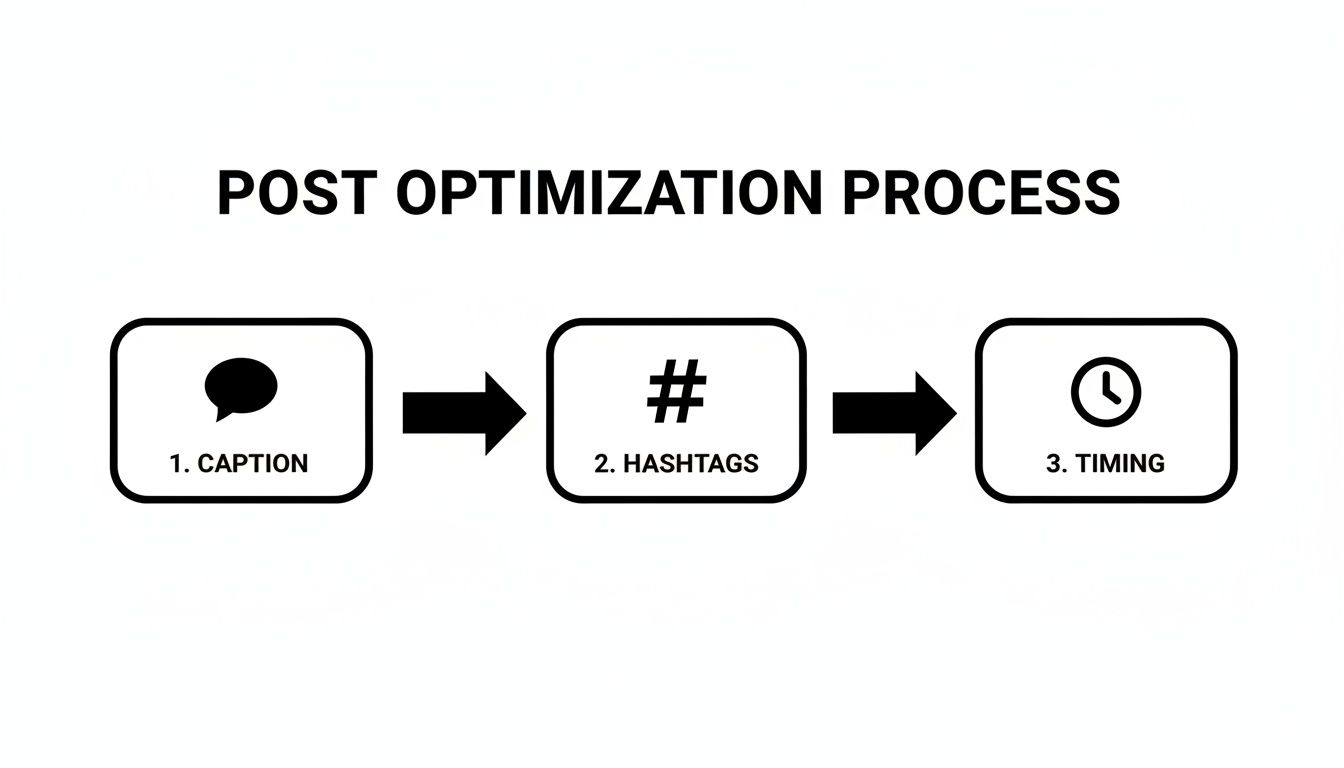
Creating a killer Reel or a brilliant carousel is a great start, but it’s really only half the job. If you want your hard work to pay off and actually increase your Instagram engagement, you have to give the final touches—your caption, hashtags, and timing—just as much attention. A fantastic post can easily get buried in the feed without a smart optimization strategy behind it.
Think of it this way: these final steps are how you give your content its best shot at being seen, understood, and acted upon. When you nail all three, you’re sending a crystal-clear signal to the Instagram algorithm about who to show your post to, while also giving your audience compelling reasons to interact.
Writing Captions That Actually Start a Conversation
Your caption is your direct line to your followers. It's what turns a passive scroll into an active conversation. That first line is the most valuable real estate you have—it absolutely has to stop the scroll and hook them in. Treat it like a headline.
Once you’ve grabbed their attention, use the rest of the space to share a quick story, add some context, or provide value that wasn’t obvious from the visual alone. This is where you build a real connection.
Finally, every single caption needs a clear, easy-to-follow call-to-action (CTA). One of the simplest ways to do this is by asking a direct question.
- Weak CTA: "Let us know your thoughts!"
- Strong CTA: "What’s the #1 tool you can't live without for your business? Tell us below. 👇"
See the difference? The second one is specific and simple to answer, which makes people far more likely to jump into the comments.
Making Sense of Your Hashtag Strategy
Hashtags have definitely changed. The old-school advice of slapping 30 generic tags on a post is dead. Not only is it ineffective, but it can look spammy to both your audience and the algorithm. Today, it’s all about relevance and intent, not just jamming in as many as you can. Hashtags are basically keywords that help Instagram sort your content and get it in front of the right people.
For the best results, I've found a strategic mix works wonders:
- Broad/Industry Hashtags (1-2): These are the heavy hitters like
#SocialMediaMarketingor#DigitalMarketingTips. They give you a chance at getting seen by a wide audience. - Niche/Content Hashtags (3-5): Get much more specific here, with tags directly related to your post, like
#InstagramCarouselTipsor#ReelsForBusiness. This is where you find your highly engaged, target audience. - Branded/Community Hashtags (1-2): These are your own unique tags, like
#EvergreenFeedTips. They're great for organizing your content and building a recognizable brand presence.
The real goal isn't just reach; it's relevant reach. I've seen it time and again: using 5-8 highly targeted hashtags will almost always beat out 30 random ones. The algorithm rewards relevance more than anything else.
What's really interesting is how the conversation around hashtags is shifting. With such a huge emphasis on high-quality content, some studies are even showing that posts with zero hashtags can get higher reach. It just goes to show that timing and the quality of what you're posting are massive factors. This really drives home the point that you need a holistic strategy to increase Instagram engagement—no single trick works on its own. If you want to dive deeper, our ultimate guide to Instagram hashtags is the perfect place to refine your approach.
Posting When People Are Actually Listening
The last piece of this puzzle is timing. You could have the most amazing content and perfectly curated hashtags, but if you post when your audience is offline, it’s going to fall flat. The engagement a post gets right after you hit "publish" is a huge signal to the algorithm about its potential.
The good news? You don't have to guess. Instagram tells you exactly when to post.
- Head over to your Professional Dashboard.
- Tap on Account Insights.
- Go to the Total Followers section.
- Scroll down to where it says Most Active Times.
This little chart shows you the exact days and hours your followers are most active. By consistently posting in these peak windows, you give your content the initial push it needs to gain momentum. And with global reports showing that 44% of users are on the platform to discover brands, being there when they're actively looking is a no-brainer. Discover more insights about Instagram user behavior.
Put Your Best Content to Work with an Evergreen System
Consistency is one of the most powerful—and exhausting—parts of growing on Instagram. You’ve put in the work to create incredible content and optimize it perfectly, but the daily grind of manual posting is a huge drain on your time and creativity. This is where an automated, evergreen content system becomes your secret weapon.
By setting up a smart workflow, you can keep your profile buzzing with high-quality, proven content, even on your busiest days. This isn't about being robotic. It's about getting the most mileage out of your best work without being chained to your phone.
Build Your Evergreen Content Buckets
The whole system starts with organizing your timeless content into "buckets" or categories. Think of these as themed libraries that your scheduling tool can pull from. A tool like EvergreenFeed is perfect for this, as it’s designed to let you create separate categories for different kinds of posts.
Here’s a simple way to structure your content buckets for the best results:
- Educational Carousels: This is the home for your high-value, "savable" content. Fill it with your best tutorials, checklists, and myth-busting carousels that solve real problems for your audience.
- Quick Tips & Tricks: This bucket is for single-image graphics or short Reels offering one quick, actionable piece of advice. These are super shareable and great for filling the gaps in your content calendar.
- Behind the Scenes & Brand Stories: Populate this with content that builds community and trust. Think team spotlights, a "day in the life" post, or stories about your brand's mission.
- Promotional Content: Use this bucket sparingly but strategically for posts about your products, services, or special offers.
The goal is to fill these buckets with content that isn’t tied to a specific date or event. Once a post is in a bucket, it can be recycled and reposted over time, which means it will continuously reach new people in your audience.
This kind of visual organization is exactly what helps you build a sustainable system you can manage in just a few minutes each week.
Set Your Master Schedule with Buffer
Once your content buckets are ready in EvergreenFeed, you connect it to a scheduler like Buffer. This is where the automation really kicks in. Instead of scheduling posts one by one, you create a master schedule that tells the system when to post and which bucket to pull from.
Your master schedule might look something like this:
- Mondays at 9 AM: Post from the "Educational Carousels" bucket.
- Wednesdays at 7 PM: Post from the "Quick Tips & Tricks" bucket.
- Fridays at 12 PM: Post from the "Behind the Scenes" bucket.
EvergreenFeed will automatically grab a random post from the right bucket and add it to your Buffer queue for that time slot. Your schedule stays full, your feed stays active, and you barely have to think about it.
This system flips content creation from a daily chore into a strategic, one-time task. You can spend a single afternoon loading a month's worth of evergreen content into your buckets and rest easy knowing your Instagram will run like clockwork.
Just remember to perfect your captions, hashtags, and timing before a post goes into your evergreen system. Ensuring each piece of content is fully optimized means every repost has the best possible chance to perform well.
The Real Power of Automated Reposting
So why is this so effective? The average organic reach for any given post is just a tiny fraction of your total follower count. That means a huge portion of your audience—not to mention all your new followers—never saw your best stuff the first time around.
Automated reposting gives your high-performers a second, third, or even fourth chance to connect with people. It ensures your most valuable content is always working to increase Instagram engagement, drive traffic, and build your community.
If you want to get even more systematic, you can look into tools that drive specific actions. For example, some people Automate Instagram follower campaigns with Zealy quests. By pulling together different automation tools, you can build a powerful growth engine that works for you 24/7. This frees you up to focus on what humans do best: replying to comments, building relationships, and creating fresh, timely content.
Measuring Your Success and Refining Your Approach
Getting your content created and your automation system humming is a huge win, but it’s not the end of the road. The best Instagram strategies aren't "set it and forget it." They're living, breathing things that need to be tweaked and improved over time. This is how you close the loop, turning your content efforts into a reliable engine for growth.
This cycle of posting, measuring, and refining is what really separates the accounts that see steady, predictable growth from the ones that are just busy posting. Without this final piece of the puzzle, you're essentially flying blind, guessing what works instead of knowing for sure.
Defining What Actually Matters (Your KPIs)
To figure out if your strategy is actually working, you have to track the right numbers. It's easy to get caught up in vanity metrics, but what you really need are the Key Performance Indicators (KPIs) that show the true health of your account. These are the stats that tell you what’s really landing with your audience.
When you do your weekly or monthly check-in, zero in on these core metrics:
- Engagement Rate: The classic formula of (likes + comments + saves) divided by your follower count is still a gold-standard metric. It's the cleanest way to see if your content is actually connecting with the people who already follow you.
- Reach Percentage: This one is super insightful. Just divide a post's reach by your total follower count. It tells you what percentage of your audience is actually seeing your stuff, giving you a real sense of your visibility in the feed.
- Website Clicks: If driving traffic is a goal (and it should be!), this is non-negotiable. Tracking clicks from your bio link tells you if your content is compelling enough to make people take that next step.
- Follower Growth: Keep an eye on your net follower growth from week to week. Are you picking up steam, or have you hit a wall? A steady climb is a great sign that your strategy is on the right track.
Your data tells a story. A post with high reach but low engagement probably wasn't strong enough to stop the scroll. On the other hand, a post with tons of saves is a massive signal that you created something genuinely valuable people want to come back to.
Turning Those Numbers Into Smarter Content
Data is pretty useless if you don't do anything with it. The real magic happens when you use your KPIs to make specific, informed changes to your content plan. This is where you graduate from simply tracking numbers to actively using them to increase your Instagram engagement.
It’s all about spotting patterns and making smart pivots. After you've looked at a month's worth of data, for example, you'll likely see some clear trends that practically scream for an adjustment.
Here’s what this looks like in the real world:
- Scenario 1: You notice your Reels are driving 80% of your new followers, but your in-depth educational carousels are getting triple the number of saves.
- The Move: Don't just ditch the carousels! This is a clear sign you need both. Adjust your content mix to a healthy balance—maybe three Reels and two carousels a week—to capture both new followers and provide deep value to your existing ones.
- Scenario 2: A spontaneous behind-the-scenes post blows up and becomes one of your most-commented pieces of content for the month.
- The Move: Your audience is telling you they want more authenticity. That’s a signal to make "behind the scenes" a permanent content pillar in your EvergreenFeed buckets.
- Scenario 3: Your analytics show that posts published at 8 PM consistently get more traction than your morning posts.
- The Move: This is an easy win. Go into your Buffer queue and adjust your schedule to match this peak time. You’ll give every post a better shot right out of the gate.
This process of constant iteration is what keeps your strategy from getting stale. It becomes a dynamic system that responds directly to what your audience is asking for, which is the secret to sustainable growth on the platform.
As of early 2025, Instagram had around 3 billion monthly active users, yet the average engagement rate for business profiles hovers at a tiny 0.45%. That massive gap is exactly why a consistent, data-informed approach is so critical for actually capturing attention. Learn more about Instagram's latest statistics and what they mean for marketers.
Got Questions About Instagram Engagement? Let's Clear Things Up
Even with the best plan, Instagram can feel like a moving target. Things are always changing, and it's easy to get stuck on a few common hurdles. I've heard these same questions come up time and time again from creators and marketers, so let's get you some straight answers.
How Often Should I Be Posting, Really?
This is probably the number one question I get. Forget the myth that you have to post every single day. The real goal is consistency, not just a high volume of posts. For most brands, aiming for 3-5 high-quality posts per week is the sweet spot. This keeps you visible in your audience's feed without burning you out or overwhelming them.
What's more important than a specific number is finding a rhythm you can actually stick to. It’s a thousand times better to share three killer, well-thought-out posts each week than it is to scramble and push out seven mediocre ones. Dive into your Instagram Insights, see when your followers are actually online, and build your schedule around those peak hours.
Are Hashtags a Waste of Time Now?
Nope, but the way we use them has completely changed. The old "spray and pray" method of slapping on 30 generic tags is dead. Think of hashtags less as a way to shout into the void and more as a sophisticated filing system. You're telling Instagram exactly what your content is about so it can serve it to the right people.
A more focused strategy is what wins today:
- Stick to 5-10 hyper-relevant tags that genuinely describe what's in your post.
- Create a mix of niche tags (for your die-hard fans) and slightly broader ones (to attract new eyeballs).
- Always include your own branded hashtag to build community and make your content easy to find later.
This targeted approach tells the algorithm your content is a perfect fit for people searching those terms, which is how you get in front of an audience that actually wants to engage.
The goal isn't just to get seen; it's to get seen by the right people. Strategic, niche hashtags are your secret weapon for attracting an audience that will actually stick around and interact.
What's the Fastest Way to Get More Engagement?
If you're looking for the quickest sustainable boost, start creating content that practically begs to be saved and shared. These two actions are like super-likes in the eyes of the algorithm because they signal high value. Carousels that teach something useful or Reels that are incredibly relatable are perfect formats for this.
Don't forget the simple power of a conversation, either. Ask a direct, easy-to-answer question in your caption. And when people comment or send you a DM, reply! Responding promptly shows both your followers and the algorithm that you're building an active, engaged community.
Does Replying to Comments Actually Make a Difference?
It makes a huge difference. Responding to comments is one of the easiest and most powerful ways to build a real community. When you take a moment to reply, you're telling your followers, "I see you, and I appreciate you."
This simple act pays off in two ways. First, it builds loyalty and makes people more likely to comment on your future posts. Second, every single reply you make counts toward your post's total comment count, which is a key engagement metric that can help the algorithm show your post to more people. It’s a win-win.
Tired of the daily content grind? Imagine putting your best posts on a smart-repeat schedule so your feed is always active, even when you're not. EvergreenFeed lets you do just that. You can build libraries of your top-performing content and let the automation handle the rest.