James
James
When you’re looking to streamline your business processes, the goal is simple: find and kill off redundant tasks, put repetitive work on autopilot, and keep a close eye on performance to make things more efficient. It’s all about making your workflows simpler, quicker, and less expensive.
Why Streamlining Your Processes Matters Now More Than Ever
Let's get past the buzzwords. Streamlining is the real engine behind modern business growth. It's about systematically getting rid of the friction—the wasted time, money, and energy—that holds your team back.
When your workflows are a chaotic mess, frustration builds, mistakes pile up, and you can bet your customers are noticing. Fixing these broken systems isn't just a minor operational tweak; it’s a strategic move that directly boosts your bottom line and improves your company culture.
Think about a growing e-commerce brand completely swamped by manual order fulfillment. Every single day, staff members were copy-pasting shipping details, manually updating inventory spreadsheets, and sending out individual tracking emails. This process wasn't just painfully slow; it was a breeding ground for human error, leading to shipping mistakes and unhappy customers.
By mapping out that entire workflow and bringing in an automated system, they turned a major bottleneck into a genuine competitive advantage.
Unlocking Growth and Morale
This kind of operational fine-tuning creates powerful benefits that you’ll feel across the entire organization.
- Boosted Team Morale: When your employees aren't bogged down by tedious, repetitive work, they can finally focus on more engaging, high-value projects. This shift cuts down on burnout and makes people happier in their jobs.
- Delighted Customers: Faster response times, fewer errors, and consistent service all add up to a superior customer experience. In today's market, that’s everything for retention and loyalty.
- Significant Cost Savings: Efficiency directly translates to savings. With automation and smarter workflows, companies often see a 22% reduction in operating costs.
The push toward automation is only getting stronger. The global automation market is projected to jump from $206 billion to nearly $227 billion in just one year—a crystal-clear sign that businesses are putting efficiency first. This rapid adoption is fueled by real-world results, with over 90% of workers reporting that automation makes them more productive. You can dig deeper into these automation industry insights from recent research.
Streamlining isn't just about doing things faster. It’s about creating a smarter, more resilient organization where every action adds clear value and moves the business forward.
To get started, it helps to think about the process in distinct phases. Each stage has a clear goal that builds on the last, taking you from initial confusion to ongoing improvement.
The Four Phases of Process Streamlining
| Phase | Objective | Key Activity |
|---|---|---|
| 1. Assess | Understand the current state | Identify bottlenecks, pain points, and redundancies by talking to your team and gathering data. |
| 2. Redesign | Create an ideal future state | Map out a new, simplified workflow. Decide what can be eliminated, simplified, or automated. |
| 3. Implement | Put the new process into action | Introduce new tools and training. Guide the team through the transition. |
| 4. Monitor & Optimize | Ensure continuous improvement | Track performance metrics, gather feedback, and make iterative adjustments to the new process. |
This four-phase approach provides a reliable roadmap for turning messy workflows into well-oiled machines that actually support your business goals.
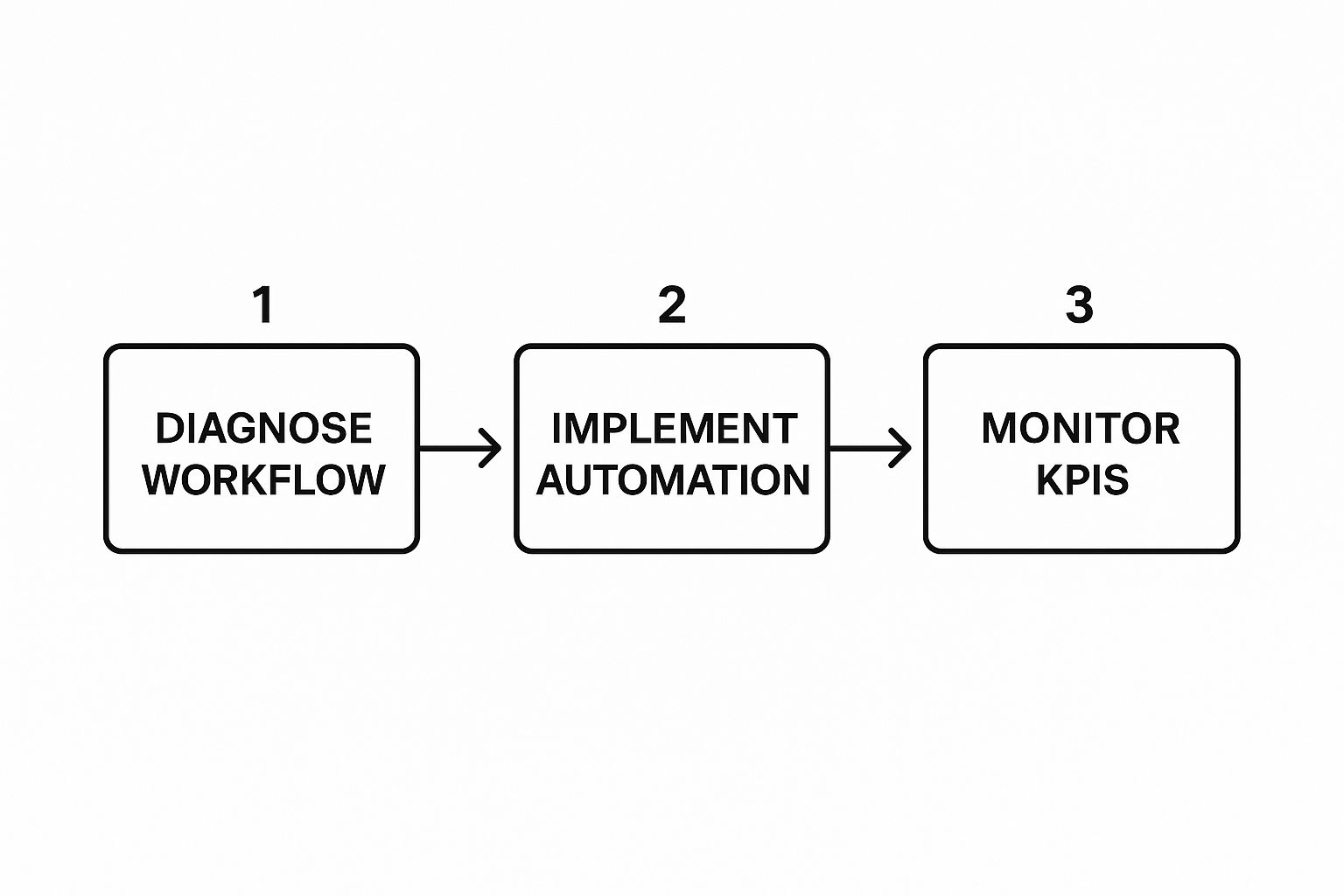
This basic framework—diagnose, implement, and monitor—gives you a clear path from pinpointing problems to achieving continuous, sustainable improvement.
Finding the Hidden Bottlenecks with Process Mapping
You can't fix a workflow you can't see. That’s where process mapping comes in. It’s a fancy term for a simple, powerful idea: drawing out your workflow to turn a messy series of tasks into a clear, visual flowchart. This is one of the most effective ways to understand how to streamline business processes because it shines a light on all the hidden delays, repetitive tasks, and frustrating bottlenecks.
Think about a digital marketing agency bringing on a new client. Without a clear map, the whole thing can feel like chaos. Important details vanish into endless email chains, nobody's quite sure who's responsible for what, and the client is left feeling out of the loop. By mapping it all out, you build a single source of truth everyone can follow.
Creating Your First Process Map
Getting started with this is far less intimidating than it sounds. You don't need fancy software right away—a whiteboard and a pack of sticky notes are perfect for your first run. The most important thing is to get the people who actually do the work involved. Their on-the-ground perspective is gold because they know how things really happen, not just how they're supposed to happen on paper.
I'd suggest picking one specific, contained process to start. The client onboarding example is a great one. Get everyone involved in a room—from sales and account managers to the tech team—and literally walk through the process step-by-step.
- Define the Start and End: What officially kicks things off? A signed contract? And what signals that it's done? The client's first campaign going live?
- List Every Single Action: Write down every task that happens in between. Don't skip anything, no matter how small. This means documenting the welcome email, creating the project folder, scheduling the kickoff call, and requesting account access.
- Flag the Decision Points: Where do you hit a fork in the road? For example, "Does the client already have an ad account?" These moments, often shown as diamond shapes in a flowchart, are critical because they send the workflow down different paths.
This forces you to get honest about the details you'd normally gloss over.
By visually mapping a workflow, you stop relying on assumptions and start working with facts. It’s the essential 'before' picture that provides the clarity needed to design a better 'after.'
When you're ready to make it look a bit more polished, tools like Lucidchart offer a clean way to build these diagrams. Here’s a good example of what a simple, collaborative process map can look like.

This kind of visual makes it incredibly easy for the whole team to see how work flows from one stage to the next. Once you have your map laid out, the real fun begins: the analysis.
Pinpointing the Inefficiencies
With your flowchart complete, it's time to put on your detective hat. You're looking for the common culprits: spots where work grinds to a halt, handoffs between too many people, or steps that are just plain redundant.
Start by asking your team some tough questions:
- Where do you waste the most time just waiting for something?
- Which part of this process causes the most headaches or confusion?
- Are we doing any of these tasks twice without realizing it?
The answers will quickly point you to the bottlenecks—those frustrating points where work piles up and slows the entire system down. Grab a red marker and circle those problem areas right on your map. This simple act gives you a visual, actionable hit list of what to fix first and creates a baseline for measuring just how much better things get.
Choosing the Right Automation Tools for the Job
You’ve mapped your process and pinpointed exactly where things are breaking down. Now comes the fun part: picking the right technology to smooth out those rough edges.
It's easy to get lost in the sea of automation tools out there, but here's a pro tip: don't start by browsing software. Start with your specific, documented needs. The entire world of workflow automation can be overwhelming, so grounding yourself in your actual problems is the key to making a smart choice.
Are you trying to fix a messy project handoff between teams? Is your marketing follow-up inconsistent? Or is your customer support team drowning in manual data entry? Focusing on the core problem keeps you from getting distracted by flashy features you’ll never actually use.
A small business struggling with social media consistency, for instance, probably just needs a solid content scheduling tool. But a larger company wrestling with complex supply chain logistics will require a far more robust system. The goal isn’t to find the fanciest tool; it’s to find the simplest one that solves your most immediate problem. If you want to get back to basics, you can explore our guide on https://www.evergreenfeed.com/blog/what-is-workflow-automation/ for a deeper dive.
Matching Tools to Your Business Needs
The real trick to finding the right fit is understanding what different types of software are built to do. Let's break down some of the most common categories with a few real-world scenarios.
- Project Management Tools: These are your best friends for taming disorganized handoffs and creating a single source of truth. Think about a marketing agency using Asana or Trello. They can set up a workflow where, once a deal is marked "won" by the sales team, a new project board is automatically created for the creative team with all the initial tasks assigned. No more missed steps.
- Marketing Automation Platforms: Perfect for nurturing leads and handling repetitive communication without sounding like a robot. A real estate agent, for example, could use a platform like HubSpot to automatically send a series of helpful emails to anyone who downloads their free home-buying guide. This saves hours of manual follow-up.
- Customer Support Software: This category is all about managing inquiries more efficiently and resolving issues faster. An e-commerce store could use Zendesk to automatically sort support tickets by keywords—like "shipping" or "return"—and route them to the right agent, slashing response times.
This approach ensures you’re making a strategic choice based on clear operational pain points, not just marketing hype.
Automation Tool Comparison Guide
With so many options, it helps to see how different tool categories stack up. This table breaks down some common software types to help you find the right solution for your specific business needs.
| Tool Category | Best For | Example Tools | Typical Cost |
|---|---|---|---|
| Project Management | Organizing tasks, team collaboration, and tracking project progress | Asana, Trello, Monday.com | Free to $50+/user/month |
| Marketing Automation | Nurturing leads, email campaigns, and social media scheduling | HubSpot, Mailchimp, ActiveCampaign | $20 to $1,000+/month |
| Customer Relationship (CRM) | Managing customer data, sales pipelines, and client communication | Salesforce, Zoho CRM, HubSpot CRM | Free to $150+/user/month |
| Robotic Process Automation (RPA) | Automating repetitive, rule-based tasks like data entry | UiPath, Automation Anywhere, Blue Prism | Custom pricing, often high |
Ultimately, the best tool is the one that directly addresses the inefficiencies you've already identified in your workflow mapping.
The Power of Robotic Process Automation
For those highly repetitive, mind-numbing tasks, Robotic Process Automation (RPA) is a complete game-changer. RPA uses software "bots" that are programmed to mimic human actions—think logging into applications, copying and pasting data, or filling out forms, but at lightning speed.
Imagine a finance team that spends hours every week manually processing invoices. An RPA bot can be taught to open incoming emails, extract key data like the invoice number and amount, enter that information directly into the accounting system, and flag any discrepancies for a human to review.
This simple change frees up the entire team to focus on actual financial analysis instead of soul-crushing data entry.
RPA isn't about replacing people; it's about freeing them from monotonous work. It handles the high-volume, low-value tasks, allowing your team to apply their skills to more strategic challenges.
The impact of this technology is hard to overstate. The global RPA market was valued at $22.79 billion in 2024, and it's not uncommon for companies to see an ROI between 30% and 200% within the first year.
As you look for ways to make your business run smoother, remember to consider not just simple apps but also more powerful solutions like RPA. A quick comparison based on cost, scalability, and ease of integration will help you land on the right technology for the job.
Putting Your New Workflow Into Action

You’ve done the hard work of mapping your old process and picking the right tools for the job. Now for the exciting part: making it real. This is the moment where even the best plans can go sideways, not because of the tech, but because of the people. Getting this right is all about smart planning, clear communication, and getting your team genuinely on board.
It’s tempting to go for a big, company-wide launch, but that’s a risky move. A much better approach is to start small. A pilot program is your best friend for testing the waters in a controlled, low-stakes environment.
Test the Waters with a Pilot Program
Pick a single department or a small, dedicated team to be your guinea pigs. Their job is to run the new process from start to finish, noting what works and what feels clunky.
This strategy lets you iron out any unexpected wrinkles, get honest feedback from the people actually doing the work, and build a success story you can use to win over everyone else later.
A pilot program turns implementation from a leap of faith into a calculated step. It provides proof of concept and creates a group of internal champions who can advocate for the new system.
Think about it—you're not just testing software; you're testing how people interact with it. You’ll quickly find out which parts of the training guides are confusing or where the handoffs between team members are still a bit awkward. These are the make-or-break details.
Get Everyone On Board with Great Communication and Training
Once your pilot program proves the concept, it's time to plan the wider rollout. Your communication has to be on point. Don't just explain what's changing; sell them on the why.
Focus on what's in it for them: less mind-numbing data entry, fewer frustrating bottlenecks, and more time for the work they actually enjoy.
When it comes to training, keep it practical and hands-on. A simple lecture won't cut it.
- Write It All Down: Create clear, step-by-step documentation for every part of the new process. Good documentation is non-negotiable for a smooth transition. For a deep dive, check out our guide on https://www.evergreenfeed.com/blog/how-to-create-standard-operating-procedures/.
- Do It Live: Run live training sessions where you walk your team through the workflow in real-time. This gives them a chance to ask questions and see the process in action.
- Offer a Lifeline: Make sure there's a designated person or a support channel where people can get help after the training wheels come off.
When choosing where to start, focusing on a high-impact area like client onboarding can deliver quick, noticeable wins. Nailing this first impression sets a positive tone for the entire customer relationship. If you're looking for inspiration, these templates for a better client onboarding process offer a fantastic starting point.
The move toward automation is picking up speed for a reason. Research shows that over 40% of work in the U.S. could be automated, and businesses that do it can slash errors by up to 70%. Still, only 31% of companies have automated even one business function, leaving a massive opportunity for those ready to jump in.
Ultimately, a successful rollout is about fostering a culture where change is seen as an opportunity, not a threat.
How to Measure Success and Keep Improving
Getting a new, streamlined process up and running feels great, but that's just the starting line. The real wins come from treating optimization as a continuous cycle, not a one-and-done project.
Without tracking the right data, you're essentially flying blind. You might feel like things are running better, but you won't know for sure or be able to pinpoint where the next opportunity for improvement lies. You need to prove your new system is working with hard numbers.
Defining Your Key Performance Indicators
The metrics you track should directly tie back to the problems you were trying to solve in the first place. If the goal was to speed up customer support, then your Key Performance Indicators (KPIs) should be all about time.
Start by focusing on a few core metrics that tell a clear story.
- Cycle Time: How long does the entire process take, from the very first step to the last? For an e-commerce store, this might be the time from when an order is placed to the moment it ships. A 20% reduction in cycle time is a massive victory.
- Error Rate: How many mistakes are slipping through in the new workflow compared to the old one? This could be the percentage of invoices with incorrect data or the number of support tickets that get reopened. Your goal is to see this number consistently drop.
- Cost Per Transaction: Tally up the total cost, including employee time and software fees, to complete the process once. Automation and smarter workflows should drive this figure down over time.
- Employee Satisfaction: Don't overlook the people doing the work. A simple survey can tell you if the new process is reducing headaches and freeing your team up for more meaningful tasks.
These numbers give you a clear "before and after" snapshot. To dive deeper, you can explore the crucial social media metrics and reporting that help build a complete picture of your efficiency gains.
Building a Powerful Feedback Loop
Data tells you what is happening. Your team is the key to understanding why. Setting up a system for continuous feedback is absolutely essential for long-term improvement.
Your team's firsthand experience is your greatest resource for iterative improvement. They see the small frictions and hidden opportunities that data alone will never reveal.
Make it easy for the people actually using the process to share what they're seeing. This doesn't need to be complicated—a dedicated Slack channel or a quick monthly check-in can work wonders.
Ask direct questions. "What's the most clunky part of this new workflow?" or "Any ideas on how we could make this even smoother?"
This feedback loop does more than just fix problems; it builds a culture of ownership. When your team knows their ideas are valued and acted upon, they become partners in the mission to improve how you work, ensuring your operations stay lean and effective as your business grows.
A Few Common Questions About Streamlining Business Processes
Diving into process improvement is exciting, but it almost always brings up a few practical, "what if" questions. Let's be honest, the theory is great, but it's the real-world hurdles that can trip you up. Getting ahead of these common concerns can make all the difference.
Where on Earth Do I Start?
This is probably the biggest one. When you look at everything your business does, the sheer number of workflows can feel paralyzing. My best advice? Start with the pain.
Don't try to boil the ocean. Instead, look for the process that’s a constant source of headaches. Is it the clunky, multi-step client onboarding that everyone dreads? Or maybe the invoice approval process that moves at a glacial pace?
Fixing a well-known, high-friction bottleneck gives you a quick, tangible win. It's a massive morale booster and gets the whole team invested in what's possible.
What if My Team Pushes Back?
Change is hard, and it's natural for people to be wary. When employees hear words like "automation" or "streamlining," they often worry it's just corporate-speak for "your job is on the line." This is where you have to lead with empathy and transparency.
Frame the whole project around empowerment, not replacement. The goal isn't to get rid of people; it's to get rid of the mind-numbing, repetitive tasks that drain their energy and creativity. You want to free them up to do the high-value, strategic work they were actually hired for.
The secret weapon here is involvement. Bring your team into the process from day one. Let them help map out the current workflow and have a say in selecting new tools. When people help build the solution, they own it. It’s no longer a change being forced on them; it's a solution they created.
This approach turns potential skeptics into your biggest advocates.
How Do I Know This Is Worth the Time and Money?
Ah, the ROI question. It's a critical one. You can’t just spend time and resources on a hunch; you need to prove the value. This is where those KPIs you set up at the beginning become your best friend.
But don't just think in terms of hard dollars saved. The true return on investment is often much broader. Here's how to think about it:
- Time Reclaimed: Calculate the hours your team gets back each week from tasks that are now automated. Multiply that by their loaded hourly rate, and you'll see a significant number pretty quickly.
- Cost of Errors: Think about the financial hit from mistakes in the old system—things like customer refunds, time spent on rework, or missed sales opportunities. Track how much that number drops.
- Increased Capacity: This one is huge. How much more work can your team now take on without you needing to hire more people? That’s a direct boost to your scalability and growth potential.
When you track these metrics, you’re not just justifying the initial investment. You're building a powerful business case to go after the next process on your list. This is what streamlining business processes is all about: making smart, data-driven decisions that improve not just the bottom line, but your team's day-to-day work life, too.
Ready to automate the repetitive task of scheduling your best social media content? EvergreenFeed integrates seamlessly with Buffer to put your evergreen posts on autopilot, saving you hours every week. Start your free trial today and see the difference.