James
James
To get more engagement on Instagram, you need a steady stream of content that gets people talking and interacting. This isn't just about posting pretty pictures; it's about making things that signal value to the algorithm.
Think Reels that stop the scroll, carousels that teach something new, and using interactive features like Story stickers. It's also about building a real community by actually talking back to your audience.
Why Your Instagram Engagement Actually Matters
It’s tempting to chase a high follower count, but honestly, that number is mostly for show. Real growth—the kind that translates to business results—comes from genuine engagement. We're talking about the likes, comments, shares, and saves that build a loyal community.
Every single one of those interactions sends a strong signal to the Instagram algorithm. It tells Instagram, "Hey, people find this valuable," which gets your content shown to more people. This is your ticket to the Explore page and the top of your followers' feeds.
Think about it: 1,000 true fans who are actively engaged are way more valuable than 100,000 followers who just passively scroll by. Your engaged followers are the people who buy your stuff, tell their friends about you, and give you feedback that's worth its weight in gold. They're the heart of a sustainable brand on the platform.
The Shifting Engagement Landscape
How people use Instagram is always in flux. Recent data from the first half of 2025 shows that the platform's overall average engagement rate dropped to about 0.45%. That might sound low, but the same data makes it clear: Reels and carousels are still crushing single static images when it comes to getting the interactions that matter.
This trend underscores a critical point: it's not enough to just post. You have to post the right kind of content. Success demands a strategy that lines up with what users are actually doing and what the platform is prioritizing. To really make your efforts count, it's worth a deeper dive into understanding various engagement models that spark these powerful connections.
The core of a strong Instagram strategy is simple: create for connection, not just for content. When you prioritize building relationships and providing value, the engagement will follow naturally.
Your Playbook for Boosting Engagement
This guide is your complete playbook for turning passive scrollers into an active, engaged community. We're going to move past the generic advice and get straight to the actionable tactics you can start using today.
We've broken down our strategy into a few core pillars. Focusing on these areas will not only teach you how to increase your Instagram engagement but also how to build a thriving community around your brand.
| Strategy Pillar | Key Action | Why It Works |
|---|---|---|
| Profile & Content Optimization | Refine your bio, profile picture, and Highlights to clearly communicate your value. | A clear, professional profile is the foundation for turning visitors into followers and engaged fans. |
| Strategic Content Creation | Prioritize high-performing formats like Reels and carousels that educate, entertain, or inspire. | These formats align with user behavior and are favored by the algorithm, leading to higher reach and interaction. |
| Mastering Captions, CTAs, & Hashtags | Write compelling captions that spark conversation, include clear calls-to-action, and use targeted hashtags. | This trio works together to encourage comments, guide user actions, and expand your content's visibility. |
| Leveraging Stories, Reels, & Community | Use interactive features (polls, Q&As), create engaging short-form video, and actively respond to comments/DMs. | These actions foster a two-way conversation, build relationships, and make your audience feel valued. |
| Smart Automation & Measurement | Use tools like EvergreenFeed to recycle top content and consistently track key engagement metrics. | Automation saves time while maintaining consistency, and data analysis reveals what's working so you can double down. |
By tackling each of these areas, you'll be building a comprehensive system that drives meaningful engagement day in and day out. Let's get started.
Building a Profile Primed for Interaction
Before you even think about your next Reel or carousel, let's talk about your profile. It’s your digital handshake, the very first impression you make. And honestly? It can be the reason someone sticks around or taps away in seconds. If you're serious about boosting your Instagram engagement, you have to start here. This is the foundation.
Think of it like a storefront. A confusing sign or a cluttered window display won't invite anyone inside. Your profile needs to feel like a warm welcome, reassuring visitors they've found the right place and giving them a compelling reason to follow you.

Craft a Bio That Actually Converts People
Your bio has one critical job: quickly explain who you are, what you do, and who you help. You only get 150 characters, so every single word matters. Vague lines like "Living my best life" are a wasted opportunity—they don't tell a potential follower what kind of value they'll get from your content.
Get straight to the point. Be direct and focus on the value you provide. A freelance graphic designer, for instance, could say, "Helping small businesses build bold brands with personality." See? It immediately tells you their target audience and what they deliver. This kind of clarity is what turns a casual visitor into a follower. If you want to dive deeper into this, check out our guide on how to grow an Instagram following.
Your bio isn't just a description; it's an elevator pitch. It should answer three questions in three seconds: Who are you? What do you offer? And why should I care?
And please, don't forget a strong call-to-action (CTA). That "link in bio" is prime real estate. Don't just drop a naked URL in there. Guide people. Tell them exactly what you want them to do.
- 👇 Shop our new collection
- 🎙️ Listen to the latest podcast episode
- ✨ Grab your free guide here
It’s a small change, but it transforms a passive link into an active invitation, driving traffic right where you want it and kicking off your relationship with a new follower.
Use Highlights as Your Mini Website
Instagram Highlights are probably the most under-utilized feature on the entire platform. Too many people let them become a messy graveyard of old Stories. Don't do that. Treat them like the main navigation menu of your website, guiding new visitors to your best stuff.
When you organize your Highlights with a clear strategy, your profile becomes an instant resource. A new follower can learn all about you and what you offer without having to scroll through years of posts. It’s a structured experience that builds trust and encourages them to dig deeper.
For a service-based business, a great setup might look like this:
- Start Here: Your brand story or a quick intro to you.
- Services: A simple breakdown of what you offer.
- Reviews: Show off that social proof from happy clients.
- FAQ: Answer all those common questions before they're even asked.
- Process: Give a behind-the-scenes look at how you work.
By creating this curated journey, you’re not just telling people about your brand; you’re showing them. It builds a genuine connection from the very first visit, making them far more likely to engage with your future content because they already get who you are and what you're about.
Creating Content That People Want to Talk About
If your Instagram profile is the storefront, your content is what happens inside. It's the engine driving every meaningful interaction. Just posting to fill the calendar isn't a strategy; the real goal is to create posts that people genuinely feel something about—posts they can't help but interact with.
This isn't about having a Hollywood production budget. It's about understanding the psychology of the scroll. What makes someone pause, watch your video to the end, hit that save button, or take a moment to type out a real comment? Let's break down the anatomy of content that actually works.

Master the Art of the Scroll-Stopping Reel
Short-form video isn't going anywhere. In fact, it's the dominant force on Instagram for a good reason. Reels consistently pull in some of the highest engagement rates on the entire platform. Influencer Reels, for instance, average a 2.08% engagement rate, which often blows carousels and static photos out of the water. If you're curious about the latest numbers, Socialinsider.io keeps updated benchmarks on Instagram content performance.
So, what separates a dud Reel from a viral one? It often boils down to a simple, powerful formula that hooks viewers from the very first frame.
- Nail the Hook: You have 3 seconds. That's it. Your opening needs to grab them immediately by posing a question, hitting on a common pain point, or making a bold promise. Ditch the slow, cinematic intros and start with on-screen text like, "You're making this huge mistake…" or "This hack will save you 2 hours a week."
- Ride the Audio Wave: Using trending audio is like hoisting a sail in a strong wind. The algorithm is already pushing it, and it makes your content feel current and instantly relatable. Find sounds that fit your brand's personality and get creative.
- Deliver Real Value: Every Reel needs a payoff. Whether you're sharing a quick tutorial, a behind-the-scenes look at your process, or just a funny, relatable clip, the viewer has to leave feeling like they gained something valuable for their time.
Tell a Compelling Story with Carousels
While Reels are fantastic for quick, explosive engagement, carousels are the unsung heroes of education and storytelling. Think of them as your secret weapon for earning saves—one of the most powerful signals you can send to the Instagram algorithm.
A great carousel doesn't just show a bunch of pictures; it guides your follower on a journey. It's a mini-lesson, a step-by-step tutorial, or a compelling narrative broken into digestible slides.
The real magic of a carousel is its ability to skyrocket your time spent on post. The longer someone lingers on your content, swiping from one slide to the next, the more the algorithm flags it as high-quality. Your job is to make each slide so compelling they have to see what's on the next one.
Consider how you can break down a bigger idea into bite-sized pieces. A personal finance coach, for example, could turn "How to Make a Budget" into a must-save carousel:
- Slide 1: A bold, can't-miss title slide: "5 Simple Steps to Create Your First Budget."
- Slides 2-6: Each slide breaks down one step with a clean graphic and minimal text.
- Slide 7: A quick summary slide to reinforce the main points.
- Slide 8: A powerful call-to-action: "Save this post for later and start your budget today!"
This structure is a masterclass in providing value and naturally encourages the saves and shares that drive long-term growth.
Write Captions That Spark Genuine Conversation
Your visuals stop the scroll, but your caption is what gets the conversation started. Let’s be honest, the days of "Comment below! 👇" are long gone. If you really want to boost your engagement, you have to write captions that ask meaningful questions.
Forget simple yes/no questions. The key is to use open-ended prompts that invite people to share their own stories, opinions, and experiences. This is how you turn your comments section from a ghost town into a thriving community forum.
Here's the difference, using a travel blogger in Paris as an example:
- Weak Prompt: "Have you ever been to Paris? Let me know!" (This begs for one-word answers like "yes" or "no.")
- Strong Prompt: "My favorite hidden gem in Paris was this little bookstore in Le Marais. What’s the most unforgettable place you’ve discovered while traveling?"
See the difference? The second prompt doesn't just ask a question; it shares a personal tidbit and invites a story in return. These are the kinds of authentic, detailed responses that build a loyal community and tell the algorithm that people truly care about what you have to say.
Using Interactive Features to Build Your Community
Great content gets the ball rolling, but if you want real, lasting engagement, you have to turn your platform into a two-way street. It’s about shifting from just broadcasting messages to actually building relationships. This is where you move beyond posting and start actively creating a community that feels seen, heard, and valued.
Engagement isn't just a metric; it's a conversation. When followers feel like they're part of that conversation, they become more than just numbers—they become your biggest advocates. The interactive tools built right into Instagram are your best allies in making this happen.
Spark Conversations with Instagram Stories
Instagram Stories are an absolute goldmine for quick, low-effort, high-impact interactions. Forget passive viewing; Stories stickers are literally designed to get people tapping, thinking, and responding. Every single time someone interacts with a sticker, it sends a positive signal to the algorithm and represents a small commitment from that follower.
These features are perfect for showing the human side of your brand and gathering valuable feedback without being pushy.
- Polls: I love using these for quick temperature checks. Ask about product preferences ("Which color do you like more?"), content ideas ("What should our next Reel be about?"), or just fun, relatable questions ("Coffee or tea to start the day?").
- Quizzes: Test your audience's knowledge about your industry or brand. It’s a playful way to educate them while boosting interaction. A fitness coach, for instance, could quiz followers on common workout myths.
- Q&A Stickers: This is easily one of the most powerful tools for building genuine connections. Host an "Ask Me Anything" (AMA) to share your expertise, or flip it around and ask your audience for their own tips and advice. It’s a direct invitation for a chat.
Think of your Stories as the daily check-in with your community. It’s where you can be less polished and more personal, creating a space where your followers feel comfortable engaging with you directly.
Instagram offers a whole toolkit of interactive features, each with its own strengths. Knowing which one to use for a specific goal can make a huge difference in how your audience responds.
Interactive Feature Engagement Potential
Here's a quick breakdown of how you can strategically use different interactive stickers to meet your engagement goals.
| Feature (Stories/Reels) | Best For | Example Use Case |
|---|---|---|
| Polls | Quick feedback & simple decision-making | A clothing brand asking, "Which of these two new t-shirt designs should we release first?" |
| Quizzes | Educating & entertaining your audience | A financial advisor creating a "Myth vs. Fact" quiz about investing basics. |
| Q&A Stickers | Deep conversations & gathering insights | A marketing expert hosting an "Ask Me Anything" session about social media trends. |
| Sliders | Gauging sentiment & emotional reactions | A travel blogger posting a stunning sunset photo with a slider asking, "How much do you want to be here right now?" |
| Add Yours Sticker | Encouraging user-generated content (UGC) | A coffee shop starting a chain with "Show us your #MorningCoffee view." |
Choosing the right tool for the job makes your content feel more intentional and encourages the specific kind of interaction you're looking for.
Turn Your Comments and DMs into a Community Hub
How you handle your comments and Direct Messages can make or break your community-building efforts. A generic "Thanks!" is better than nothing, but it’s a dead end. The goal should always be to make every interaction feel personal and meaningful.
When someone takes the time to leave a thoughtful comment, reward that effort with an equally thoughtful response. Don't just like it—actually acknowledge what they said and maybe ask a follow-up question to keep the conversation going. This not only makes that person feel valued but also shows everyone else that you're present and engaged, encouraging them to join in.
Responding to DMs is just as crucial. Whether it’s a question about a product or a simple compliment, a prompt and personal reply builds immense trust. It shows there's a real person behind the account who genuinely cares.
Engage Beyond Your Own Profile
Community building isn't something that only happens on your own page. To truly see your Instagram engagement climb, you have to be an active participant in your wider niche. This means proactively engaging with other accounts—your followers, your peers, and even industry leaders.
Spending just 15-20 minutes a day on this can dramatically increase your visibility.
- Comment on others' posts. Don't just leave a fire emoji. Drop a thoughtful comment that actually contributes to the conversation on a post from another creator in your niche.
- Share valuable content. If you find a post from another account that your audience would love, share it to your Stories and tag the original creator. It's a generous act that often gets noticed and reciprocated.
- Celebrate your followers. One of the most effective strategies is sharing user-generated content (UGC). When a customer posts about your product, reshare it! It’s powerful social proof and makes that person feel like a star. You can learn more by exploring effective user-generated content strategies.
By becoming a known and helpful voice in your community, you naturally attract more followers, build valuable relationships, and create a network effect that brings more engagement right back to your own profile. It’s a cycle where giving engagement ultimately helps you get more in return.
Working Smarter with Content Automation
Consistency is the absolute key to growing on Instagram, but that doesn't mean you have to be glued to your phone 24/7. To really boost your engagement for the long haul, you have to build a system that prevents burnout. This is where smart automation becomes your secret weapon, letting you maintain a constant, valuable presence without the daily scramble.
Tools like EvergreenFeed were built to solve this exact problem. Instead of waking up and thinking, "What am I going to post today?", you build a library of your best stuff and let automation handle the scheduling. It’s all about working smarter, not harder, to keep your feed active and your audience tuned in.
Organizing Your Content into Buckets
The first step toward automating effectively is getting organized. Stop thinking of your content as a random collection of posts. Instead, picture it as a structured library with different categories, which we’ll call "buckets." Each bucket holds a core theme or content pillar that defines your brand.
This approach keeps your feed balanced and ensures you’re consistently delivering the kind of value your audience signed up for. No more accidentally posting five sales pitches in a row or forgetting to share the behind-the-scenes content your followers love.
For a small business or creator, your buckets might look something like this:
- Educational Tips: Quick how-to carousels, industry insights, and myth-busting posts.
- Behind-the-Scenes: A peek into your creative process, your workspace, or your team.
- Community Features (UGC): Sharing photos and testimonials from happy customers.
- Promotional Posts: Highlighting products, services, or special offers.
- Inspirational/Relatable Content: Quotes or memes that align with your brand voice.
When you sort your content this way, you create a strategic mix that serves your audience from multiple angles. It keeps them interested and gives them a reason to come back for more. This structured approach is a core principle you can explore further as you learn how to automate social media posts in a way that feels authentic, not robotic.
Building an Automated Posting Schedule
Once your buckets are filled, you can map out an automated schedule. This isn't about posting at random times; it's about creating a deliberate, predictable flow. For instance, you could schedule an Educational Tip every Monday, a Behind-the-Scenes post on Wednesday, and a Community Feature on Friday.
An automation tool then pulls a post from the right bucket at the scheduled time. This guarantees a varied and consistent content calendar without you having to manually pick and schedule every single post.
The real power of automation isn't just saving time—it's ensuring your strategic content pillars are always represented on your feed. It turns your content strategy from a daily task into a self-sustaining system.
This systematic approach to content also frees up your mental energy to focus on direct community building, turning simple interactions into genuine connections.
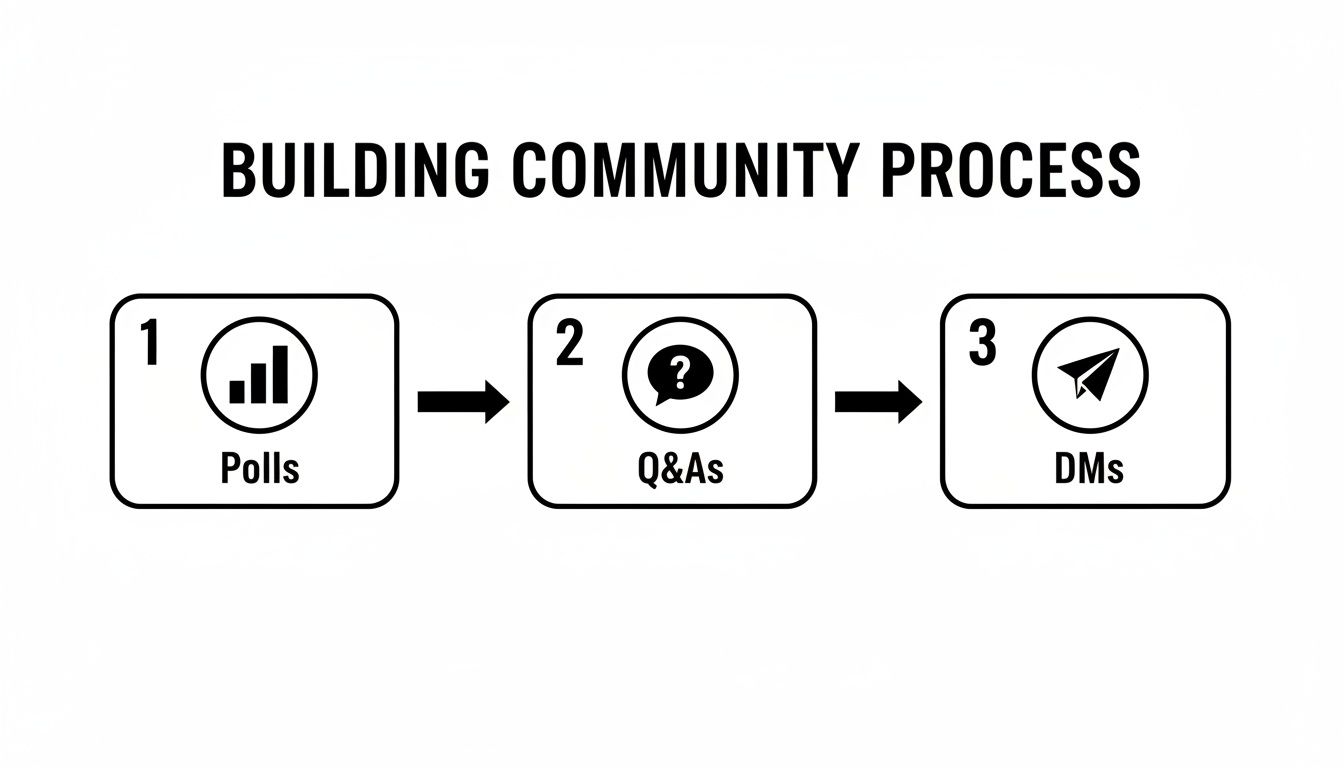
The process shown here—using polls and Q&As to start conversations—is exactly the kind of thing you’ll have more time for once your core content schedule is running on its own.
The Power of Reusing Evergreen Content
Your most valuable asset is your evergreen content. These are your greatest hits—the tutorials, guides, and foundational tips that are just as relevant today as they were six months ago. Instead of letting this content goldmine collect dust after one post, automation lets you strategically bring it back into the spotlight.
How do you find these gems? Dive into your Instagram Insights. Look for posts with unusually high saves and shares, because these metrics are a direct signal of value. A post with hundreds of saves is a clear sign that your audience found it so useful they wanted to keep it for later.
Once you’ve identified your all-stars, add them to your automated buckets. By putting your best work back into rotation, you make sure new followers see your most impactful content and give existing followers a helpful reminder. This simple move transforms your best posts from a one-time hit into a non-stop engagement machine that works for you around the clock.
7. Let Your Insights Be Your Guide
Making great content is a huge part of the puzzle, but it’s not the whole story. If you really want to see your Instagram engagement take off, you have to stop guessing what your audience wants and start paying attention to what their actions are telling you.
This is where Instagram Insights becomes your secret weapon. It’s the difference between throwing spaghetti at the wall to see what sticks and making smart, data-backed decisions that actually move the needle.
It's easy to get caught up in vanity metrics like follower count and likes. They feel good, but they don't tell you much about what's truly connecting. The real gold is buried a little deeper in metrics like shares, saves, and comments. These are the actions that signal truly valuable content.
A "like" is a polite nod. A "save" or a "share" is someone saying, "This is so valuable, I need to keep it for later or show it to someone else." That's the level of connection you should be aiming for with every post.
What Your Data is Really Telling You
Pop open your Professional Dashboard and head into your Insights. The first thing I always do is look at content performance over the last 30 or 90 days. But don't just stop at the top posts by reach.
Instead, filter them by saves and then do it again for shares. I can almost guarantee you'll see a completely different set of "winners."
These high-save, high-share posts are your road map. They show you exactly what topics, formats, and styles your audience craves.
-
High Saves? This usually points to educational, inspirational, or how-to content. Did a carousel breaking down a 5-step process get a ton of saves? Your audience just told you, loud and clear, to make more of those.
-
High Shares? This is often where relatable, funny, or newsworthy content shines. If a Reel you made with a trending audio about a common industry problem got shared like crazy, it means your audience loves that kind of humor.
Pinpoint Your Best Posting Times
Timing is everything on Instagram. Posting when your audience is already scrolling gives your content the best possible chance for that initial burst of engagement, which is a huge signal to the algorithm.
Your Insights will show you the exact days and hours your followers are most active. Look for the patterns. If you consistently see a spike around 7 PM on weekdays, that's your prime time. Start scheduling your most important content for those peak slots and see what happens.
Run Simple A/B Tests to See What Works
You don't need fancy tools to figure out what resonates. You can run simple A/B tests on your own to get a ton of clarity.
Let's say you're not sure which video hooks work best. Post two similar Reels a few days apart, but change the opening text or the visual in the first three seconds. Afterwards, compare the views and average watch time. The winner gives you a clear direction for your future video strategy.
You can use this exact same approach to test out different caption lengths, calls-to-action, or even the kinds of questions you ask. It’s a simple but incredibly effective way to fine-tune your entire approach.
Answering Your Top Instagram Engagement Questions
It seems like everyone has questions about how to get more engagement on Instagram. I get it. The platform is always changing, and what worked last month might not work today. Let's clear up some of the most common head-scratchers I hear all the time.
How Often Should I Be Posting, Really?
This is probably the number one question, and the answer isn't a magic number. Forget the old advice about posting multiple times a day. It's all about quality and consistency now.
A good goal for most businesses is to aim for 3-5 really solid feed posts a week. Think a mix of Reels, carousels, and maybe a high-quality static image. What’s more important than the exact number, though, is showing up predictably. If your audience knows you post every Monday, Wednesday, and Friday, they'll start to look for you. You can then fill the gaps with more off-the-cuff, daily content using Instagram Stories.
Are Hashtags a Waste of Time in 2024?
Absolutely not, but you have to use them smarter. The days of copy-pasting 30 generic hashtags and hoping for the best are long gone. That's a surefire way to look spammy.
These days, it’s about relevance, not volume. Aim for a curated list of 10-20 highly specific hashtags that actually describe your post and your ideal follower. A good mix usually includes:
- Niche-Specific: Think tags that describe your industry, like
#HandmadePottery. - Community-Focused: These are tags that connect you to a group, such as
#PottersOfInstagram. - Content Descriptors: Use these to describe what's in the actual post, like
#CeramicMugTutorial.
This targeted approach helps Instagram show your content to people who will genuinely care about it, which leads to much better engagement than a shotgun approach.
Think of hashtags less as a megaphone and more as a GPS. They guide the right people directly to your content, ensuring you're seen by those who are most likely to engage.
Help! My Engagement Just Tanked. What Happened?
First off, take a deep breath. It happens to everyone. An engagement dip is rarely a sign that you're doing everything wrong. It could be a small algorithm tweak, a seasonal slump, or just that your audience is getting a little tired of the same old thing.
Before you panic, jump into your Instagram Insights. Did your reach drop along with your engagement? The two are almost always connected.
Take a hard look at what you’ve been posting. Have you been leaning too heavily on static images when Reels are what the algorithm is rewarding? Try shaking things up. Run a Q&A in your Stories to spark conversation, test out a new Reel trend, or see what a competitor is doing that seems to be working well. A small change can often get things moving in the right direction again.
Stop the daily content grind and put your best posts on autopilot. With EvergreenFeed, you can build a library of your top-performing content, set a schedule, and let automation keep your feed active and engaging. Start recycling your evergreen content for free.