James
James
Knowing how to automate repetitive tasks isn't about becoming a tech wizard. It’s about being smart with your time by identifying those manual, rule-based chores, picking the right no-code tools to link your apps, and then building simple workflows to let them run on their own. This is how you turn tedious work like data entry or pulling the same weekly report into an efficient, hands-off system.
Your Starting Point for Smarter Work

We've all been there—that feeling of being stuck in a loop. The endless copy-pasting, the mind-numbing data entry, the same report you have to generate every single Friday. It’s a massive drain on your time and, frankly, your creativity. The answer isn't just working harder; it's turning these manual chores into strategic, automated workflows. This guide is your practical roadmap to get there, not some dense technical manual.
Our journey begins by pinpointing which of your daily tasks are ripe for automation. From there, I'll give you a simple framework for choosing the right tools for your specific needs—no coding required. Then, we’ll build your first automated workflow together using a real-world example and show you exactly how to measure the impact.
Why Automation Is a Necessity, Not a Luxury
It’s shocking how much of the workweek gets eaten up by tasks that a machine could handle. This isn't just a minor hassle; it's a direct hit to your productivity and morale. When you're bogged down by monotonous work, burnout is a very real risk, and the big-picture ideas that actually move the needle get pushed to the back burner.
Automation isn't about replacing people. It's about freeing them up to focus on the work that actually requires a human brain—creativity, critical thinking, and complex problem-solving.
This guide gives you a clear path forward. We're focused on practical application, not abstract theories, so you can start reclaiming your workday right away.
What You Will Learn
By the time you finish this guide, you’ll have a solid grasp of the core principles needed to automate your work effectively. We’ll break down the entire process into easy-to-digest pieces so you feel confident at every stage.
Here’s a quick peek at what we'll cover:
- Spotting Automation Opportunities: You'll learn how to find the low-hanging fruit—those tasks that gobble up the most time for the least reward.
- Picking the Right Tools: I’ll show you how to choose user-friendly platforms that play nicely with the software you already use every day.
- Building Your First Workflow: We’ll walk through a step-by-step example to create a working automation from scratch.
- Measuring Your Success: You'll see how to track the real-world impact of your efforts, from time saved to errors eliminated.
For businesses and creators, learning how to automate content creation for business growth is often the most impactful first step, dramatically boosting output and consistency.
Ultimately, it all comes down to understanding the whole process. For a deeper look at the mechanics, check out our detailed explanation of what is workflow automation and see how it connects individual tasks into a seamless, powerful system. By getting a handle on these concepts, you're not just learning a new skill—you're fundamentally changing how you work for the better.
Finding and Prioritizing Your Automation Wins

Before you can build any slick automated workflows, you first have to know what you’re aiming at. Jumping into automation without a clear target is like trying to navigate a new city without a map—you’ll wander around, waste time, and probably end up right back where you started.
The first real step is learning to spot the tasks that quietly drain your most valuable resources: time and energy. We often don't realize how much time those small, repeated actions actually eat up. That's why the best place to start is with a simple but incredibly revealing exercise: the Task Audit.
Conducting Your Task Audit
For one full week, your only job is to become a meticulous observer of your own work. The goal is to log every single thing you do, from answering emails to updating spreadsheets or pulling reports. This isn't about judging your productivity; it’s about gathering cold, hard data to see where the real patterns of repetition are.
You can use a simple notepad, a spreadsheet, or a time-tracking app—whatever works for you. For each task, just jot down three key things:
- The Task Itself: A quick description (e.g., "Copied sales data from email to CRM").
- Time Spent: How long did it take? Be honest, even if it was just two minutes.
- Frequency: How often did you do it? (e.g., three times today).
After a week, you'll have a detailed log that tells the true story of how you spend your day. For a deeper dive into this initial discovery phase, this guide on how to automate tasks and reclaim your time offers a great perspective.
Identifying the Best Automation Candidates
With your task log in hand, it's time to play detective. You're looking for the tasks that hit the automation sweet spot—the ones that are practically begging to be handed over to a machine.
The best tasks for automation are repetitive, predictable, and rule-based. If a task requires no creativity or complex decision-making and you do it the same way every time, it's a prime target.
Go through your list and flag anything with these characteristics:
- High Frequency: Are you doing this multiple times a day or even every week?
- Time-Consuming: Does it add up to a significant chunk of time? Remember, just five minutes a day is nearly two hours a month.
- Rule-Based: Does it follow a predictable process? If you can map it out with "if this, then that" logic, it's rule-based.
Things like manually sharing blog posts on social media, updating a project board after an email comes in, or pulling the same metrics for a weekly report are classic examples. These are your low-hanging fruit.
Prioritizing for Quick Wins
Okay, you've got a list of potential automation targets. The final step here is to prioritize them so you can score some quick wins and build momentum. Not all automations are created equal. Some will give you a massive return for minimal effort, while others are complex projects with a smaller payoff.
I always recommend a simple framework that weighs the time you'll save against the effort it takes to set up the automation. A high-impact, low-effort task should always be your top priority.
Automation Priority Matrix
Use this matrix to score and prioritize tasks based on their automation potential. Tasks with the highest scores should be your first targets.
| Task Description | Frequency (Daily/Weekly/Monthly) | Time Spent Per Instance (Minutes) | Rule-Based (Yes/No) | Automation Priority Score |
|---|---|---|---|---|
| Manually post blog updates to 3 social networks | Daily | 15 | Yes | High |
| Compile weekly analytics report from 2 sources | Weekly | 45 | Yes | High |
| Brainstorm new marketing campaign ideas | Monthly | 120 | No | Low |
| Send personalized follow-up emails to new leads | Daily | 5 | Partially | Medium |
This structured approach takes the guesswork out of the equation. By tackling the tasks at the top of your list first, you guarantee your initial efforts have the biggest impact possible, proving the value of automation to yourself and your team right from the get-go.
Choosing the Right Automation Tools for the Job
So, you’ve pinpointed which tasks are eating up your time. Now comes the fun part: picking your toolkit. The world of automation software can feel overwhelming, but it's much easier to navigate once you understand the basic types of tools out there. Getting this choice right is the foundation of automating your work effectively.
I like to think of automation tools as falling into three main camps.
First, you have the powerful no-code platforms like Zapier or Make. These are the Swiss Army knives of the automation world. They’re built to connect thousands of different apps without you ever having to touch a line of code, making them perfect for building custom workflows that link all your favorite software.
Then, you have specialized software. These tools are masters of one trade. Think of a social media scheduler like Buffer, an email platform like Mailchimp, or bookkeeping software like QuickBooks. They automate tasks brilliantly within their own ecosystem, like scheduling a month of Instagram posts or sending a welcome email series.
Finally, there’s scripting and custom development. This is the most powerful and flexible route, where you use languages like Python or JavaScript to build a solution from scratch. It offers unlimited potential but demands serious technical know-how and is usually overkill for most day-to-day business tasks. For our purposes, we’ll stick with the first two categories, as they deliver the most bang for your buck right away.
Key Criteria for Evaluating Automation Tools
Before you pull out your credit card, it’s worth running any potential tool through a quick gut check. A hasty decision now can mean a massive headache later when you have to migrate a bunch of complex workflows.
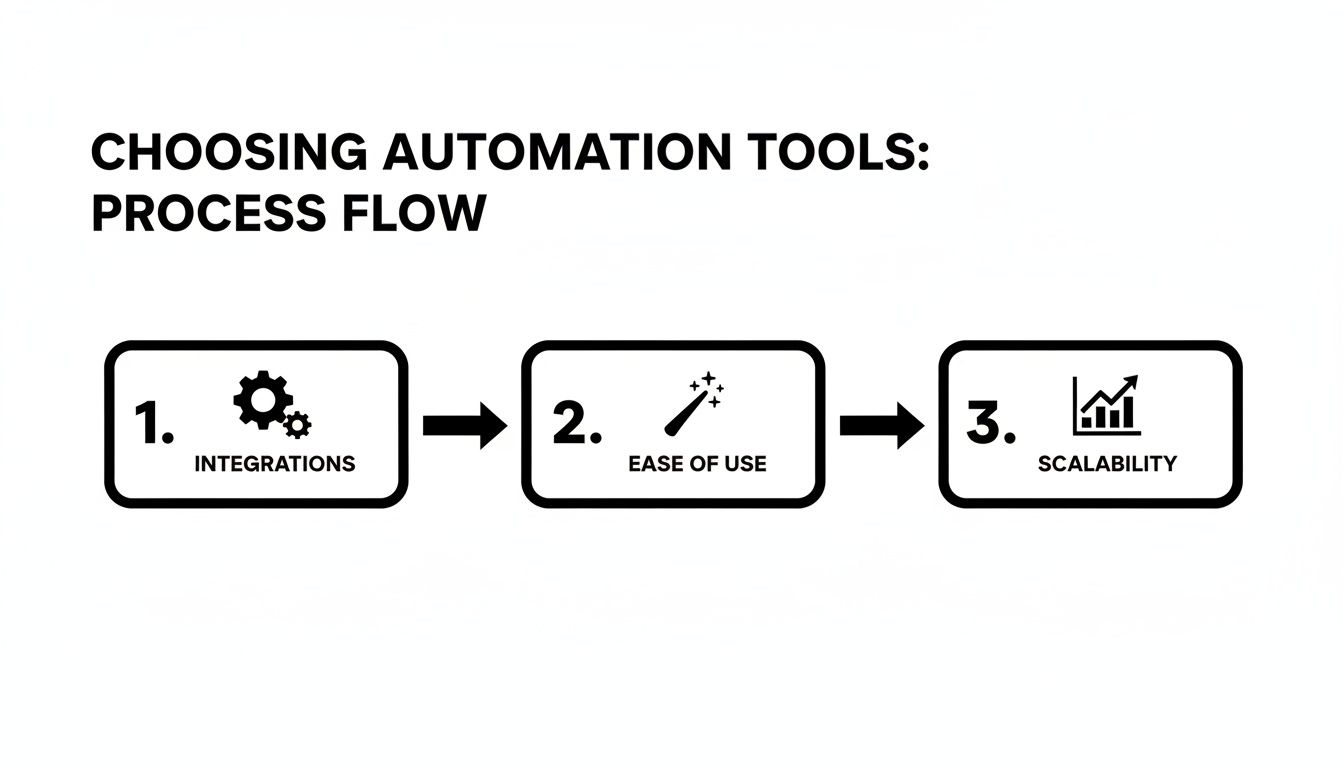
Here are the four pillars of a great automation tool:
- Integrations: Does it actually connect to the apps you live in every day? Check its directory for your CRM, email client, project management tool, and anything else you can't live without. A tool with weak integrations is a non-starter.
- Ease of Use: How intuitive is it? A good no-code platform should have a visual, drag-and-drop builder that makes creating a workflow feel more like sketching on a whiteboard than programming. You shouldn’t need a manual to automate something simple.
- Scalability: Will it grow with you? Look at the limits on tasks or "Zaps" per month. A tool that’s perfect for a solopreneur might crumble under the pressure of a growing team’s needs.
- Pricing: Make sure you understand the cost structure. Most tools use tiered pricing based on usage—how many tasks you run or how often they trigger. Always start with a free plan or trial to kick the tires, but be realistic about which plan you’ll need as you ramp up.
A Real-World Scenario: Automating Client Onboarding
Let's make this real. A classic business bottleneck is client onboarding. You sign a new client, and suddenly you have to send a welcome email, create a shared Google Drive folder, and add a task in Asana for the project manager.
A specialized tool, like your email marketing platform, can handle the email part, but it can’t touch Google Drive or Asana. This is exactly where a no-code platform shines.
Using a tool like Make, you could build one workflow that kicks off the moment you mark a new client as "won" in your CRM.
From there, it would automatically:
- Fire off a personalized welcome email from a pre-written template.
- Create a new, perfectly named client folder in Google Drive.
- Add a "Schedule Kickoff Call" task to your Asana project, already assigned to the right person.
Just like that, you’ve eliminated three manual steps, slashed the risk of human error (like forgetting to create that folder), and guaranteed every new client gets the same polished, professional experience.
The payoff for this kind of setup is surprisingly fast. Many organizations see a first-year return on automation between 30% and 200%, with savings that balloon as more processes get folded in.
For marketers, getting this tool combination right is everything. You can dive deeper into a curated list of top-tier social media automation tools to see how specialized and no-code platforms can work hand-in-hand. When you choose your tools based on integrations, usability, and scalability, you’re not just saving time—you’re building a foundation for serious growth.
Building Your First Workflow: A Real-World Example
Theory is great, but there's nothing like getting your hands dirty to really understand how automation works. So let's ditch the abstract concepts and build a complete workflow from scratch. This practical example will show you just how accessible this stuff is, giving you a solid blueprint you can tweak for your own needs.
We’re going to tackle a classic time-suck that just about every marketing and sales team knows too well: pulling daily performance reports. Think about it—every morning, someone has to log into Google Analytics for website traffic, then jump over to the CRM for new lead numbers, and finally, copy and paste it all into a Slack channel. It's tedious, mind-numbing, and a perfect candidate for automation.
Setting the Stage: Our Automation Goal
The mission here is to build a "set it and forget it" system. It will automatically grab our key metrics and drop them into a clean, daily summary for the whole team to see.
Here's exactly what we're aiming for:
- Trigger: The whole process kicks off automatically at 9:00 AM every weekday. No more calendar reminders.
- Action 1: It pings Google Analytics and pulls the total website sessions from the previous day.
- Action 2: Next, it connects to our CRM (think HubSpot or Salesforce) and counts up all the new leads created yesterday.
- Action 3: Finally, it takes that data, formats it into a nice, readable message, and posts it to our #daily-metrics Slack channel.
For this walkthrough, we'll use a no-code platform like Make (which you might remember as Integromat). It’s fantastic for this kind of thing because its visual, drag-and-drop interface makes connecting multiple steps a breeze.
Getting Your Apps Connected
Before you can build anything, you need to give your automation platform permission to talk to your other tools. This is a secure, one-time setup, much like using "Sign in with Google" on a new website. Inside Make, you’ll head to the "Connections" area and add Google Analytics, your CRM, and Slack, granting the necessary permissions along the way.
Once they're connected, these apps become the building blocks for your workflow. The platform now has the keys it needs to securely access each service's API on your behalf, letting it fetch data and perform actions without you ever having to look at a line of code.
This ability to connect to thousands of apps is what makes these platforms so powerful. You can link together almost any part of your business, from marketing and sales to finance and project management.
Putting the Workflow Together
With our apps connected, it's time for the fun part: actually building the automation. In a tool like Make, this feels like snapping together digital LEGO bricks on a canvas.
First up is the trigger. We'll start with a "Schedule" module and set it to run every Monday through Friday at exactly 9:00 AM. This is the engine of our automation; it's what makes everything happen automatically.
Next, we need the Google Analytics data. We’ll add a Google Analytics module and tell it to "Get a Report." We just need to specify the date range as "Yesterday" and the metric as "Sessions." The tool does the rest, pulling that single number for us.
After that, it's time to grab our lead count. We'll add a module for our CRM and use an action like "Search for Records," applying a filter for leads created "Yesterday." The module will simply return a count of how many new leads it found.
The final piece is sending the message to Slack. We add a Slack module and pick the "Create a Message" action. This is where we assemble the final report, pulling in the live data from the previous steps. The message could be as simple as:
"Good morning! Here are yesterday's key metrics:
- Website Sessions:
[Data from Google Analytics module] - New Leads:
[Data from CRM module]"
Once you link these modules and switch the workflow on, you're done. That report will now appear in Slack every morning like clockwork. You've saved yourself time and given the team consistent, reliable data without lifting a finger.
By building this one simple workflow, you've just mastered the fundamental logic behind almost all automation: Trigger -> Action -> Action. This exact pattern is the key to automating countless other processes, whether you're managing customer support tickets or syncing project updates between tools.
Measuring Success and Sidestepping Common Pitfalls

Flipping the switch on a new automated workflow feels great, and it's definitely a win. But the real value isn’t in the setup; it’s in understanding the true impact over time and making smart improvements along the way. Simply automating a task isn't the finish line—it’s the starting gun for ongoing optimization.
To do this right, you have to measure what matters. While "time saved" is the obvious metric, it only tells part of the story. Successful automation creates a ripple effect, and tracking the right key performance indicators (KPIs) will prove its worth and show you where to go next.
Defining Your Metrics for Success
Beyond just clawing back hours in your day, good automation improves the quality and consistency of your work. The goal is to move from anecdotal wins ("I feel less busy") to hard data that clearly shows the return on your investment.
Here are the key metrics I always recommend tracking:
- Reduction in Error Rates: Manual work, especially data entry, is a magnet for typos and mistakes. Start tracking how many errors or corrections have been eliminated since your workflow went live. For example, if you automated invoicing, measure the drop in client billing queries.
- Improvement in Consistency: Are reports now landing in the right inbox at the exact same time every week? Does every new client get the identical onboarding sequence? This kind of consistency builds trust and makes your operations more stable.
- Increase in High-Value Work: This is the big one. Are you and your team genuinely spending more time on strategy, creative problem-solving, or building client relationships now that the administrative weight is gone? A simple team survey can give you powerful qualitative data here.
For a deeper dive into how these improvements fuel growth, you can explore the main workflow automation benefits that high-performing teams consistently see. Tracking these outcomes helps justify spending more time and resources learning how to automate other repetitive tasks.
Navigating Common Automation Hurdles
Building resilient, effective automations means knowing what can go wrong before it does. I've seen even the best-laid plans get derailed, but being aware of these common pitfalls from the start will help you sidestep them entirely.
One of the biggest mistakes is trying to automate tasks that require nuanced creativity or complex judgment. Automation is a genius at rule-based, repetitive processes. But if you try to make it write deeply personalized emails or brainstorm your next big campaign idea, you’ll just end up with clunky, frustrating results.
Don’t confuse automation with artificial intelligence. Automation follows the exact script you give it; it doesn’t think for itself. Stick to tasks with a clear, predictable "if this, then that" logic.
Another frequent problem is forgetting about workflow maintenance. The tools we rely on are constantly being updated. When an app changes its API or interface, it can break your automation without warning. I make it a point to review my critical workflows every quarter to ensure they’re still running smoothly and tweak them as needed.
Finally, never ignore the human element. Just dropping a new automated system on your team without clear communication can make people feel anxious or resistant. Frame automation as a tool that empowers them, not one that replaces them. Show them how it frees them from the grunt work so they can focus on more engaging and valuable projects.
This proactive approach is crucial. Many automation projects fail not because of the tech, but because of poor planning. In fact, reports show that a staggering 54–70% of digital transformation projects fail to scale or meet their goals simply because teams overlook process standardization and organizational readiness. By measuring your impact and planning for these hurdles, your automations will deliver real, lasting value.
Got Questions About Automation? We've Got Answers.
Diving into automation is exciting, but it’s totally normal to have a few questions. After all, it's a different way of thinking about your work. Let's clear up some of the most common things people ask when they're just getting started.
Think of this as your quick-start guide to automating with confidence.
What Kind of Tasks Should I Automate First?
The best place to start is with the stuff you do over and over again. Look for tasks that are high-volume, follow a clear set of rules, and don't require a lot of creative thinking on the fly.
If you find yourself doing something the exact same way every single time, it’s probably a perfect candidate for automation.
A few classic examples from my own experience:
- Data Entry: Think about manually copying customer details from a Typeform submission into your CRM or a Google Sheet. That's prime automation territory.
- Routine Emails: Sending the same welcome email, appointment reminder, or follow-up message. If you're using a template, a machine can do it for you.
- Weekly Reports: Pulling the same metrics from the same dashboards every Monday morning to build a report.
- Social Media Scheduling: Pushing out your pre-approved content to all your different social channels.
Here’s a simple rule of thumb: if you can write down the steps on a checklist, you can probably automate it.
Do I Need to Be a Coder to Do This?
Not at all. This is one of the biggest myths out there, and frankly, it's completely outdated. The rise of no-code and low-code platforms has been a game-changer.
Tools like Zapier, Make, and IFTTT are built for everyone, regardless of technical background. They use visual, drag-and-drop interfaces that let you connect the apps you already use every day—like Gmail, Slack, or Trello. Building a workflow is more like putting together LEGOs than writing code.
How Can I Get My Boss to Pay for an Automation Tool?
Getting buy-in for new tools is all about framing it as an investment, not an expense. You have to speak their language, which is all about the return on investment (ROI). A vague "this will save us time" won't cut it. You need a rock-solid business case.
Start by gathering some hard data. For just one week, track exactly how much time you and your team spend on a specific, repetitive task. Let's say it's 5 hours per week.
Then, do the math. Multiply those hours by your team's average hourly rate. Suddenly, you can show that the "free" manual task is actually costing the company hundreds or thousands of dollars a month.
Present the automation tool as a solution that directly cuts costs, eliminates human error, and—most importantly—frees up the team to focus on strategic work that actually grows the business.
A great way to seal the deal is to propose a small pilot project. Automate one key task to show them the immediate benefits in action.
Is This Going to Make My Job Obsolete?
This is a really common fear, but it comes from a misunderstanding of what automation actually does. The goal is to get rid of tedious tasks, not to eliminate jobs.
Think of it as an upgrade for your role, not a replacement. Automation is here to take over the boring, mind-numbing parts of your day so you can focus on what humans are uniquely good at.
- Coming up with creative solutions to tough problems
- Thinking strategically about the big picture
- Building relationships with clients and partners
- Innovating and testing new ideas
By offloading the grunt work to technology, you actually make yourself more valuable. You become more efficient and can concentrate on the high-impact work that truly makes a difference.
Ready to stop the endless cycle of manual social media scheduling? EvergreenFeed automates your evergreen content posting through Buffer, so you can set it and forget it. Start saving hours every week by signing up for free.