James
James
On Facebook, hashtags are all about smart categorization, not just shouting into the void. They help people who are looking for specific topics find your posts. But here's the twist: unlike other platforms, less is more on Facebook. Sticking to just one or two highly relevant hashtags is far more effective than stuffing your post with a long list.
Think of them less like a megaphone and more like a precision filing system for your content.
How Facebook Hashtags Actually Work
Let's clear up the confusion. While you see hashtags everywhere, they play by a different set of rules on Facebook. When you add a hashtag to your post, you're essentially giving Facebook's algorithm a direct clue about your content's subject matter. This helps it properly index your post, almost like putting a clear, concise label on a folder in a massive digital library.

That simple act is what makes your content discoverable to people far beyond your existing followers, turning your posts into searchable, valuable assets.
A Different Set of Rules
Facebook first rolled out hashtags way back in 2013 to help organize conversations, but their role has evolved quite a bit since then. The platform’s algorithm is built to favor natural, text-first content and genuine engagement.
And the data backs this up. Studies consistently show that using fewer hashtags leads to better results. For instance, posts with just 1 or 2 hashtags averaged 593 engagements, but that number plummeted to only 307 for posts with 6 or more. You can dive deeper into Facebook hashtag performance data to see just how much this "less is more" strategy sets it apart.
This is a critical distinction for any marketer to grasp. The high-volume hashtag strategy that works wonders for visibility on Instagram can actually kill your reach on Facebook, making your posts look spammy to both users and the algorithm.
The goal of a Facebook hashtag isn't to reach everyone; it's to help the right people find you. It’s about signaling relevance, not just chasing volume.
Platform-Specific Strategies at a Glance
A one-size-fits-all approach to hashtags just doesn't cut it. To get real results, you absolutely have to tailor your strategy to the platform you're on.
The table below breaks down the key differences in how you should be using hashtags across the major social networks. Pay close attention to how Facebook’s strategy leans into subtlety and integration—a world away from the high-volume tactics that dominate other platforms.
Hashtag Best Practices Across Social Media Platforms
| Platform | Optimal Hashtag Count | Primary Purpose | Placement |
|---|---|---|---|
| 1-2 | Content Categorization & Searchability | End of Post | |
| 5-11 | Community Building & Discovery | First Comment or End of Post | |
| Twitter (X) | 1-2 | Joining Real-Time Conversations | Within Post Text or at End |
| TikTok | 3-5 | Trend Participation & For You Page | End of Caption |
As you can see, what’s considered a best practice varies dramatically. Getting this right means understanding not just the algorithm, but the user culture on each platform. For Facebook, it's all about keeping it clean, relevant, and focused.
How the Algorithm Interprets Your Hashtags
When you add a hashtag to a Facebook post, you’re not just tossing in a trendy phrase. You're giving the algorithm a clear set of directions.
Think of the algorithm as a personal shopper for every single user on the platform. Your post is the product, and your hashtags are the tags that list its style, size, and color. These details help that personal shopper match your content with the perfect customer. Without them, your post is just another item lost on an endless rack.
The Three Pillars of Hashtag Visibility
So, what’s happening behind the curtain? Facebook’s algorithm uses your hashtags to sort, categorize, and show your content to people in three main ways. Getting a grip on these is the key to getting your posts seen by a wider, more interested audience.
-
Direct Searchability: This is the most obvious one. When someone types
#SmallBizOwnerinto the search bar, Facebook serves up a feed of public posts using that tag. Just like that, your post becomes a searchable resource. -
Aggregated Feeds: Every public hashtag gets its own clickable, living feed. If a user clicks on a hashtag in someone else's post, they're instantly taken to a stream of all the content using that same tag. This puts your content right alongside other relevant posts, opening up another door for discovery.
-
Interest Signaling: This is the algorithm's secret sauce—the most powerful and least visible function. The hashtags you use tell Facebook what your content is all about. It then takes that data and suggests your posts to users who’ve shown interest in similar topics, even if they aren’t following you and never searched for that tag.
By using hashtags, you are essentially telling Facebook: "My content is relevant to people interested in this topic." The algorithm then uses that signal to find and deliver your post to the right audience.
Moving Beyond Keyword Stuffing
At the end of the day, the algorithm sees hashtags on Facebook as signals of relevance, not just a bunch of keywords. That's a critical distinction. It’s not about jamming in as many popular terms as you can think of; it’s about providing clear, accurate context.
A post with one super-specific tag like #SustainableFashion will almost always do better than one with five generic ones like #Style, #OOTD, and #Fashion. Why? Because the specific tag helps the algorithm find a niche, engaged community that’s more likely to interact.
Your goal should be to tell the algorithm exactly who your content is for. Combine that with knowing the best time of day to post on Facebook, and you’ve got a powerful recipe for getting your content in front of the right people at the right time.
What's the Real Impact of Hashtags on Your Reach?
It's one thing to talk about algorithms and how Facebook sorts content, but what’s the actual, measurable payoff for using hashtags? Let's be honest, the goal isn't just to blast your content to more eyeballs; it's about connecting with the right eyeballs—the people who are genuinely interested in what you have to say.
Think of hashtags as a powerful filtering system. When you use them correctly, you're essentially raising a flag that signals your post's relevance to a specific topic. This naturally attracts a more qualified audience, which in turn leads to higher-quality engagement. We're talking more meaningful comments, shares, and reactions because your content is hitting home with a community that actually cares.
This chart really breaks down the main ways hashtags get your content seen on the platform.
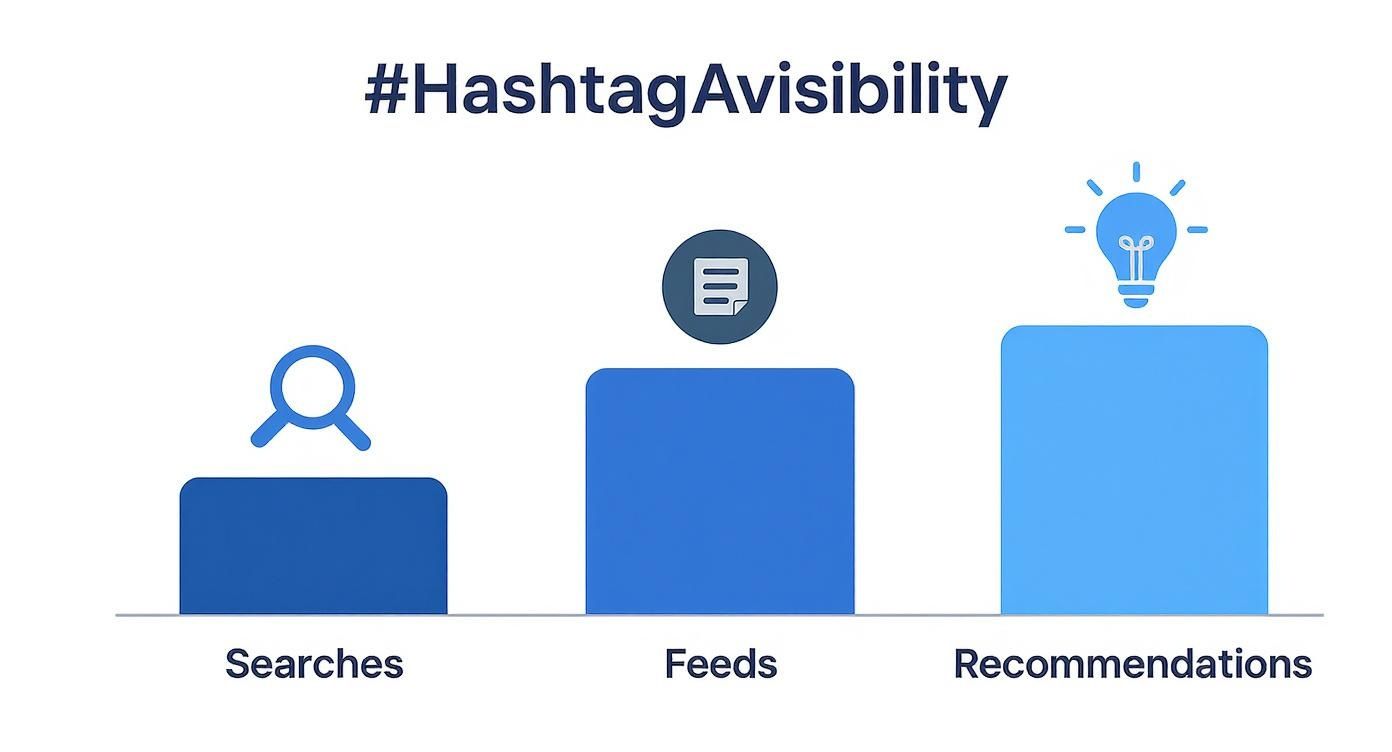
As you can see, the biggest win often comes from algorithmic recommendations, which is Facebook’s way of showing your content to users it thinks will be interested based on their past behavior.
Do They Actually Boost Engagement? The Data Says Yes.
This isn't just theory; the numbers show a clear performance bump when you get your hashtag strategy right.
Profiles with 5,000 to 10,000 followers see an average engagement increase of about 20% on posts that use hashtags. The trend holds true for bigger accounts, too. Those in the 50,000 to 100,000 follower range see a 21.43% boost per post.
Here’s the kicker: these results come from using just one or two highly relevant hashtags. It's definitive proof that on Facebook, precision beats volume every time.
A small, targeted hashtag strategy is the key to unlocking higher organic reach on Facebook. It’s not about how many tags you use, but how well you use them to attract the right audience.
This focused approach does more than just improve your visibility—it sends a strong signal to the algorithm that your content is valuable to a specific community. If you want to dig deeper into getting seen, check out these simple tips to improve your Facebook reach: https://www.evergreenfeed.com/blog/3-simple-tips-to-increase-your-facebook-organic-reach/
And of course, hashtags are just one piece of the puzzle. It's always a good idea to explore broader strategies to improve social media engagement to lift your performance across the board.
Ultimately, using hashtags on Facebook the right way gives you a clear, data-backed path to not just more reach, but more meaningful connections with your audience.
Choosing the Right Hashtags for Your Content
Finding hashtags that actually move the needle for your content isn't some dark art. It's about building a smart, balanced mix. Think of it like a recipe—you need a little bit of a few different ingredients to get the best result, maximizing both your reach and your relevance.
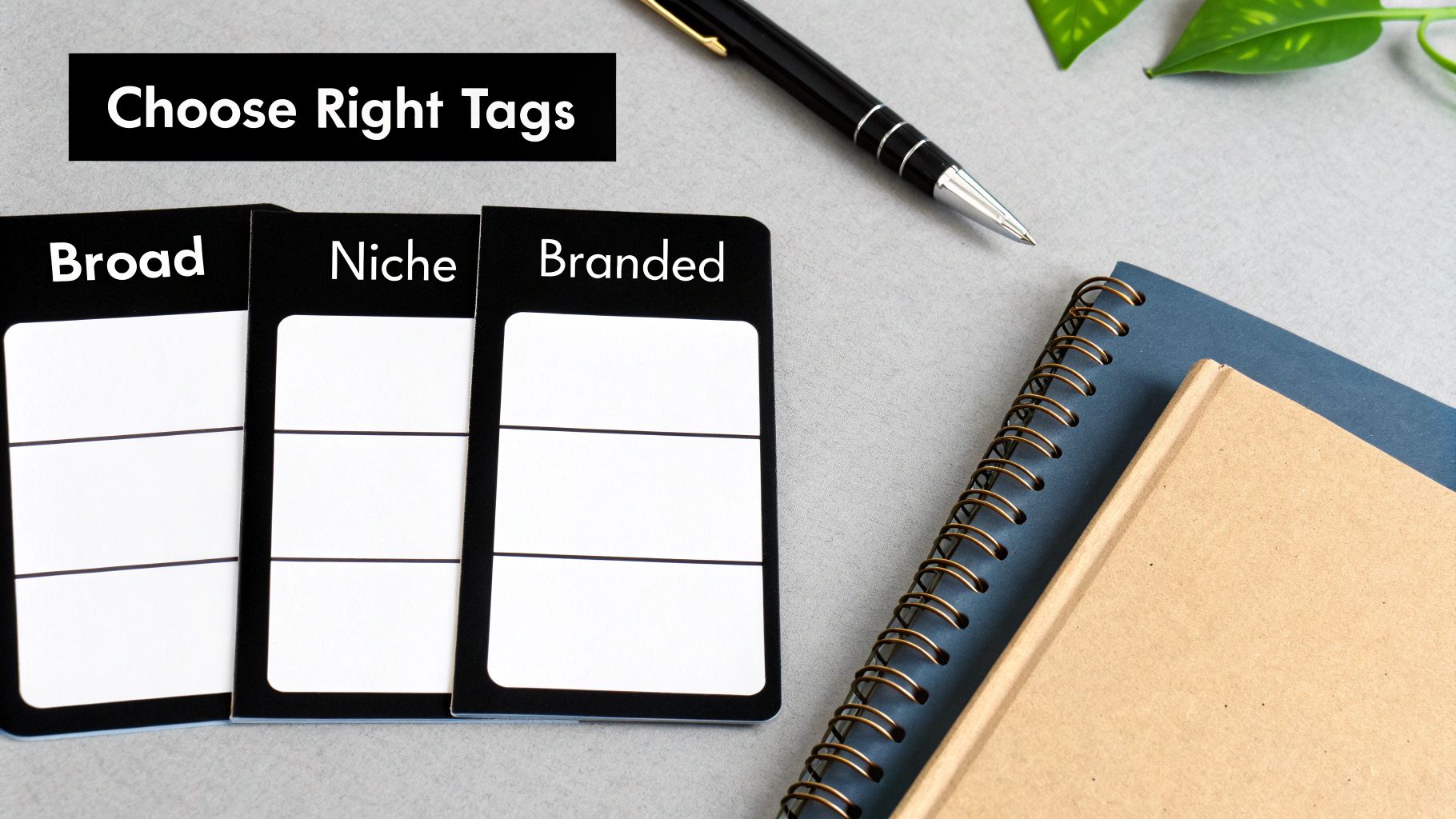
One of the most effective ways to do this is with what I call the three-tiered approach. It's a simple framework where you pick a few tags from three distinct categories, creating a well-rounded set for every single post.
The Three-Tiered Hashtag Strategy
Imagine you're building a small team for your post, and each hashtag has a specific job to do.
-
Broad Reach Tags: These are the popular, high-volume hashtags tied to your general industry. Their job is simple: cast a wide net and give your post a shot at getting in front of a massive audience. If you run a local bakery, a good example would be something like #bakery.
-
Specific Niche Tags: These get more focused. They’re designed to connect you with a dedicated community that’s really into what you do. This is where you find your most qualified audience. For our bakery, this could be #SourdoughBaking to tap into a passionate group of bread lovers.
-
Unique Branded Tags: This is a hashtag that is all yours. It helps you organize your own content library and, even better, encourages your followers to create content about you. The bakery could start using #TheCornerSliceSpecials to promote its weekly deals.
This balanced strategy keeps you from getting lost in the sea of super-broad tags while making sure you're still connecting with the people who are most likely to become customers. Honestly, a niche tag with 10,000 posts can be way more valuable than a generic one with 10 million if it puts you in front of the right person.
The real power of hashtags on Facebook comes from combining broad discoverability with targeted relevance. One type gets you seen; the other gets you seen by the right people.
How to Find Winning Hashtags
You don't need fancy tools to start researching effective tags. Just open up Facebook. Start typing a keyword into the search bar and pay attention to the hashtag suggestions that pop up—Facebook will even show you the post counts. After that, go be a little nosy and see what hashtags your competitors are using on their best-performing posts.
It also pays to know what's generally popular on the platform. The most-used hashtags often give you a clue about common social themes and major business conversations. For example, #trending has been used in around 875 million posts. On the business side, tags like #SmallBusiness have racked up 73 million uses and #DigitalMarketing sits at 43 million. These huge numbers confirm that Facebook is a major player for both personal and professional content. For more stats, you can check out this great breakdown of popular Facebook hashtag statistics on sproutsocial.com.
Here are a few popular and effective hashtags you can start experimenting with:
Top Performing General and Business Hashtags on Facebook
| Category | Hashtag Example | Primary Use Case |
|---|---|---|
| General | #motivation | Inspiring quotes, success stories, and uplifting content. |
| General | #tbt (Throwback Thursday) | Sharing nostalgic or historical content about your brand or industry. |
| General | #photooftheday | Highlighting exceptional photography or visually striking products. |
| Business | #socialmediamarketing | Sharing tips, trends, and case studies related to SMM. |
| Business | #entrepreneurship | Content for business owners, startup founders, and aspiring entrepreneurs. |
| Business | #supportlocal | Promoting local businesses, community events, or regional products. |
This table is just a starting point, of course. The best hashtags are the ones that are relevant to your audience.
By keeping an eye on industry leaders and using these simple research tactics, you'll build a solid list of potential hashtags in no time. If you want to go even deeper, our ultimate hashtags guide can help you really dial in your process. Adopting this kind of strategic thinking ensures every hashtag you use serves a clear purpose, helping you get much better results.
Common Hashtag Mistakes You Need to Avoid
https://www.youtube.com/embed/bDhUp59L-Uk
Getting hashtags right on Facebook isn't just about what you do—it's also about what you don't do. A few rookie mistakes can make your content look spammy, which hurts both your credibility and your reach.
Steering clear of these common pitfalls will give your strategy an immediate boost. By avoiding them, you're sending the right signals to your audience and the algorithm, making sure your hard work gets the visibility it deserves.
Overloading Your Posts
The most common mistake by far is hashtag stuffing. This is when you cram a post with way too many tags, hoping to show up everywhere. While that might work on other platforms, on Facebook, it often comes across as desperate or low-quality.
A post packed with ten or more hashtags just looks cluttered and distracts from your actual message. You're much better off using just one or two powerful tags that perfectly match your content.
Do this: Stick to 1-2 highly relevant hashtags that perfectly describe your post's topic.
Not that: Don't add a long list of generic tags like
#love,#happy, or#businesshoping to catch a wider net.
Using Irrelevant or Banned Tags
It's tempting to jump on a popular, trending hashtag to get more eyeballs on your post, but if it has nothing to do with your content, it’s a losing game. The algorithm is smart enough to see the mismatch, and it can actually hurt your post's distribution.
Even worse is accidentally using a banned hashtag. These are tags that Facebook has flagged for inappropriate content. Slapping one on your post can get you penalized or even shadowbanned, which means your reach plummets without you ever getting a notification.
Being Repetitive and Generic
Copying and pasting the same list of generic hashtags on every single post is another classic error. It’s a lazy approach that signals to the algorithm that you aren't putting any thought into your content. Over time, it can even look like automated spam.
Every post you create is unique, and your hashtags should reflect that. Take an extra minute to choose tags that are specific to that photo, video, or link. It shows you know what you’re talking about and helps Facebook categorize your content correctly.
Of course, hashtags are just one piece of the puzzle. It's always a good idea to step back and look at the bigger picture by reviewing other common marketing mistakes that still affect Facebook to make sure your entire strategy is solid.
Got Questions About Facebook Hashtags? We've Got Answers.
Even with a solid plan, a few lingering questions always seem to pop up when you're getting serious about your Facebook hashtag strategy. It's totally normal. Nailing down these final details is what separates a good strategy from a great one.
Let's tackle some of the most common questions marketers have so you can move forward with confidence.
Should Hashtags Go in the Post or the First Comment?
This one’s a biggie, especially for anyone coming from Instagram. On Facebook, you absolutely want to put your hashtags directly in the post caption.
While tucking them away in the first comment is a neat trick to keep Instagram captions tidy, it's a huge mistake on Facebook. The platform's algorithm is built to find and index hashtags from the original post. If they're buried in the comments, there's a good chance the system will miss them entirely, making them useless.
For best results, just add your 1-2 key hashtags at the end of your post. Simple as that.
How Can I Find Trending Hashtags on Facebook?
This is a bit of a treasure hunt. Facebook doesn’t have a handy, public-facing "trending" section like X (formerly Twitter), but you can still do some smart detective work to find what's buzzing.
Here are a few tactics that work:
- Play with the Search Bar: Type a keyword from your industry into the Facebook search bar. As you type, watch for the hashtag suggestions that pop up and take a look at their post volume.
- Spy on Your Competitors: Check out what the big players and influencers in your niche are doing. Pay close attention to their most successful posts—what tags are they using?
- Dive into Facebook Groups: Join active groups where your target audience hangs out. You'll often discover hyper-relevant, niche hashtags and community trends long before they hit the mainstream.
Can I Go Back and Add Hashtags to an Old Post?
Yes, you can! Just hit the three-dot menu on any of your published posts and click "Edit post" to add, remove, or change hashtags.
But there's a catch. A post gets the vast majority of its algorithmic juice right after you publish it. Adding hashtags later on is great for making that content discoverable in future searches for those terms, but don't expect it to give you the same initial reach boost you would have gotten by including them from the start.
Ready to put your content on autopilot and save hours every week? EvergreenFeed automates your evergreen social media posts through Buffer, keeping your profiles active and engaging your audience around the clock. Start your free trial today and see the difference.