James
James
An Instagram content calendar is simply your game plan. It’s a system that lays out what you're going to post and when, making sure every single piece of content serves your bigger brand goals. Honestly, it's the single best thing you can do to get out of the "what do I post today?" scramble and build a predictable, effective growth machine.
Why a Content Calendar Is Your Instagram Superpower
Let's get one thing straight: a content calendar for Instagram is way more than a fancy to-do list. Think of it as a strategic tool that turns your social media from a daily headache into a powerful way to grow your audience and keep them engaged.
When you plan your content ahead of time, that daily panic just disappears. This simple change frees up an incredible amount of creative energy. Instead of scrambling for a photo and caption five minutes before you're supposed to post, you can actually set aside focused time to brainstorm great ideas, film better Reels, and write copy that truly connects. This is the real difference between just reacting to your day and proactively building your brand.
How a Content Calendar Directly Impacts Instagram Growth
Here's a quick look at the core advantages of using a content calendar, showing the direct impact on key marketing goals.
| Benefit | Impact on Your Instagram Strategy |
|---|---|
| Consistency | Feeds the algorithm what it wants, boosting your visibility and reach over time. |
| Time Savings | Batch-creating content frees up daily mental space for more important tasks like community engagement. |
| Strategic Alignment | Ensures every post supports your business goals, from driving sales to building brand awareness. |
| Higher Quality | Planning ahead gives you the time to produce more thoughtful, polished, and valuable content. |
| Reduced Stress | Eliminates the last-minute scramble, preventing burnout and keeping your social media fun. |
By mapping out your content, you're not just scheduling posts; you're building a reliable foundation for consistent growth.
Feed the Algorithm What It Craves
The Instagram algorithm rewards one thing more than anything else: consistency. Posting randomly sends confusing signals, making it harder for the platform to figure out who you are and who to show your content to. A content calendar guarantees a steady flow of valuable posts, which is a massive signal of reliability to the algorithm.
Industry data shows that accounts using a content calendar see engagement rates up to 40% higher than those who just wing it. It makes sense—when you post consistently, you show up in people’s feeds more often, which creates a positive loop of more views, likes, and comments.
A content calendar isn't about killing your creativity; it's about building the structure for creativity to flourish. It creates a solid foundation, so you can place your most brilliant ideas where they'll have the biggest impact.
Amplify Your Best Work with Automation
Beyond just getting organized, a calendar opens the door to some seriously powerful automation. Tools like EvergreenFeed can connect right to your scheduler, letting you build a library of your best-performing posts that aren't time-sensitive.
This creates a system where your greatest hits are automatically shared again over time, making sure they keep reaching new people and driving engagement long after you first posted them. Suddenly, your calendar becomes a long-term asset, not just a short-term schedule.
For anyone juggling more than just Instagram, our guide on building a general social media content calendar has broader strategies that will fit perfectly with your Instagram plan. When you combine smart planning with smart automation, you create a sustainable workflow that delivers real results without burning you out.
Laying the Foundation of Your Content Strategy
Before you ever think about scheduling a single post, we need to talk strategy. A content calendar for Instagram without a solid strategy behind it is just a list of random posts. You might feel busy, but you won't get anywhere meaningful.
The very first step is getting crystal clear on what you actually want Instagram to do for your brand. Are you trying to build a loyal community? Generate qualified leads? Or just get your name out there? Each of these goals demands a completely different content playbook.
For instance, a brand focused on community will double down on interactive Stories and celebrate user-generated content. On the other hand, a business hunting for leads will lean into educational carousels that end with a powerful call-to-action.
Define Your Core Instagram Goals
Your goals are your north star. They determine what you create, how you create it, and what numbers you obsess over. Be specific. "Increase engagement" is too vague. A better goal is, "Increase post saves by 15% in the next quarter." See the difference?
Here are some of the most common goals I see brands working towards:
- Boost Brand Awareness: The main mission here is to get in front of as many of the right people as possible. You'll be tracking reach, impressions, and follower growth.
- Drive Website Traffic: You’re using Instagram as a bridge to get people to your website, blog, or a specific landing page. The metrics that matter are link clicks and profile visits.
- Generate Leads and Sales: This is all about conversions. You're watching for clicks on product tags, form sign-ups from your bio link, or sales you can directly attribute to your Instagram efforts.
- Foster a Community: You want to cultivate a loyal tribe that talks back, shares your stuff, and participates. Success looks like a busy comments section, lots of shares, and high engagement on polls and Q&As.
Defining your primary goal is the most critical decision you'll make. It ensures every piece of content you plan has a clear purpose, preventing you from creating content that looks nice but accomplishes nothing.
Establish Your Content Pillars
With your goals locked in, it’s time to build your content pillars. Think of these as the three to five core themes your brand will own. They're the backbone of your calendar, making sure every post feels relevant and consistent with your brand voice.
Let's say you're a fitness coach. Your content pillars might look something like this:
- Workout Tutorials: Short, punchy Reels and step-by-step carousels.
- Nutrition Tips: Quick advice, myth-busting, and simple recipes.
- Client Success Stories: Real testimonials and transformation posts.
- Mindset and Motivation: Inspirational quotes and personal anecdotes.
These pillars are your guardrails. They keep your feed from feeling random and chaotic, creating a predictable (in a good way!) experience for your followers. They know what to expect from you, and they keep coming back for it.
Balance Your Content Mix for Maximum Impact
A great Instagram feed is like a balanced diet. You can't just serve up sales pitches all day, every day—you'll burn out your audience fast. A framework I've relied on for years is the 80/20 rule.
The idea is simple: 80% of your content should provide pure value (teach, entertain, or inspire), while only 20% is directly promotional.
This approach builds a genuine relationship first, then asks for the sale. Your content calendar is the perfect place to map this out. I like to color-code post types (e.g., green for value, blue for promotion) to see the balance at a quick glance.
To keep your calendar full of winning ideas, it helps to master the art of product ideation and apply those principles to your content. It’s a great way to consistently come up with posts that truly hit home with your audience.
Finally, remember to mix up your formats. Use Reels for discovery and reaching new people, carousels for teaching something in-depth, and Stories for those raw, daily check-ins. A thoughtfully planned calendar makes sure you're playing to each format's strengths, creating a dynamic presence that drives real results.
Finding Your Ideal Instagram Posting Schedule
You’ve got your content buckets sorted, but now for the million-dollar question: when do you actually hit "publish"? Forget the generic advice you've heard. "Post on Tuesdays at 10 AM" might work for some, but it completely ignores the one thing that matters most—your unique audience.
The real answer isn’t in a blog post; it’s buried in your own account data.
Let Your Audience Data Lead the Way
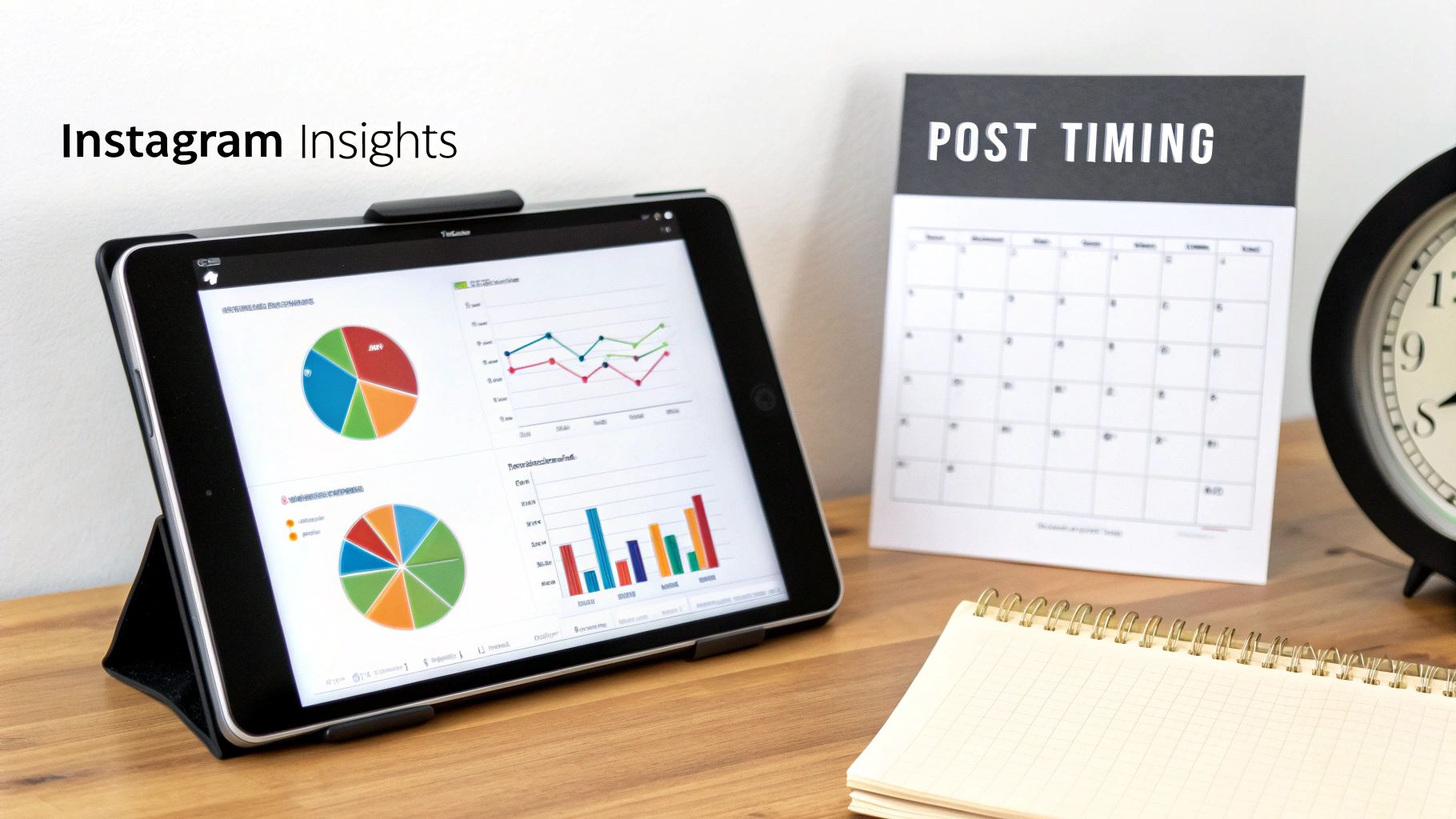
If you have a Business or Creator account on Instagram, you're sitting on a goldmine. Your Instagram Insights tell you exactly when your followers are scrolling, and that's your starting line.
To get there, just head to your profile, tap "Professional dashboard," and find "Total Followers." Scroll to the bottom, and you'll see a chart that breaks down the most active times and days for your audience. This isn't guesswork; it's a personalized roadmap.
Look for the peaks in activity. Is there a big spike on Wednesday evenings? Maybe Saturday mornings are when your community really comes alive. These are your golden hours. Scheduling your best content for these moments gives it the best possible chance of getting seen right away, which helps build that early momentum the algorithm loves.
Your own data will always trump industry benchmarks. Start with what your audience is telling you, then use broader trends to refine your strategy.
For a much deeper dive into cracking the code on this, you can check out our detailed guide on finding the best times to post on Instagram.
Refine Your Schedule With Global Trends
While your own analytics are king, it's smart to see how they stack up against global engagement trends. Sometimes, these wider patterns can help you discover new windows of opportunity or explain why certain times work so well.
For instance, we know that midweek is a powerhouse for engagement. Globally, Tuesday is the #1 day for engagement, with Wednesday and Thursday not far behind, especially for Reels consumption. A lot of data also points to the 7:00 PM to 9:00 PM window as a sweet spot, when people are winding down and more likely to watch longer content.
This doesn't mean you should ditch your own data. Instead, think of it as an overlay. If your insights show high activity on Tuesday at 6 PM, and global trends suggest 7 PM is also strong, you've just found two fantastic time slots to test out with your most important posts.
Match Your Content Format to the Clock
Not all content serves the same purpose, so why would you post it at the same time? A truly effective content calendar for Instagram is strategic, placing different formats at times when they’re most likely to shine.
Here’s how I like to think about it:
- High-Effort Reels: Save these for your absolute peak engagement windows—the prime times you pulled from your Insights. These are your shots at reaching a new audience.
- Educational Carousels: These do great during commute times (morning or late afternoon) or over lunch breaks. People have a few minutes to spare and are open to learning something new.
- Interactive Stories: Use Stories for casual, in-the-moment updates. Their 24-hour lifespan makes them perfect for polls, Q&As, and behind-the-scenes content that keeps your brand top-of-mind between your bigger feed posts.
Find a Cadence You Can Actually Stick With
Finally, let's get real. The best posting schedule is the one you can consistently maintain. It's far better to post three amazing, well-timed pieces of content every single week than to post daily for a week and then vanish because you're burnt out.
Take an honest look at your resources. Can you realistically create five great posts a week? Or is three a more manageable goal? When it comes to the algorithm, consistency will always beat raw frequency.
Start with a goal that feels doable, like three feed posts and five Story series per week. Map this out in your content calendar for Instagram, making sure to assign your best content to your best time slots. From there, you can watch your performance, see what’s working, and slowly scale up as you get into a groove. This is how you make the platform work for you, not against you.
Bringing Your Instagram Content Calendar to Life
Okay, you've done the hard strategic work. You know your goals, you've defined your content pillars, and you've pinpointed the best times to post. Now for the fun part: actually building the calendar that turns all that strategy into a real, day-to-day action plan.
The tool you pick isn't nearly as important as the process itself, but finding one that clicks with your workflow can make all the difference.
You don't need to spring for expensive software right away. Honestly, a simple Google Sheet can be a powerhouse, and it's where most people should start. The grid layout is perfect for seeing your week or month at a glance. If you're working with a team and need to manage approvals or a more visual workflow, a project management tool like Trello or Asana is a fantastic step up. You can create cards for each post and visually drag them through stages like "Idea," "Needs Visuals," and "Ready to Schedule."
Choosing Your Content Calendar Tool
Let's break down the most popular options and where they really shine.
- Google Sheets: This is my go-to recommendation for solo creators or small teams. It's free, endlessly customizable, and collaboration is a breeze. You can have a functional, effective calendar up and running in minutes.
- Trello or Asana: Perfect for teams that need a more visual, process-driven system. These tools are built for managing workflows, assigning tasks to team members, and seeing a post's journey from a rough idea all the way to publication.
- Dedicated Social Media Platforms: Tools like Buffer or SocialBee pack your calendar and scheduling features into one neat package. This is great for an all-in-one approach, but it usually comes with a monthly subscription.
The best tool is the one you and your team will actually use every day. Don't overcomplicate things. Start with a spreadsheet and only move to a paid tool when you feel you're genuinely hitting the limits of what it can do.
The Must-Have Fields for Your Calendar
Regardless of the tool you land on, your content calendar for Instagram needs to track a few key pieces of information for every single post. Think of these as the non-negotiable columns in your spreadsheet or the custom fields in your Asana project.
Here’s a quick rundown of what I always include:
| Field | Purpose and Best Practice |
|---|---|
| Date & Time | The exact day and hour the post is scheduled to go live. No ambiguity. |
| Content Pillar | Which of your core themes does this post belong to? (e.g., Education, Behind-the-Scenes). |
| Format | Is this a Reel, Carousel, Story, or a simple Static Image? |
| Visual | A direct link to the final creative—whether it’s a Canva link or a video file in Google Drive. |
| Caption | The complete, proofread text for the post, including any @mentions. |
| Hashtags | The full, researched list of hashtags you'll be using for this specific post. |
| Call-to-Action (CTA) | What do you want people to do? (e.g., "Save this for later," "Tap the link in our bio"). |
| Status | A simple tracker to know where things stand: Idea, Drafting, Scheduled, or Published. |
When you have these fields, your calendar transforms from a simple schedule into a powerful strategic document. It creates total clarity for everyone involved, making sure no detail slips through the cracks.
Your content calendar should be the single source of truth. If anyone on the team has a question about an upcoming post—the caption, the visual, the hashtags—the answer should be right there.
Once you have this basic framework in place, digging into the finer points of how to create a content calendar can help you refine your process and build a system that scales with your growth.
How to Fill Your Calendar Without Losing Your Mind: Content Batching
So, you have this shiny new calendar. How do you actually fill it without it feeling like an overwhelming, never-ending task? The secret is content batching.
Batching simply means you create a bunch of content in one focused session instead of scrambling to come up with something new every single day. It's a total game-changer for staying consistent and sane. It lets you get into a creative flow state, which almost always leads to better work in way less time.
Here's a sample batching workflow that I've seen work wonders for brands and creators:
- Monday (Filming Day): Block out two or three hours to film all your Reels and video content for the week. Your lighting is set up, your camera is ready—just knock it all out at once.
- Tuesday (Writing Day): Sit down for a focused session to write all your captions, research your hashtags, and define the CTAs for the content you filmed yesterday.
- Wednesday (Graphics & Scheduling): Design any graphics you need (like carousel slides or quote cards) in Canva, and then schedule everything for the week ahead.
Boom. By Wednesday afternoon, your Instagram is handled for the entire week. This frees you up to focus on the high-impact stuff: engaging with your audience, analyzing what’s working, and dreaming up fresh ideas for your next batching day.
Put Your Workflow on Autopilot with Scheduling Tools
So you've got a killer content calendar mapped out. That's a huge win, but now it's time to actually get your time back. This is where we stop the daily scramble of manual posting and start using smart automation. Your Instagram needs to stay active and consistent, even when you're busy running your business, and that’s what these tools are for.
When you pair a scheduler like Buffer with an evergreen automation tool like EvergreenFeed, you create a powerhouse system. This isn't just about scheduling posts one by one. It's about building a living library of your best content that works for you on repeat, turning your static plan into a content engine that runs itself for months.
How to Build Your Automation Engine
The first step is to take your content pillars and turn them into "buckets" or categories inside a tool like EvergreenFeed. Let’s say one of your pillars is "Educational Tips." You’ll create an "Educational Tips" bucket and start filling it with all your best-performing carousels, Reels, and posts on that topic—anything that isn't time-sensitive.
Do the same for your other pillars, like "Behind the Scenes" or "Client Testimonials." Before you know it, you'll have an organized library of your most valuable content, ready to go.
Now, you just have to connect that library to your scheduler. You can set up simple rules like, "Post one item from the 'Educational Tips' bucket every Tuesday at 10 AM," and another that says, "Pull from 'Client Testimonials' every Friday at 2 PM." The system handles the rest, automatically grabbing a post from the right bucket and slotting it into your Buffer queue.
This is the secret to unbreakable consistency. Even on your most chaotic weeks, your audience gets valuable content on a schedule they can rely on. It keeps your account active and feeds the algorithm exactly what it wants: regular, high-quality posts.
The whole process starts with a solid batching system. You get into a rhythm of creating, writing, and then letting the tools handle the posting.
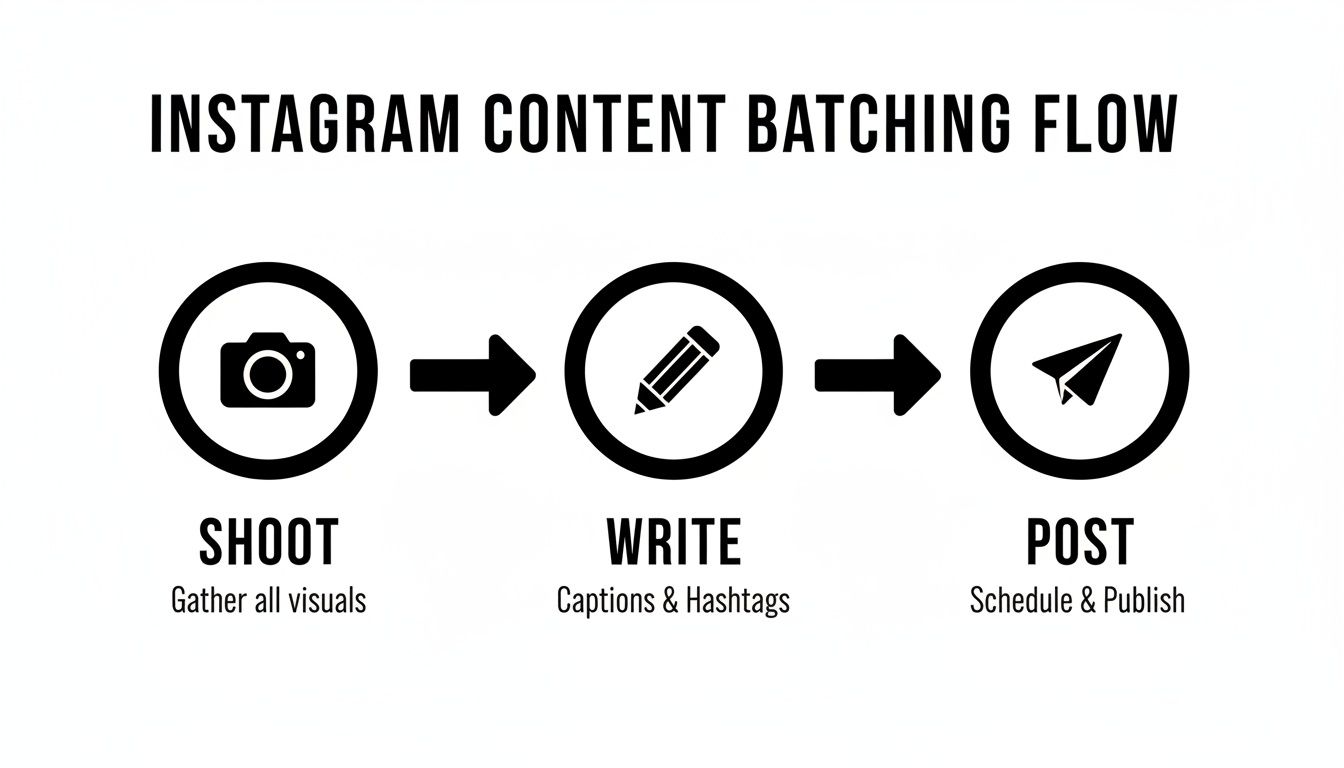
Instead of a daily fire drill, content creation becomes a streamlined flow.
Find the Right Balance: Automation and Real-Time Content
Don't worry, automation doesn't mean your Instagram feed turns into a robot. It actually does the complete opposite. By automating your foundational evergreen content, you free yourself up to be more human and spontaneous. You finally have the time to engage in real-time conversations, jump on trending audio, and post those off-the-cuff Stories that build genuine connection.
A great rule of thumb is the 80/20 rule: 80% of your posts should be valuable, educational, or entertaining, while only 20% are directly promotional. Your automated evergreen content takes care of a huge chunk of that 80%, ensuring your value-add posts are always going out.
You can also apply this thinking to your content formats. A strong mix looks something like this:
- 40-50% Reels to maximize reach.
- 20-30% Stories for personal connection.
- 15-20% carousels to educate and inform.
- 10-15% static posts for key announcements.
Considering that video content consistently drives higher engagement than static images, locking in this mix is a smart move for growth.
Setting up this system is the last piece of the puzzle for a high-performing content calendar. If you're looking to dive deeper into the tools themselves, our guide on choosing the right social media scheduler can help you figure out what's best for your business. It's all about making your strategy work for you, turning all that hard work into a consistent growth asset that pays off in the long run.
Answering Your Top Instagram Content Calendar Questions
Even with the perfect template and a solid strategy, you're bound to run into questions once you start living in your content calendar every day. It happens to everyone. Let's walk through some of the most common hurdles I see marketers and creators face, so you can keep your workflow running smoothly.
Just remember, your calendar is a living document. Think of it less as a rigid set of rules and more as a flexible roadmap that keeps you consistent but still leaves room for life to happen.
How Far Out Should I Actually Plan My Instagram Content?
This is a classic question, and the honest answer is: it depends.
For most brands, the sweet spot is planning two to four weeks in advance. This gives you enough runway to batch-create your content—say, filming all your Reels on a Monday and writing captions on Tuesday—without feeling completely locked into a plan. It’s the perfect balance between being prepared and staying agile.
But when a big moment is on the horizon, you need to zoom out. For a major product launch, a holiday campaign, or a big collaboration, you should be thinking two to three months ahead. That longer lead time is essential for getting all your ducks in a row, from creating the visuals and copy to getting approvals from partners.
This is where a tool like EvergreenFeed really shines. It perfectly complements that two-to-four-week plan by working in the background, building a library of your best timeless posts to automatically fill any gaps. It’s a safety net that ensures your account stays active.
What Happens When I Need to Post Something Spontaneous?
Your content calendar should be a guide, not a jail. Some of the best content on Instagram happens in the moment—an unexpected behind-the-scenes shot, a reaction to a trending sound, or a timely comment on industry news. A good calendar doesn't stop this from happening; it makes it easier.
Here’s how I build flexibility right into the schedule:
- Leave gaps on purpose. I always recommend leaving one or two empty slots in your calendar each week. These are your designated spots for spontaneous, timely content.
- Don't be afraid to reschedule. If a golden opportunity pops up, just bump a planned post. Because you have a calendar full of great content, shifting one post to next week won't throw your whole strategy into chaos.
The real beauty of a content calendar is that it gives you a foundation. Posting one off-the-cuff Reel doesn't derail your entire week, because you already have a solid plan to fall back on.
How Often Should I Review and Tweak My Calendar Strategy?
An Instagram content calendar is absolutely not a "set it and forget it" tool. The platform changes, audience tastes shift, and what worked last month might not work next month. You have to keep your finger on the pulse.
To avoid getting buried in data, I use a simple two-part review process:
- The Weekly Gut-Check: Every Monday, I take 15 minutes to scan the content planned for the week. Does everything still feel relevant? Does a caption need a small update based on something that just happened? This quick check-in prevents you from posting something that already feels dated.
- The Monthly Deep-Dive: Once a month (or quarterly, if you're strapped for time), I sit down with Instagram Insights and really look at what worked. Did carousels get more saves than Reels? Did one of our content pillars generate way more comments than the others?
Use what you learn to inform the next month's plan. Maybe you’ll decide to double down on a certain format, test new posting times, or introduce a new content theme. This cycle of planning, posting, and analyzing is what turns your calendar from a simple schedule into a powerful engine for growth.
Ready to put your best content on autopilot and save hours every week? EvergreenFeed integrates seamlessly with Buffer to create a powerful, automated scheduling system for your evergreen Instagram posts. Sign up for free and start automating today!