James
James
Yes, you absolutely can schedule TikTok videos. This is a massive relief for creators and brands who are tired of being chained to their phones, trying to post at the perfect moment.
You’ve got two main ways to do this: either through TikTok's own scheduler on a desktop computer or by using a third-party social media tool. Both get the job done, freeing you from the pressure of manual, real-time posting.
Why Scheduling TikToks Is a Sanity-Saver
If you've ever felt the frantic rush of trying to get a video up at a specific time, you know how draining it can be. That's where scheduling comes in. It’s the difference between being reactive and being strategic. Instead of scrambling daily, you can dedicate one or two sessions a week to batch-create and schedule everything out.
This one simple change in your workflow pays off in big ways:
-
Hit Your Audience’s Peak Hours: Your analytics might tell you the best time to post is 9 PM on a Saturday, but who wants to stop their life to post a video then? Scheduling lets you hit that primetime slot without fail, even if you’re out with friends.
-
Feed the Algorithm Consistently: The TikTok algorithm loves a consistent posting schedule. When you reliably show up, you stay top-of-mind with your followers and signal to the algorithm that your account is active and valuable.
-
Reclaim Your Time & Energy: Imagine all the time you'll get back. You can shift your focus from the logistics of posting to the fun parts—coming up with new ideas, engaging with comments, and actually watching your account grow.
For a lot of people, the native TikTok scheduler is more than enough for basic planning. But if you’re managing multiple accounts or building a more complex content strategy, a dedicated third-party app is often the way to go.
So, which one is right for you? Let's break down the key differences to help you decide.
TikTok Scheduling Methods at a Glance
Choosing between the built-in scheduler and a third-party app really comes down to your workflow. Do you plan content a few days in advance or a few months? Do you need to manage other social media channels alongside TikTok? This table lays out the core differences at a glance.
| Feature | TikTok Native Scheduler (Desktop) | Third-Party Tools (e.g., Buffer) |
|---|---|---|
| Platform | Web/Desktop Only | Desktop & Mobile App |
| Cost | Free | Free & Paid Tiers |
| Scheduling Window | Up to 10 days in advance | Typically 30+ days (varies by plan) |
| Editing Features | Basic (caption, cover, privacy) | Advanced (first comment scheduling, analytics) |
| Cross-Platform | No, TikTok only | Yes, manage Instagram, Facebook, etc., in one place |
| Best For | Simple, short-term planning for TikTok | Comprehensive, long-term social media management |
Ultimately, there’s no single “best” option—only the best option for your needs. If you’re just dipping your toes into scheduling, start with TikTok’s native tool. It's simple, free, and gets the job done. If you find yourself hitting its limitations, you’ll know it’s time to explore a more robust third-party solution.
How to Use TikTok's Native Scheduler on Desktop
If you want a simple, no-fuss way to plan your TikToks, the platform's own built-in scheduler is a great place to start. It's completely free and does the job well.
The only real catch? It's a desktop-only feature. You'll need to hop on your computer and use a web browser, as you won't find this option anywhere in the mobile app. You'll also need to have a Business or Creator Account, which is a quick, free switch you can make right in your account settings.
Getting started is surprisingly easy. Once you log into your TikTok account on your computer, just hit the "Upload" button. From there, you can drag and drop your finished video file, craft your caption with all the right hashtags, and pick a cover image that'll grab attention.
Activating the Schedule Feature
After you've filled in your video's details, keep an eye out for a toggle switch labeled "Schedule video." Give that a click, and a calendar and time selector will pop up. This is where the magic happens—you can choose the exact day and time for your video to drop, lining it up perfectly with when your audience is most active.
With 82.2 million daily active users scrolling through their feeds, timing really is everything. Most social media studies point to the 6 PM to 8 PM window as a sweet spot for engagement, with Thursday at 7 PM often being a prime time. Scheduling lets you consistently hit these peak hours without having to be glued to your phone. If you want to dive deeper, you can find a lot of great data on the best times to post to fine-tune your strategy.
Key Takeaway: The native scheduler lets you plan content up to 10 days in advance. This is perfect for short-term campaigns or if you like to batch-create and schedule a full week's worth of videos in one sitting.
Once you’ve locked in your date and time, just click the red "Schedule" button. That’s it! Your video is officially in the queue, ready to go live automatically. Now you can get back to creating your next masterpiece.
Unlocking Advanced Scheduling with Third-Party Tools
While TikTok’s built-in scheduler is a decent starting point, you’ll likely hit its limits pretty fast if you're serious about growing your account. The desktop-only access and 10-day scheduling window can feel really restrictive, especially when you're trying to map out a long-term content strategy or manage multiple profiles.
This is where third-party tools come in to save the day.
Platforms like Buffer or Sprout Social—many of which are official TikTok Marketing Partners—offer a much more robust and flexible way to manage your content. Their biggest win? The ability to schedule TikToks from anywhere, including your phone. This completely changes the game, letting you plan your content on the go instead of being chained to your desk.
Why a Third-Party Scheduler Is a Game-Changer
Beyond just mobile access, these tools demolish TikTok's 10-day scheduling wall. You can often plan your videos weeks, or even months, in advance. If you're a brand running a seasonal campaign or a creator who likes to batch-record a month's worth of content in one go, this long-range planning is absolutely essential.
What’s more, many of these platforms are designed to be an all-in-one command center for your entire social media presence. You can line up your TikToks right alongside your Instagram Reels and Facebook posts, all from a single dashboard.
Honestly, this consolidation is a massive time-saver. Instead of hopping between different apps and logins, you get one organized view of your entire social media strategy. It makes keeping a consistent brand voice across platforms so much easier.
For creators looking to really maximize their efficiency, pairing a scheduler with a system that automatically recycles your best-performing videos can be incredibly powerful. A great place to start is by exploring different kinds of TikTok automation software. These tools can help you build a hands-off content pipeline and squeeze every last drop of value out of your best work.
Want to Truly Automate Your Content? Try an Evergreen Workflow
Scheduling posts one by one is a good start, but if you want to get really efficient, you need to think about building an automated, evergreen workflow. The whole idea revolves around your evergreen content—those timeless videos like how-to guides, essential tips, or behind-the-scenes brand stories that stay relevant long after you post them.
Instead of constantly being on the "post and forget" treadmill, an evergreen system puts your best content to work on a loop. It continuously recycles your top-performing videos, making sure new followers see them and keeping your account consistently active with very little hands-on effort. It’s the perfect way to fill gaps in your content calendar and squeeze every last drop of value out of the videos you poured so much effort into.
This flowchart maps out the journey from creating on your phone to managing a long-term, automated system from a single dashboard.
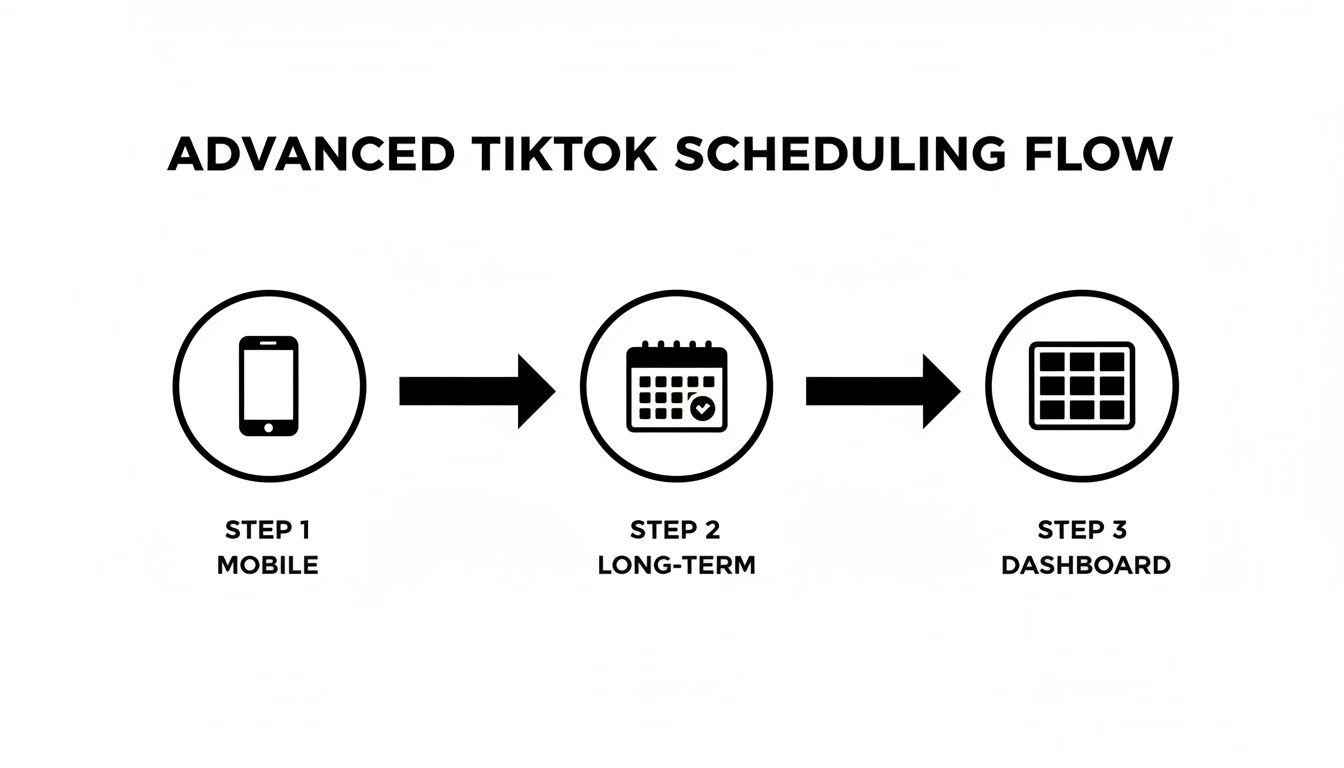
The big takeaway here is that shift from manual, short-term thinking to a sustainable, automated machine you can manage from one place.
How to Build Your Automated System
Putting a system like this together is actually much simpler than it sounds. It usually just means pairing two types of tools: a primary scheduler and an automation engine. For a killer combination, you could use Buffer to do the actual posting to TikTok and a tool like EvergreenFeed to manage your library of videos and the recycling schedule.
Here’s what that looks like in practice:
-
Create Your Content Buckets: First, you’ll want to sort your videos into different categories. Let's say you're a fitness coach. Your buckets might be ‘Workout Tips,’ ‘Healthy Recipes,’ and ‘Client Testimonials.’ This is key for making sure you’re posting a balanced mix of content.
-
Map Out Your Posting Cadence: Next, decide when each category goes live. You might set it up so a ‘Workout Tip’ posts every Monday and Wednesday morning, a ‘Recipe’ goes out on Friday afternoon, and you share a ‘Testimonial’ on Sunday evening.
-
Let the Automation Run the Show: With everything set up, the automation tool takes over. It will grab a video from the right category at the scheduled time and pop it into your Buffer queue. From there, Buffer publishes it directly to TikTok for you. It's that simple.
This approach transforms your content library from a static archive into a dynamic asset that works for you 24/7. Your TikTok profile stays active with proven content, driving engagement without you having to manually touch every single post.
This hands-off system is a massive time-saver, but it also ensures your best videos get the repeat visibility they deserve. By automating the grunt work, you free up your time and energy to focus on what really matters: creating brilliant new content and actually talking to your community. To really nail this down, it’s worth exploring guides that detail the perfect social media workflow for staying efficient. This is how you take the answer to "can you schedule TikTok videos" from a simple "yes" to a strategic "absolutely."
Best Practices for a Smarter Scheduling Strategy
Scheduling is the "how," but a smart strategy is the "why." To get real results from your TikToks, you need to combine the convenience of scheduling with a plan that gives the algorithm exactly what it's looking for.
It all starts with consistency—it's pretty much non-negotiable for growth on the platform. While TikTok's official advice is to post 1 to 4 times a day, that's a huge range. Looking at what actually works, analysis of millions of videos shows that top-performing accounts tend to post around 2 times daily. This proves that a steady, manageable rhythm is the secret sauce. Quality always wins over quantity, so find a pace you can stick to without burning out.
Next up is timing. You have to know when your audience is actually scrolling. The best place to find this is right in your TikTok Analytics. Head over to the "Followers" tab and pinpoint their most active hours. Don't guess—use this data to schedule your videos for that critical initial engagement boost.
Master Your Content Workflow
A consistent schedule is nearly impossible to maintain without a streamlined creation process. This is where batch creation will become your secret weapon. Instead of scrambling to make a video every single day, set aside one dedicated block of time each week to film everything at once.
- Plan Ahead: Before you even hit record, outline 5-7 video ideas.
- Film in One Go: Knock out all the recording in a single session.
- Edit and Schedule: Spend your next block of time editing the videos and loading them into your scheduler for the entire week.
This approach is a lifesaver. It prevents burnout and guarantees your content calendar stays full, even on your busiest days. Building a system like this lets you shift your focus from last-minute panic to long-term strategy. While you're at it, you can gain some great insights by checking out guides on optimal social media posting times, as timing principles often overlap across platforms.
Combining batching with scheduling is the ultimate productivity hack. You essentially build a content machine that runs in the background, freeing you up to engage with your community and plan your next big move.
By putting these practices into play, you can schedule social media posts effectively to build momentum and grow your audience without feeling completely overwhelmed. The key is to work smarter, not harder.
Got Questions About Scheduling TikToks? Let's Clear Things Up
Even with the best plan, you're bound to have a few questions when you start scheduling TikToks. It's a common part of the process. Let's walk through some of the things people ask most often so you can get your workflow running smoothly.
Can I Really Schedule a TikTok from My Phone?
This is probably the most-asked question, and for good reason. The official TikTok app doesn't have a built-in scheduling feature—that's reserved for the desktop version. But the answer is still a resounding yes, you absolutely can schedule from your phone.
The trick is to use a third-party social media tool. Apps like Buffer or Sprout Social are built for this exact scenario. They connect to your TikTok account and let you upload your video, write your caption, and pick a time, all from your mobile device. It's a game-changer for creating content on the fly.
Does Scheduling My Videos Hurt My Reach?
Not at all. This is a myth that needs busting. As long as you’re using TikTok's own desktop scheduler or an official TikTok Marketing Partner tool, scheduling is completely safe for your account's health. In fact, it usually helps your reach.
Think about it: scheduling lets you post precisely when your audience is most active. That initial wave of likes and comments signals to the algorithm that your video is worth showing to more people, potentially landing it on the For You Page.
How Far in Advance Can I Schedule My TikToks?
This completely depends on the tool you’re using.
If you stick with TikTok's native scheduler on your computer, you're limited to scheduling posts just 10 days out. This is fine for week-to-week planning but can feel a bit restrictive if you like to batch-create content.
For those who need a longer-term plan, third-party schedulers are the way to go. Most of them let you schedule your videos weeks, or even months, in advance. This flexibility is why so many serious creators and brands rely on them to manage big campaigns and keep their content calendars full without the daily scramble.
Ready to build an automated, evergreen content machine that saves you hours every week? EvergreenFeed integrates directly with Buffer to put your best TikToks on a loop, ensuring your account stays active and your best content keeps working for you. Start your free trial today!