James
James
If you're looking for a quick, no-fuss answer on the best time to post on Facebook, the data consistently points to weekdays. Generally, you'll see strong engagement from Monday to Thursday somewhere between 8 AM and 6 PM. Wednesday, in particular, tends to be a powerhouse day with a long and active window.
Think of these as your starting blocks—a reliable foundation to build upon before you start digging into your own analytics.
A Quick Snapshot of the Best Times to Post on Facebook
Let's be clear: there's no single "magic hour" that guarantees success for every single brand. However, after analyzing tons of data from countless accounts, clear patterns emerge. Think of these widely recognized peak times as the major highways for Facebook traffic. Posting during these windows gives your content the best shot at getting seen by a wide audience right out of the gate.
These benchmarks aren't the final word, but they are the perfect place to start. They're based on when the largest number of people are typically scrolling through their feeds—usually during work breaks, commutes, and their evening wind-down time. By starting here, you can gather some initial feedback and begin the process of creating a schedule that's truly tailored to your followers.
This chart gives you a quick visual breakdown of the best and worst days for engagement.

As you can see, weekdays are your most reliable bet for getting eyes on your content, while Sunday tends to be the quietest day on the platform.
A Day-by-Day Look at Peak Posting Windows
To give you something you can use right now, I've compiled a table of the general high-engagement windows for each day of the week. This is an excellent starting point for your first few weeks of scheduling and testing.
General Best Times to Post on Facebook Based on Aggregated Data
This table summarizes the peak engagement times throughout the week, providing a strong starting point for your posting schedule.
| Day of the Week | High-Engagement Windows | Notes |
|---|---|---|
| Monday & Tuesday | 9 AM – 6 PM | Consistent activity as people settle into the work week. |
| Wednesday | 8 AM – 6 PM | Often the strongest day with the longest, most active window. |
| Thursday | 8 AM – 6 PM | Activity remains high as the week progresses. |
| Friday | 9 AM – 11 AM, then 2 PM – 4 PM | Engagement dips as people wind down for the weekend. |
| Saturday | 8 AM – 6 PM | Activity picks up for leisure and shopping-related content. |
| Sunday | 9 AM – 11 AM, then 3 PM – 6 PM | Generally the lowest engagement day, but specific niches may vary. |
Use these timeframes as your initial guide. They represent the "best guess" based on broad user behavior before you have your own data to work with.
The big takeaway here is that user activity has really spread out. It's no longer just about those classic morning and lunchtime peaks. Engagement now stretches across most of the workday, which actually gives you a lot more flexibility than you might think.
When it comes to midweek magic, Wednesday is king. It boasts a massive 10-hour engagement window from 8 a.m. to 6 p.m. This broad stretch consistently outperforms other days, with activity hitting its stride between 8-11 a.m. and again from 3 p.m. onward. This is perfect for when you need to push out your most important content. In fact, some industry analysis shows that Wednesday posts can see engagement rates up to 25% higher than on Sundays, the platform's weakest day. You can read the full research on these Facebook engagement trends to see more of the data for yourself.
Use this snapshot to build your first posting calendar. In the next sections, we'll walk through how to refine this schedule based on your own unique audience, turning these general guidelines into a powerful, data-driven strategy made just for your brand.
Why Generic "Best Times" Are Just a Starting Point
Think of those widely-published "best times to post" as the interstate highway. Sure, it’s where most of the traffic is, but it doesn't mean it’s the fastest route to your specific destination. Your brand's true best time is more like a local shortcut—a little trickier to find, but it gets you right where you need to be, faster.
Those big studies are fantastic for giving you a ballpark idea, but they’re built on massive averages from thousands of completely different accounts. The online habits of a B2B tech professional scrolling on their lunch break are worlds away from a new parent browsing Facebook at 3 AM. Relying only on generic advice is like using a map of Los Angeles to navigate Tokyo.
To really nail your timing, you have to stop looking at global traffic and start paying attention to the unique daily rhythm of your own audience.
Your Audience Has a Unique Digital Commute
Every community has its own "digital commute"—the specific times they pick up their phones, start scrolling, and are ready to engage. This pattern is a direct result of who they are, and generic charts just can't see that level of detail.
Understanding what makes your audience tick is the first real step.
- Audience Demographics: Are your followers college students pulling all-nighters or professionals grabbing their morning coffee? Their age, job, and lifestyle create completely different online schedules.
- Industry Norms: A restaurant will naturally see more buzz around lunch and dinner. A travel agency might get more action on a Sunday afternoon when people are daydreaming about their next trip. Your industry sets the stage for when your content feels most relevant.
- Time Zones: This one is huge. If your audience is spread out across the country or the world, posting at 9 AM your time could be the middle of the night for a huge chunk of your followers. You have to know where your people are.
The goal isn't just to post when Facebook is busy. It's to post when your followers are actually listening. That simple shift in thinking is what separates a decent social media strategy from a great one.
Uncovering Your Data with Facebook Insights
Thankfully, Facebook doesn't make you fly blind. The platform’s built-in analytics are your personal GPS for finding out when your audience is most active. This is where you leave the guesswork behind.
Meta Business Suite gives you a crystal-clear picture of when your followers are online, broken down by day and even by the hour. This data is the single most important tool you have for figuring out your page's unique best times.
Here’s an example of the "Most active times" chart you can find right inside your Page Insights.
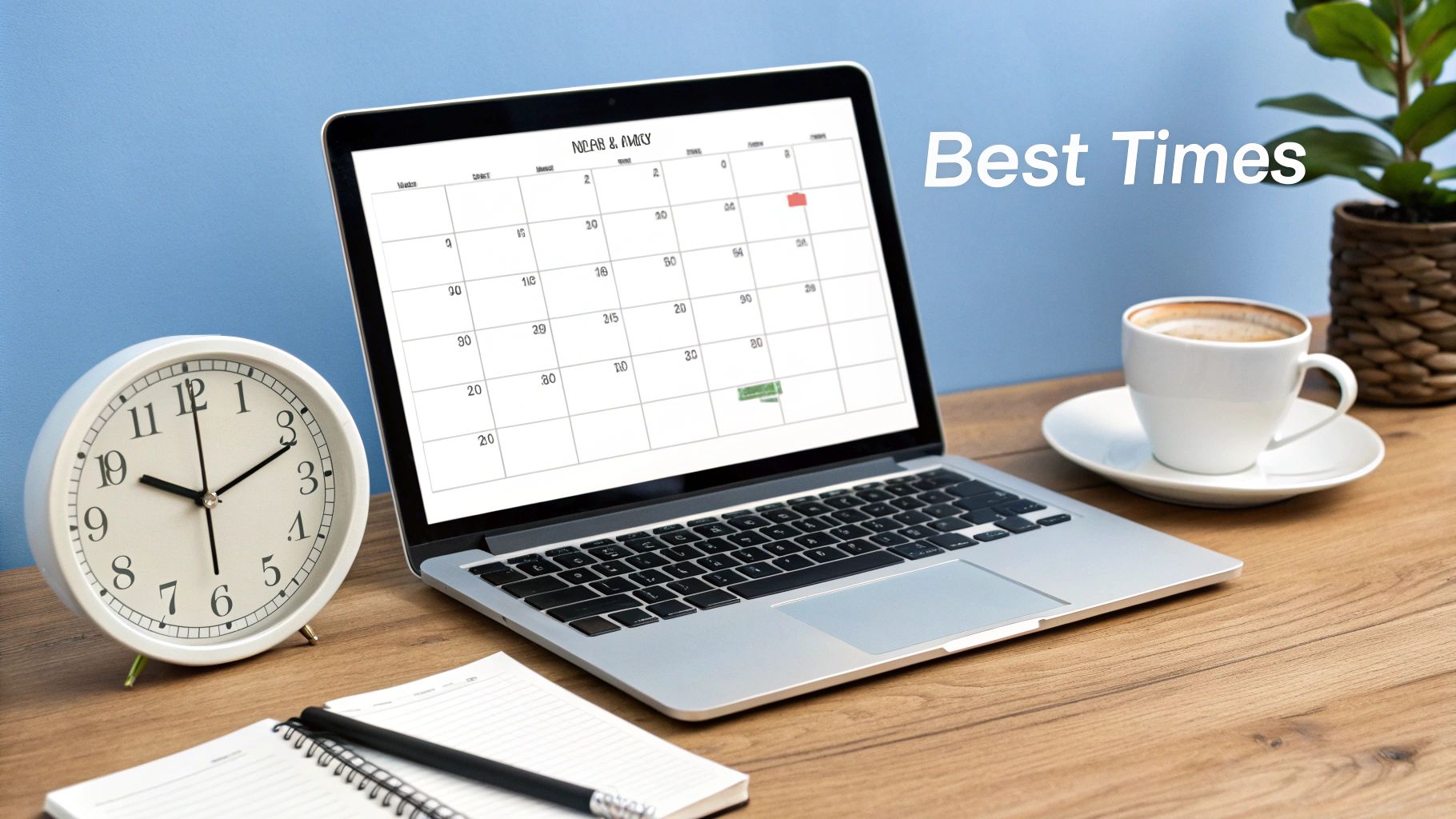
This chart tells you everything. It shows you the exact hours your followers were hanging out on the platform over the last week, letting you zero in on your own golden hours.
By looking at this data, you can start forming a solid hypothesis. If you see a consistent spike around 8 PM every night, that’s your cue to start testing posts in that window and see what happens. Moving beyond generic advice is also critical for building effective Facebook advertising strategies, where timing can make or break your budget.
Ultimately, these personalized insights are what empower you to build a content schedule that works smarter, ensuring your best stuff gets in front of the right people at the exact moment they're ready to see it.
How to Find Your Unique Best Posting Times in 5 Steps
Alright, let's roll up our sleeves and get into the real work. While those industry-wide benchmarks are a great starting point, the real magic happens when you uncover the unique rhythm of your own audience. Think of it like tuning an old radio—you start with the general station frequency, but you have to make those tiny adjustments to get a perfectly clear signal.
This five-step process is your roadmap to finding that crystal-clear signal. We're going to move from educated guesses to data-backed decisions, making sure your amazing content lands in front of your followers right when they’re most likely to see it and engage.
Step 1: Start with Your Facebook Insights Data
Your first stop is the goldmine of data Facebook gives you for free: your Page Insights. Forget what generic studies say for a moment—this is the ground truth for your specific followers.
To get there, head into your Meta Business Suite and find the "Audience" tab under "Insights." You'll see a chart showing the days and hours your followers were most active over the last week. This isn't a suggestion; it's a direct look at your community's online habits.
Look for the darkest blocks of color on that chart. Those represent your peak activity hours and are the first, most obvious candidates for you to start testing.
Step 2: Audit Your Best Performing Content
Next up, it’s time to play detective with your own work. Scroll back through your posts from the last month or two and pick out your top five to ten winners. Don't just look at likes; you want a good mix of posts with high reach, lots of comments, and a healthy number of shares.
Once you have your highlight reel, start looking for patterns in the timing.
- What day of the week did they go live? Do you notice a trend where your best stuff always seems to hit on Wednesdays or Thursdays?
- What time of day did you post them? Are your biggest successes consistently happening in the morning commute window or late in the afternoon?
- How does this line up with your audience data? Do your top-performing posts match up with those peak hours you found in your Insights?
This simple audit tells you what has already worked, giving you powerful clues about what’s likely to work again.
By combining what Facebook says about your audience's activity with your own performance data, you're building a much stronger foundation for your posting schedule than any generic chart can provide.
Step 3: Form a Hypothesis and Build a Test Schedule
Okay, you now have two powerful pieces of information: when your audience is online and when your best content has historically done well. It’s time to connect the dots and form a simple, testable hypothesis.
For example, you might come up with something like: "Based on our Insights and past home runs, posting at 8 AM, 12 PM, and 5 PM on weekdays will get us the most engagement."
With that hypothesis in hand, sketch out a simple testing calendar. For the next two to four weeks, you're going to commit to posting only at these specific times. Consistency is everything here—you need enough data to see if your theory is correct. To stay organized, you can grab a pre-made guide; check out how to create a social media posting schedule template to get started fast.
Step 4: Run Your Test Consistently
This step is all about execution and a little bit of patience. For your test results to mean anything, you have to stick to the schedule you just created. Post consistently at your chosen times for at least two weeks, but a full four weeks is even better for gathering truly reliable data.
Also, try to keep the type of content you post relatively consistent. If you share a potential viral video one day and a simple text update the next, it’s going to skew your results for the timing. The whole point here is to isolate the time variable as much as you can.
Remember, you're looking for trends over several weeks, not judging the performance of a single post.
Step 5: Analyze Your Results and Finalize Your Schedule
Once your testing period is over, it’s time to see what you’ve learned. Head back into your Facebook Insights and look at the performance of every post from your test. I'd recommend a simple spreadsheet to track key metrics like reach, likes, comments, and shares for each time slot.
Which times consistently delivered the goods? Did one slot always get more comments while another nailed reach? This analysis will help you definitively identify your engagement sweet spots. These are your new, personalized best times to post on FB.
For example, you might discover that early morning posts are a hidden gem for your audience. This actually lines up with some broader trends; Buffer's 2025 analysis found that 5 a.m. on Monday is a top-performing slot, catching people as they first grab their phones. This early-bird timing can lead to a huge boost in reach, which shows why it's so valuable to test hours you might not have considered.
With this data, you can finally build your ideal posting schedule, confident that it’s perfectly tuned for your unique audience.
Turning Your Perfect Schedule into an Effortless System
Okay, so you've done the hard work. You’ve sifted through the data and pinpointed the exact times your audience is most active on Facebook. That's a massive win! You’ve officially moved beyond generic advice and have a schedule tailored to your followers.
But now what? How do you actually hit those perfect posting windows day in and day out without being glued to your screen?
This is where automation comes in. Think of it as cloning yourself—a version of you who never sleeps, never forgets, and is dedicated to posting your best content at the perfect moment. By setting up the right system, you can turn all that data-driven insight into an automated engine that works for you 24/7.
Building Your Automated Content Engine
The strategy is actually pretty simple. You’ll create a library of your best, most timeless content and then use a couple of smart tools to post it for you on a set schedule. For this, the combination of EvergreenFeed and Buffer is a game-changer.
Think of EvergreenFeed as your content "brain." It stores and organizes all your great posts. Buffer is the "hands," taking what EvergreenFeed gives it and publishing it at the exact right time. Together, they transform your content workflow from a daily chore into a hands-off system.
Here’s a peek at the EvergreenFeed dashboard, where you can sort your content into different categories, or "buckets."

As you can see, you can create separate libraries for things like blog posts, tips, or company news. This organization is what lets you build a rich, varied content calendar without having to think about it every day.
Step-by-Step: Putting EvergreenFeed and Buffer to Work
Getting this automation running is surprisingly straightforward. It starts with organizing your proven content into those thematic "buckets" inside EvergreenFeed.
Here are a few ideas for buckets you could create:
- Blog Posts: Links to your articles and cornerstone guides.
- Success Stories: Customer testimonials and case studies that build trust.
- Quick Tips: Bite-sized, helpful advice that people love to share.
- Product/Service Features: Posts that highlight what you offer (use sparingly!).
- Behind the Scenes: Fun, humanizing content that shows your brand's personality.
Once your buckets are loaded up, you’ll create a posting schedule for each one. This is where you plug in those optimal posting times you found during your testing phase.
You can get really strategic here. For instance, maybe you schedule your "Blog Posts" bucket to only publish on weekday mornings when you know your professional audience is catching up on industry news. Your "Behind the Scenes" content, on the other hand, could be set for late afternoons and weekends to catch people when they're winding down.
This level of control ensures the right message finds your audience at the right time. For a deeper dive, our guide on how to auto-share Facebook posts walks through this exact method.
The real magic of this system is the consistency it creates. Your audience starts to see you as a reliable source of great information because you're showing up in their feed, right on cue, every single day.
After setting the schedule in EvergreenFeed, the tool automatically sends your posts over to your Buffer queue. Buffer then takes care of the final step, publishing each post to your Facebook page at the precise time you chose. That's it. Your job is done.
All you need to do from here on out is add new evergreen content to your buckets every now and then to keep things fresh. This simple setup frees you from the daily grind of scheduling and lets you focus on what really matters: creating more great content.
While your personalized data will always outperform generic advice, it's interesting to see how it compares to broader trends. One major report, for example, identifies 9 a.m. to 12 p.m. on Mondays through Thursdays as a generally strong window. By automating your specific best times, you’re not just hitting a broad target—you're hitting a bullseye, effortlessly.
Fine-Tuning Your Facebook Schedule for Your Industry
Thinking a B2B software company and a local coffee shop should post at the same time is like expecting the lunch rush to hit a downtown diner and a suburban bistro at the exact same moment. It just doesn't work that way. Every industry has its own unique rhythm, dictated by the daily lives and habits of its audience.
A one-size-fits-all schedule is a recipe for mediocre results. To really get your content in front of the right people at the right time, you have to look at your specific field. For a retail brand, that sweet spot might be a Saturday afternoon when people are in a shopping mindset. For a B2B consultant, peak engagement will almost always fall squarely within the 9-to-5 workday. Aligning your posting schedule with these industry-specific patterns is what separates the pros from the amateurs.
How Different Industries Show Up on Facebook
Let’s get practical. The audience for a healthcare clinic is probably scrolling through Facebook in short bursts—early in the morning before work or during a quick lunch break. On the other hand, someone following a travel agency is most likely to be active on a Sunday afternoon, scrolling through beach photos and dreaming up their next getaway.
These aren't random guesses; they're predictable behaviors based on real life. When your content pops up during these natural windows of activity, you gain a massive advantage. Your message doesn't just show up when people are online; it shows up when they're in the right frame of mind to actually pay attention.
Recommended Facebook Posting Times by Industry
To give you a head start, this table outlines some common posting windows for different sectors. Think of these not as rigid rules, but as a solid starting point for your own experiments.
| Industry | Primary Posting Days | Recommended Time Slots |
|---|---|---|
| B2C Retail | Tuesday, Wednesday, Friday, Saturday | 8 AM – 12 PM, with weekend peaks |
| B2B Services | Tuesday, Wednesday, Thursday | 8 AM – 11 AM and 3 PM – 5 PM |
| Healthcare | Tuesday, Thursday | 9 AM – 10 AM (brief morning windows) |
| Media & Entertainment | Wednesday, Thursday, Friday | 12 PM – 3 PM (lunchtime and afternoon) |
| Travel & Hospitality | Sunday | 10 AM – 12 PM (weekend planning) |
The differences are stark, right? B2B engagement practically disappears over the weekend, while that’s precisely when travel and hospitality brands shine.
Common Timing Mistakes That Are Killing Your Reach
Even with the best industry data, a few common slip-ups can completely sabotage your efforts. Finding your ideal posting time is also about knowing what not to do.
Steering clear of these traps is just as crucial as finding your peak engagement hours.
- Ignoring Time Zones: This is a big one. If you have a national or global audience, posting at 9 AM your time might be the middle of the night for half your followers. Always dig into your Facebook Insights to see where your audience is located and schedule your posts for times that work for the majority.
- Posting Sporadically: An inconsistent schedule confuses everyone—the algorithm, your followers, and you. Sticking to a regular cadence, even if it's only a few times a week, builds anticipation and signals to Facebook that your page is a reliable source of quality content.
- Posting and Ghosting: Dropping a great post at the perfect time and then walking away is a massive missed opportunity. The first hour is golden. When you reply to comments and questions right away, you fuel the conversation, which tells the algorithm to push your post out to even more people.
Remember, the whole point of finding the perfect time is to start a conversation. If you’re not there to participate, you’re only doing half the job.
By tailoring your schedule to your industry and avoiding these common mistakes, you’re building a much smarter, more effective content strategy. It's a thoughtful approach that shows you respect your audience's time and drastically improves the chances that your message will truly land. This is how you go from just posting content to actually connecting with people.
Putting It All Together: Your Path to Mastering Facebook Engagement
So, where do we go from here? We've covered a lot, but finding the perfect time to post on Facebook isn't about a single magic bullet. It’s an ongoing cycle: you test, you analyze what works, and you refine your schedule based on what you learn.
Think of it this way: industry benchmarks are your starting point. They get you in the right ballpark, saving you from the guesswork of posting at random times and just hoping for engagement. It's like using a map to find the right city before you start looking for a specific address.

But the real breakthroughs come when you dive into your own Facebook Insights. This is where you'll find the unique story of your audience—when they're actually scrolling, when they're most likely to like or comment, and when your content truly hits home. Your data holds the key to your personal peak engagement windows.
From Insight to Action
Once you have this knowledge, the final piece is putting it into practice consistently. This is where a little bit of smart automation can make a world of difference.
The goal is to turn a repetitive daily task into a genuine strategic advantage. By automating your best posting times, you free yourself up to focus on what really moves the needle: creating fantastic content that your audience loves.
This is where a combination like EvergreenFeed and Buffer comes in handy. You can build out libraries of your best content, set your ideal posting schedule just once, and let the tools handle the repetitive work. When this schedule is part of a larger, holistic B2B social media strategy, you've truly built a powerful content machine.
Your journey to mastering Facebook engagement starts with that first test. You now have the full roadmap. Start with the benchmarks, trust your own data, and use automation to make it happen.
Frequently Asked Questions
Figuring out the best times to post on Facebook can feel like a moving target. Let's tackle some of the most common questions that pop up so you can fine-tune your schedule and get real results.
How Often Should I Re-Evaluate My Posting Times?
Think of it like a seasonal check-up. A good rule of thumb is to take a peek at your posting time effectiveness every quarter. Audience habits aren't static; they shift with seasons, algorithm updates, or even what’s happening in your industry.
You don't need to do a massive overhaul every time. Just a quick dive into your Facebook Insights every three months is often enough. Look at your best-performing posts from the last 90 days—this will quickly tell you if your schedule is still in sync with your audience's most active hours.
Does Posting Frequency Affect the Best Time to Post?
It absolutely does. If you're posting several times a day, you're not looking for one perfect time, but several. Your goal is to find a few different high-engagement windows to avoid overwhelming your audience.
For example, your data might point to a strong morning peak (9 AM–11 AM) and another one in the afternoon (2 PM–4 PM). This is where automation tools become your best friend, letting you schedule different types of content for each slot and maintain a steady, engaging presence.
The real trick is to avoid cannibalizing your own reach. When you space out your posts across different peak times, you give each piece of content its own chance to shine, which boosts your overall performance.
What if My Audience Spans Multiple Time Zones?
When you've got a global following, start by looking at your Facebook Insights to see where most of your followers live. Focus on the primary time zone first—that’s your low-hanging fruit for an immediate engagement boost.
Another smart move is to find the "overlap" windows. For example, late morning in the U.S. lines up perfectly with late afternoon in Europe. You could also dedicate certain posts each week to target different major regions. To really nail this, you need to track the right data; exploring different social media engagement metrics will show you what resonates with each audience segment.
Ready to stop guessing and start automating your perfect Facebook schedule? EvergreenFeed helps you build a powerful, automated content engine that posts your best content at the right times, every time. Sign up for free and see how much time you can save!