Leiann
A single event announcement rarely fills seats. People need a clear reason to care, repeated details they can trust, proof that the event is worth their time, and an easy next step when they are ready to act.
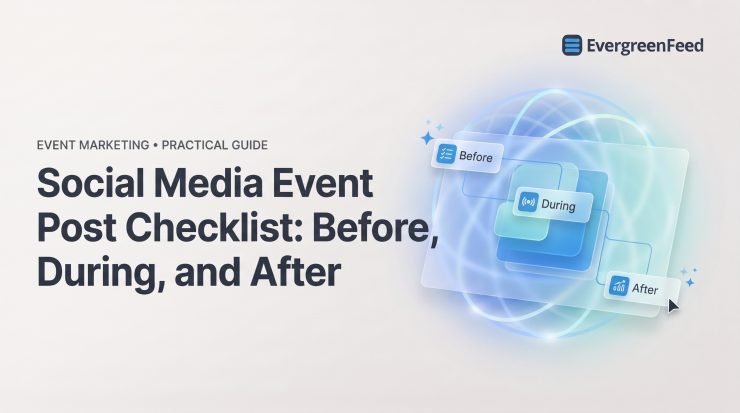
Use this social media event post checklist to plan content before, during, and after an event without turning your channels into a repetitive countdown. The goal is not to post more. It is to make every post move the right audience toward a specific action.
Start with the event goal, audience, and conversion path
Before drafting captions or choosing a hashtag, decide what success means. An event campaign can aim for registrations, attendance, live engagement, qualified leads, replay views, or interest in a future event. Pick one primary outcome so your posts have a consistent job to do.
- Define one primary outcome. Choose the action that matters most for this campaign, such as completed registrations or replay views. Supporting metrics are useful, but they should not distract from the main objective.
- Name the audience segment. Be specific about who should see the post: current customers, local prospects, industry peers, creators, partners, or past attendees. A message for first-time attendees should not sound the same as one for returning community members.
- Confirm the event format and platform priorities. A virtual workshop, in-person conference, livestream, and product demo require different information and content formats. Focus effort where your audience actually pays attention.
- Use one clear CTA. Ask people to register, save a seat, join a waitlist, watch live, or get the replay. Multiple competing actions make a simple decision unnecessarily difficult.
- Set up a tracked registration link. Use tagged links so you can identify which platforms, partners, and post types generate meaningful actions.
- Assign an owner for approvals and replies. Someone needs authority to approve changes and answer questions quickly. Event posts lose value when a basic logistics question sits unanswered for a day.
This work prevents a common mistake: publishing plenty of post ideas without connecting them to a measurable event objective.
Build the event information kit before writing posts
Event details tend to drift when they live in scattered messages, slide decks, and old captions. Create one source-of-truth document before the social calendar begins, then use it for organic posts, paid promotion, speaker toolkits, and live updates.
- Confirm the essential event details. Include the event name, date, start and end time with time zone, location or access link, pricing, registration URL, and contact route. These details should be easy to copy without introducing errors.
- Document accessibility information. Note captioning, venue access, interpretation, recording availability, or other accommodations attendees may need to make an informed decision.
- Collect speaker, agenda, sponsor, and brand assets. Keep approved bios, headshots, session titles, logos, handles, and visual files together. This speeds up production and reduces incorrect tags or outdated speaker information.
- Prepare channel-ready descriptions. Create short, medium, and long versions of the event description. A short Instagram caption, a LinkedIn post, and an event listing do not need identical copy.
The kit is a working document, not a one-time brief. Update it when schedules, access details, or speakers change, then make sure every person publishing content knows where to find the current version.
Create a social media event post plan by phase
Strong event promotion follows the audience journey. Before the event, people need clarity and a reason to register. During the event, they need useful proof and timely information. Afterward, they need a valuable follow-up rather than a generic recap.
- Map content by phase. Plan pre-event, live-event, and post-event posts against dates, formats, owners, approval deadlines, and the desired action. This makes gaps visible before the event is underway.
- Choose formats for their strengths. Short video and Stories work well for immediacy, feed posts provide lasting reminders and social proof, and LinkedIn gives speakers and professional events room for context and expertise. See this guide to posting different content formats for ideas on adapting one event message across channels.
- Leave room for live coverage. Do not fill every publishing slot in advance. A rigid schedule prevents you from sharing the moments, questions, and insights that make the event feel real.
- Separate date-bound and reusable posts. Registration reminders belong in the campaign calendar. Educational takeaways may have a longer useful life, but only after they are reviewed for context and accuracy.

Before the event: publish the essential announcement post
Your announcement should let a qualified person understand the event in seconds. Do not bury the date below vague excitement or assume that a graphic alone will communicate the logistics.
- Lead with the event and intended audience. State what it is and who will benefit. A specific promise is more persuasive than “something exciting is coming.”
- Include the date, time, time zone, and location or access format. These are not minor details. They are decision-making information, especially for virtual events with an international audience.
- Explain the clearest attendee benefit. Tell readers what they can learn, solve, see, or gain. Focus on an outcome rather than a broad topic label.
- Use one registration CTA and link. Make the next step obvious. A post asking people to comment, tag a friend, visit a profile, and register creates unnecessary friction.
- Use an accessible, recognizable visual. Keep on-image text readable, add alt text where the platform supports it, and include captions on video. The visual should support the message, not hide the essential details.
Avoid vague hype, hidden dates, unverified speaker claims, and link-free registration posts. If someone must search for the logistics, the post has not done its job.
Use this social media event post template
“Join us for [event] on [date] at [time + time zone]. You’ll learn [specific outcome] from [speaker or proof point]. [Format/location]. Save your spot: [link].”
Adapt the opening to the platform and audience, but retain the logistical details and the primary benefit. For a social media event post on Instagram, for example, put the event type and date in the first lines of the caption and make the registration route easy to find.
Before the event: create reasons to register now
After the announcement, each post should answer a different hesitation. Repeating the same countdown graphic does not create urgency; it creates familiarity without adding value.
- Publish speaker or talent spotlights. Use a short clip, quote, or practical insight to establish credibility. Explain why that person’s expertise matters to the event topic.
- Reveal the agenda or specific session outcomes. An agenda carousel can make an abstract event feel concrete by showing what attendees will actually leave with.
- Share attendee outcomes and relevant proof. Use approved testimonials, past-event feedback, or a clear example of the problem the event addresses. Do not invent urgency or results.
- Show behind-the-scenes preparation. Venue setup, speaker prep, or production planning can make an event more tangible, especially when paired with useful details rather than filler.
- Answer frequently asked questions. Cover cost, format, access, recording availability, who should attend, and what attendees need to prepare. FAQ posts reduce friction for people who are interested but uncertain.
- Use deadline reminders honestly. Publish a final call only when there is a real registration, pricing, or capacity deadline. Manufactured scarcity damages trust.
Match each post angle to an audience objection
A speaker clip addresses credibility. An agenda carousel clarifies practical value. A venue or access walkthrough reduces uncertainty. A legitimate deadline post helps someone who has already decided but has not acted.
As an optional reach multiplier, give speakers, sponsors, and partners a pre-approved caption, visual, tracking link, and posting date. This makes sharing easier while keeping event facts and brand language consistent.

Before the event: prepare the live-posting system
Live coverage breaks down when responsibilities are assumed instead of assigned. Prepare the people, assets, permissions, and technical access before doors open or the stream begins.
- Assign live roles and backups. Name a live poster, photographer or videographer, community responder, and backup contact. One person should not be expected to film, write, publish, and answer comments at the same time.
- Create a shot list and secure permissions. Identify priority moments, speakers, audience areas, sponsor requirements, and any spaces or attendees who should not be filmed.
- Preload approved materials. Have captions, links, hashtags, speaker handles, branded templates, and account access ready. This reduces rushed errors when activity increases.
- Set a decision rule for live updates. Agree on what can publish immediately, what needs review, and who corrects mistakes. This is especially important for quotes, announcements, and sensitive topics.
- Test the practical setup. Check Wi-Fi, charging, notification settings, livestream links, microphones, and login access before the event starts.
During the event: publish useful proof, not a stream of noise
Live posts should make the event valuable to people following from elsewhere and help attendees feel part of a shared experience. More volume is not automatically better. Share the moments that provide insight, energy, or necessary logistics.
- Capture useful moments. Post arrival energy, a strong quote, a session takeaway, a meaningful audience question, a product demo, or an attendee reaction when it gives followers a reason to engage or act.
- Use tags and the event hashtag accurately. Tag speakers, partners, and attendees only when appropriate, and verify names and handles before publishing.
- Make video accessible. Add captions and avoid relying on audio alone. A concise caption also helps viewers understand why a clip matters while scrolling.
- Share logistics only when they help. Room changes, schedule updates, livestream access, or resource links are worth publishing when followers need them. Do not make every operational detail a public post.
- Respect privacy and usage agreements. Follow attendee preferences and speaker-content permissions, particularly for workshops, Q&A sessions, and presentations that contain proprietary material.
Use a live-post quality check
Before publishing, verify that the quote is accurate, names and handles are correct, visuals have permission, and the post makes sense to someone who is not in the room. Then match the CTA to the moment: join the livestream, follow for updates, access the resource, or simply save the takeaway.
One strong insight or visual is more valuable than several near-duplicate posts. Protect both audience attention and social media post reach by choosing quality over a constant stream of updates.
After the event: turn momentum into follow-up content
The event may be over, but audience interest is still fresh. Follow-up content should thank participants, deliver on promised resources, and give non-attendees a useful route into the conversation.
- Publish a prompt thank-you and highlight. Share appreciation on the day of the event, along with a genuine moment, quote, or takeaway. This acknowledges attendees while showing the event’s value to everyone else.
- Create a practical recap. Summarize the most useful ideas and link to approved resources, slides, or a replay where available. A recap should be useful on its own, not merely a list of names.
- Share photo, video, and quote highlights. Select assets that tell a clear story. Use quote cards and short clips to bring individual ideas back into the feed without losing their original context.
- Recognize sponsors appropriately. Thank sponsors when agreed, but keep the message relevant to the audience rather than turning the recap into an ad block.
- Segment the next step. Attendees may need resources, community follow-up, or a related offer. Non-attendees may need a replay, recap, or future-event signup option.
Sequence follow-up by urgency: same-day appreciation and highlights first, recap and resources shortly afterward, then durable educational content and future-event nurture.
Create a reuse plan for the best moments
Approved recordings, slides, audience questions, and reactions can become short clips, carousels, articles, and evergreen posts. Preserve the context: a sharp quote without the topic, speaker, or practical takeaway may be memorable but not useful.
Do not repeatedly repost the same asset. Change the hook, audience segment, format, and CTA, while keeping performance data tied back to the original event and creative.
Measure event post performance by phase and action
Reach is useful context, not the final score. Evaluate each phase against the action it was designed to drive.
- Track registrations and referral traffic before the event. Use tagged links and compare posts by conversion efficiency, not just clicks. A post with fewer clicks may still produce more completed registrations.
- Measure live engagement and responsiveness during the event. Look at meaningful comments, shares, direct questions, livestream interactions, and response time to audience needs.
- Measure replay and resource actions afterward. Track replay views, downloads, resource clicks, and future-event leads. These show whether follow-up content continued the conversation.
- Review engagement quality. Saves, shares, comments, and referral traffic can reveal usefulness better than likes alone, especially for educational event content.
- Evaluate evergreen reuse individually. Track each creative, posting interval, downstream clicks, and audience-fatigue signals. A familiar post may still work if it reaches a new audience, but declining engagement or negative feedback is a signal to pause it.
For a more detailed approach, use this guide to measure repeat social media post performance when reviewing event takeaways that remain in circulation.

Keep approved event content working after the campaign
Not every event post should disappear when the campaign ends. The right educational takeaways can continue earning attention, but date-bound promotion should be retired promptly.
- Separate reusable content from expired announcements. Keep practical lessons, approved clips, and timeless quotes distinct from registration reminders, agendas, and countdowns.
- Remove expired links and time-sensitive claims. An old registration link, speaker lineup, or replay offer creates a poor experience and can undermine trust.
- Set a review date. Recheck evergreen posts periodically for accuracy, branding, permissions, and relevance before they return to the queue.
- Rotate only content that still helps the audience. A post being available does not make it worth recycling. Prioritize useful insights with a clear context and current destination.
For teams using Buffer, an evergreen content workflow can organize reusable event takeaways by category and schedule them separately from one-off campaign posts. EvergreenFeed can help Buffer users place eligible long-life posts into rotating content buckets after date-sensitive event updates have been retired.
Use a social media scheduling checklist to verify approvals, links, owners, and publishing dates before those reusable posts re-enter the queue.
Social media event post checklist at a glance
A strong event campaign is a connected before-during-after system, not a single announcement.
- Before the event: Set the goal, verify event details, create a clear registration path, build a phased calendar, assign owners, complete accessibility checks, and prepare the live-posting setup.
- During the event: Share useful updates, verify quotes and tags, respect permissions, respond to the community, and publish situational logistics when they are needed.
- After the event: Deliver a follow-up CTA, publish recap assets, segment resources for attendees and non-attendees, review results, and identify content worth reusing.
- For long-term reuse: Retire date-sensitive posts, review approved educational assets, and rotate only content that remains accurate and valuable.
If Buffer is your scheduling hub, EvergreenFeed can help organize eligible event takeaways into rotating buckets once the deadline-driven campaign posts are out of circulation.